Add customizable toggles and switches with dynamic states, workflow triggers, and full styling control. Adjust colors, size, and behavior to create clear, responsive, interactive controls.



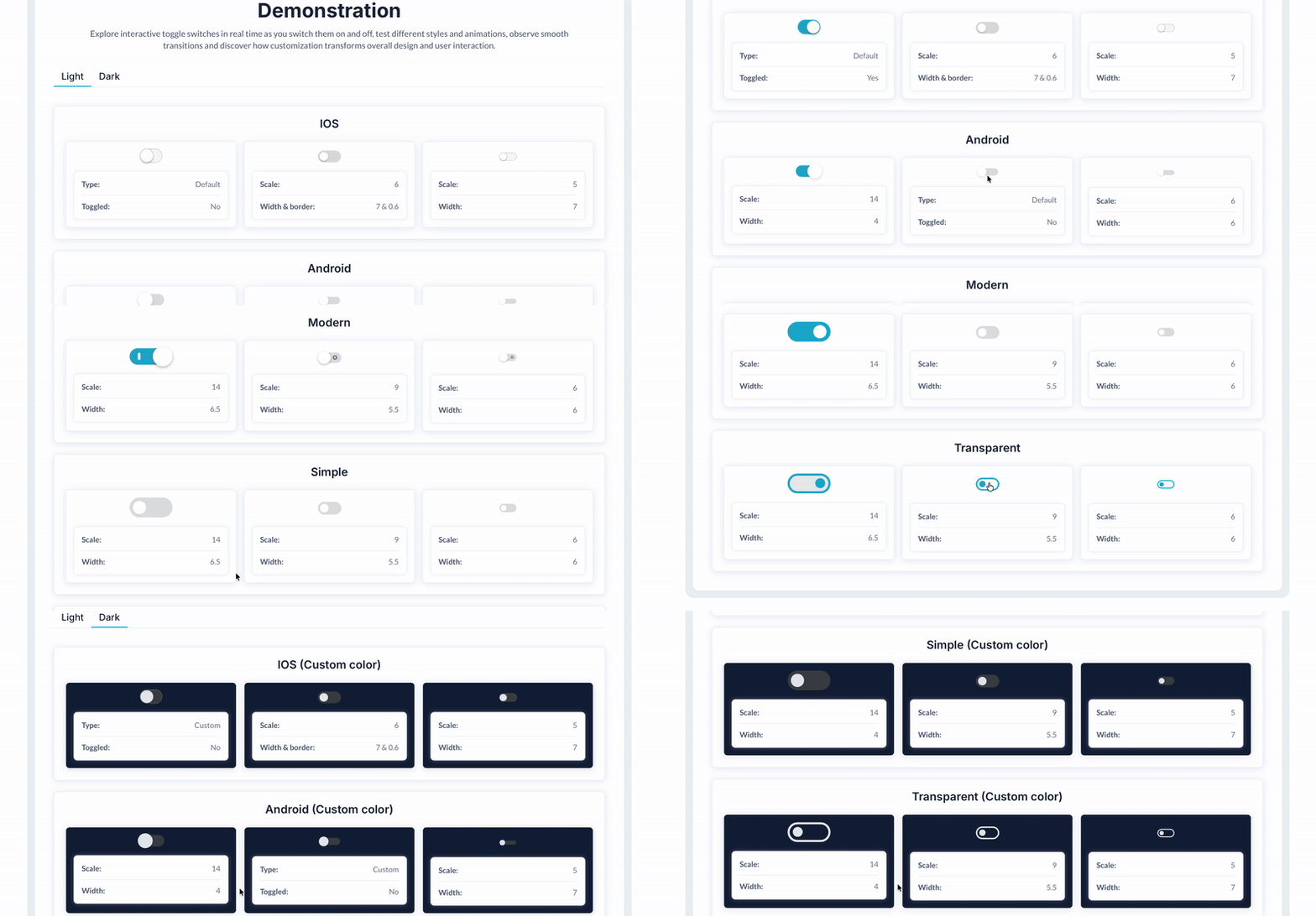 ⚡ Main Functions:
•
Custom toggle & switch elements. Add fully customizable toggles and switches.
•
Appearance controls. Adjust size, color, style, borders, and corners.
•
State support. Provides on/off states with clear visual feedback.
•
Workflow triggers. Run workflows whenever the toggle state changes.
⚡ Key Features:📱 Responsive compatibility Works smoothly with responsive layouts.
✨ State transition animations Add animations for smooth state changes.
🔒 Enable/disable control Enable or disable toggles programmatically.
⚙️ Autobinding ready. Supports Autobinding for automatic data updates.
🔔 For a lightweight and flexible toggle switch solution, check out our Customizable Toggle Lite plugin:
https://bubble.io/plugin/customizable-toggle-1637828395621x449181948329066500 Documentation
We’ve created a detailed step-by-step guide for the Customizable Toggle Switch Pro plugin. It includes a comprehensive overview of all features, practical use cases, and answers to frequently asked questions.
FAQ-
What is the main function of the Customizable Toggle and Switch plugin? The plugin allows users to create custom toggle and switch elements for their Bubble applications, enhancing interactivity and user interface aesthetics.
-
How can I customize the appearance of the toggle switches? Users can customize the size, color, border radius, and font size, among other properties, to match their application's design requirements.
-
Can this plugin be used for both desktop and mobile views? Yes, the plugin is responsive and can be used across different device views, ensuring a consistent user experience on both desktop and mobile.
-
Does the plugin support dynamic state changes? Yes, the toggle switches can respond to dynamic data, allowing them to change state based on current data inputs or user interactions.
-
Is it possible to trigger workflows using the toggle and switch elements? Yes, workflows can be triggered when the toggle switches are changed, enabling the implementation of various application logics and interactions.
 Our Similar Plugins
-
Customizable toggle Support
If you still have questions or an unresolved issues, you can
contact us.
Risk-free TrialThe most risk-free way to try out this plugin is to subscribe to it. If you unsubscribe a few days later you will be charged on pro-rata basis, so for example if the plugin monthly price is $5 then you’d pay only 17¢ per day ($5/30 days)!
 Built on Bubble
