Hold-to-confirm button plus 8 toggle styles with juicy animations and satisfying user feedback. Customizable colors, sizes, roundness, labels, icons. For native mobile, web and wrapped apps. WCAG-accessible, mobile-safe.
Toggle Studio & Hold gives you 9 switch styles in a single element, including a true hold-to-confirm toggle for critical actions (delete, deploy, send…). Every color, size, label, icon, and timing parameter is a regular Bubble field.


Test in Demo App ·
Test in Mobile Demo App ·
See in editor ·
Full user documentation
9 styles (color, size, roundness, labels and timing customizable)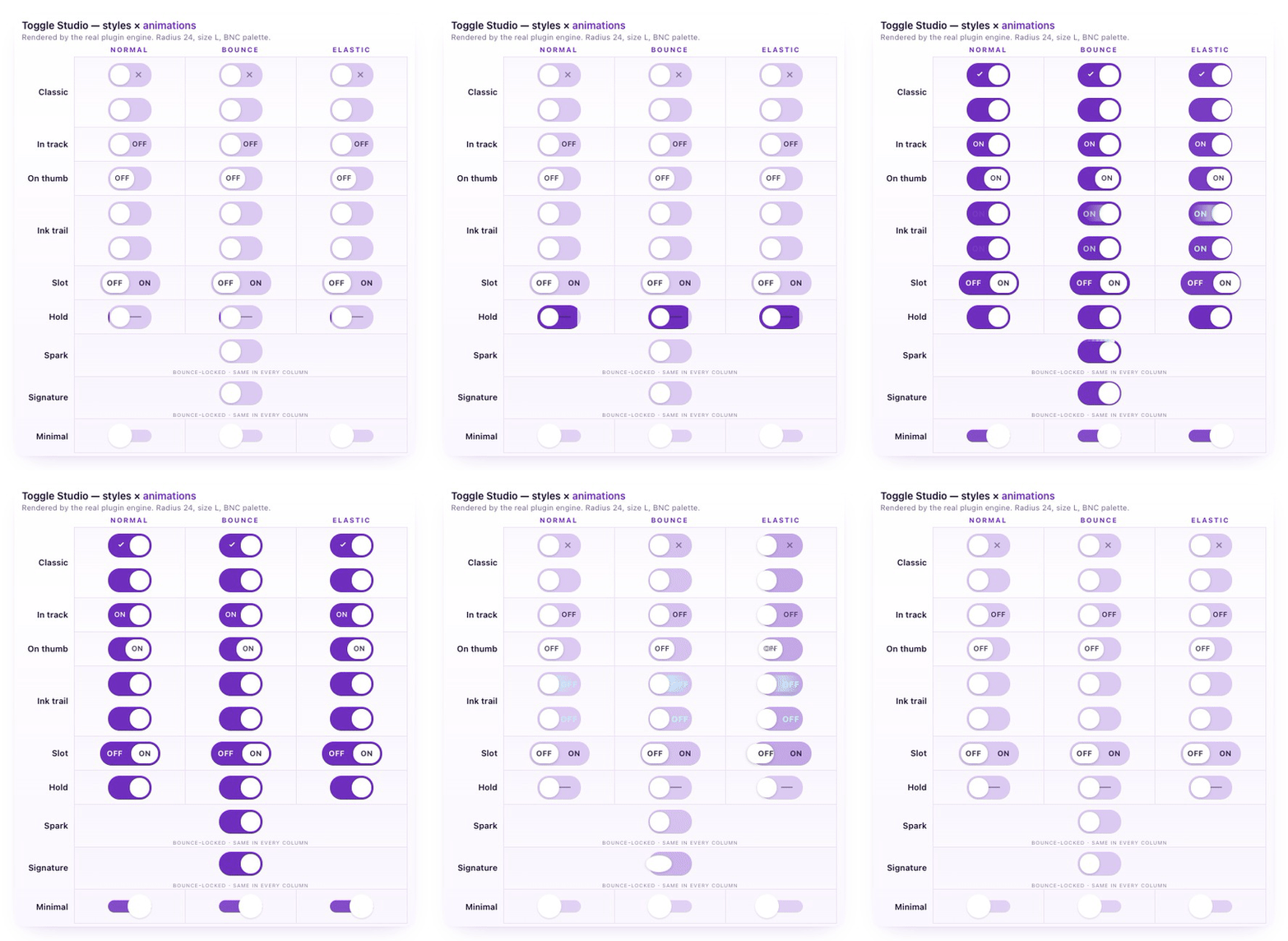
Please visit
demo app for real, full resolution results.
Style
| Best for
| Signature behavior
|
Hold
| Critical actions (delete, deploy, send)
| The user presses and holds to confirm; releasing early cancels. A progress fill sweeps the track. Turning off is always instant.
|
Classic
| Default, every interface
| A refined pill with optional check and cross cues inside the track.
|
In track
| Always-visible static label
| A label sits in the rail’s free zone, opposite the thumb.
|
On thumb
| Single-letter labels (EN/FR, AM/PM)
| A label rides the moving thumb, capped at 3 characters.
|
Ink trail
| Modern, expressive interfaces
| A colored streak diffuses behind the thumb, and an ON/OFF label appears and fades with it, so the state always reads at a glance.
|
Slot
| Segmented choices (dark/light, YES/NO)
| Both options visible side by side with a sliding highlight.
|
Spark
| A celebratory switch-on moment
| On switch-on, a comet orbits the rail once then fades, in a color you choose. Turning off is instant, with no effect.
|
Signature
| A calling-card moment
| A liquid drop crawls across the track, then a halo blooms at the landing point in a color you choose.
|
Minimal
| Austere, dense interfaces
| A plain switch with no cues or ornament.
|
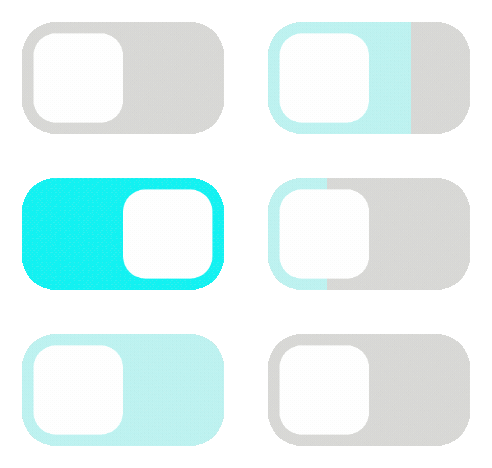
Hold-to-confirmUse the Hold style to gate destructive or irreversible actions behind a deliberate press: the user holds for a duration you set (300 to 3000 ms), a progress fill sweeps the track to show the engagement building, and the switch confirms only when the hold completes. Releasing early cancels with no state change. Turning the switch back off is always instant.
 Customize everythingSix color fields
, each with its own picker and dynamic-expression binding: track on, track off, thumb, accent, label, and an optional single-track override. Bind to your brand colors, to a user preference, or to a Bubble Color field. Every change reflects live in the editor preview.
Three sizes (S, M, L), one
corner radius slider (0 to 64 px), three
animation curves (Normal, Bounce, Elastic). The visible preview updates as you adjust them.
Static labels or icons, swappable per state: “ON / OFF”, “DAY / NIGHT”, “EN / FR”, or any SVG icon URL (Iconify, your own CDN). Auto-truncated to fit each style’s shape so text never overflows.
Workflow integrationTwo states (is_on, state_text) ready to bind in a Bubble expression.
Three events (Changed, Switched on, Switched off) so you can write directional workflows without conditional clutter.
Three element actions (Set state, Toggle, Reset) so external buttons, server responses, or scheduled workflows can drive the toggle as if the user had tapped it.
Built-in no-op protection: if a workflow action requests the state the toggle is already in, no event fires, so you never trigger an infinite workflow loop by accident.
Web and native mobileThe plugin includes two elements: ToggleStudio for web apps (and wrapped mobile apps), and a native element for Bubble's native mobile apps. Both expose the same 9 styles, the same fields, and the same states, events, and actions, so a switch you configure on one carries to the other with identical settings. The native element is built on React Native, so on a native mobile app it renders as a real native control rather than an embedded web view.
Reliable for productionAccessibility: full keyboard navigation (Tab plus Space or Enter). Announced to screen readers as a switch with the correct ARIA role, not as a checkbox, which matters on iOS VoiceOver. A 44x44 px minimum touch target on every size, even on S. Auto-readable label color (WCAG 2.1 luminance) when you leave it on default. Respects the operating system reduced-motion preference.
Mobile-safe: the Hold style respects touch-and-hold conventions. Animations are tuned to feel native on touchscreens.
Sensible defaults everywhere: every field has a default. Leave a color empty and the toggle falls back to a documented value rather than rendering broken. Pass an invalid input and it auto-corrects: radius clamped to range, labels truncated to fit, unparseable colors replaced with the default.
Auto-contrast labels: when you leave the label color on default, the plugin reads the luminance of whatever sits behind the text (track, thumb, or slot highlight) and picks a readable shade automatically, so labels stay legible on any color set, light or dark.
Why Toggle Studio & Hold
Feature
| Bubble Checkbox
| Toggle Studio & Hold
|
Distinct visual styles
| 1
| 9
|
Hold-to-confirm for critical actions
| ❌
| ✅
|
Per-style customization (colors, sizes, radius, labels, icons, timing)
| Limited
| ✅
|
Element actions (Set state, Toggle, Reset)
| ❌
| ✅
|
Screen-reader switch role (not checkbox)
| ❌
| ✅
|
Reduced-motion support
| ❌
| ✅
|
Zero external dependencies
| ✅
| ✅
|
Try risk-freeThe monthly subscription is prorated by the day. Try the plugin for a few days; if it is not the right fit, cancel and pay only for the days you used.
Documentation and supportWe built the user documentation we wish every plugin had.
If you notice a bug, a weird interaction with another plugin, or there’s a specific business case you’d like the plugin to cover, don’t hesitate to reach out (
contact@betternotcode.com). We happily take any question or improvement request. Plus, we react quickly!
 Built on Bubble

