Skeleton loader that automatically reads your Bubble layout and draws pixel-perfect shimmer placeholders while your data loads. Drop one element on your page; the plugin scans your DOM and measures every visible element. When your layout changes, the skeleton follows automatically. Exclude any element by its ID.
Test in Demo App ·
See in Bubble Editor ·
Full user documentation
Inverse-by-default targetingMost skeleton plugins ask you to list the IDs of every element you want covered. Each new section, card, or section means another ID; the list drifts out of sync as your page evolves.
Auto Skeleton Loader takes the opposite approach. The plugin covers your whole page by default; you only specify what to EXCLUDE (your logo, sticky header, and other parts that should stay visible during loading). Add a section, rearrange your layout, change a card, and the skeleton picks up the change on the next page load.
Automatically adapts to your designPixel-perfect placement. Round avatars stay round, pill buttons stay pill-shaped, cards keep their corners. The plugin reads each element’s own border-radius and replicates it. Override globally with one number when you want a uniform look across a mixed-radius layout.
Automatic light and dark mode. The plugin reads your page’s actual background (solid color or any CSS gradient, including the legacy -webkit- prefixed syntax that Bubble emits) and switches between light and dark palettes when luminance crosses the 50% threshold. Pick custom colors for both modes; the defaults match Tailwind gray-200 and gray-700, the skeleton standard used by Facebook, LinkedIn, and GitHub.
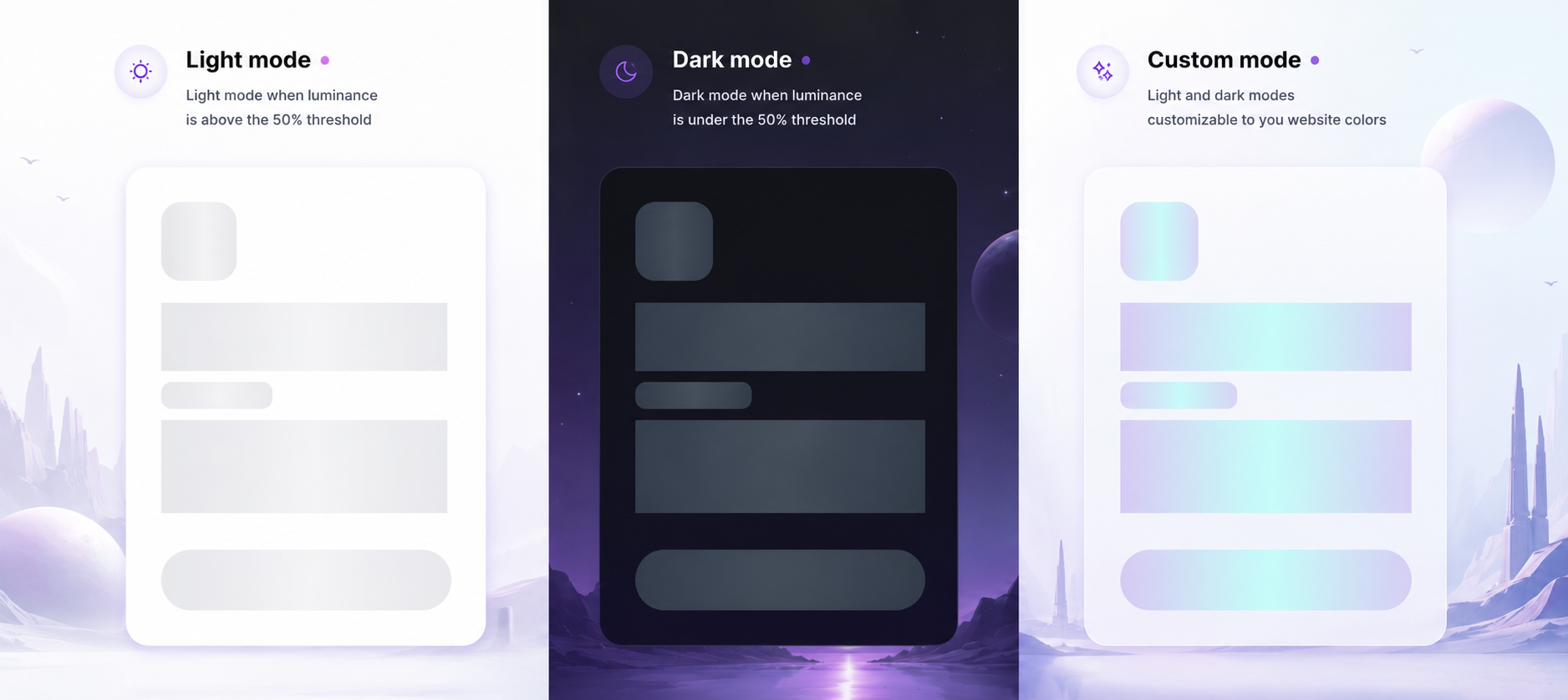 Four animation styles.
 Shimmer wave (the gradient sweep used by Facebook, LinkedIn, YouTube), Pulse (steady fade in and out, calmer), Fade (one soft cross-fade for fast-loading content), or Static (lowest CPU, used automatically when the visitor’s OS has Reduced Motion enabled).
Four density modes. Coarse (every Bubble Group as a single block, the canonical Facebook/LinkedIn/YouTube look), Medium (smart card detection: Groups with images or multiple texts recurse, plain Groups stay as one shimmer; the default), Fine (every individual text and icon), or Auto (tries Medium first and silently falls back to Fine if your page has very few block-level elements).
Built for productionFour loading detection strategies. Pick the one that matches how your data arrives.
Strategy
| When to use it
|
Auto-detect DOM changes
| The plugin watches tracked elements and hides the skeleton when content stabilizes (typically 500 to 800ms after data arrival).
|
Fixed duration
| Hard-coded display time. Use when you want a guaranteed look regardless of data speed.
|
Manual Hide action
| Your Bubble workflow fires “Hide Skeleton” the moment your data is ready. Full control, deterministic timing.
|
Fixed duration + Manual Hide
| Guaranteed minimum display time, plus an early-exit when your workflow signals readiness after that minimum.
|
A safety cap (default 10 seconds, configurable) prevents stuck skeletons in any strategy. A minimum display time (default 400ms) prevents the “flash of skeleton” effect on fast loads.
Three disappearance modes. All at once (default; simplest, most predictable), Wait for repeating groups (skeleton stays up until every Repeating Group has rendered its first cell), Progressive by section (each top-level section fades independently as it loads, matching the Facebook feed pattern).
Multiple skeletons on one page. Drop two, three, as many as you need; each instance is independent. Mix densities, target different containers, run different timing strategies for each. Combine for tailored loading experiences (header excluded, hero coarse, data table fine, sidebar manual-triggered).
Native support for Bubble Tables and Repeating Groups. Both shimmer cell-by-cell automatically. Targeting an RG or Table directly via Container IDs (for filter-and-reload patterns) is handled gracefully even when cells haven’t rendered yet at mount time; the skeleton waits and fires automatically as soon as Bubble inserts the content.
Sticky headers and side panels stay visible. FloatingGroups outside your scan area are automatically promoted above the skeleton overlay; visitors can always navigate during loading. Explicit exclusion is also one ID away; the plugin restores the original z-index when it hides.
Empty Repeating Groups don’t look broken. Synthetic placeholder cells (typically 3 fake rows) reserve space and signal that data is loading there.
Anchored shimmer. The skeleton scrolls with your page, not with the viewport. If a visitor scrolls during loading, the skeleton and the live content move together; the loading state stays visually attached to the content it represents.
Workflow integration. Three element actions (Show Skeleton, Hide Skeleton, Refresh Skeleton). Three exposed events (Skeleton Shown, Skeleton Hidden, Skeleton Error). Three exposed states (Is Visible, Last Hide Reason with seven possible values, Display Duration in ms). Build perceived-performance analytics, react to the skeleton lifecycle, gracefully fall back when a strategy fails.
Dynamic fields throughout. Container IDs and Excluded Element IDs both accept Bubble dynamic expressions: Current User’s preferences, conditional inclusions, custom-state-driven targeting, role-based exclusions. Wire your skeleton to your data model.
Accessibility, first-class. role=”status”, aria-busy, aria-live attributes so screen readers announce the loading state correctly. Reduced-motion respect for visitors with motion sensitivity (the plugin auto-switches to the Static animation when the OS preference is set). Friendly defaults for users who navigate by keyboard or assistive tech.
Performance. Pure CSS animations (GPU-accelerated, typically under 1ms per frame on modern devices). One scan at mount, MutationObserver-driven incremental rescans on layout changes (responsive breakpoints, tab switches, dynamic content insertion). Frontend-only (0 workload-unit cost).
Bubble-native compatibility. Works with Bubble’s responsive engine and the legacy fixed layouts. Compatible with Privacy mode (the plugin relies on structural classes that Bubble does not obfuscate). The plugin hides Bubble’s native loading bar while the skeleton is live so you don’t see two indicators at once.
Improves Core Web Vitals (CLS). Reserving space with placeholders prevents the content jumps that Google’s Cumulative Layout Shift metric penalizes (a Core Web Vitals ranking factor since 2021). Visitors stay engaged longer; bounce rate drops; perceived load time feels dramatically faster.
Zero external dependencies. Pure vanilla JavaScript, ES5-safe, fully self-contained. Safe to use in commercial Bubble apps.
Documentation and AI supportA full user guide covers every field, every state, every workflow recipe, and a thorough troubleshooting section.
The plugin also ships with a context document designed to be pasted into any LLM. Once pasted, your AI assistant knows every field, every state, every event, every strategy, and the most common configuration patterns of the plugin. It can write your Bubble dynamic expressions, diagnose a misbehaving skeleton, and suggest the right configuration for your specific use case, without you having to dig through documentation yourself.
Try risk-freeThe monthly subscription is prorated by the day. Try the plugin for a few days; if it is not the right fit, cancel and pay only for the days you used.
 Built on Bubble

