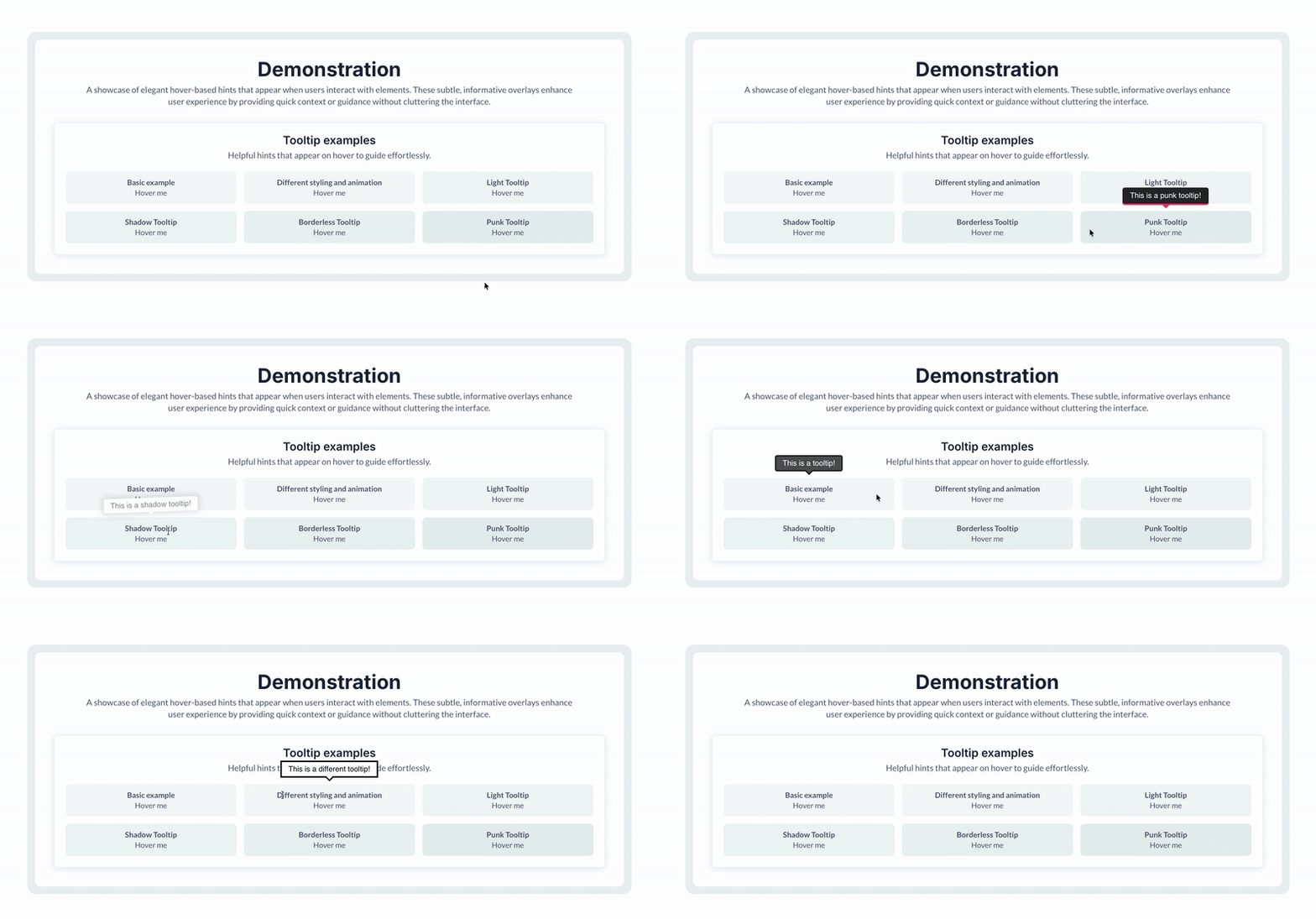
Show hover tooltips across your interface for inline guidance. Control tooltip content, visual theme, and animation behavior to fit your app’s design and interaction style.



 ⚡ Main Functions
•
Custom Tooltip Content Define text or messages displayed inside tooltips.
•
Animation Control Add animated effects to tooltip appearance.
⚡ Key Features⏱️ Animation Duration Control how long tooltip animations last.
🎨 Theme Selection Apply predefined themes to match app design.
 Documentation
We’ve created a detailed step-by-step guide for the Advanced Tooltips plugin. It includes a comprehensive overview of all features, practical use cases, and answers to frequently asked questions.
FAQWhat does the Advanced Tooltips plugin do?It lets you add hover-based tooltips to elements within your Bubble app, enhancing interactivity and user guidance.
What customization options are available?You can define the tooltip’s text content, choose a visual theme, select an animation style, and set how long the animation should last.
How do I set up a tooltip on my page?Drag the tooltip element onto the page and specify the target element’s ID. Within the element inspector, configure the content, theme, animation, animation duration, distance from the target, and optional delay.
How does the tooltip know which element to target?You assign an ID attribute to the target element and then reference that ID in the tooltip element setup. This tells the plugin exactly where to display the tooltip.
 Our Similar Plugins
-
Air Tooltip-
Better Native Tooltip-
Modern & Stable Tooltips (Tooltip)-
Tooltip Simple Lightweight Support
If you still have questions or unresolved issues, you can
contact us.
Risk-free TrialThe most risk-free way to try out this plugin is to subscribe to it. If you unsubscribe a few days later you will be charged on pro-rata basis, so for example if the plugin monthly price is $5 then you’d pay only 17¢ per day ($5/30 days)!
 Built on Bubble
