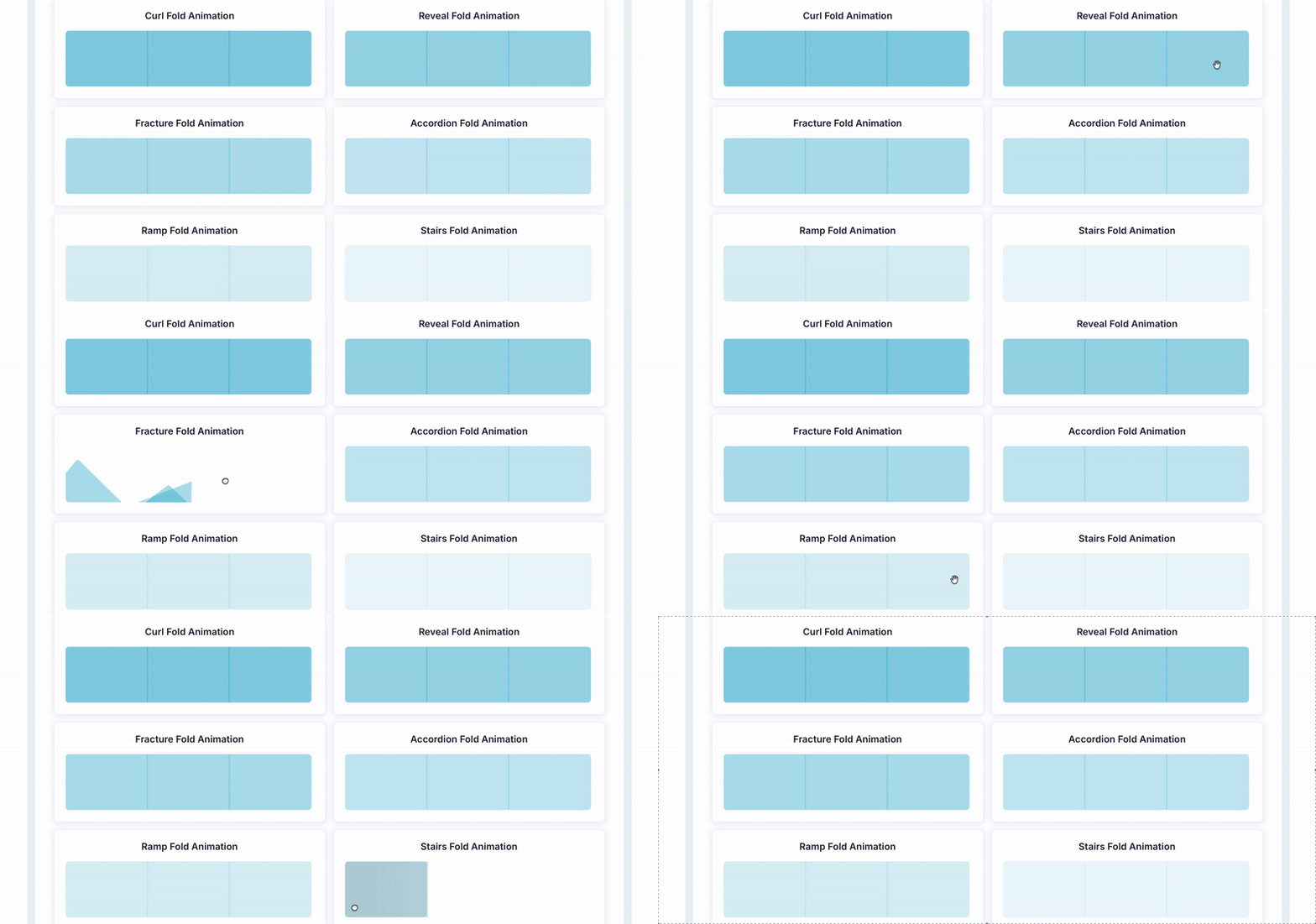
This Plugin allows you to fold up and interact with all your elements in an Origami style. You can add up to 6 different folding effects and specify the folding angle.
This Plugin allows you to create a more interactive and "hands-on" experience for your users. All the folding effects are optimized for mobile use.


 ⚡ Main Functions:
•
Origami-Style Folding Effects.Add interactive folding animations to your elements, giving them a unique origami-like appearance.
•
Up to 6 Folding Styles.Choose from six different folding effects to create diverse and engaging visual interactions.
•
Customizable Folding Angle.Control the angle of the fold to fine-tune how the element collapses and expands.
⚡ Key Features:📱 Mobile OptimizationAll folding effects are designed and optimized for smooth performance on mobile devices.
🎮 Interactive User ExperienceEncourage user engagement with “hands-on” interactions that go beyond static design.
🧩 Element FlexibilityApply folding effects to any Bubble element—groups, images, text blocks, or buttons.
⚙️ Seamless IntegrationWorks directly within Bubble’s visual editor and can be tied into workflows without coding.
🎨 Creative Use CasesPerfect for menus, content reveals, onboarding animations, or any feature where interactive design enhances user experience.
✨ Enhanced Visual AppealAdd modern, playful, and eye-catching effects to make your application stand out.
 Documentation
We’ve created a detailed step-by-step guide for the Fold Elements (UI Animator) plugin. It includes a comprehensive overview of all features, practical use cases, and answers to frequently asked questions.
FAQWhat is the Fold Elements (UI Animator) plugin?It allows you to apply origami-style folding animations to Bubble elements (like groups or images), giving them interactive folding effects.
How many folding styles are available?You can choose from up to 6 different folding effects, such as Curl, Ramp, Reveal, Accordion, Fracture, and Stairs.
Can I control the fold angle?Yes. Each folding action lets you specify the folding angle (positive or negative) to control how much the element folds.
How do I apply a fold to an element?First, enable ID attributes for your elements. Assign an ID to the element you want to fold. Then trigger a fold action in a workflow (e.g. “Curl a Foldable Element”) and select the element by its ID.
Are there workflows available for different actions?Yes. The plugin includes actions like Curl, Ramp, Reveal, Accordion, Fracture, and Stairs. You choose the action and target element in your workflow.
Is this plugin optimized for mobile use?Yes. The folding effects are designed to perform well on mobile devices, offering smooth animations in responsive apps.
Does Zeroqode maintain this plugin?Yes. The plugin has been acquired by Zeroqode and is under active review and improvement (version 1.3.0 marks the official acquisition).
 Our Similar Plugins
-
Move and Resize Bubble Elements-
Click and Hover Effects-
Flip Cards For Any Element-
Move and Rotate element-
Tilt Elements on Mouse Movement-
3D Tilt Effect for Elements-
Invisible Elements-
Hover Tilt Effect for Cards-
Animated Annotations (Notation)-
Pulsate Elements (Animation)-
Focus Elements-
Transform and Move Elements-
Shake on Hover Animation Support
If you still have questions or unresolved issues, you can
contact us.
Risk-free TrialThe most risk-free way to try out this plugin is to subscribe to it. If you unsubscribe a few days later you will be charged on pro-rata basis, so for example if the plugin monthly price is $5 then you’d pay only 17¢ per day ($5/30 days)!
 Built on Bubble
