MARKETPLACE
PLUGINS
LIGHTWEIGHT EMOJI PICKER PRO
Lightweight Emoji Picker Pro logo

Lightweight Emoji Picker Pro

Published August 2022
   •    Updated December 2025

Plugin details

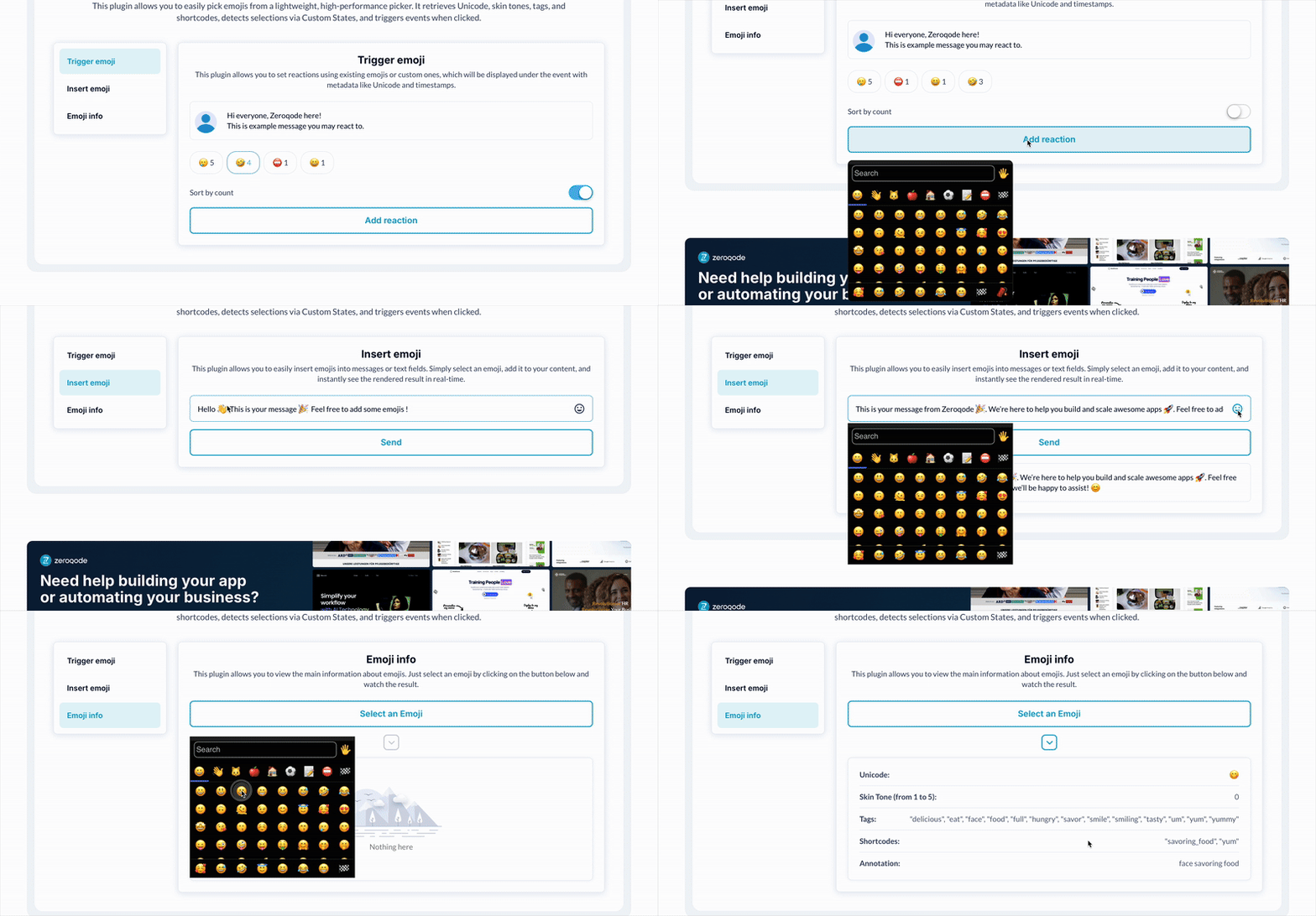
The most lightweight & performant Emoji Picker as of today. Retrieve Emoji unicode, skin tone, tags, shortcodes and annotation associated to the selected Emoji.


Usage Features:

- Add a lightweight and highly performant emoji picker to your Bubble app.
- Choose emojis using either a native or fancy picker interface.
- Retrieve the selected emoji’s unicode, skin tone, tags, shortcodes, and annotation.
- Access the clicked emoji details via custom states for easy integration into workflows.
- Trigger custom events whenever an emoji is clicked, enabling dynamic responses.
- Seamlessly integrate emoji selection into chat apps, comments, or feedback forms.
- Designed for fast loading and smooth operation across all devices.


FAQ

What does this plugin do?
It adds a lightweight and performant emoji picker to your Bubble app, allowing users to select emojis and retrieve detailed information about them.

Can I choose between different emoji picker styles?
Yes, you can select emojis from either a native picker or a fancy picker, depending on your app’s design needs.

How can I retrieve the selected emoji?
The selected emoji’s unicode, skin tone, tags, shortcodes, and annotation are retrieved through custom states.

Is it possible to detect when an emoji is clicked?
Yes, the plugin triggers a custom event each time a user clicks an emoji, allowing you to build dynamic workflows.



Other plugins from Zeroqode

- Emoji Picker Plugin for Bubble
- Rapid Emoji Picker Plugin for Bubble


Support

If you still have questions or unresolved issues, you can contact us.


Risk-free Trial

The most risk-free way to try out this plugin is to subscribe to it. If you unsubscribe a few days later you will be charged on pro-rata basis, so for example if the plugin monthly price is $5 then you’d pay only 17¢ per day ($5/30 days)!

$50

One time  •  Or  $5/mo

1.0 stars   •   1 ratings
90 installs  
This plugin does not collect or track your personal data.

Platform

Web

Contributor details

Zeroqode - Top Bubble Agency logo
Zeroqode - Top Bubble Agency
Joined 2016   •   848 Plugins
View contributor profile

Instructions

1. Drag the "Emoji Picker" element on your page (most of the time, inside a Focus Group)
2. Define the settings you want, and if you want the selected Emoji to be inserted in a text field.

3. If you want the Emoji to be inserted in a text field, please provide an HTML ID attribute for this field.

4. You're ready to go!

Types

This plugin can be found under the following types:
Background Services   •   Element   •   Event

Categories

This plugin can be found under the following categories:
Mobile   •   Media   •   Social Network   •   Blog   •   Containers   •   Visual Elements

Resources

Support contact
Documentation
Tutorial

Rating and reviews

Average rating (1.0)

Emoji UI is Off
July 29th, 2025
All emojis are ordered vertically in one column. Seems that the number of columns are not defined and that's throwing off the UI
Hello, 👋 This is Anton from the Zeroqode Support Team. Thank you for your feedback, and we’re sorry for the inconvenience you experienced. We are constantly working to improve our plugins, and your input helps us a lot in that process. We’ve reached out to you via email, addressed the UI issue you reported, and released an updated version of the plugin (v1.14.0) that resolves the problem. You confirmed that everything is now working correctly — which is great to hear! If you feel the issue has been fully resolved, we’d appreciate it if you could consider updating your review to reflect your latest experience. Should you encounter any further issues or have questions, please don’t hesitate to contact us via our forum at forum.zeroqode.com or by email at [email protected]. We’re here to help. Best regards, Anton
August 11th, 2025
  •  
Zeroqode - Top Bubble Agency
Bubble