MARKETPLACE
PLUGINS
RADIAL RIGHT CLICK MENU
Radial Right Click Menu logo

Radial Right Click Menu

Published March 2020
   •    Updated December 2025

Plugin details

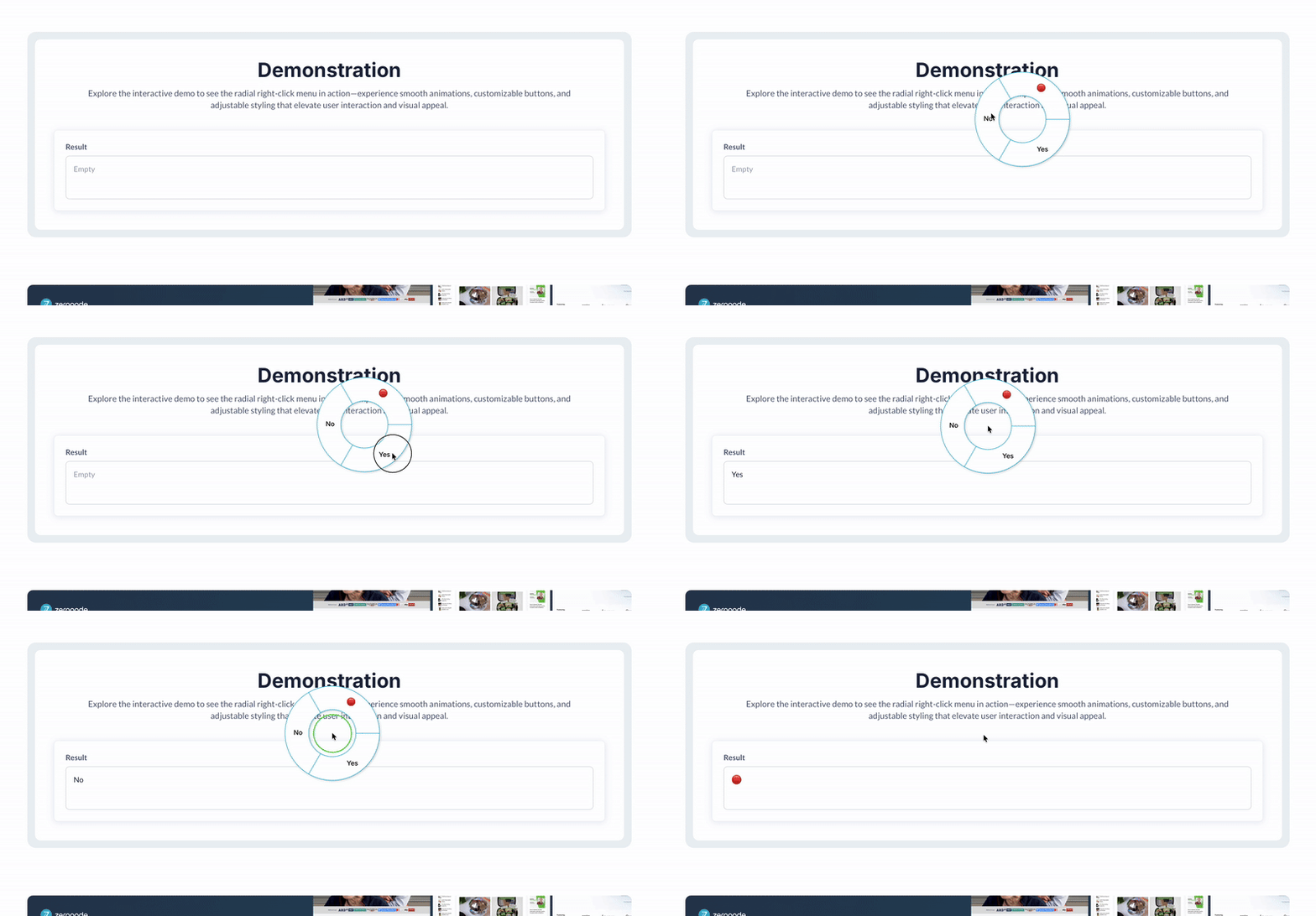
Build a custom radial right-click menu with 2–5 buttons, full styling control, and event events that let your app respond instantly to user selections.



⚡ Main Functions:

2–5 Menu Buttons.
   Choose between 2 and 5 radial action buttons.
Custom Styling.
   Adjust text size/color, background, and ring radius.
Workflow Actions.
   Run workflows when a menu button is pressed.
Event Handling.
   Use element events to detect specific button presses.

⚡ Key Features:

🎨 Visual Customization
     Full control over colors, sizes, and radial layout.
🧩 Precise Control
     Each button can trigger unique logic or UI flows.


FAQ

What is the Radial Right Click Menu plugin?
It lets you replace the default right-click (context) menu in your app with a custom radial (pie-style) menu, complete with individual buttons and custom styling.

How many buttons can the radial menu include?
You can configure the menu to show between 2 and 5 buttons.

What styling options are available?
You can set text size and color, background color for the menu circle, and the radius (distance from the center) for the ring layout.

How do I handle button presses?
Each button press triggers an event that you can capture within workflows. You can respond individually depending on which button was selected.

How do I set it up on my page?
Place exactly one Radial Menu element (for 2–5 buttons) onto your page. Configure its visual settings, assign IDs if needed, and then use the built-in events to trigger workflows when buttons are clicked.

Can I use multiple radial menus on one page?
No, only one radial menu element should be added per page (the plugin documentation warns “Only add one element to your page”).



Our Similar Plugins

- Right-Click Menu
- Prevent Right Click
- Advanced Context Menu


Support

If you still have questions or unresolved issues, you can contact us.


Risk-free Trial

The most risk-free way to try out this plugin is to subscribe to it. If you unsubscribe a few days later you will be charged on pro-rata basis, so for example if the plugin monthly price is $5 then you’d pay only 17¢ per day ($5/30 days)!

$20

One time  •  Or  $3/mo

3.0 stars   •   1 ratings
24 installs  
This plugin does not collect or track your personal data.

Platform

Web

Contributor details

Zeroqode - Top Bubble Agency logo
Zeroqode - Top Bubble Agency
Joined 2016   •   846 Plugins
View contributor profile

Instructions

Please refer to the plugin documentation to see how to configure it: https://docs.zeroqode.com/radial-right-click-menu-293c669b00ed80528753e86245988414

Types

This plugin can be found under the following types:
Background Services   •   Element   •   Event

Categories

This plugin can be found under the following categories:
Containers   •   Media   •   Technical   •   Productivity   •   Ecommerce   •   Visual Elements

Resources

Support contact
Documentation
Tutorial

Rating and reviews

Average rating (3.0)

Works, but little UX customization.
April 7th, 2023
It does the job. But here are some features that would make it better - One button option - Curser change to pointer when hovering over element - Edit border color - Center text in button - Repeating Group cell support
Hi there, Thank you for your valuable feedback! 🙌 Our developer team appreciates your suggestions, and here’s their response: - One Button Option: Unfortunately, the plugin library doesn’t currently support this feature. We’ll keep an eye out for any future updates that might allow for it. - Cursor Change on Hover: The radial menu relies on a canvas, making it challenging to target individual menu items for cursor changes. However, we’ll explore any possibilities for improvement. - Edit Border Color: Good news! We’ve added this functionality in the latest plugin update. You can now customize the border color to your liking. - Center Text in Button: While the text is already centered, we recommend using icons instead of text within the radial menu due to its circular nature. - Repeating Group Cell Support: Unfortunately, the radial menu replaces the default context menu globally. It cannot behave differently for each repeating group separately. We’ve also introduced a new plugin element called Custom Radial Menu, which allows an unlimited number of buttons and enables custom font styles. Feel free to explore it! If you have any further suggestions or need assistance, don’t hesitate to reach out to us at [email protected]. We’re here to help! 😊 Regards, The RapidDev Team.
April 23rd, 2024
  •  
Original reviewer
Bubble