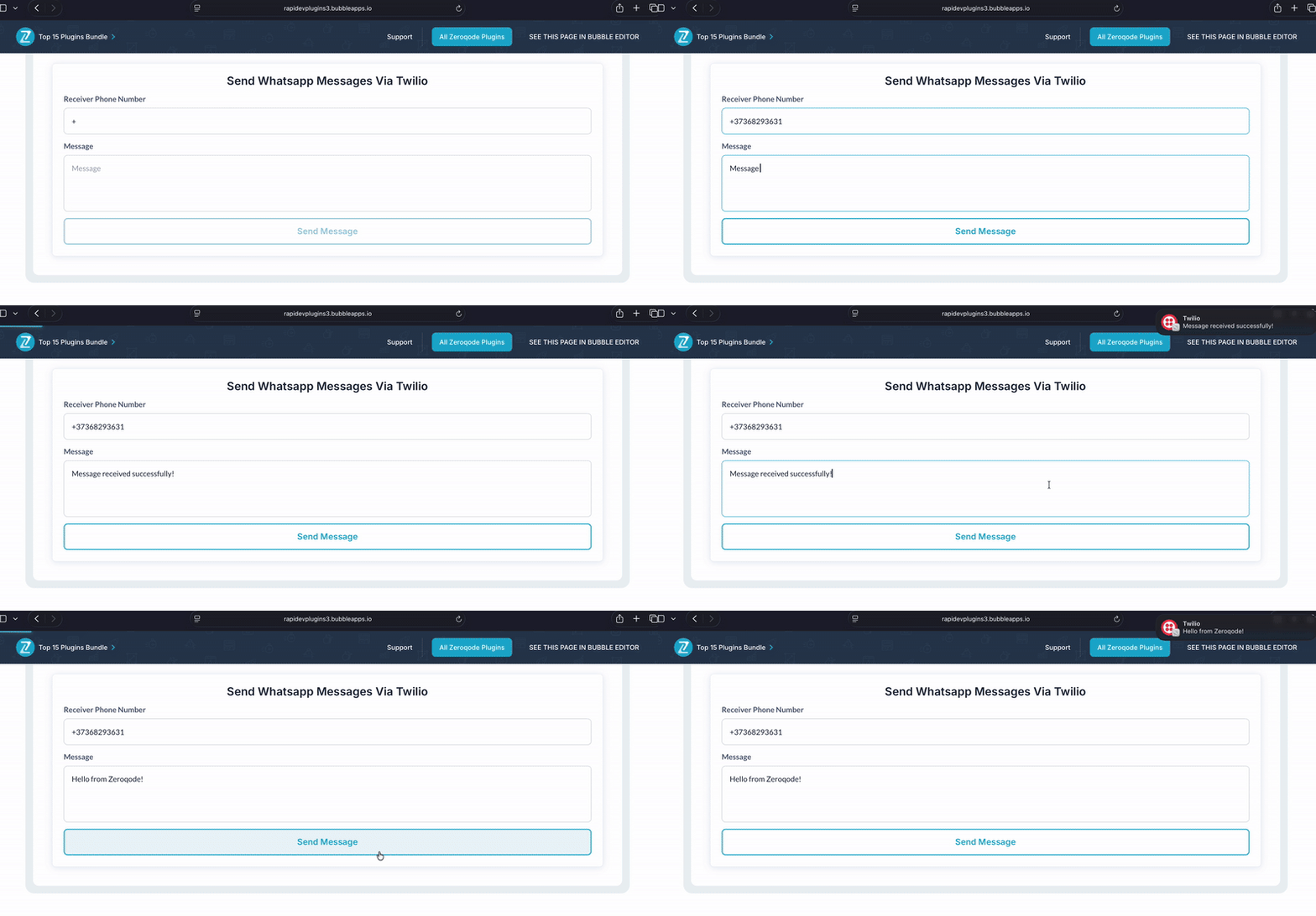
Send WhatsApp messages via Twilio to deliver alerts, updates, and confirmations. Connect your Twilio WhatsApp number, add your SID and Auth Token, and trigger messages directly through workflows.



 ⚡ Main Functions:
•
WhatsApp messaging. Send WhatsApp messages via Twilio directly from your app.
•
User notifications. Send updates, alerts, confirmations, and real-time info.
•
Twilio integration. Requires Twilio, a WhatsApp number, and API approval.
•
Authentication setup. Connect securely using Account SID and Auth Token.
⚡ Key Features:⚙️ Workflow ready Trigger WhatsApp messages directly from workflows.
🌍 Scalable communication Reliable global messaging to enhance engagement.
 Documentation
We’ve created a detailed step-by-step guide for the Twilio Whatsapp Integration plugin. It includes a comprehensive overview of all features, practical use cases, and answers to frequently asked questions.
FAQWhat is the Twilio WhatsApp Integration plugin?It allows you to send WhatsApp messages from your Bubble app using the Twilio WhatsApp API-to deliver alerts, confirmations, shipping updates, and more.
What do I need to set it up?You’ll need a Twilio account, a WhatsApp-enabled Twilio number, and the Account SID and Auth Token to configure the plugin.
How do I send a WhatsApp message?Use the “Send Message” action provided by the plugin. Specify “To” (recipient), “From” (your WhatsApp-enabled Twilio number), the message body, and optionally media content or template identifiers.
Can I send templated WhatsApp messages?Yes. The plugin supports sending messages using preapproved WhatsApp templates through a “Send Message with Template” action-specifying a messaging service SID, template name, and any template variables.
How do I handle responses or incoming messages?You set up a webhook endpoint in Bubble (via API workflows) and connect it in Twilio’s WhatsApp settings. Incoming messages or status updates are sent to your Bubble backend for you to handle them.
Can I use this plugin before I’m approved for WhatsApp in Twilio?Yes, by using Twilio’s WhatsApp Sandbox for development and testing until your number is approved for production.
What are common limitations I need to know?Messages initiating first contact may need to be sent via approved templates.
Free form messages may be restricted depending on WhatsApp’s rules.
Template messages must be approved in Twilio before they can be used.
Who do I contact for help or reporting issues?You can reach the plugin’s support team via email (
[email protected]) for questions, bug reports, or feature requests.
 Our Similar Plugins
-
Twilio - Send Text Messages-
Click Send Done Right-
Easy Twilio Whatsapp Integration-
Twilio Video Conversations-
Twilio Masked Communications-
Whatsapp Message Widget-
Twilio SMS for Bubble Mobile Support
If you still have questions or unresolved issues, you can
contact us.
Risk-free TrialThe most risk-free way to try out this plugin is to subscribe to it. If you unsubscribe a few days later you will be charged on pro-rata basis, so for example if the plugin monthly price is $5 then you’d pay only 17¢ per day ($5/30 days)!
 Built on Bubble
