TL;DR: AI tools for backend development fall into three categories: AI-first code editors, intelligent cloud and database builders, and LLM orchestration frameworks. This guide covers seven tools across all three categories, what each one handles well, and what to verify before you ship.
Backend development involves more than writing endpoints. Auth, database modeling, privacy rules, and business logic all need to work together, and different AI tools address different parts of that stack.
AI tools for backend development fall into three categories. AI-first code editors help you write and refactor backend code faster. Intelligent cloud and database builders generate schemas, APIs, and workflows without requiring you to manage infrastructure yourself. LLM orchestration frameworks help you build AI-native backends that connect language models to your data. Knowing which category you need saves significant time before you commit to a tool.
This guide covers seven tools organized by how they fit those categories, with a comparison table and a selection guide at the end. You’ll come away knowing which tool fits your stack, your team’s technical level, and the scope of your backend.
What to look for in an AI tool for backend development
Backend development is the server-side work that makes your app function. The backend processes requests from your frontend or mobile app, executes the rules that determine what happens when users take actions, and manages how information moves between your database and your users.
When you’re evaluating AI tools for backend work, you need to know what parts of the backend each tool actually handles:
- Data storage: Where your app’s information lives: user records, content, transactions. Most backends use either a relational database (like Postgres) or a document database (like MongoDB).
- Authentication and authorization: How your app verifies who a user is (auth) and what they’re allowed to do, often through role-based access control (RBAC), so different users see different data based on their role.
- APIs: The endpoints that let your frontend, mobile app, or third-party services send and receive data from your backend. An API endpoint is a specific URL that accepts requests and returns responses.
- Business logic: The rules and workflows that determine what happens when a user takes an action. For example, sending a confirmation email after signup or restricting access to paid features.
A useful AI tool for backend work needs to understand your data model, generate secure patterns by default, and give you visibility into what it built so you can maintain it. Some tools generate code you then manage yourself; others handle the infrastructure for you. Both approaches work; the right choice depends on your team’s technical depth and how much control you want over the underlying code.
The 7 best AI tools for backend development
These tools are ordered by how much built-in backend functionality they include. The list starts with platforms that provide database, authentication, and infrastructure out of the box, then moves toward tools that require more technical depth and infrastructure management.
1. Bubble: Best for visual backends with built-in database, auth, and privacy rules
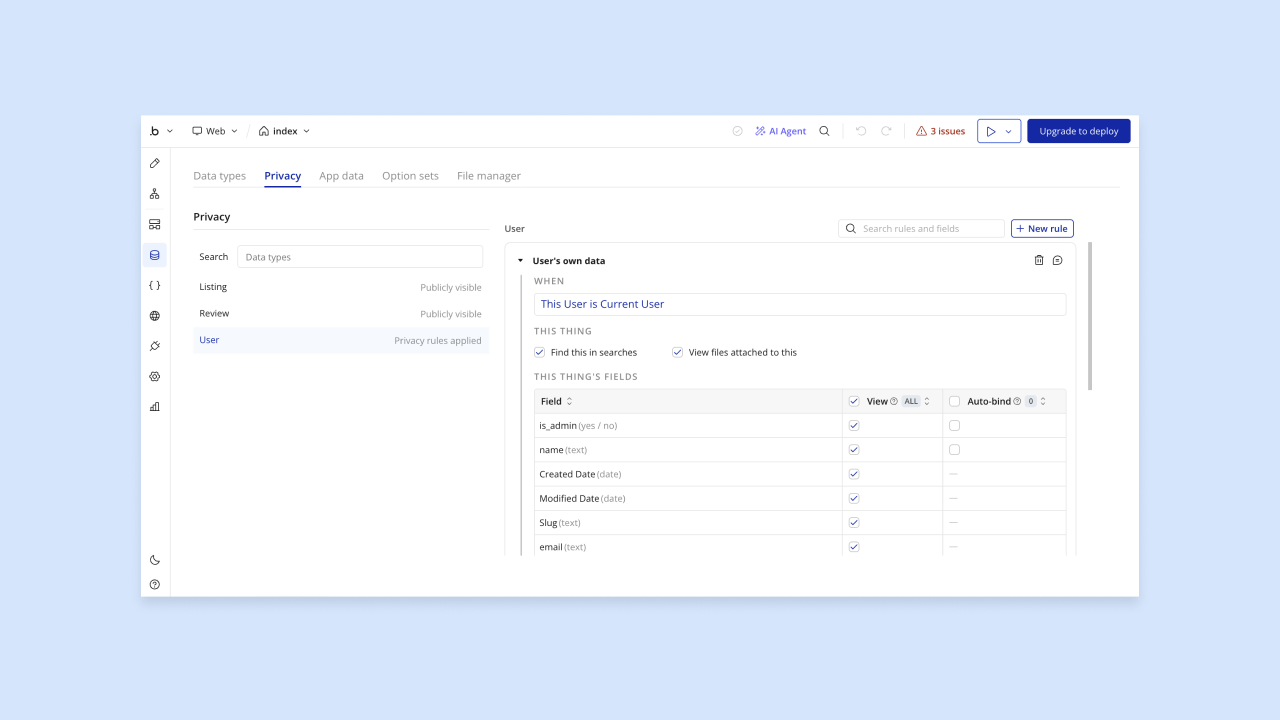
Bubble is a fully visual AI app builder: you describe what you want and build through a visual editor, not by writing code. It includes a complete backend: database, user authentication, workflows, API connectors, and automatically generated privacy rules, all managed visually. Unlike code-generating tools, Bubble shows you your app’s logic in natural language so you can see and edit it directly: the idea behind vibe coding without the code.
You can build in two ways. Use Bubble AI to generate your app from a prompt, then use the Bubble AI Agent (beta) to refine and edit UI, data types, option sets, dynamic expressions, and frontend workflows through conversation. Or switch to the visual editor for precise control over backend workflows, privacy rules, and the rest of your app. The AI Agent works inside the editor and can make visible, editable changes; for some generated changes, Bubble provides changelog and revert options where available. When Bubble AI generates new data types, it can also generate privacy rules for those new types (especially for potentially sensitive data), but you should review the rules to make sure they match your app’s needs.
Bubble’s security dashboard helps identify risks such as missing privacy rules, sensitive credentials or parameters, and database exposure risks, with available checks and detail levels depending on your plan. Bubble is SOC 2 Type II compliant, so it meets enterprise-grade security standards without additional setup on your end.
Best for:
- Founders, agencies, and teams (from first-time builders to enterprise organizations) who want production-ready apps and backends they can see, understand, and control without writing code.
- Teams building web and native iOS/Android apps from a single Bubble project with shared backend logic, data, and workflows, noting that Bubble’s native mobile builder is currently in public beta.
- Organizations that need built-in security scanning, privacy rules, and SOC 2 Type II compliance without additional setup.
- Builders who want to switch between AI generation and direct visual editing based on what the moment requires.
Limitations: Bubble is intentionally not a code editor: instead of handing you raw code to maintain, it gives you visual workflows, data structures, privacy rules, and logic you can understand and edit directly. If raw code ownership is a strict requirement, a code-first tool may be a better fit. The AI Agent is in beta and continues to improve; Bubble’s native mobile builder is also in public beta, with mobile AI generation currently focused on UI and dynamic expressions and additional workflow and data capabilities in progress.
Pricing: Free plan available. Paid plans start at $59/month for web and mobile (billed annually). Check bubble.io/pricing for current tiers.
Compare to: Supabase AI (database-first, Postgres-native, requires more SQL knowledge), Rocket.new (AI backend generator that hands you code to own and deploy), Amazon Q Developer (AWS-native, IDE-based).
2. Supabase AI: Best for AI-assisted SQL, Postgres modeling, and auth
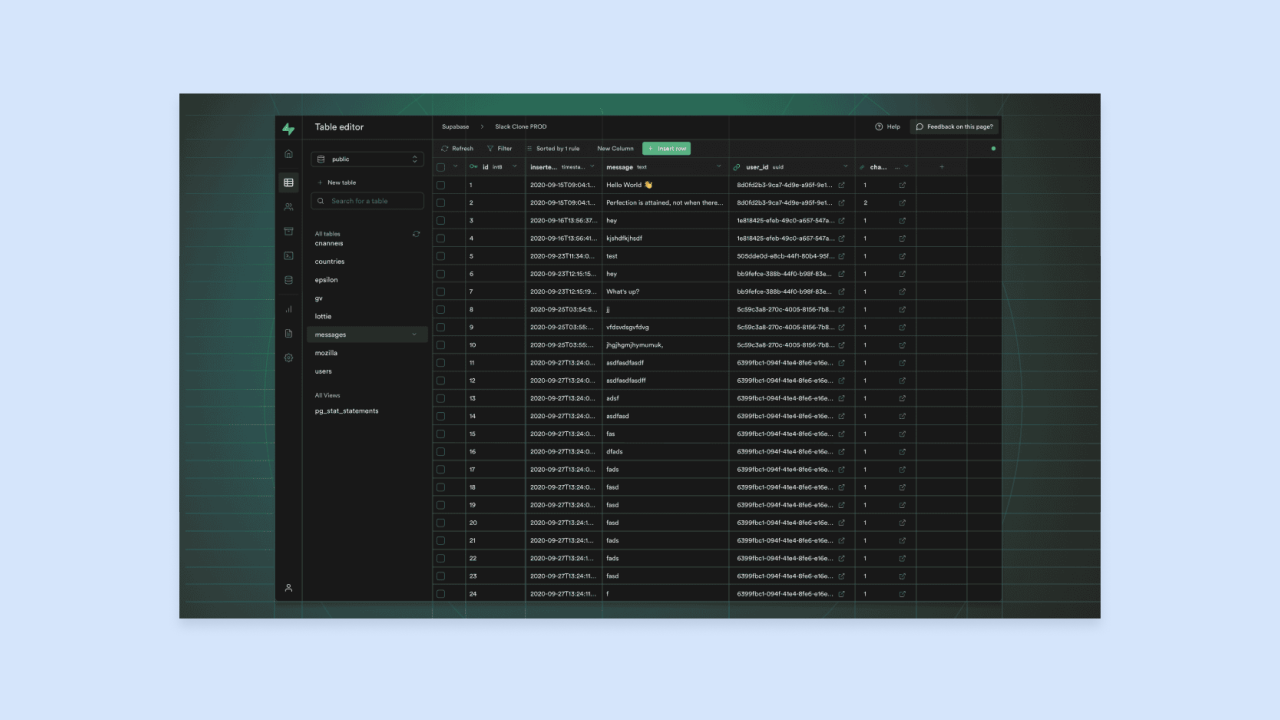
Supabase is an open-source backend platform built on Postgres, a relational database. Supabase integrates AI to let you generate tables, define relationships, and write SQL queries using plain English prompts. Row-level security (RLS) is a Postgres feature that controls which rows of data a user can read or write based on rules you define, and Supabase’s AI helps you set those up.
Built-in authentication (email/password, OAuth, magic links), storage for files, and edge functions round out the backend layer. Edge functions are small serverless functions that run close to your users for faster response times. The AI assistant helps you generate table schemas, write SQL, and set up RLS policies without needing deep SQL expertise, though some SQL familiarity helps.
The platform is database-first. You get a Postgres backend, but you’re still responsible for writing your frontend, managing your deployment pipeline, and implementing your own business logic outside of the database layer.
Best for:
- Developers who are comfortable with SQL or want to learn it with AI assistance.
- Teams building on Postgres who want a managed, open-source backend with built-in auth and storage.
- Projects where direct database access and custom SQL queries are a priority.
Limitations: Not a full-stack builder, so you manage your frontend and deployment separately. RLS policies require careful setup and testing. The AI can generate them, but you should verify that they behave correctly in edge cases.
Pricing: Free tier available. Usage-based paid plans. Check supabase.com/pricing for current details.
Compare to: Bubble (visual full-stack builder with built-in privacy rules), Rocket.new (generates full backend scaffolding in code), Amazon Q Developer (AWS-native, not Postgres-specific).
3. Rocket.new: Best for AI-generated backend scaffolding with APIs, auth, and database schemas

Rocket.new is an AI backend generator, meaning it produces backend code including API endpoints, auth flows, and database schemas from a natural language prompt. You describe your app, and it generates the structure: endpoints, data models, authentication, and role-based access control (RBAC) patterns. It can also accept input from a Figma file, an existing Next.js codebase, or templates, and outputs downloadable and GitHub-synced code.
The key distinction from Bubble and Supabase is that Rocket.new hands you code to own and deploy yourself, while also offering Rocket-hosted launch and custom-domain deployment options. Teams that want full code ownership and framework flexibility can extend the output directly; teams without backend expertise to review and maintain generated code may need additional support.
AI-generated scaffolding is a starting point, but teams should review authentication edge cases like token expiration, refresh logic, and logout invalidation, as well as RBAC rules, before shipping to production.
Best for:
- Development teams that want AI to handle repetitive scaffolding so they can focus on custom business logic.
- Projects where code ownership and the ability to deploy to any infrastructure are priorities.
- Teams comfortable reviewing and extending generated backend code.
Limitations: Requires developer oversight, as generated authentication and RBAC patterns need testing and review before production. Teams should confirm what infrastructure responsibilities remain for their chosen deployment path.
Pricing: Free tier available. Check rocket.new for current paid plan details.
Compare to: Bubble (visual, managed, no code to own), Supabase AI (database-first, open-source), Amazon Q Developer (AWS-specific scaffolding).
4. Amazon Q Developer: Best for AWS-native backend work and security scanning
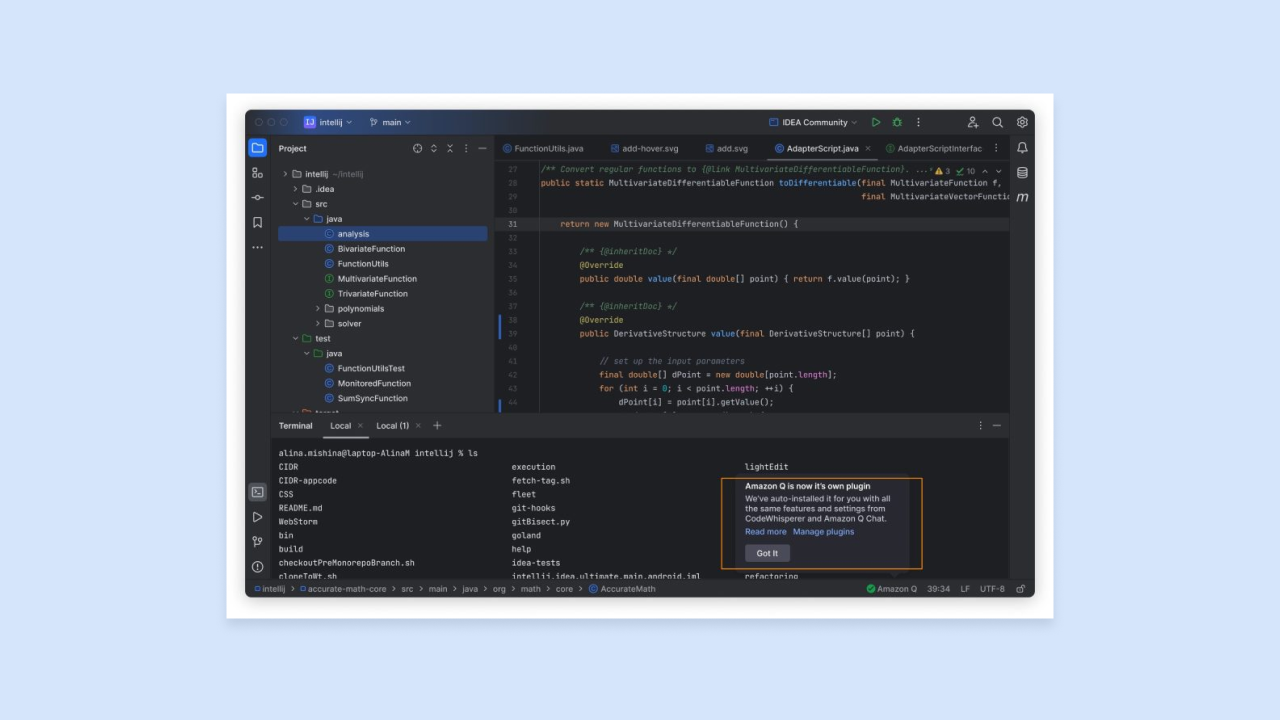
Amazon Q Developer is an AI coding assistant embedded in your code editor that suggests, generates, and explains code as you work. It’s designed for AWS-native development and can help generate AWS infrastructure-as-code (IaC) through CloudFormation, AWS CDK, or Terraform. IaC is code that defines your cloud infrastructure, and Amazon Q pairs that with service-specific code for Lambda, DynamoDB, S3, and API Gateway, plus security remediations.
Amazon Q Developer scans code for vulnerabilities such as exposed credentials and log injection, performs automated code review for issues including security vulnerabilities, and suggests remediations. This can help teams meet security review requirements before deploying to production.
Its value is tightly tied to the AWS ecosystem. Teams standardizing on AWS will get more out of it; teams using other cloud providers or a mix of services will get less.
Best for:
- Backend teams building on AWS who want AI assistance that understands the specific services they’re using.
- Organizations with security review requirements that benefit from automated scanning and remediation suggestions.
- Developers extending existing AWS-based backends.
Limitations: AWS-centric, so it’s less useful for non-AWS stacks. Requires familiarity with AWS services to get full value from generated code.
Pricing: Free tier available for individual developers. Pro plan available for teams. Check aws.amazon.com/q/developer/pricing for current details.
Compare to: Cursor (IDE-first, any stack), Claude Code (agentic planning, any stack), Bubble (visual, managed, no AWS required).
5. GitHub Copilot: Best for reducing backend boilerplate and writing test suites
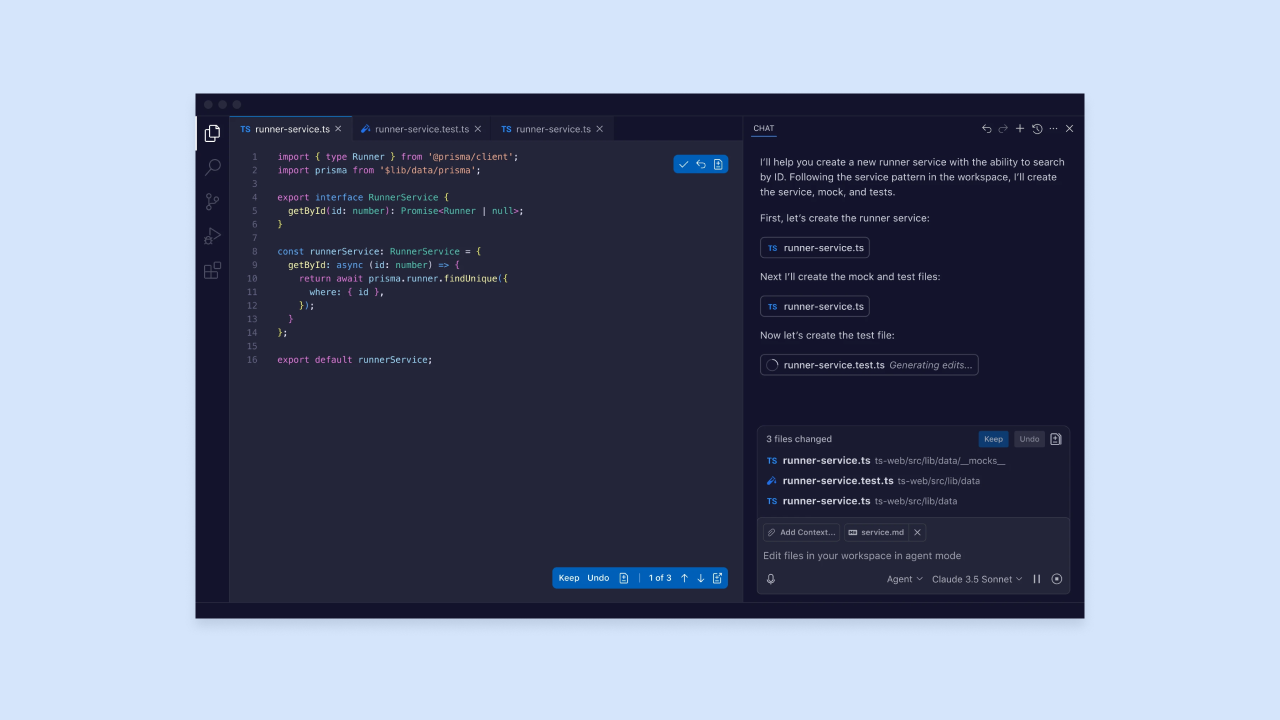
GitHub Copilot is a widely used AI coding assistant that integrates with GitHub, VS Code, Visual Studio, Xcode, JetBrains IDEs, Neovim, Eclipse, and other editors. For backend developers, it’s most useful for reducing boilerplate (repetitive, predictable code patterns like CRUD endpoints, middleware setup, and configuration files), structuring SQL queries, and generating test suites.
Copilot works inline, reading your current file and surrounding context and suggesting completions as you type. It also has a chat interface for asking questions about your code, explaining functions, and generating multi-line implementations. Current Copilot plans include capabilities such as cloud agent and code review on some tiers, and Copilot Enterprise can index an organization’s codebase for richer context.
The trade-off is that Copilot accelerates the writing of code you already understand, but it’s less useful as a planning or architecture tool, and it won’t manage your infrastructure or generate a full backend from a prompt the way Rocket.new or Supabase AI do.
Best for:
- Backend developers who spend significant time writing repetitive code and want faster completions in their existing editor.
- Teams that already use GitHub and want AI assistance without switching tools.
- Developers writing test suites, SQL queries, and API middleware.
Limitations: Inline completion model, so it augments your existing workflow but doesn’t generate full backend scaffolding or manage infrastructure. Suggestions require review; generated code can introduce subtle bugs, especially in authentication and security-sensitive paths.
Pricing: Individual tiers include Free, Pro ($10/user/month), Pro+ ($39/user/month), and Max ($100/user/month). Organizations can choose Copilot Business or Copilot Enterprise. Check github.com/features/copilot for current org pricing.
Compare to: Cursor (more agentic, multi-file editing), Amazon Q Developer (AWS-specific with security scanning), Bubble (visual, no code required).
6. Cursor: Best for multi-file backend refactoring and API work in your IDE
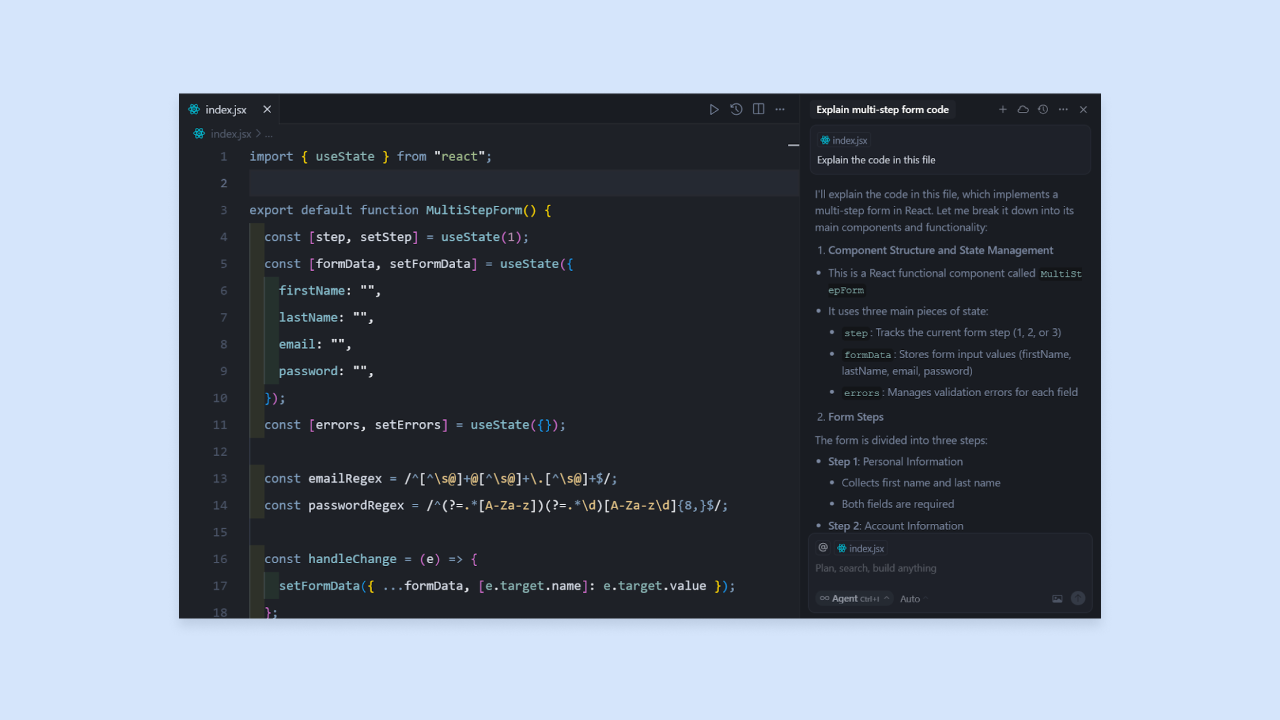
Cursor is an AI-first code editor with VS Code-style workflows and deeply integrated AI features. For backend developers, multi-file context is what sets it apart: it understands your entire codebase, not just the file you’re currently editing. This lets it generate architectural changes, refactor endpoint logic across multiple files, and explain how different parts of your backend interact.
Its core capabilities include Tab for next-action prediction with multi-line and cross-file edits, Agents for planned codebase changes with terminal access and Git checkpoints, Cloud Agents, a CLI, and Bugbot for code review. For backend work, Agents are particularly useful for refactoring existing services, adding new endpoints, and updating database migrations.
Cursor is a code editor, not a managed backend platform. You still own and maintain everything it generates. It fits teams that already have a backend and want to move faster within it, rather than teams starting from scratch who need infrastructure, hosting, and database management included.
Best for:
- Backend developers extending or refactoring existing services who want AI that understands their full codebase.
- Teams working in any language or framework who want more agentic control than GitHub Copilot provides.
- Developers who prefer to stay in a VS Code-style environment.
Limitations: Code-first, so you manage all infrastructure, hosting, and deployment separately. Multi-file edits require review; complex agentic changes can introduce regressions if not carefully checked.
Pricing: Hobby is free. Individual starts at $20/month, Teams at $40/user/month, and Enterprise is custom. Check cursor.com/pricing for the latest plan details.
Compare to: GitHub Copilot (less agentic, lighter integration), Claude Code (agentic planning for complex tasks), Amazon Q Developer (AWS-specific), Bubble (visual, managed, no code required).
7. Claude Code: Best for structured planning and complex backend changes
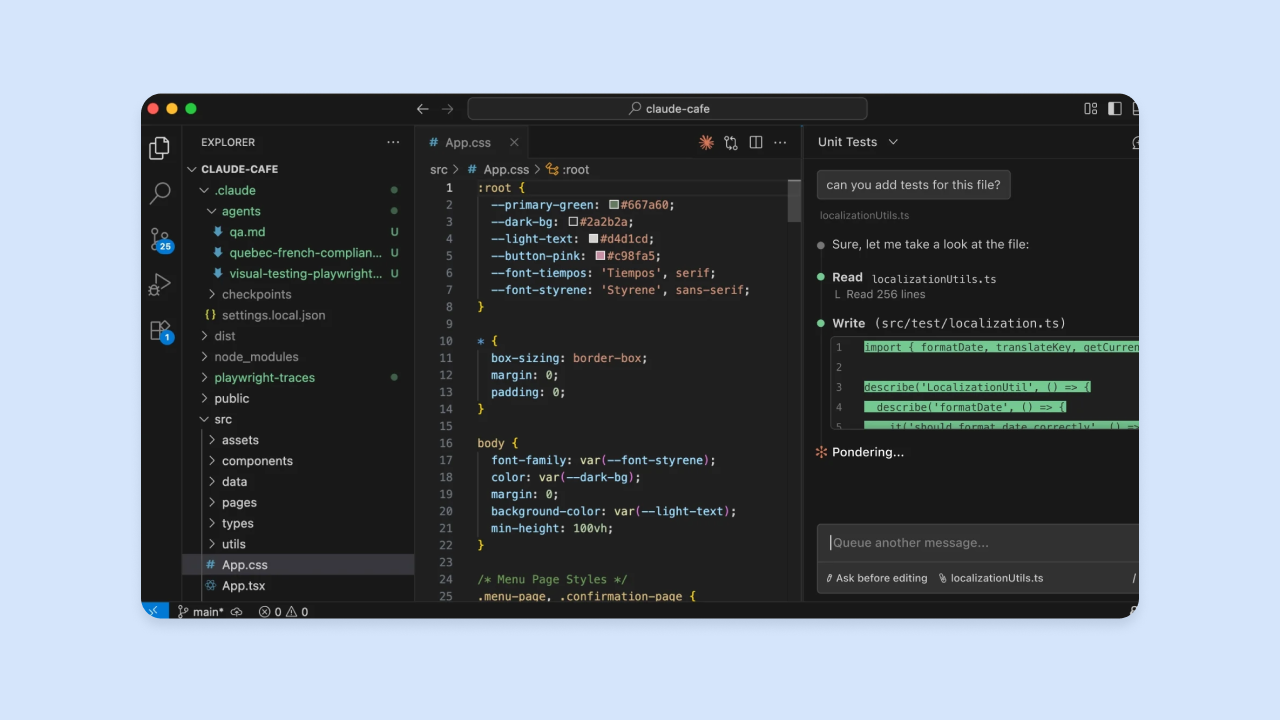
Claude Code is an agentic coding tool that can plan, write, and execute code across multiple steps with minimal manual intervention. Built on Anthropic’s Claude models, it runs in the terminal and also works alongside VS Code and JetBrains via native extensions. It handles complex backend problems like designing endpoint structures, enforcing data validation patterns, planning database migrations, and refactoring logic that spans many files.
The tool is built around agentic, multi-step coding workflows: it reads your codebase, makes changes across files, runs tests, and can work with development tools such as GitHub CLI. That plan-first approach is useful for backend work where a wrong assumption early (like a data model decision) can cascade into many downstream problems.
The trade-off is that Claude Code generates code you own and maintain. It doesn’t include a database, authentication, or hosting. It’s suited to complex changes where you need a planning layer on top of your existing stack, not as a replacement for infrastructure.
Best for:
- Backend developers tackling complex, multi-step changes where planning before coding reduces rework.
- Teams that want detailed reasoning and explanation alongside code generation.
- Projects where understanding why the AI made a decision is as important as the output itself.
Limitations: Claude Code is terminal-first, though it also works alongside VS Code and JetBrains through native extensions; users should still be comfortable reviewing code and command-line actions. It generates code you manage, with no built-in infrastructure, database, or hosting, and requires careful review of security-sensitive paths.
Pricing: Claude Code is included in Claude Pro ($17/month billed annually or $20/month billed monthly) and Max plans (from $100/month), with Team and Enterprise options also available. Anthropic also offers separate API usage-based pricing. Check anthropic.com/pricing and claude.com/product/claude-code for current details.
Compare to: Cursor (editor-embedded, similar agentic capabilities), GitHub Copilot (lighter, inline-focused), Bubble (visual, managed, no code required).
How these tools compare at a glance
This table shows what’s included versus what you manage yourself with each tool.
| Category | Built-in database & auth |
Backend visibility | Best for | |
|---|---|---|---|---|
| Bubble | Intelligent cloud and database builder | ✅ Database, auth, auto privacy rules |
Visual workflows in natural language | Founders, agencies, and teams launching full-stack apps without code |
| Supabase AI | Intelligent cloud and database builder | ✅ Postgres, auth, RLS, storage |
SQL editor and dashboard | SQL-comfortable developers on Postgres |
| Rocket.new | Intelligent cloud and database builder | ⚡ Generates schemas and auth as code |
Raw code you own | Teams wanting AI-generated backend code to extend |
| Amazon Q Developer | AI-first code editor | ❌ You manage |
Raw code in IDE | AWS-native teams with security requirements |
| GitHub Copilot | AI-first code editor | ❌ You manage |
Raw code in IDE | Inline completions and boilerplate reduction |
| Cursor | AI-first code editor | ❌ You manage |
Raw code with full codebase context | Multi-file refactoring in existing backends |
| Claude Code | LLM orchestration and planning | ❌ You manage |
Plan-first; code diffs | Complex multi-step backend changes |
The pattern is straightforward: some tools come with infrastructure included, others hand you code to deploy yourself. If you’re still not sure which fits your situation, the next section breaks it down.
Which tool fits your situation?
Use these scenarios to identify which tool matches your immediate need:
- You want a backend you can see and control without writing code: Bubble includes database, auth, workflows, and privacy rules in a visual editor with no infrastructure setup required. You can chat with the Bubble AI Agent (beta) to generate features or edit directly in the visual interface.
- You’re building on Postgres and want AI-assisted SQL and auth: Supabase AI generates tables, relationships, and RLS policies using natural language, with a managed Postgres backend. You’ll still write your frontend and manage deployment separately.
- You want AI to scaffold backend code quickly so your team can extend it: Rocket.new generates API endpoints, auth flows, and database schemas from a prompt and hands you the output via download or GitHub sync. You’ll need developer expertise to review and extend it.
- Your team is standardizing on AWS and needs security scanning: Amazon Q Developer understands AWS services and flags vulnerabilities in your backend code. It’s most useful if you’re already working in the AWS ecosystem.
- You want faster inline completions and test generation in your existing editor: GitHub Copilot reduces boilerplate and accelerates the code you already know how to write. It won’t generate full backends or manage infrastructure.
- You’re refactoring an existing backend and need multi-file AI editing: Cursor understands your full codebase and can make architectural changes across multiple files. You’ll still manage all infrastructure yourself.
- You’re tackling a complex backend change and want AI to plan before it codes: Claude Code’s reasoning layer helps you catch architectural decisions before they become hard to reverse. It generates code you own and deploy.
Most teams end up using more than one of these tools. The right combination depends on where you are in your build.
Start building your backend with AI
By now the split should be clear: some tools give you infrastructure out of the box, some hand you code to manage, and some help you reason through changes to a codebase you already own. Most production backends eventually draw from more than one category.
Pick the category that matches your most immediate gap. If you’re spending time on repetitive scaffolding, start with a code editor like Cursor or GitHub Copilot. If you need a database, authentication, workflows, and privacy rules without managing infrastructure, Bubble gives you the full stack out of the box. Supabase AI is the database-first option if your team is Postgres-native. For complex agentic changes across an existing codebase, Claude Code provides the planning-and-execution layer. And if you’re building an AI-native backend that connects language models to your data, Claude Code and LangChain handle the orchestration layer.
Bubble gives you the backend, the database, the privacy rules, and the visual editor to control all of it, with no code required. Create a free account and generate your first app in minutes.
Frequently asked questions
What are the main categories of AI tools for backend development?
AI tools for backend development fall into three categories: AI-first code editors (like Cursor and GitHub Copilot) that help you write and refactor backend code faster, intelligent cloud and database builders (like Bubble and Supabase AI) that generate schemas, authentication, and workflows without requiring you to manage infrastructure yourself, and LLM orchestration frameworks (like LangChain and Claude Code) that help you build AI-native backends connecting language models to your data.
Which AI tools for backend development include a built-in database and auth?
Bubble includes a built-in database, user authentication, and automatically generated privacy rules — all managed through a visual editor without code. Bubble AI can generate privacy rules for new data types, and builders can inspect and refine them visually before launch. Supabase AI provides a managed Postgres database with built-in authentication, row-level security, and storage. Rocket.new generates database schemas and auth scaffolding as code you then deploy yourself.
Do AI-generated backends require security review before going to production?
Yes. Regardless of which tool you use, AI-generated backends need review before shipping. Key areas to check include token expiration and refresh logic, role-based access control (RBAC) rules, input validation, and exposed API keys. Tools like Bubble’s security dashboard and Amazon Q Developer’s security scanner automate parts of this review, but a manual check of authentication and data access paths is still good practice.
Can non-technical builders use AI tools for backend development?
Visual AI app builders like Bubble are designed for builders, from non-technical founders to agencies, developers, and enterprise teams, who want AI speed with visual control. The database, authentication, workflows, and privacy rules are all managed through a visual interface, and the Bubble AI Agent (beta) can help generate and edit data structures, dynamic expressions, UI, and frontend workflows through conversation, while Bubble’s visual editor supports backend workflows directly. Code-first tools like Cursor, GitHub Copilot, and Claude Code are designed for developers who can read and maintain the code they generate.
What is the difference between an AI coding assistant and an AI backend generator?
An AI coding assistant (like GitHub Copilot or Cursor) integrates into your code editor and helps you write, refactor, and debug backend code faster, but you still manage your infrastructure, database, and deployment separately. An AI backend generator (like Rocket.new or Bubble AI) produces a working backend, including API endpoints, database schemas, and auth flows, from a prompt, with less manual setup required. Bubble combines AI generation with a built-in database, authentication, workflows, APIs, hosting, and visual editing in one platform.
Build for as long as you want on the Free plan. Only upgrade when you're ready to launch.
Join Bubble