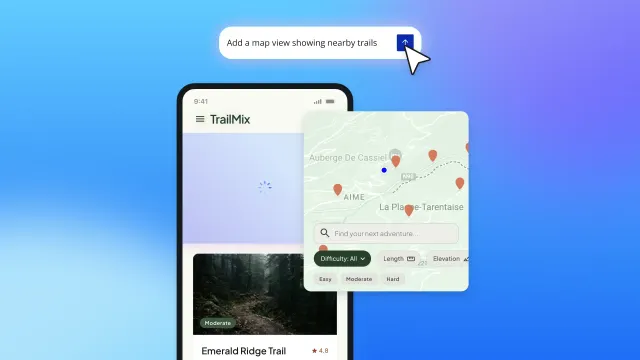
Say hello to the Bubble AI Agent’s mobile release. The Agent is your building partner inside the Bubble editor, and it can now fully build and edit native mobile apps. Where it once handled just the UI on mobile, it can now build your workflows and data too, You can even feed it screenshots of your web frontend and ask it to replicate the design. And since your web and mobile apps share the same backend, the Agent extends what you've built rather than starting over.
It can also automatically connect your app to third-party services, along with a handful of other upgrades we'll get into below.
The Agent is still in beta, free to use, and rolling out to everyone now. If you already see it in your editor, you have the latest version and there's nothing to enable, so you can start building right away. And if you don't see it yet and want in sooner, reach out to our Support team and they'll get it enabled for you.
The Agent now fully edits native mobile apps
Until now, the Agent could only edit UI and dynamic expressions on mobile. With this release, it edits every part of your mobile app, and because it's working from your existing app, it isn't guessing at your design or rebuilding your data.
Say you've built a web app where users discover new coffee shops, and now you want a mobile version with a map at the center of the experience. You could start by asking the Agent to “Add a map view to the home screen where users can search for coffee shops nearby.” It’ll build that, along with a search bar, native mobile patterns, and your app's existing styles already applied.
From there, ask it to “Let users save a tapped result to a list called Favorites” and the save action appears, wired to the same database your web app uses. Then, tell the Agent to “Add a screen that shows all their saved spots as markers on the map,” and it creates the saved-places screen, pulling from the list your users just built.
Each step is visible in your editor the moment it's done. If something isn't quite right, you can adjust it yourself or ask the Agent to take another pass.
When your mobile app is ready, you can publish directly to the App Store and Google Play from the Bubble editor. The Agent can walk you through the right steps or you can read more about it in the Bubble Manual. You'll just need an Apple Developer or Google Play Console account to submit your app.
Connect your app to third-party services
The Agent can also now build API connections for you, as well as edit and delete your existing ones. Setting up an external service used to mean manual configuration in the API Connector. Now you can describe what you want, and the Agent handles the setup.
It can also write the backend workflows that call those APIs, so the connection actually does something in your app instead of just existing in your settings.
In that coffee shop app, you might ask the Agent to connect to a “places” API so your search results pull from real, up-to-date location data. The Agent sets up the connection and writes the workflow that calls it, so your users can search actual coffee shops nearby and save the ones they want to try.
More ways the Agent helps you build
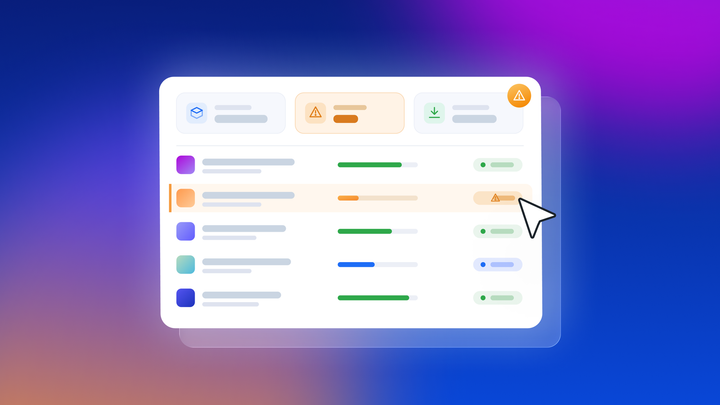
This release also picks up a set of smaller upgrades that make everyday building smoother. The Agent can now resolve existing issues flagged in your issue checker, rather than just avoiding new ones, so you can point it at your issue list and let it work through them.
It can also install plugins from scratch and understand those already installed in your app, which means what it generates fits the tools you're already using. The Agent now works with reusable components too, reading and building them so your shared UI patterns get reused across your app instead of duplicated. And if your idea is easier to say than to write, speech-to-text editing lets you prompt the Agent out loud.
Once you're in the editor trying these out, ask the Agent to create the data types and fields a feature needs. It's not a new capability, but it's easy to miss. The Agent sets up your data structure for you, with privacy rules generated automatically to keep your database secure.
One backend, every platform
Web and mobile apps on Bubble share one backend, with one database and one set of workflows. When the Agent builds your mobile app, it's building on the same foundation as your web app so there’s no duplicate infrastructure and nothing to rebuild.
The Agent generates features and troubleshoots your app, and now that it works across web and mobile, it helps you reach users wherever they are. A feature you build once can meet your users on the web, in the App Store, and on Google Play.
Nearly 6 million builders have created more than 7 million apps on Bubble, in over 220 countries and territories, transacting more than $1 billion a year. The Agent is the newest way to build on it, and now it works everywhere you do.
AI that doesn't leave you stranded
When we launched the Bubble AI Agent, we built it to be a partner you can actually see working. Everything it builds is visual, so you can follow what it did, understand how it works, and step in yourself whenever you want.
The mobile release extends that to more of your build. The Agent now works across web and native mobile, connects your app to outside services, and clears issues from your checker, and whatever it builds stays yours to understand and edit.
The Agent stays in beta for now as we keep improving its quality and accuracy based on your feedback, and there's more coming later this year. To try it, generate an app with Bubble AI and the Agent will be right there in your editor. And if your app was already generated with Bubble AI, click the wand icon in the navbar and start building.
Start building for free today.
Build for as long as you want on the Free plan. Only upgrade when you're ready to launch.
Join Bubble