TL;DR: This comparison of three AI app builders — Cursor, Bolt, and Bubble — finds that while Cursor and Bolt are code-first tools requiring development expertise, Bubble is a fully visual AI app development platform that lets users build production-ready apps through AI generation and drag-and-drop editing without writing code. Bubble's all-in-one solution with built-in hosting, security, databases, and deployment make it the best choice for non-developers, whereas Cursor and Bolt cater to a more technical audience.
The AI app builder space is evolving rapidly, with new features and platforms emerging seemingly every week. So how do you know which tool is right for you? We put three of the most popular tools to the test to see how they stack up: Cursor, Bolt, and Bubble.
Each platform takes a fundamentally different approach to AI-powered development. Cursor is an AI-powered code editor designed to help developers code faster. Bolt offers AI-generated code alongside a traditional editor, providing more support for non-coders than Cursor but still requiring you to work with code. Bubble is the only fully visual AI app builder that lets you vibe code without the code by chatting with Bubble AI when you want speed, editing directly when you want control, or seamlessly switching between them to build production-ready apps.
In this article, we'll break down how these different approaches influence the app development process — from whether you work with code or visual workflows, to design capabilities, collaboration, security, and deployment.
For a deep dive into these platforms one-on-one, check out our other comparisons:
How AI app builders work
AI app builders work by converting natural language descriptions into functional applications. With Bubble, this includes the user interface, database structure, workflows, privacy rules, and logic — everything you need to launch.
The real difference is what happens when you need to iterate or customize. Code-based tools like Cursor and Bolt generate traditional code that you edit yourself or through further AI prompting. This gives you code, but you need to understand it to make precise changes or fix problems. When AI doesn't deliver exactly what you need, you're stuck prompting endlessly or diving into code you may not understand.
Bubble generates visual applications instead of code. You get a drag-and-drop editor where you can see and control every part of your app — design, database, and workflow logic — without coding. You're never stuck in prompt purgatory hoping the AI understands what you mean.
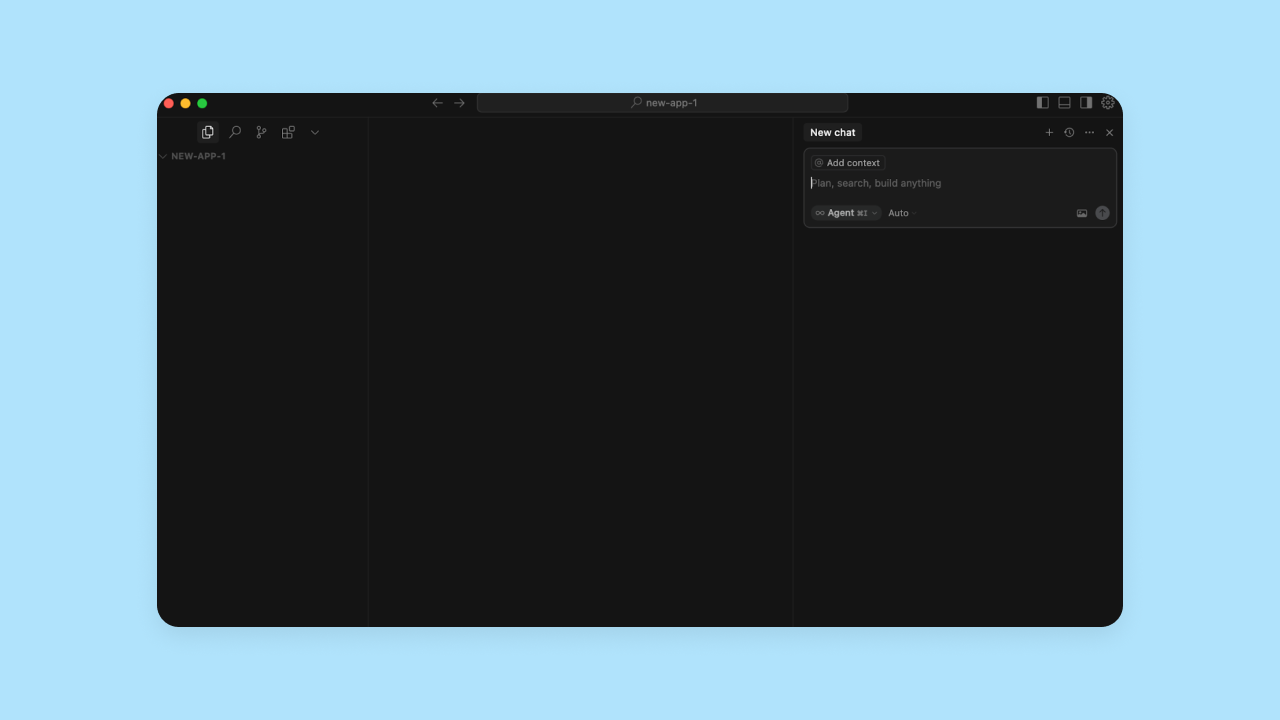
Cursor is available as both a desktop application and through web/mobile browsers via cloud agents. Built as a fork of VS Code, it allows developers to import their existing extensions, themes, and keybindings in one click. For local development with the desktop app, you'll need to download and run relevant components and dependencies on your computer (i.e., Node.js, MongoDB). Cloud agents can run in remote sandboxes without local setup. Once you set up a folder for your application code to live on your computer, you can start writing or generating code. The entire codebase will be accessible on the left-hand side of the editor, and the AI chat interface on the right-hand side. It uses a proprietary "Tab" model for multi-line autocomplete and an "Agent" mode to handle tasks, but in our testing, we noticed that Cursor expected a lot more hand-holding to create functional apps — the initial code it created was often incomplete, and we frequently had to prompt it to find and create missing pieces.
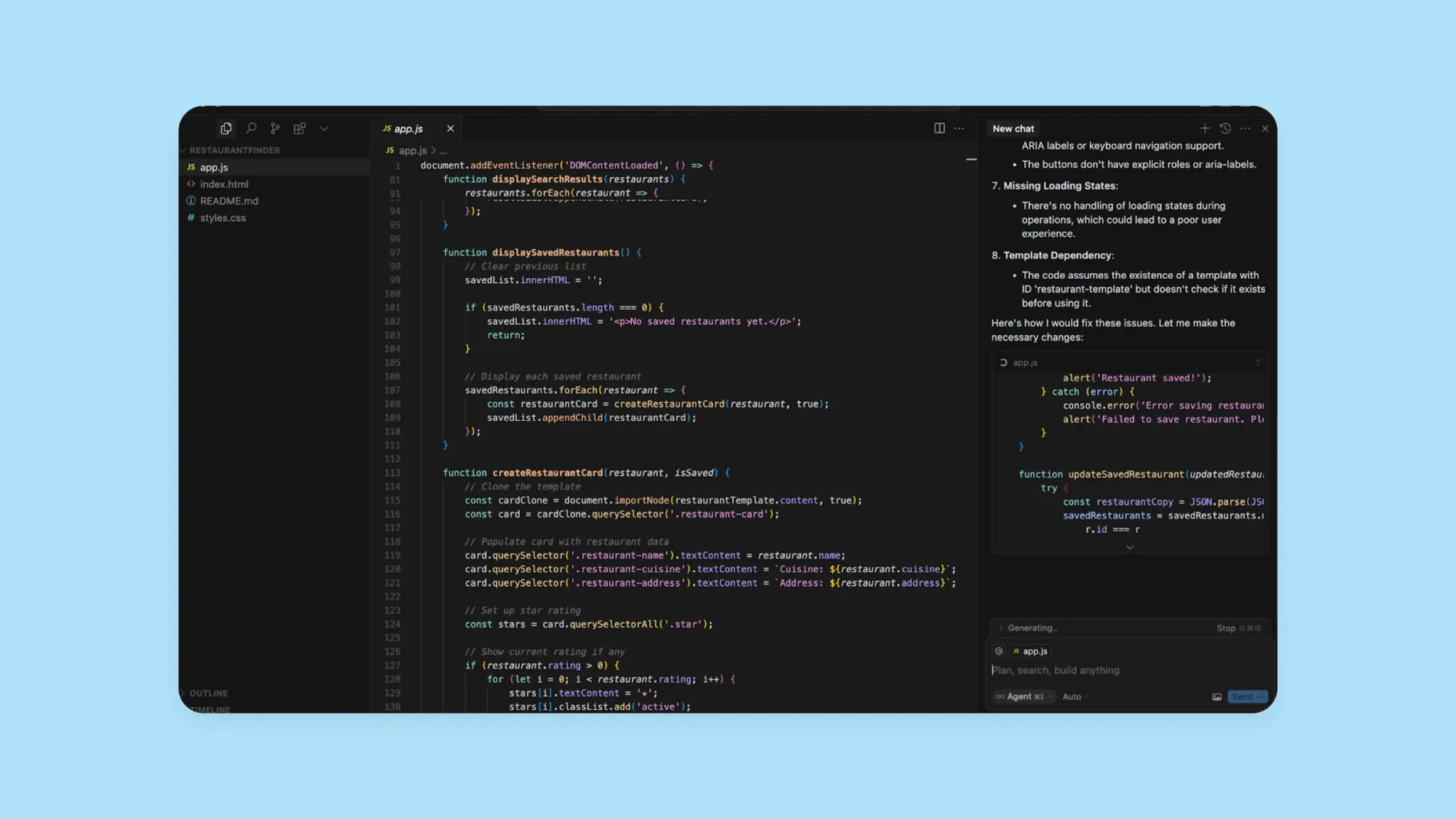
Bolt's interface is more user-friendly for beginners and offers more guidance than Cursor. Built by StackBlitz, Bolt runs entirely in your browser using WebContainers — meaning there’s no local environment to configure. You start by prompting Bolt AI with your app idea, and it immediately starts spinning up v1. You'll see Bolt's AI agent working on the left and the code on the right. Once the code finishes generating, you can choose a visual preview option, which makes it easier to see and test your app's output.
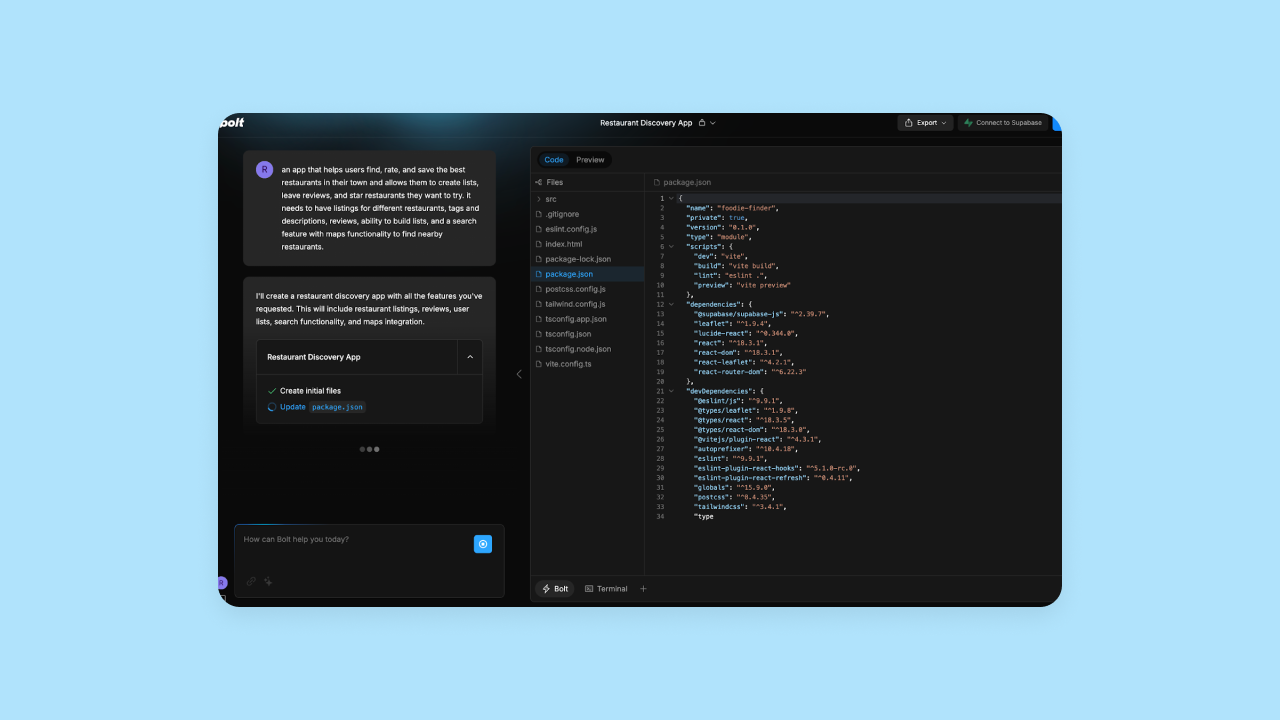
Once your app is created in Bolt, you can edit the code manually and see the updates in the preview, or use the AI chat to prompt for iterations. Bolt's Free plan has token limits of 300K per day and 1M per month, which can restrict usage for larger projects. The Pro plan removes daily token limits and provides 10M tokens per month. Users may encounter rate limits on the free tier that prevent further AI interactions until limits reset.
Bubble takes a different approach altogether. Bubble AI confirms desired features and creates your app in Bubble's visual editor. From there, you can chat with the AI Agent to add features and iterate, or edit anything directly with visual controls — switching seamlessly between the two as needed.
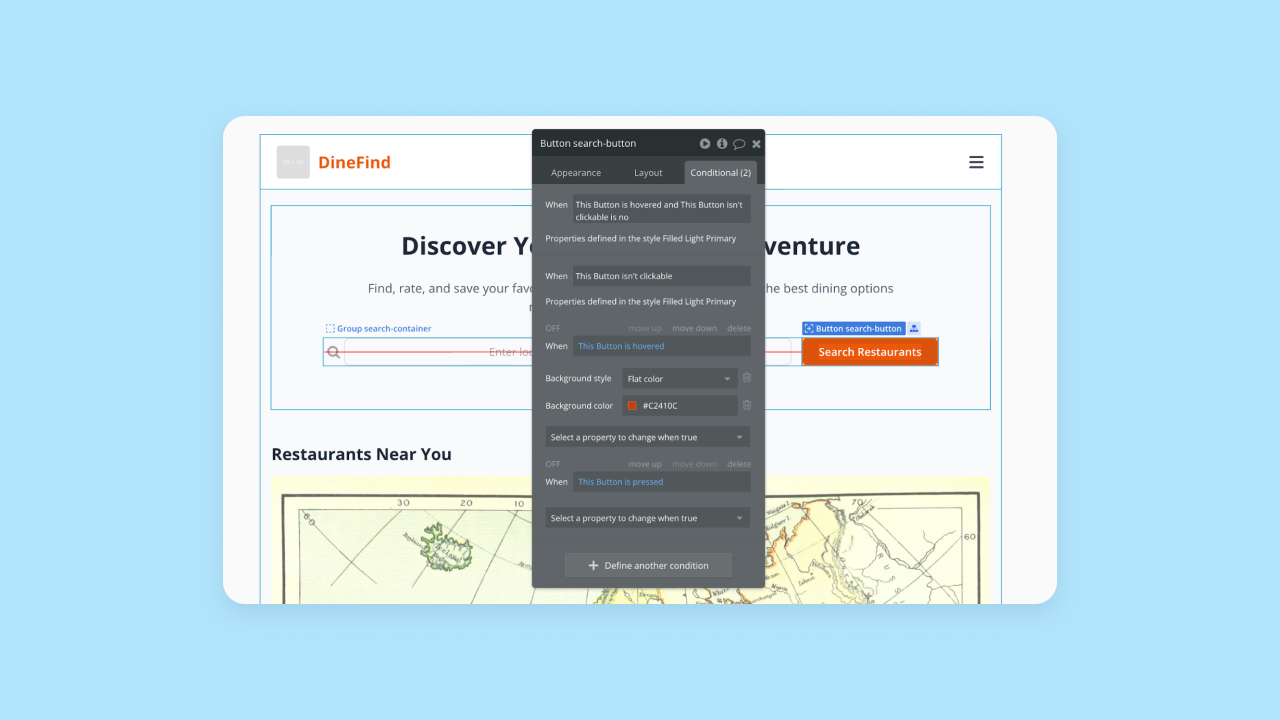
Bubble's process is the most accessible for non-coders since it doesn't require you to interact directly with code to have full control over design, data, and functionality. The Bubble AI Agent (Public Beta) lets you ask for changes throughout your build — whether you're adding features, troubleshooting, or refining logic. The Agent builds step-by-step in front of you, showing exactly what changed and why, so you understand what's happening and can continue iterating with confidence — either through more AI prompts or by switching to the visual editor for precise control.
Better yet, Bubble provides everything you need to build a functional app — databases, security checks, hosting — built into the platform. Bolt and Cursor require you to set these up manually. Building on Bubble also makes long-term management of your app much easier. You don't have to worry about managing servers, balancing loads, or all of the other technical details that can slow down iteration. You get all the power of code without writing a single line.
What you can build with AI app builders
AI app builders help you create a wide range of applications, whether you're a founder testing a new idea or a business owner solving internal problems:
- Internal tools: Custom dashboards and project management systems
- Marketplaces: Two-sided platforms connecting buyers and sellers
- Community platforms: Social networks and forums
- Client portals: Self-service hubs for service businesses
- SaaS products: Industry-specific software solutions
The key is starting with a clear idea. With Bubble, Bubble AI generates complete apps you can launch. Your vision guides both the initial generation and any customization you choose to make. With Bubble, you can take your AI-generated app all the way to production. Built-in hosting, security, and automatic scaling mean you can launch and grow without switching platforms.
Required technical expertise
Your technical expertise is a major factor when choosing an AI app builder. While AI makes software building more accessible to beginners, precise changes and problem-solving still require different skill levels depending on the platform.
Cursor is a developer-first tool that works primarily with code. It uses a traditional development environment without visual output or preview. You need to understand and feel comfortable with code to use Cursor effectively. It is trusted by much of the Fortune 500 and is designed for professional engineers who need to navigate complex codebases, meaning non-coders will face a steep learning curve and get stuck quickly when the AI doesn't deliver.
Although Cursor's AI helps generate and iterate code, you still need to understand what's being created, how to structure your project, and how to secure your app.
Bolt also targets developers with a code-first approach, but offers a slightly easier interface for non-coders. Bolt provides more documentation and support for non-developers, including a "Plan Mode" that helps structure your project before building. However, the Bolt team recommends builders understand coding basics first — and we'd agree. Beyond basic features, you'll need coding skills.
Bubble translates everything into visual format. This makes the platform intuitive and accessible to non-developers without sacrificing customization or control. Plus, the Bubble AI Agent teaches you as you build, so you learn the platform faster while creating your app. You never have to learn or use code.
Plus, Bubble's full-stack, all-in-one platform makes it much easier to do all the tangential things that come with building and launching an app. It eliminates the need to write code entirely, providing a database, security, hosting, deployment, and collaboration tools. Bubble also offers resources and education for all skill levels, from true beginners to experienced developers, to help you get the most from the platform faster.
Cursor vs. Bolt vs. Bubble: Three distinct approaches to AI app development
The hype around AI coding tools is real — yet these tools integrate AI in fundamentally different ways. A car, a train, and an airplane can all get you to the same destination, but with distinct pros and cons.
Cursor, Bolt, and Bubble all fall along a spectrum of code usage and technical ability.
On one end, you have Cursor. It’s a developer-first platform focused on editing code with deeply integrated AI. It requires significant technical expertise. It’s similar to taking a car for your vacation. You’ll need to map out the whole road trip yourself and drive the entire way — which means you need to feel confident planning the journey and know how to drive.
Bolt is more in the middle: It takes a code-forward approach, but requires less technical expertise than Cursor. Bolt’s workflow, user interface, and resources are all easier to use for those without coding experience. In traveling terms, Bolt is like taking a train. You get to see some sights along the way, but you don’t have to drive the entire time.
On the other end of the spectrum, you have Bubble. It doesn’t require technical expertise and takes a visual approach. Bubble is like taking an airplane — you get to spend less time on the journey in favor of getting to your destination as efficiently and powerfully as possible. You’re not getting bogged down in the details.
Design capabilities
Considering the design-specific tools each platform provides gives you an idea of how easily you’ll be able to build a beautiful, polished app.
Bolt and Cursor both take a code-first approach to design. This means you have full control of your design through traditional coding—which can be a pro or a con, depending on your experience. You can make design changes manually, or you can prompt the AI to help you change the look and feel of your app. Bubble offers a more visual approach, with an editor that gives you flexibility and control over every pixel without having to code.
Visual previews and editing
- Bolt offers the option to preview your app visually within the Bolt editor, which makes it easier for non-coders to see the effects of their changes and isolate specific code to change. It also includes an Inspector tool that lets you point the agent at specific UI elements to request changes.
- Cursor has introduced a visual editor for the Cursor Browser feature as of December 2025, though the main IDE experience remains code-focused without a traditional visual preview like Bolt offers. Its "Composer" feature allows for natural language editing, but you are still fundamentally manipulating code files.
- Bubble’s visual editing is a major differentiator compared to other AI app builders. Chat with the AI Agent to generate or modify designs, or drag and drop to add or edit UI elements yourself. Set manual breakpoints and layouts, design responsively, and make customizations exactly how you imagined them — switching seamlessly between AI prompts and visual controls. All of this can be accomplished without code, which makes it much easier and faster to get to the exact design you’re looking for.
Figma integration
- Bolt has a direct Figma integration that allows you to import Figma designs for the AI to “read” and (attempt to) convert into code for your app’s design. We had mixed experiences with this, but overall, Bolt’s AI was pretty good at integrating design-focused changes.
- Cursor supports Figma integration through the Figma MCP (Model Context Protocol) server, which requires the Figma desktop app and allows Cursor's AI to access and interpret Figma designs directly. Alternatively, you can use third-party extensions to convert Figma designs into HTML or React code.
- Bubble's Figma integration lets you import Figma files directly into Bubble, which will be automatically converted to pages in the Bubble editor — ready for drag-and-drop iteration and the option to add functionality.
Design systems
- In Bolt and Cursor, you can set up documentation for the AI to draw from, but setting up design systems within the app itself relies on traditional code.
- Bubble lets you easily set up a complete design system within the editor, with reusable UI components and styles you can apply to multiple elements, pages, or across your entire app. This makes it effortless to apply consistent design choices to your entire app, rather than having to code each element’s design from scratch. Even better: When you generate your app with Bubble AI, Bubble AI automatically creates a cohesive design system and applies consistent styles throughout your app. (You can, of course, edit the styles yourself — either by asking the AI Agent to make changes or by using the visual editor directly.)
All three apps offer full design customization, but Bubble's combination of AI-powered design and visual editing is a much more manageable way to design your app, particularly for non-coders.
Collaboration
Built-in collaboration tools can significantly affect the speed at which you build—and make the process a lot easier. If you’re the only one who can work on your app, or if you need to create branches and GitHub repositories and add in other tools to collaborate, it can be much harder to manage.
Bubble and Bolt both offer collaboration features natively; Cursor doesn’t (but there are workarounds).
On Cursor, to collaborate with other team members on the same code, you’ll need to integrate third-party tools. Options include downgrading Microsoft's Live Share extension to specific older versions (v1.0.5905 or v1.0.5936) or using Open Collaboration Tools. Cursor offers a Teams plan at $40 per user/month, but this focuses on centralized billing, shared rules, and admin controls rather than real-time collaborative editing.
Bolt offers a Team plan where admins can manage member-level usage and refill schedules. Bolt's Free plan includes both public and private projects. For team collaboration features including centralized billing, project sharing, and group controls, users need the Teams plan. Bolt also recently introduced Project Sharing, allowing you to share working prototypes privately without exposing the underlying project files.
Bubble's Growth plan and higher allow real-time collaboration directly within the Bubble editor, eliminating the need for branching or using multiple tools to work on your projects with your team. It also offers the most customizable access permissions, allowing you to control edit access for different spaces (like UI vs. databases).
Security and compliance
If you’re just working on code, you may not need enterprise-grade security. But if you’re looking to build, launch, and scale an app and a business, you need security and compliance that can keep your data and your end-users’ data safe.
It’s possible to build a secure app on any of these platforms. However, they each provide a different level of security built into the platform. On Cursor and Bolt, most of the security settings are up to you as you build. On Bubble, there are a lot more handholds and automatic security scanning in place to help you build a secure app, even if you’re not familiar with the process.
Here are some specific factors that might be important for your project:
Compliance. Building on a compliant platform protects your code and your app. If you’re building enterprise products or building a project you want to use for your business, compliance certifications are important to consider.
- Bubble, Cursor, and Bolt are all SOC 2 Type II compliant.
- Bubble also meets GDPR standards and provides enterprise-grade infrastructure (AWS) and data encryption (HTTPS with SSL encryption and encrypted at rest with AES-256 via AWS RDS).
- Cursor also has some enterprise-level security standards, including a "Privacy Mode" that ensures zero data retention for your code, which are outlined in detail in their security documentation.
App-level security. App-level security helps ensure your end-user data is encrypted and protected, and helps avoid security vulnerabilities in your app’s code and structure. This is a must for every app with end users!
- Bolt provides built-in database management for your app, relying on integrations with providers like Supabase and Netlify for the underlying secure infrastructure. Users can create and manage databases directly within Bolt without third-party tools, with unlimited databases included in all plans. AI-generated code isn’t secure by default, so you’ll need to be familiar with app privacy and security settings to double-check the AI's work.
- Cursor doesn’t manage databases or hosting — only code. You don’t have any built-in security or privacy at the code level, so you need to be familiar with those requirements on your own and maintain full responsibility for creating a secure app.
- Bubble allows you to use the visual editor to set up app-level privacy rules and restrictions, so you get full control over security for your app without having to learn how to code it manually. When you use the AI Agent to create data types, privacy rules are automatically generated to secure your database. You can also set up additional privacy rules manually through the visual editor, and Bubble will guide you to ensure you have a secure app.
Bubble also has a number of built-in security tools through the integrated security dashboard to give you the option of running automated security checks. This way, you get automatic scans of your app for potential vulnerabilities and alerts of any potential problems. Other built-in security features include:
- Built-in user authentication with options for 2FA, SSO, and more.
- Vulnerability testing
- DDoS protection and Cloudflare blocking to prevent attacks
Plus, Bubble has a strong, established track record — nearly 6 million builders have created 7 million apps on Bubble, transacting more than $1 billion per year. This is a testament to Bubble’s security, stability, and production-grade environment.
Hosting and deployment
When you’re ready to get your app live for end-users, you’ll need to find a hosting provider and deploy it.
Cursor doesn’t manage hosting or deployment. Cursor is purely a code editor. Once your code is ready, you'll need to set up hosting separately and deploy the code. For example, you could use Vercel to deploy your app, by migrating your Cursor code to GitHub and then connecting your GitHub repository to Vercel for hosting.
Bolt offers built-in hosting through Bolt Cloud (powered by Netlify), which is included in all plans and provides a free .bolt.host domain with one-click deployment. Alternatively, users can choose to integrate with Netlify for hosting by connecting their Netlify account and deploying through that platform instead.
Bubble offers the most streamlined process with built-in deployment and hosting. Bubble servers can host your app, so going live is truly a one-click process, and you get to keep everything in one place. You only need to juggle—and pay for—one platform, and pushing future updates and iterations live is simple.
Getting started: Step-by-step process
Ready to try an AI app builder? While each tool is different, the general process is similar. Here's how you can get started:
- Define your app idea. Before you start prompting, have a clear idea of what your app should do. Who is it for? What is the main problem it solves?
- Choose your builder. Based on your technical comfort and project goals, select the tool that fits best. Do you want to work with code, or do you prefer a visual interface where you can see exactly how your app works?
- Prompt the AI. Describe your app to the AI. Be as specific as you can about the features, pages, and user roles you need.
- Refine and iterate. Once the first version is generated, start making changes. You can continue prompting the AI or, with a tool like Bubble, switch to a visual editor to make precise adjustments yourself.
- Deploy and share. When you're ready, launch your app. With Bubble, this is a one-click process. With other tools, you'll need to set up hosting and deployment separately.
Which AI builder is right for you?
When comparing these platforms, considering your technical experience, how you want to work with AI, and your desired workflow will help you choose the right option.
Cursor is a great choice for experienced developers who want to speed up their existing workflows with AI support as they code. When you already have strong development expertise and an established workflow, Cursor gives you a way to speed up writing and debugging code with an AI co-pilot. Cursor offers four pricing tiers: Hobby (Free), Pro ($20/month), Business ($40/month), and Ultra ($200/month for 20x model usage and priority features).
Bolt is also best suited for experienced developers, but it provides more support for the entire app-building process, not just writing code. It allows you to easily spin up v1 with AI and keep your AI assistant involved at every step for rapid prototyping or to eliminate the more tedious parts of coding and development. It can also be a useful tool or a coach for beginner developers who are looking for support learning code or new frameworks. Bolt offers a Free plan with 1M tokens per month and a 300K daily limit. For teams requiring more tokens and advanced features, Bolt provides Pro plans starting at $25/month (10M tokens) up to $50/month (26M tokens), as well as Teams and Enterprise options.
Bubble is the only AI-powered platform that offers true no-code, visual development built for you (and your business) to grow. Bolt and Cursor make it easy to generate code, while Bubble’s “out-of-the-box” experience makes it easy to build a business. Instead of just speeding up traditional coding, Bubble disrupts the old model with its visual approach. With Bubble, you can use Bubble AI to generate and edit an app you understand — not just code you don't. The Bubble AI Agent (Public Beta) lets you chat to add features, troubleshoot, and iterate throughout your build, and it shows you exactly what changed so you stay in control.
This allows anyone to create production-grade apps and full-stack enterprise software to launch and grow with speed, scalability, and full control. You never have to code or leverage a technical background.
Of course, the best way to see if Bubble will work for your project is to test it out for yourself. Get started for free and see how fast you can get your ideas into a real-life product.
Frequently asked questions about AI app builders
How much does it cost to build an app with AI?
Costs vary widely, from free tiers with usage limits to charges based on app complexity. It's almost always more affordable than hiring traditional development teams.
Can AI app builders create mobile apps?
Yes, platforms like Bubble let you build and deploy native iOS and Android apps from the same project, sharing your database and logic.
What happens when the AI gets stuck?
With code-generating tools, you either keep prompting or dive into code you may not understand. With Bubble — the only fully visual AI app builder — you simply switch to the visual editor and make changes yourself, or keep working with the AI Agent to troubleshoot and iterate. You're never stuck in prompt purgatory.
Do I own the code generated by AI app builders?
Generally yes—you own what you build. With Bubble, you have full control over your application and can export your data at any time.
How secure are apps built with AI tools?
Security depends on the platform and your implementation. Bubble provides built-in security tools, automatic scanning, and visual privacy rules to help you build secure apps even without security expertise.
Build for as long as you want on the Free plan. Only upgrade when you're ready to launch.
Join Bubble