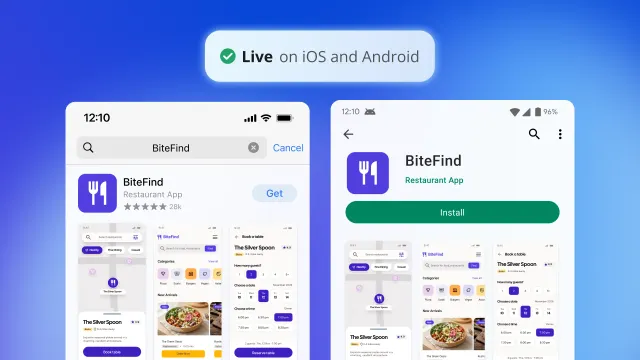
Since we launched Bubble’s native mobile app builder in beta, hundreds of thousands of people have built and published apps with it. Today, it’s out of beta and available to everyone, meaning you can build, test, and publish native iOS and Android apps that exceed the performance and stability bar app stores expect from production software.
To get here, we shipped more than 50 features based on builder feedback, including a new way to convert an existing Bubble web app into a native mobile one. Here’s what’s new, and what it means whether you’re already building on Bubble mobile or just getting started.
Bubble mobile apps exceed the industry standard
Making native mobile generally available meant proving Bubble mobile apps hold up against specific, measurable standards. These are the same benchmarks the industry uses to judge whether mobile software is ready for production, such as crash rate, load speed, and how fast a fix reaches users. Here’s how that looks in practice for mobile apps and their users:
- Apps are more stable: Mobile apps built on Bubble clear the industry standard for crash-free experiences, keeping more than 99.5% of iOS and Android users experiencing no crashes at all.
- Apps load faster: Mobile apps now open up to twice as fast on both iOS and Android than they did during the beta.
- Fixes reach users faster: Over-the-air (OTA) updates skip app store resubmission entirely, and they now load faster too, so a fix reaches your users the next time they open the app instead of whenever app store review clears it.
How building on Bubble mobile works
Bubble mobile covers the whole lifecycle of a production app, from the first build to the day you’re ready to monetize it.
Build with AI, or by hand
Use the Bubble Agent to generate and edit your app, or build from your own AI tool through the Bubble MCP (beta). The visual editor is always there when you want maximum control over every detail.
Customize and add native mobile features
Every feature a production mobile app needs, including login, push notifications, universal links, and native in-app subscriptions, is now available natively. You’ve also got more than 700 native plugins to choose from if you want to add something extra to your app.
Test before you publish
Preview your app right in the browser, or test it on your own device with a dev build to see how it looks and behaves before you ship it to customers.
Connect to the app stores, then publish
Connecting your app to the App Store and Google Play Store can be a tedious part of launching, with developer accounts, certificates, and keys to sort out. Guided setup takes you through connecting to each store step by step, helps you enable push notifications and in-app purchases, and checks for common issues before you build. Once you’re connected, you can submit your app for review and publish it to the app stores from within the Bubble editor.
Keep improving your app after launch
Unlimited OTA updates on paid plans let you ship fixes and minor changes without resubmitting to the app stores.
Monetize natively
Native Apple and Google subscriptions (beta) are built in, so you can charge for access without building a separate billing setup.
Convert your web app to mobile in one click
You don’t have to start from zero if you already have a web app. Because Bubble mobile and your web app run on one shared backend, the database, logic, and design you’ve already built apply directly to the mobile version too.
Pick the web app you want to convert, click the +Create a mobile app button, and Bubble builds a working version of your mobile app from it, using what you’ve already built as the starting point. From there, keep refining it the same way you build everything else on Bubble.
Haven’t built on Bubble yet?
Bubble lets you build apps with AI, without giving up control. That applies to mobile the same way it does to web. Every layer of your app, including the logic, data, and privacy rules, is visual and editable, so you always know what you’re shipping and can change any part of it yourself.
Describe your app idea, then work with the Agent to shape your app’s plan. From there, Bubble generates a working mobile app, including the UI, logic, and database. Keep refining it with the Agent, build from the AI tool of your choice through the Bubble MCP (beta), or make edits yourself in the visual editor whenever you want maximum control.
One editor and one backend cover both web and native mobile, so adding a platform later doesn’t mean starting over or stitching together a new set of tools. More than 6 million builders use Bubble to build, host, and scale their apps, and on mobile alone, builders have created more than 180,000 apps.
See what others are already building on mobile
Builders are already putting Bubble mobile to work across very different kinds of apps. WeChef is a social meal planning app for meal planning, grocery lists, and nutrition tracking. Clover is an AI-powered dog adoption platform that matches people with rescue dogs based on lifestyle and compatibility, making it easier to find the right dog.
These are just two of the many apps built on Bubble mobile so far. Get inspired by more mobile apps in the App Gallery.
Build your app on Bubble's Free plan. No need to upgrade until you're ready to launch your app.
Join building