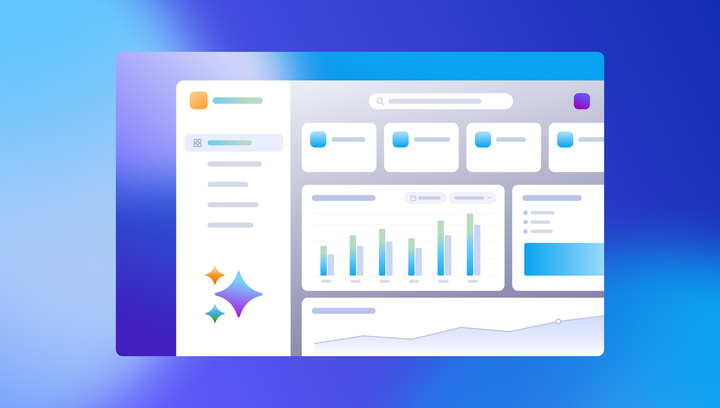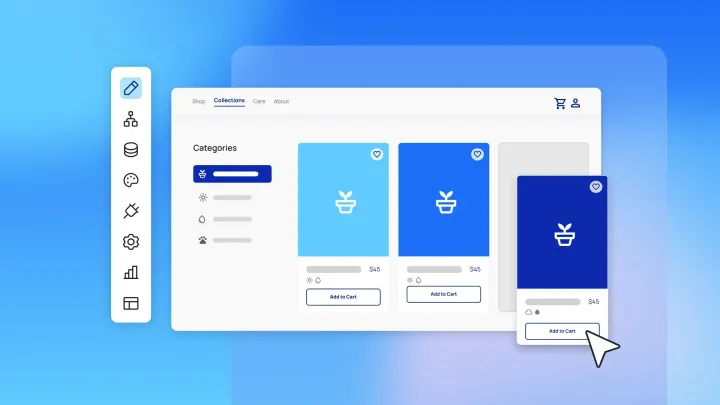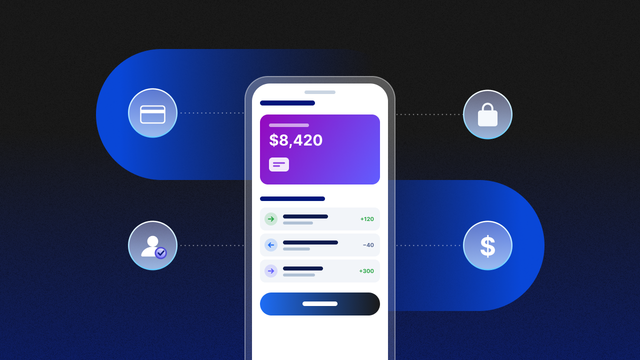
TL;DR: No-code platforms can build most of a fintech app, while licensed providers handle payments, identity checks, and banking through APIs. The right platform depends on who uses the app and what data it stores: Customer-facing apps need native mobile and access rules you can edit, while internal finance tools can run on lighter platforms with stricter data limits.
You have an idea for a fintech product, like a budgeting app for freelancers or a payments tool for local shops, and you want to build it yourself instead of hiring an engineering team. A no-code platform can get you there.
Picking one matters more in fintech than almost anywhere else. Your app will handle money and sensitive data, and a platform that can’t support that could leave you rebuilding just as customers start to rely on you.
This guide walks through seven platforms for fintech app development, including what each does best, where it falls short, and what it costs. Then you’ll get a side-by-side table and tips for picking the right fit.
What is fintech app development?
Fintech app development means building software for financial services like payments, banking, lending, investing, or budgeting. It comes with more rules than most apps. Depending on your product and where you operate, security and compliance requirements can apply before your app touches money or customer data.
A no-code platform builds the app itself: the screens, the logic, and the database. For anything regulated, like moving money or verifying identities, your app connects to licensed providers, including payment processors, KYC (know your customer) services, and banking-as-a-service (BaaS) partners. The fintech app development guide covers the full build process, from mapping compliance to launch.
What to look for in a no-code platform for fintech
A fintech app holds sensitive data and keeps changing as rules shift. These four things show whether a platform can handle both.
- Access rules you can see and edit: A customer should see only their own transactions, and a support agent shouldn’t see full account numbers. Look for rules you (and your compliance teammates) can read and change without code.
- Connections to financial providers: Check that the platform can call REST APIs, handle webhooks, and connect to payment, KYC, and open banking providers like Stripe.
- Security posture and data terms: Look for a published SOC 2 Type II report, and read the platform’s terms before you store financial data. Some platforms prohibit card numbers, bank account numbers, or other sensitive data outright.
- Room to keep changing the app: Choose a platform where you can make precise changes yourself and roll them back if something goes wrong. Growing shouldn’t mean rebuilding.
What are the best no-code platforms for building a fintech app?
Bubble fits customer-facing fintech apps on web and native mobile, with a built-in database and privacy rules you can read and edit visually. FlutterFlow and Adalo suit mobile-first apps, and Softr works well for client and investor portals. Retool and Glide cover internal finance tools, while OutSystems is built for banks and large institutions with IT teams.
Whichever platform you choose, the money movement and identity checks run through licensed providers, like payment processors and KYC services, that your app connects to.
1. Bubble: Best for customer-facing fintech apps on web and native mobile
Bubble is a fully visual app builder where anyone can build software, understand every part of it, and control every detail without code. In a fintech app, you (and your compliance teammates) can read exactly how a transfer updates balances and who can see each record.
Describe your app to the Bubble AI Agent, and it starts with a planning session, asking clarifying questions before it builds anything. Everything it creates stays editable in the visual editor, so when the AI gets a detail wrong, you fix it yourself instead of re-prompting. If you prefer your own AI tool, you can build on Bubble from Claude or Codex with the Bubble MCP (beta).
With Bubble for native mobile apps, you build iOS and Android apps in the same editor as your web app, sharing one database and backend, and publish to the App Store and Google Play Store from the editor. The API Connector links your app to payment, KYC, and open banking providers, and the Agent can set up those calls for you. Every paid plan includes a security dashboard that flags issues like leaked API keys and gaps in privacy rules before you deploy.
Best for:
- Founders building a customer-facing fintech product: You can launch a budgeting, payments, or lending app on web and native mobile from one editor, then keep changing it yourself as customers ask for more.
- Apps that face security reviews: When a banking partner or enterprise customer asks how their data is protected, you can show them your privacy rules and point to Bubble’s SOC 2 Type II compliance.
- Apps that will keep growing: Hosting, auto-scaling, and version control with rollback are built in, so the app you launch is the app you keep building on.
Limitations: Bubble doesn’t export source code, so your app stays on Bubble (where it remains fully visual and editable). Learning to read and edit workflows and privacy rules takes some time, though the Agent explains what it builds as you go.
Pricing: Getting started is free, and every plan includes a monthly AI credit allowance. Paid plans start at $29/month billed annually for Starter Web, rising to $32/month on October 20, 2026 (buy an annual plan before then to keep $29/month for a year). Native mobile apps need a Mobile or Web & Mobile plan (see all plans).
2. FlutterFlow: Best for mobile apps with exportable code
FlutterFlow is a visual builder for Flutter apps that deploy to the App Store, Google Play Store, and web. Its main draw is code export: On paid plans, you can download your app’s Flutter code and keep developing it outside FlutterFlow. It also offers DreamFlow, a separate tool for generating apps with AI.
FlutterFlow doesn’t include its own database. It highlights Firebase and Supabase for data and can connect to your own backend through REST APIs.
For fintech, read its terms of service closely. They say the service isn’t intended for processing PCI DSS cardholder data, GLBA nonpublic personal information, or other sensitive data.
Best for:
- Teams that plan to hand the code to developers: Code export lets engineers take over the app in their own tools when you’re ready to hire them.
- Mobile front ends backed by your own secure systems: Your regulated data stays with your payment and banking providers and a backend you’ve secured, while FlutterFlow handles the app people use.
Limitations: You set up and secure the backend and its access rules yourself, and collaboration is limited on lower tiers (Basic allows one editor).
Pricing: Free plan available. Paid plans start at $39/month billed monthly for Basic, the first tier with code export and app store deployment. See pricing (as of October 2026).
3. Adalo: Best for simpler consumer mobile apps
Adalo is a visual no-code builder for native iOS, Android, and web apps, with one app version publishing to the App Store and Google Play Store. It includes a hosted Postgres database, an AI assistant called Ada for prompt-based building, and integrations with Stripe, Xano, Airtable, and REST APIs.
For fintech, Adalo works well for straightforward consumer apps, like a savings goal tracker or a simple expense app. Its site doesn’t list a SOC 2 report or other security certifications, so ask for its security documentation before you store financial data.
Best for:
- Founders launching a simple mobile app: Its multi-screen canvas and built-in app store publishing make it practical to get a basic consumer app into users’ hands.
- Apps with light financial logic: Trackers, calculators, and goal-setting apps that don’t move money directly are a comfortable fit.
Limitations: Data and app limits depend on your plan, and published security certifications aren’t listed on its site. Teams that outgrow the built-in database can connect Xano on the Team plan.
Pricing: Free plan available. Paid plans start at $36/month billed annually for Starter, the first tier with published apps. See pricing (as of October 2026).
4. Softr: Best for client and investor portals
If you run a small fund, a bookkeeping firm, or another financial business that shares information with clients, Softr is built for that kind of portal. You can build on Softr’s own database or on data you already keep in Airtable, Google Sheets, or Notion, and its AI Co-Builder drafts the interface and workflows from a plain-language description.
Permissions are built in, so each client sees only their own statements and documents. Softr also states SOC 2 compliance on its homepage.
Best for:
- Client and investor portals: Clients can log in to see statements, upload documents, and track requests, with permissions controlling what each person sees.
- Teams already running on Airtable or spreadsheets: You can put a secure interface on data you already have instead of migrating it first.
Limitations: Softr is built for portals and internal tools, so it’s a stretch for a full consumer fintech app. Mobile access runs as a progressive web app (PWA), and SSO and SOC 2 report access require the Enterprise plan.
Pricing: Free plan available. Paid plans start at $19/month billed annually for Basic. See pricing (as of October 2026).
5. Retool: Best for internal finance operations tools
Retool is for the tools your team uses behind the scenes, like an admin panel or a queue for reviewing flagged transactions. You build them on top of the databases and APIs you already run (Stripe included), and Retool’s AI assistant, Assist, can draft an app from a prompt. Retool’s financial services page names Ramp, Plaid, and Coinbase among the companies using it for jobs like onboarding users and monitoring transactions.
Retool is built for teams comfortable working with databases and APIs. It has a SOC 2 Type II report and ISO 27001 certification. Mobile apps run inside the Retool Mobile app by default.
Best for:
- Back-office fintech tools: KYC review queues, transaction monitoring dashboards, and support consoles can sit on top of your production data, so your ops team can approve, flag, or refund in one place.
- Teams with existing databases: Ops teams can build their own tools on the databases and APIs you already run, without waiting on the core product team.
Limitations: Retool is designed for internal users. Its docs also say Retool Database isn’t built to be a highly available, scalable database. Self-hosting, SSO, and branded mobile apps are Enterprise features.
Pricing: Free for up to five users. Paid plans start at $10/month per builder and $5/month per internal user, billed annually, on Team. See pricing (as of October 2026).
6. Glide: Best for internal finance workflows built on spreadsheets
If your finance team already runs on spreadsheets, Glide can turn them into apps people use on desktop or phone. It connects to Google Sheets, Excel, QuickBooks, and more, and its newer GlideOS platform (launched in 2026 alongside the original Glide Classic) uses AI to build operational software. Apps run in the browser as progressive web apps instead of app store downloads.
Glide’s User Data Rules decide what you can build in fintech. Card and bank account numbers aren’t allowed at all, and balances or transaction details can only live in private apps on a paid plan. That’s fine for internal tools like expense approvals or invoice tracking, but consumer apps that store account data are off the table.
Best for:
- Finance and ops teams working from spreadsheets: You can turn an expense or invoice sheet into an app your team uses on desktop or phone.
- Internal approvals and tracking: Workflows can run on a schedule or a webhook, so routine finance tasks like reminders and status updates happen automatically.
Limitations: Glide doesn’t export code or publish to the App Store or Google Play Store.
Pricing: Free plan available. GlideOS plans start at $25/month for Basic, and Glide Classic has separate plans. See pricing (as of October 2026).
7. OutSystems: Best for banks and large financial institutions
OutSystems gives in-house developers at banks and large financial institutions one platform for building both customer apps and internal systems, with low-code tools and an AI assistant, Mentor, that generates and edits apps. It covers web apps and native iOS and Android apps. Its site names KeyBank, Axos Bank, and Santander Consumer Finance among its banking customers.
It assumes developer skills and is priced for enterprises. Its trust center lists SOC 2 Type II and ISO 27001, though on OutSystems Developer Cloud, SOC 2 Type II and PCI DSS compliance come as add-ons.
Best for:
- Banks and established financial institutions: Organizations with IT governance and in-house developers can build customer apps and internal systems on one governed platform.
- Organizations with strict infrastructure requirements: OutSystems runs on its own cloud, with a self-hosted option for teams that need it.
Limitations: There’s no public pricing, and the free Personal Edition can’t run production apps. Startups without an IT team will likely find it heavier than they need.
Pricing: The free Personal Edition is for learning and development only, and production pricing comes through sales. See pricing (as of October 2026).
No-code platforms for fintech compared
| Platform | Best for | Native mobile | Backend and database |
Starting paid price |
|---|---|---|---|---|
| Bubble | Customer-facing fintech apps on web and native mobile | iOS and Android, sharing one backend with your web app | Built-in visual database with privacy rules you can edit | $29/month billed annually for Starter Web ($32 from October 20, 2026) |
| FlutterFlow | Mobile apps with exportable code | iOS and Android apps built with Flutter | No built-in database; uses Firebase, Supabase, or your own backend | $39/month billed monthly for Basic |
| Adalo | Simpler consumer mobile apps | iOS and Android with app store publishing | Hosted Postgres database | $36/month billed annually for Starter |
| Softr | Client and investor portals | Mobile access as a PWA | Its own database, or Airtable, Google Sheets, and other sources | $19/month billed annually for Basic |
| Retool | Internal finance operations tools | Runs in the Retool Mobile app; branded apps on Enterprise | Retool Database, plus your existing databases and APIs | $10/month per builder billed annually for Team |
| Glide | Internal workflows built on spreadsheets | Mobile access as a PWA | Glide’s own tables, plus spreadsheets and business tools | $25/month for GlideOS Basic |
| OutSystems | Banks and large financial institutions | iOS and Android apps | Built-in relational database | Priced through sales |
Features and pricing last checked October 6, 2026. Pricing changes often, so confirm current plans on each pricing page.
Which no-code platform fits your fintech app?
- You’re launching a customer-facing fintech product: Choose a platform with native mobile, a built-in database, and access rules you can edit, like Bubble. You’ll be able to change the app yourself as customers and regulations change.
- You want developers to own the code later: FlutterFlow’s code export lets engineers take over, as long as your backend and sensitive data live somewhere you’ve secured.
- You’re giving clients or investors a secure login: Softr gives each client a secure login to data you already manage.
- You’re building tools for your own ops team: Retool fits teams with existing databases, and Glide fits spreadsheet-based workflows that don’t touch account numbers.
- You’re an established institution with IT governance: OutSystems fits organizations with in-house developers and enterprise requirements.
- You’re building heavily regulated infrastructure: A chartered bank or a high-frequency trading engine often justifies custom engineering. If you hire an agency or dev shop, ask for readable logic and a handoff plan so you’re not dependent on them for every change.
Start building your fintech app
Pick the platform that matches who uses your app and what data it stores, then connect licensed providers for the regulated pieces. Whichever you choose, make sure you can read your app’s access rules and keep changing it after launch.
If you’re building a customer-facing fintech app, Bubble lets you build with AI without giving up control. Because the logic, data, and privacy rules are visual, you can see exactly how money and data move, and you can change any part yourself when a customer or regulator asks for something new.
Hive Health, a Y Combinator-backed company offering health plans to small and midsize businesses in the Philippines, works this way: It planned to use Bubble only for its MVP and kept growing on it instead. “When our team identifies a new user need, Bubble allows us to test and deploy a feature in as little as a week,” says Julia Bayoneta, product team lead at Hive Health. Read the Hive Health story.
To get started, describe one financial journey to the Agent, like signup through a first payment with your payment provider. It starts with a planning session, asking clarifying questions and drafting features with you before it builds anything.
You can plan and build for free, then choose a paid plan when you’re ready to launch. Build your fintech app with Bubble →
Frequently asked questions
Can you build a fintech app without coding?
Yes. No-code platforms like Bubble let you build a fintech app’s interface, logic, and database without code, while licensed providers handle payments, identity checks, and other regulated services through APIs.
Do you need a banking license to build a fintech app?
Many fintech startups partner with a licensed bank, payment processor, or BaaS provider instead of getting their own license. Requirements depend on your product and location, so confirm them with a compliance attorney.
Does a fintech app that uses Stripe need PCI DSS compliance?
Stripe’s hosted payment fields send card details straight to Stripe, which reduces your PCI obligations. You still confirm your compliance each year, so check Stripe’s security guide for what applies to your integration.
Can a fintech app built on a no-code platform pass a security review?
It can, if the platform supports the required controls and you configure your app correctly. Bubble is SOC 2 Type II compliant and includes visual privacy rules and a security dashboard, but your app’s data model, access rules, and provider setup still determine the result.
Build your app on Bubble's Free plan. No need to upgrade until you're ready to launch your app.
Join building