TL;DR: The best AI tools for entrepreneurs cover five core jobs: research and brainstorming (ChatGPT, Perplexity), building a product (Bubble), marketing and content (Canva Magic Studio, HeyGen), productivity and operations (Notion AI, Zapier AI), and finance (LiveFlow). Start with the category where you lose the most time, then wire tools together so they reinforce each other rather than create more overhead.
There are hundreds of AI tools marketed to entrepreneurs, and most lists just throw names at you without explaining which job each tool actually solves. The result is tool sprawl: You pay for five subscriptions and still do everything manually.
This list organizes tools by the job they do, not by hype. Each one made the list because it removes a specific, recurring bottleneck that entrepreneurs face: Getting stuck in research, building a product without a developer, producing marketing content, keeping operations from falling apart, or understanding your cash position.
You’ll see 10 tools across five categories. For each one, you’ll learn what it does, who it’s best for, what it costs, and where it falls short. A comparison table and a brief selection guide follow the list.
What to consider before you pick your AI stack
Before you add another subscription, consider three questions that determine whether a tool earns its place in your workflow.
How fast you can learn it, and how much control you keep
Some tools eliminate a recurring task entirely, like AI that handles customer support triage automatically. Others just make a task slightly faster. Tools that replace whole jobs tend to deliver more value for a solo founder with limited time. Ask yourself whether the tool removes the task from your plate completely or just shaves 20% off the time you spend on it.
Control matters too. Some tools are black boxes: You get a result but can’t easily refine it. Others let you see and adjust the output directly. This distinction matters most when the output is customer-facing or business-critical, like your product, your pitch deck, or your financial projections.
What it connects to and how it handles your data
A tool’s value compounds when it shares data with the rest of your stack. A finance tool that connects to your accounting software is worth more than one you have to update manually. Look for native integrations or compatibility with automation tools like Zapier. Also consider what happens to your data: some tools use your inputs to train their models, others offer stricter privacy controls. For business-critical workflows, it’s worth checking the terms.
Cost today and the limits you’ll hit
The sticker price is rarely the full cost. Free plans often cap the features that make a tool useful — and usage-based tools like Clay or HeyGen can get expensive quickly once you’re past the entry tier. Before committing, map out what you’d actually spend at your real usage level, not just the minimum. Tools that replace whole jobs tend to justify higher price points; tools that only speed up one task are harder to justify at scale.
The 10 best AI tools for entrepreneurs
This section covers 10 tools across five core jobs: building a product, research and brainstorming, marketing and content, productivity and operations, and finance. Each write-up follows the same structure so you can scan quickly or jump directly to the one you need.
1. Bubble: Best for building and launching a real app without code
Bubble is a fully visual AI app builder. You describe an app in plain language, and Bubble AI generates a working app foundation with UI, database, and logic included. Unlike tools like Lovable, Bolt, or Replit, which output code you may not be able to read or maintain, Bubble generates visual workflows you can see and edit directly. When something breaks, you can fix it yourself rather than re-prompting.
From there, you work in two modes: Chat with the Bubble AI Agent (beta) to add features or troubleshoot, or switch to the visual editor for precise control. The Agent builds step by step in front of you. Database management, hosting, security, deployment, and scaling are all included.
Bubble supports web and native iOS and Android from one editor with a shared backend. Native mobile is currently in beta; AI generation for mobile currently produces UI and dynamic expressions, with workflows and data coming soon. On paid Mobile or Web and Mobile plans, you can publish directly to the App Store and Google Play from the editor.
The visual editor takes more time to learn than a pure prompt interface, but it gives you the ability to see how your app works, make precise changes, and keep moving when AI hits its limits. Bubble isn’t the right fit if you need to own and export raw code.
Best for:
- Founders and builders who want to launch real apps to real users, not just prototypes, without hiring a developer: A founder building a marketplace, SaaS tool, or internal operations app who needs a working database and live user authentication from day one.
- Non-technical builders who have hit the limits of AI coding tools: They generated code they couldn’t read or maintain with Bolt or Lovable, then got stuck when prompting alone couldn’t fix the issue.
- Founders who need to move quickly but still want to understand, maintain, and scale what they build over time.
- Small teams and agencies building internal tools or client-facing apps who need shared visual development, plan-appropriate collaboration and version-control features, and a maintainable app without a dedicated engineering team.
Limitations:
- There’s a learning curve. Plan for a few days of onboarding before you’re moving fast, with the payoff that you can edit and maintain what you build.
- The Bubble AI Agent is in beta and works best for supported UI, expression, data, option-set, and common frontend workflow tasks. More advanced cases, such as backend workflows, custom events, plugin and payment actions, and very complex workflows, may still require direct visual editing.
- Bubble is not the right fit if you specifically need to own and export raw code for your own infrastructure.
Pricing:
- Free plan: Available for building and testing in the development environment. Going live, using custom domains, and publishing native mobile apps to app stores require a paid plan.
- Paid plans vary by platform type. When billed annually, Starter pricing begins at $29/month for Web only, $42/month for Mobile only, and $59/month for Web and Mobile, with Growth and Team tiers scaling from there. Enterprise plans are available by quote.
Compare to: Lovable, Bolt, Replit (AI coding tools that generate code instead of visual workflows); Glide or Adalo (simpler no-code mobile tools with less backend flexibility); Webflow (design-focused, limited backend)
2. ChatGPT: Best for brainstorming, drafting, and working through business logic
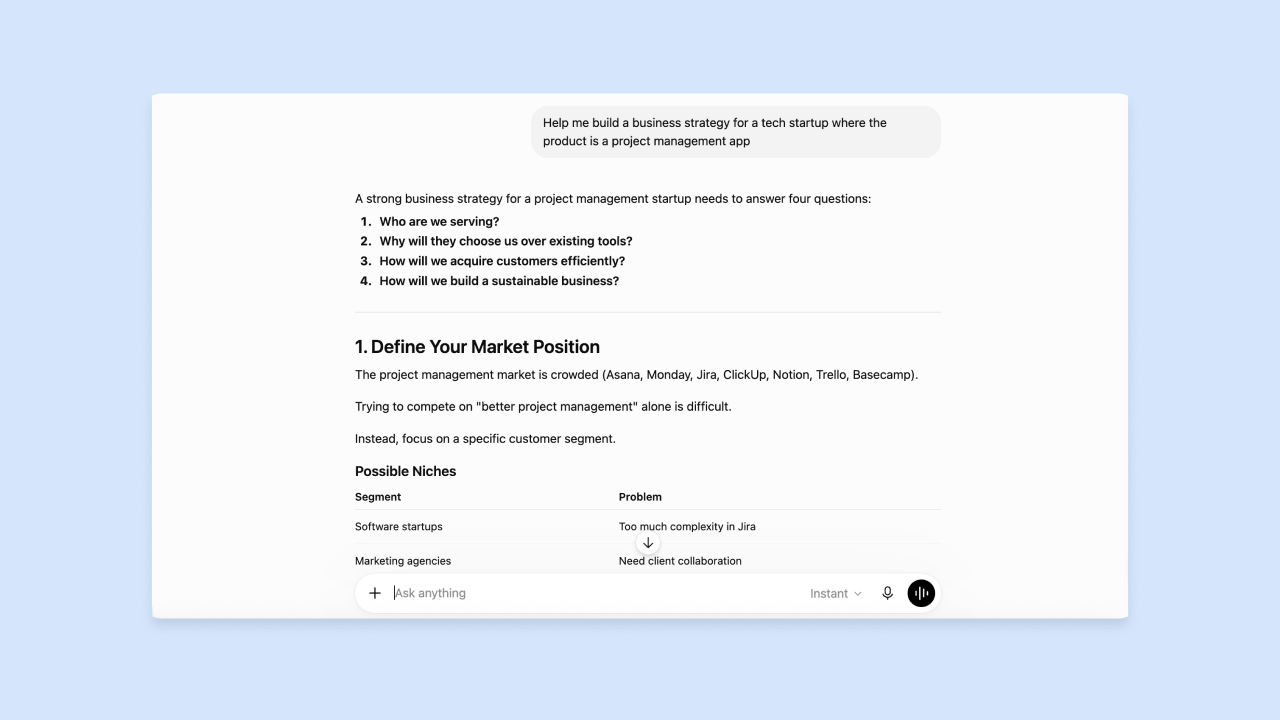
ChatGPT is a conversational AI: You type a question or instruction, it responds, and you refine the output through follow-up messages. Entrepreneurs most commonly use it to draft written content (emails, proposals, job descriptions, marketing copy), think through decisions by asking it to play devil’s advocate, and turn rough ideas into structured plans.
Here are two concrete use cases. First: A founder preparing for a sales call can paste in their product description and ask ChatGPT to generate likely objections and suggested responses. Second: A founder unsure whether their pricing model makes sense can describe their business and ask ChatGPT to identify risks or gaps in the logic.
These are thinking-partner uses, not just writing uses. ChatGPT produces text. You still need to copy, paste, and apply its output.
Best for:
- Founders who need to produce written output quickly: Sales emails, investor updates, job descriptions, product announcements, or onboarding sequences.
- Entrepreneurs stress-testing a business idea, pricing model, or go-to-market strategy by using ChatGPT as a structured thinking partner.
- Anyone who needs to draft something from scratch and wants a starting point they can edit rather than a blank page.
Limitations:
- ChatGPT supports web search in some plans and modes, but for research workflows where verifying cited sources is the priority, Perplexity may still be preferable.
- Output quality depends on how well you write your prompt, and ChatGPT can hallucinate (producing plausible-sounding but incorrect information, especially for facts, statistics, or recent events). Verify anything you plan to act on.
- Free tier has usage limits, and heavy users will hit them quickly.
Pricing:
- Free plan: Available with usage limits.
- Personal paid plans: Check ChatGPT.com for current consumer pricing.
- Business and Enterprise plans available for organizations; Business ChatGPT and Codex is listed at $20/user/month billed annually or $25/user/month billed monthly, with Enterprise on custom pricing.
Compare to: Claude (Anthropic’s conversational AI, often preferred for longer documents and nuanced reasoning); Google Gemini (integrates directly with Google Workspace tools like Docs and Gmail)
3. Perplexity: Best for research with real, cited sources
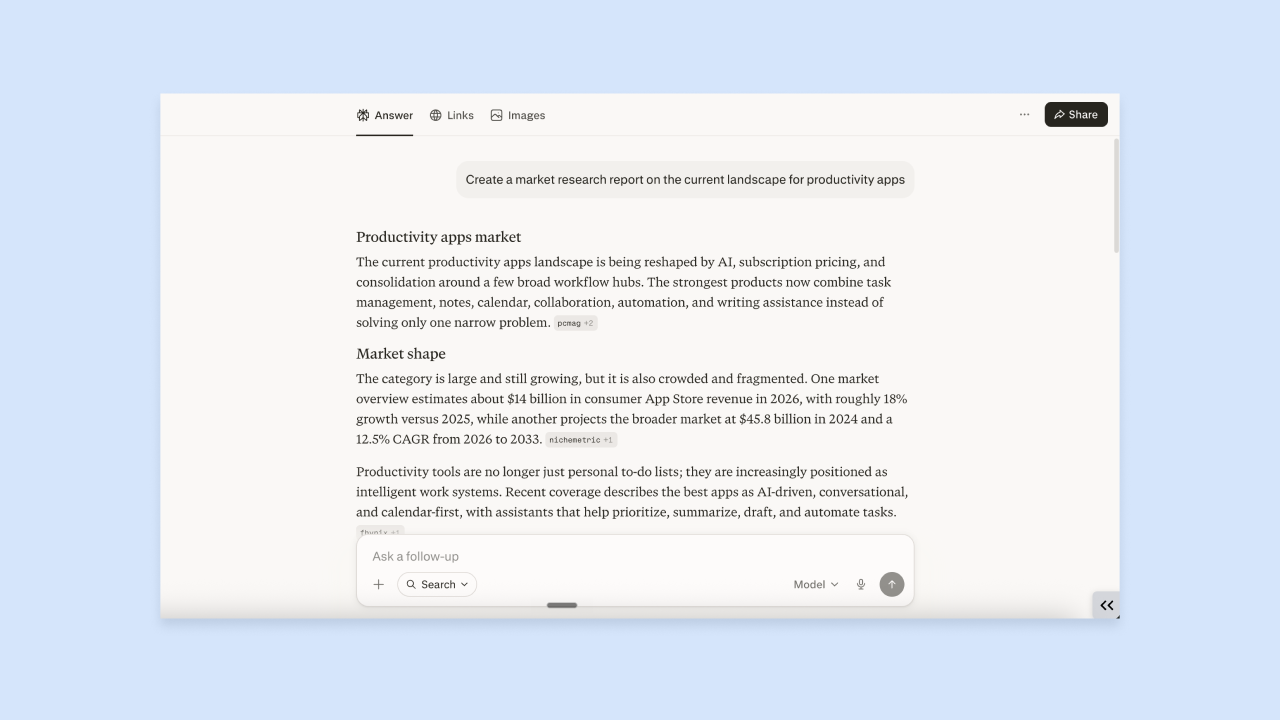
Perplexity is an AI-powered search and research engine that answers questions in plain language while showing you the sources it pulled from. Unlike a standard search engine that returns a list of links, Perplexity reads those sources and synthesizes an answer, with numbered citations you can click through to verify.
Here’s a concrete entrepreneur use case: A founder exploring whether to enter a new market can ask Perplexity “What are the top competitors in [industry] and how do they differentiate?” and get a structured summary with links to the actual sources (competitor websites, industry reports, news articles) rather than having to open 15 browser tabs and read them all. Note that ChatGPT may hallucinate (produce plausible-sounding but incorrect information) when asked about specific companies or recent events, since it doesn’t search the web by default.
Perplexity is strongest for sourced research and cited answers, though current plans also include multi-step reasoning, Deep Research reports, model access, and asset generation. Use ChatGPT when you want a more general conversational drafting and strategy partner.
Best for:
- Founders doing competitive research, market sizing, or due diligence on a new idea who need reliable, sourced information rather than AI-generated guesses.
- Entrepreneurs who want to stay current on industry news, regulatory changes, or emerging competitors without spending hours on manual search.
- Founders who want cited sources alongside answers so they can verify accuracy before acting on the information.
Limitations:
- Perplexity is research-first; for general conversational drafting or business strategy, ChatGPT is a better thinking partner.
- The quality of its answers depends on what’s publicly available online; for niche industries with limited online coverage, results may be thin.
- The free tier has query limits; check Perplexity’s pricing page for current allowances.
Pricing:
- Free plan: Available with query limits.
- Perplexity Pro: $20/month billed monthly or $200/year billed annually. Pro removes the daily cap on Pro searches and adds access to more capable models, Deep Research reports, and file uploads.
Compare to: Google Search with AI Overviews (familiar but less synthesized); NotebookLM (better for researching your own documents rather than the open web; NotebookLM by Google lets you upload your own PDFs, contracts, or research documents and ask questions about them)
4. Canva Magic Studio: Best for professional visuals without a designer
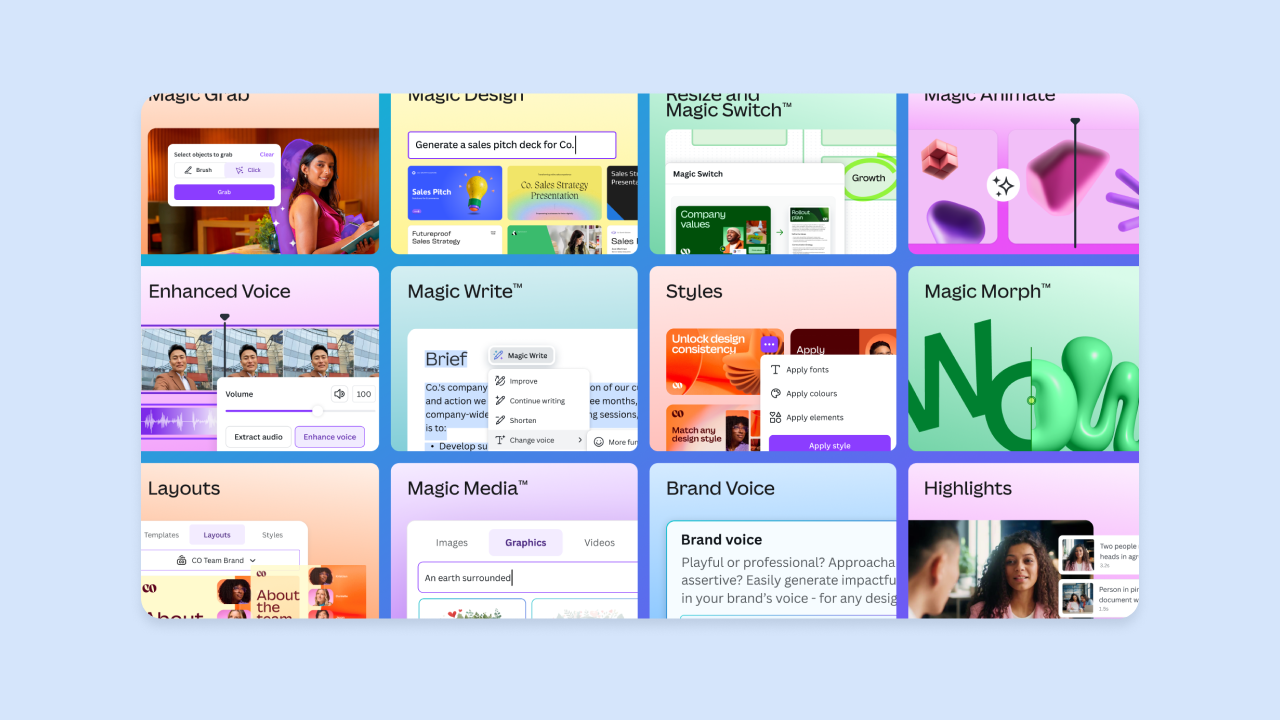
Canva Magic Studio is Canva’s AI design suite. Describe what you want in plain language (“a LinkedIn post for a SaaS launch, dark background, clean sans-serif font”) and it generates a starting point you can edit with Canva’s drag-and-drop interface. It covers social graphics, presentations, marketing materials, and short animated videos.
Here’s a concrete use case: A solo founder who needs a week’s worth of social content can describe their product and audience, let Canva Magic Studio generate a set of graphics, adjust the brand colors and fonts to match their identity, and export everything in the right dimensions for each platform, without hiring a designer or learning Illustrator. Canva is a design tool with AI features, not a pure AI generator. The AI speeds up the starting point, but you’ll still spend time editing and adjusting.
Best for:
- Solo founders who need to look professional across social media, pitch decks, and marketing materials without a design budget.
- Entrepreneurs launching a product who need a fast, consistent visual identity (logos, color palettes, templates) without hiring a brand designer.
- Small teams producing recurring content (weekly newsletters, social posts, product updates) who need a repeatable, on-brand workflow.
Limitations:
- AI-generated designs often need significant manual editing to feel truly on-brand. Don’t expect to prompt and publish without review.
- Some audiences are put off by AI-generated visuals on principle. Know your audience before using them for customer-facing content.
- Canva’s AI video features are improving but still limited compared to dedicated video tools like HeyGen or Descript.
- The free plan caps AI allowances (up to 200 Standard AI uses or up to 20 Premium AI uses, with no Ultra AI access); most heavy AI use sits behind Pro or Business.
Pricing:
- Free plan: Includes limited AI allowances (up to 200 Standard or 20 Premium AI uses).
- Canva Pro: Listed at US$144/year for one person when billed annually. Pro includes higher AI allowances (up to 2,000 Standard, 200 Premium, or 20 Ultra AI uses). Check Canva’s pricing page for monthly-billed pricing.
- Canva Teams: Higher per-seat pricing with collaboration features.
Compare to: Adobe Express (more powerful for print, less intuitive for social); Figma (better for product design, steeper learning curve); HeyGen (if your primary need is AI video rather than static graphics)
5. HeyGen: Best for AI video content at scale

HeyGen generates spokesperson videos using AI avatars: realistic digital presenters, either pre-built or cloned from your own likeness, that read your script aloud without you needing to film anything. You can produce product demos, explainer videos, or sales outreach videos from a written script alone.
Here’s a concrete use case: A founder launching a SaaS product can write a two-minute product walkthrough script, select an avatar, choose a language and voice, and export a finished video in under an hour, with no camera, lighting setup, or video editor needed. HeyGen also supports multi-language video generation, so the same script can be delivered in multiple languages for international markets.
HeyGen is suited to scripted, informational content: product demos, onboarding videos, training materials, and sales outreach. It’s less suited for content that requires on-camera presence or spontaneity, like founder story content or live Q and A.
Best for:
- Founders who need to produce product demo or explainer videos regularly without filming themselves or hiring a video team.
- Entrepreneurs targeting multiple markets who want to localize video content into different languages without re-recording.
- Small teams producing training or onboarding videos for customers or new hires at scale.
Limitations:
- AI avatars can feel impersonal or even uncanny for content where founder authenticity matters. Record yourself instead for story-driven or high-stakes content.
- Some audiences are put off by AI-generated video on principle. Know your audience before using it for customer-facing content.
- HeyGen requires a clearly written script; the quality of the output depends on the quality of the input.
- The Free plan is limited (3 videos per month, up to 1 minute each); longer videos, watermark removal, and voice cloning require a paid plan.
Pricing:
- Free plan: $0/month with 3 videos per month, up to 1 minute each.
- Creator plan: $29/month billed monthly, or $24/month effective monthly pricing when billed annually. Adds longer videos (up to 30 minutes), 1080p export, watermark removal, voice cloning, and 175+ languages.
Compare to: Descript (better for editing real footage or podcast audio; less suited for avatar-based video); Synthesia (similar avatar video tool, slightly different avatar library and pricing)
6. Descript: Best for editing audio and video by editing text

Descript is a video and audio editing tool that works by editing a transcript rather than a traditional timeline. When you upload a recording, Descript transcribes it automatically. A transcript is a text version of everything spoken in the recording. To cut a section, you delete the words in the transcript; the corresponding audio or video is removed automatically. This approach makes editing accessible to anyone who can edit a document, without needing to learn traditional video editing software.
Here’s a concrete use case: A founder who records a 30-minute product demo can upload it to Descript, search the transcript for filler words like “um” and “uh,” remove them all in one click, cut the rambling middle section by deleting those lines of text, and export a clean 12-minute version in a fraction of the time it would take in traditional editing software. Descript’s AI speech and custom voice-clone features let you create or repair spoken audio from text, which is useful for fixing misspeaks without re-recording.
Best for:
- Founders who record themselves regularly (podcasts, YouTube videos, product demos, or investor pitches) and want to edit without learning video editing software.
- Entrepreneurs producing thought leadership or educational content who need to clean up recordings quickly and consistently.
- Small teams collaborating on video content who need a shared, comment-based editing workflow.
Limitations:
- Descript is strongest when editing existing audio or video, though current plans also include AI generation, AI speech, and avatar features that can help even before you have finished footage.
- Transcript accuracy depends on audio quality; poor recording conditions (background noise, unclear speech) will require more manual correction.
- AI speech quality and use cases vary; check Descript’s documentation for current plan capabilities.
Pricing:
- Free plan: Available with limited transcription hours and watermarked exports.
- Creator plan: Starts around $24/month (billed annually).
Compare to: CapCut (simpler, mobile-first video editing with AI features, less powerful for long-form); Adobe Premiere Pro (more powerful for professional production, much steeper learning curve); HeyGen (for scripted avatar video rather than editing real footage)
7. Notion AI: Best for keeping your business organized in one place
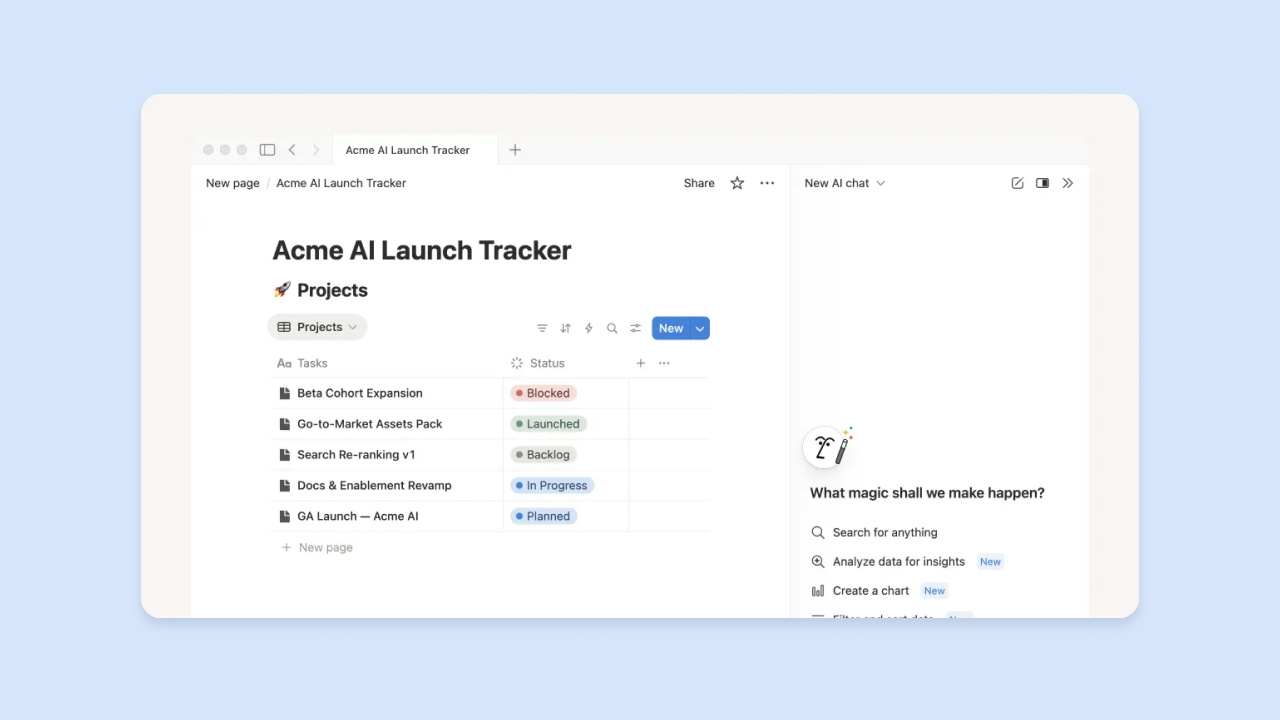
Notion AI is the AI layer built into Notion, a workspace that combines notes, tasks, databases, and wikis in one place. It can summarize documents, generate content, pull action items from meeting notes, and answer questions about anything in your workspace. A wiki, if you haven’t used one before, is just a shared knowledge base where you document processes and decisions so they don’t live only in your head.
Here’s a concrete use case: After a customer discovery call, you paste your raw notes into Notion and ask Notion AI to summarize the key insights, list the pain points mentioned, and suggest follow-up questions. You get a structured record that’s searchable and shareable, rather than notes that are hard to act on later.
One thing worth knowing up front: Full Notion AI is only available on the Business plan at $20/user/month. If you’re not already a Notion user, that’s a meaningful cost to take on, and it may not make sense unless you need the broader workspace too.
Best for:
- Solo founders and small teams who want a single place for notes, tasks, project tracking, and documentation, with AI to help them process and act on what’s in that workspace.
- Entrepreneurs who take a lot of meeting notes, conduct customer interviews, or produce internal documentation and want AI to help them synthesize and organize it.
- Teams building a shared knowledge base (SOPs, onboarding docs, product specs) who want AI to help write and update those documents.
Limitations:
- Notion has a learning curve; setting up a useful workspace takes time upfront.
- The most advanced AI features (Notion Agent, AI Meeting Notes, and AI search) are only available on the Business plan. Free and Plus users get a limited 20-response AI trial, with no option to purchase more.
- Notion’s AI and connection features can use context from connected apps and the web, but for broader cross-app workflow automation, a dedicated tool like Zapier is still useful.
Pricing:
- Free plan: $0 per member/month with limited blocks and a trial of 20 total AI responses; full AI features require upgrading.
- Plus plan: $10 per member/month billed annually ($12 billed monthly); does not include full Notion AI for new users.
- Business plan: $20 per member/month billed annually ($24 billed monthly); includes the full AI suite (Notion Agent, AI Meeting Notes, AI search). Custom Agents use credit-based pricing at $10 per 1,000 monthly Notion credits.
Compare to: Obsidian (more powerful for personal knowledge management, no built-in AI, no collaboration); Coda (similar all-in-one workspace with AI, slightly more powerful for automations); Google Docs plus Gemini (familiar but less structured for database-style organization)
8. Zapier AI: Best for automating handoffs between your tools
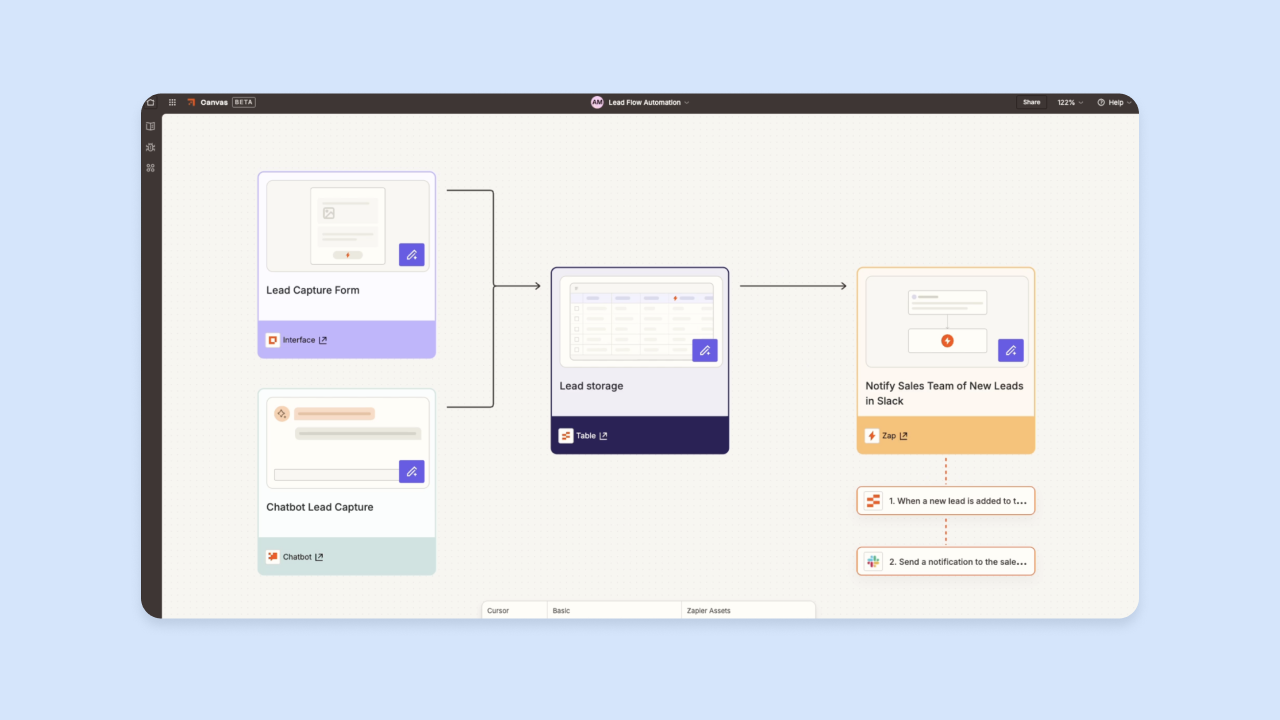
Zapier connects different apps and triggers actions automatically when something happens in one of them. Zapier AI adds a natural language layer on top: Describe what you want in plain language and Zapier builds the automation for you. For example, when someone fills out your contact form, Zapier can automatically add their details to your Notion database and send them a welcome email.
Here are two concrete use cases:
- Connect your app to your marketing tools: A founder using Bubble for their app can connect it to Zapier so that when a new user signs up, Zapier automatically adds them to their email marketing list, sends a Slack notification, and creates a task in Notion to follow up.
- Route customer feedback automatically: A founder who collects customer feedback through a form can have Zapier automatically route responses to the right team member based on keywords, without anyone manually triaging the inbox.
Zapier is most valuable once you have at least two or three tools that need to share data. If you’re just starting out with one or two tools, the overhead of setting up automations may not be worth it yet. Add Zapier when you notice yourself doing the same manual copy-paste task repeatedly.
Best for:
- Founders who use multiple tools and spend time manually moving data between them: Copying form submissions into spreadsheets, forwarding emails to teammates, updating task lists after meetings.
- Entrepreneurs who want to automate customer-facing workflows like welcome sequences, lead routing, or support ticket assignment without building custom code.
- Small teams who need lightweight process automation without a dedicated operations hire.
Limitations:
- Zapier works best as a connector between existing tools. It’s not a replacement for a proper CRM, database, or project management system.
- Complex automations with conditional logic can get expensive quickly on higher-tier plans.
- When a connected app changes its API, automations can break silently, so check them periodically.
Pricing:
- Free plan: $0/month with 100 tasks per month, unlimited Zap workflows, Tables, and Forms, two-step Zap workflows, and Zapier Copilot.
- Professional plan: Starts from $19.99/month for multi-step Zaps, premium apps, webhooks, AI fields, and conditional form logic.
- Team plan: Starts from $69/month with 25 users, shared Zaps and folders, shared app connections, SAML SSO, and priority support.
- Enterprise: Contact for pricing.
Compare to: Make (formerly Integromat, more powerful for complex logic, steeper learning curve); n8n (open-source alternative, requires more technical setup); native integrations within tools like Notion or HubSpot (simpler but limited to that tool’s ecosystem)
9. Clay: Best for personalized outbound sales and lead research
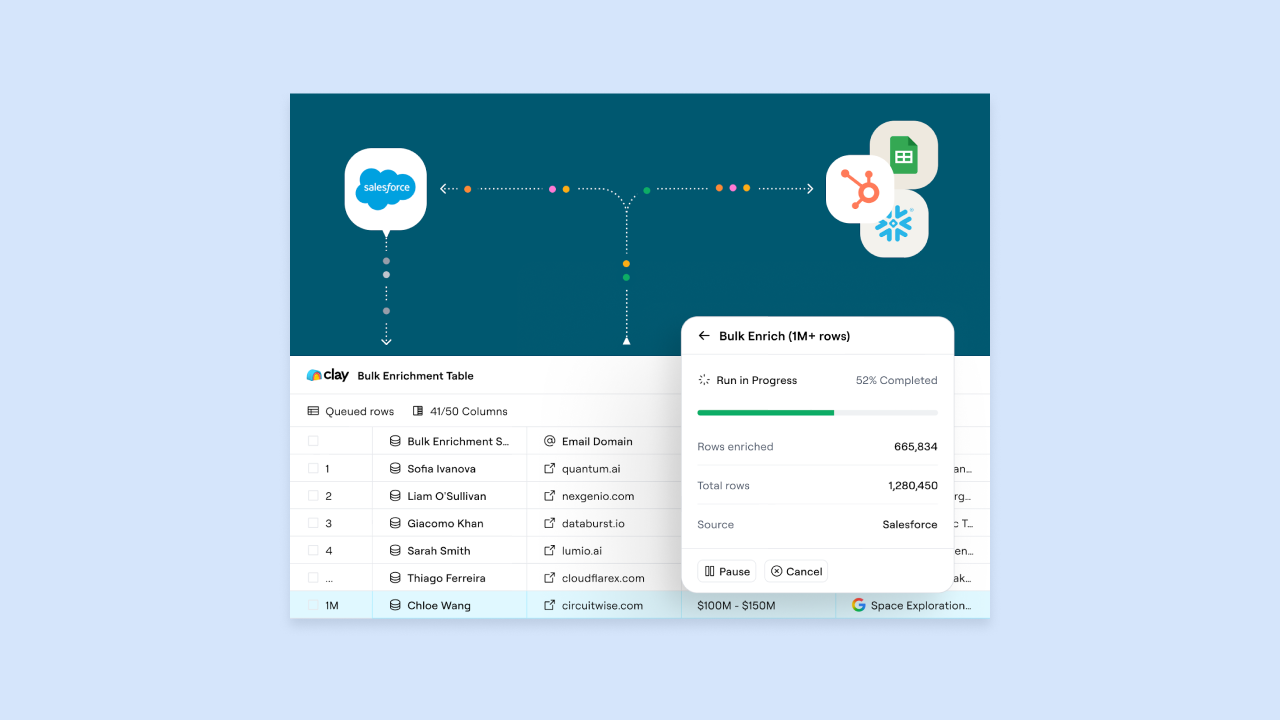
Clay pulls data on potential customers from 150+ providers, uses AI to enrich each lead with context (role, company size, recent news), and generates personalized outreach based on that research. Lead enrichment means automatically filling in details about a potential customer so your outreach can be specific rather than generic.
Here’s a concrete use case: A founder trying to reach operations managers at mid-size logistics companies uploads a list of company names, lets Clay pull the relevant contacts and enrich them with context (recent funding, open roles, tech stack), and generates a personalized first line for each email. Instead of a generic blast, the message reads: “I saw you’re hiring for a Head of Ops, which usually means you’re scaling faster than your current processes can handle.”
Clay is most useful for founders actively doing outbound sales who have a clear target customer and need to reach them at scale. If your growth is primarily inbound, it probably isn’t the right priority yet.
Best for:
- Founders doing B2B (business-to-business) sales who need to reach a specific type of customer at scale with context-specific outreach rather than a standard template.
- Entrepreneurs in early stages who are manually researching leads one by one. Clay automates the research step so more time is available for outreach and follow-up.
- Small sales teams who want to run high-quality outbound campaigns without a large SDR (sales development representative) team.
Limitations:
- Clay has a learning curve. Getting the most out of it requires understanding your target customer profile well enough to know what data to pull and what to personalize on.
- It’s primarily a B2B outbound tool; less useful for B2C (business-to-consumer) founders or those focused on inbound marketing.
- Credits for data enrichment can add up quickly at scale; monitor usage carefully on lower-tier plans.
Pricing:
- Free plan: $0 with 500 actions/month and 100 data credits/month.
- Launch plan: $167/month billed annually, or $185/month billed monthly (15,000 actions/month, 3K data credits/month).
- Growth plan: $446/month billed annually, or $495/month billed monthly (40,000 actions/month, 6K data credits/month).
- Enterprise: Custom pricing with annual commitment.
Compare to: Apollo.io (more of a traditional sales database with outreach features, less AI-native personalization); Hunter.io (simpler email-finding tool without the enrichment and AI layer); Instantly (better for high-volume cold email sending, less focused on personalization)
10. LiveFlow: Best for understanding your finances in real time
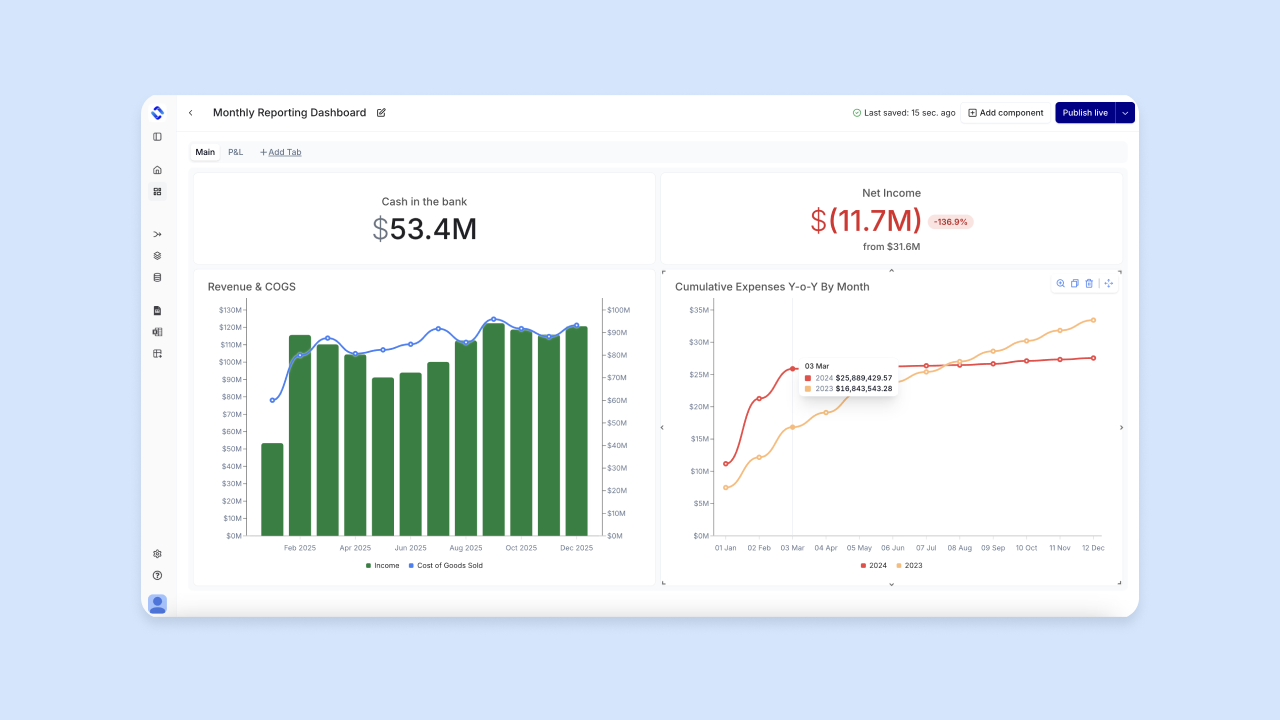
LiveFlow is a finance tool that connects accounting software like QuickBooks Online and Xero, plus supported bank connections, into live FP&A dashboards in Google Sheets and Microsoft Excel. Cash flow is the movement of money into and out of your business: how much is coming in from customers, how much is going out to expenses, and what’s left. Bank feeds are a live connection between your bank account and a piece of software so transactions appear automatically without manual entry.
Here’s a concrete use case: A founder who currently exports a CSV from QuickBooks every month and manually updates a spreadsheet can connect LiveFlow instead, so their revenue, expenses, and runway are always current without any manual work. They can also build budgeting, forecasting, multi-entity consolidation, and budget-vs-actuals views on top of that live data, instead of having to rebuild the model each month.
LiveFlow is most valuable once you have a real accounting setup: a connected bank account and an accounting tool like QuickBooks. If you’re still tracking finances in a basic spreadsheet without an accounting tool, that’s a more useful starting point.
Best for:
- Solo founders who need visibility into their cash position and runway without learning financial modeling or hiring a bookkeeper.
- Entrepreneurs who want live finance data feeding the spreadsheets they already use for planning, instead of redoing exports every month.
- Small teams who use Google Sheets or Microsoft Excel for financial planning and want live data feeding those models automatically.
Limitations:
- LiveFlow requires an existing accounting tool like QuickBooks or Xero. It’s not a replacement for accounting software itself.
- Dashboards work best when your data is clean and categorized correctly in your accounting tool.
- LiveFlow runs inside spreadsheets (Google Sheets and Microsoft Excel); if you prefer a standalone finance dashboard app, look elsewhere.
Pricing:
- Pricing is tailored to what you need and requires booking a demo; LiveFlow’s pricing page does not list public plan tiers.
Compare to: Bench (full-service bookkeeping with dashboards, higher cost); Runway (better for financial forecasting and scenario planning, less focused on live data); Google Sheets native integrations (manual setup, no AI layer)
How to choose the right AI tool for your needs
Start with the category where you lose the most time, then add tools strategically so they connect rather than compete for attention. Here’s a comparison across the 10 tools to help you identify which fits your current bottleneck.
| Primary Job | Best For | Pricing Starts At | |
|---|---|---|---|
| Bubble | Build and launch products | Founders who want to build and launch a real app fast without writing or maintaining code | Free; paid annual-billed Starter from $29/month (Web), $42/month (Mobile), $59/month (Web and Mobile) |
| ChatGPT | Brainstorming and drafting | Written content, business logic, thinking partner | Free; Business at $20/user/month (annual); Enterprise custom |
| Perplexity | Research with sources | Competitive research, market data, cited information | Free; Pro at $20/month or $200/year |
| Canva Magic Studio | Visual content creation | Social graphics, presentations, brand assets | Free; Pro at US$144/year |
| HeyGen | AI video at scale | Product demos, training videos, multi-language content | Free limited; Creator at $29/month or $24/month annually |
| Descript | Audio and video editing | Podcast editing, demo cleanup, transcript-based editing | Free limited; Creator at $24/month annually |
| Notion AI | Workspace organization | Notes, tasks, wikis, meeting summaries | Free (limited AI trial); Business at $20/member/month (annual) for full AI |
| Zapier AI | Tool automation | Connecting apps, automating workflows, data handoffs | Free (100 tasks); Professional from $19.99/month |
| Clay | Outbound sales research | B2B lead enrichment, personalized outreach | Free; Launch from $167/month annually |
| LiveFlow | Financial dashboards | Cash flow visibility, live finance data in spreadsheets | Tailored pricing; book a demo |
Pick your first tool based on where you’re stuck right now. If you can’t get your product built, start with Bubble. If you’re spending hours researching competitors, start with Perplexity. If you’re drowning in manual data entry between tools, start with Zapier AI. Add the second tool when the first one is working and you’ve identified the next bottleneck.
Start building with the right tool for your stack
The best AI tools for entrepreneurs solve specific jobs — research, building, marketing, operations, and finance. You don’t need all 10 to start. You need the one that removes your current bottleneck, then the one that removes the next.
If your primary goal is shipping a product, Bubble lets you vibe code without the code: Use AI when you want speed, the visual editor when you want precision, and ship something real rather than getting stuck with output you can’t read or maintain. If your bottleneck is research, Perplexity gives you cited sources. If it’s content production, start with Canva Magic Studio or HeyGen. If it’s operations overhead, start with Notion AI or Zapier AI.
The tools that last in your stack are the ones that connect to each other and compound your time savings. A lean, connected stack beats a collection of disconnected subscriptions.
Frequently asked questions
What’s the fastest way to build and launch an app?
If you can’t or don’t want to maintain code, start with Bubble. Use Bubble AI to generate your foundation, refine with the visual editor, and connect services via Zapier. You get web and native mobile from one editor, with privacy rules and a security dashboard included so you can ship with confidence. Bubble for native mobile is currently in beta.
How do I keep customer data safe when using AI tools?
Look for tools with clear data policies, SOC 2 compliance, role-based access controls, and audit logs. In Bubble specifically, use privacy rules at the data layer and run the built-in security scanner before you deploy. Avoid pasting API keys or sensitive data into public-facing fields or AI prompts, and review each tool’s terms to understand whether your inputs are used to train their models.
Do I need AI coding tools if I’m not a developer?
Not necessarily. Visual tools like Bubble let you see and edit your app’s logic directly, without code — so you don’t get stuck with output you can’t read or maintain. If you’re code-adjacent and want to accelerate specific tasks, AI coding assistants can help, but weigh the maintenance burden: Generated code still needs someone who can read it when something breaks.
How do I avoid tool sprawl?
Start with one bottleneck, add tools only when a measurable gap appears, and connect everything through Zapier AI so data flows automatically between systems. Review your stack every few months: If a tool isn’t saving you meaningful time or money, cut it. Prioritize tools with strong native integrations over ones that require manual data entry to stay in sync.
When should I move from free to paid plans?
Upgrade when you hit a cap that blocks real work — not just a feature you’re curious about. Good signals: You’re hitting usage limits mid-workflow, you need features like custom domains or advanced integrations, or the time you’re saving clearly exceeds the monthly cost. Start multiple tools on free tiers simultaneously, then upgrade only the ones you’re actually using at capacity.
Build for as long as you want on the Free plan. Only upgrade when you're ready to launch.
Join Bubble