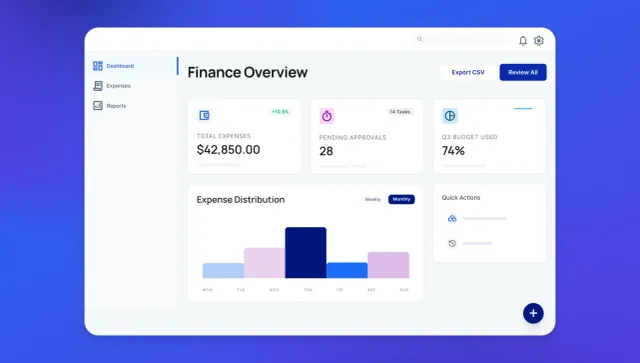
TL;DR: Build a custom expense reporting system in weeks with visual workflows. Connect OCR providers, card feeds, and accounting systems. Automate receipt scanning, policy checks, approvals, and ERP sync. Deploy web and native mobile apps with camera capture, push notifications, and real-time dashboards — all from one platform.
Finance teams know the drill: manual data entry from corporate cards, hunting down missing receipts, catching duplicate submissions. Policy violations slip through because nobody remembers every city’s per diem rate, and month-end close drags on for days.
Standard expense tools work great until they don’t. When you need approval chains that vary by entity or workflows that don’t fit the mold, building custom makes sense.
The good news is that thanks to AI and no-code tools, building a custom expense system doesn’t take months anymore. This guide walks you through each step: deciding whether to buy or build, mapping your policies into enforceable rules, and what to think about when building.
What is automated expense reporting?
Automated expense reporting is software that handles your expense tracking without manual data entry. It automatically captures receipts, categorizes spending, matches transactions, routes approvals, and syncs to your accounting system.
The system handles five core processes:
- Receipt scanning uses optical character recognition (OCR) — technology that reads text from images — to turn photos into structured data like dates, amounts, merchant names, and tax totals
- Automatic categorization applies AI to sort expenses into the right buckets based on your chart of accounts
- Corporate card matching syncs transaction feeds from your bank and pairs them with receipts
- Real-time approval workflows route expenses to the right managers based on amount thresholds, departments, and project codes
- Accounting integration posts approved expenses directly to your ERP (enterprise resource planning system) with proper GL (general ledger) mapping and audit trails
When to use existing expense software platforms and when to build custom
Most businesses start with tools like Expensify, Concur, or Ramp. These work well for straightforward scenarios like standard approval chains and simple policies.
Standard expense software platforms have different pricing models and capabilities:
- Ramp: Free tier with unlimited cards and accounting integration
- Expensify: Free for individuals, $5/member for teams
- Concur: ~$7-9 per report (not per user)
Try the free versions first — they might do everything you need.
Custom builds of expense software make sense when your approval matrix varies by legal entity, region, and expense type. If that’s the case, you’ll need routing that exceeds what standard tools offer.
Custom builds also make sense when off-the-shelf tools can’t flex to match your operations. Standard platforms assume one approval chain, one currency, and straightforward policies. Your business might have complex per diem calculations, project-specific budgets, or approval exceptions that rigid tools force you to work around. Multi-entity operations with different currencies, tax rules, and compliance requirements often can’t squeeze into one-size-fits-all platforms.
| Best for | Timeline | Control level | Mobile support | |
|---|---|---|---|---|
| Manual processes | ⭐ Very small teams with minimal expenses |
Ongoing | ⭐ Low. Prone to errors and delays |
⭐ None. Only spreadsheets and email |
| Standard tools | ⭐⭐ Teams evaluating free tiers or with straightforward policies |
Immediate to weeks | ⭐⭐ Medium; varies by platform and tier |
⭐⭐⭐ Good: pre-built mobile apps |
| Custom build on Bubble | ⭐⭐⭐ Organizations with complex policies, multi-entity needs, or unique workflows |
2–8 weeks | ⭐⭐⭐ High. Complete control over rules and integrations (visual workflows anyone on your team can read and verify) |
⭐⭐⭐ Excellent: web and native iOS/Android from one platform |
The real cost of manual reporting and rigid tools
Manual expense reporting carries a price tag that most organizations underestimate. A GBTA Foundation study found that each expense report costs $58 to process, but the real cost runs deeper. It’s a huge waste of time to hunt down missing receipts, and fix data entry mistakes. Worse, policy violations like a $75 dinner that exceeded the $50 limit may not get noticed until the annual audit surfaces thousands in non-compliant spending. Waiting weeks for manual approval and reimbursement can frustrate your employees.
Off-the-shelf tools might solve these problems, but not if they introduce friction of their own. When a platform can’t handle your approval routing or track the metrics you need, teams create workarounds, like “shadow” spreadsheets and monthly export-transform-import, cycles to correct what the tool gets wrong — defeating the purpose of automation.
Step 1: Map policies, data, and approvals
First, you’ll convert your policy documents into enforceable digital rules. This means translating human language into logic the system can execute.
Your core data types should map to the objects in your expense workflow. Core types include:
- Expense: transaction details like amount, date, merchant, category, receipt image, submitter, and status
- Receipt: scanned image, extracted text, OCR confidence scores, and processing timestamps
- User: role, department, approval authority, and spending limits
- Card transaction: every swipe from your corporate card feed with transaction ID, amount, merchant data, posting date, and assigned cardholder
- Approval chain: who approves what based on amount, category, and organizational hierarchy
Translate policies into rules you can enforce
Build your threshold table with clear breakpoints that translate spending limits into automated routing logic, then refine them as policies evolve. Think of it as creating decision points that the system uses to route expenses appropriately. For example, expenses between $0–$50 in standard categories might flow through without human review, while $50–$500 expenses head to the employee’s direct manager, $500–$2,000 to require director sign-off, and anything over $2,000 escalates to VP or finance review. Each threshold works as a conditional rule that executes automatically whenever someone submits an expense.
Per diem tables get interesting because they often vary by location and role. You’ll typically set up lookup tables with daily rates for every city where employees travel, keeping separate rates for meals versus lodging, plus logic to handle partial days. Here’s how it plays out in practice: when an employee submits a $60 dinner in San Francisco where the per diem is $75, the system auto-approves it. That same $60 dinner in a city with a $45 limit gets flagged for review instead.
Merchant category restrictions help you block specific vendor types for compliance reasons. Alcohol purchases might need special justification, or you might require pre-approval for expenses in categories like entertainment or gifts. Think about which restrictions are “before-spend” controls and which will require “after-spend” validation. Before-spend limits actually prevent transactions from happening in the first place, while after-spend validation flags violations for review but doesn’t block reimbursement.
Design data, privacy, and audit logs
Row-level security makes sure that users only see their own expenses unless they have approval authority. Field-level permissions prevent employees from editing approval status or changing submitted amounts. Personally identifiable information — things like social security numbers, home addresses, medical details that sometimes appear on receipts — will need extra privacy controls.
Immutable audit logs record every action. Who submitted the expense? Who approved it? When did amounts change? Which policies triggered flags? These logs become critical during audits or when investigating suspicious activity.
When you add features or data types with the Bubble AI Agent (beta), it builds privacy rules for you. And Bubble’s security dashboard is integrated into your workflow to catch any leaks before you deploy.
Set up metrics and KPIs to track from day one
Your audit logs capture every action, but raw logs don’t tell you if your system is working. Define key performance indicators (KPIs) before you build so you can measure what matters from the start. Setting KPIs early will help you discover bottlenecks in your approval chains, understand whether your threshold rules are working, and find policy areas that need adjustment.
- Approval speed: Median time from submission to final approval
- Reimbursement time: How long from approval to payment hitting bank accounts
- Auto-approval rate: How many expenses flow through without human review
- Policy compliance: Which categories have high violation percentages
Step 2: Build your core data structure and workflows
Start by defining the data structure that will power your expense system. You’ll need core data types for expenses (amount, date, merchant, category, receipt image, submitter, status), receipts (scanned image, extracted text, OCR data), users (role, department, approval authority, spending limits), card transactions (transaction ID, amount, merchant, posting date, cardholder), and approval chains (routing rules based on amount, category, and hierarchy).
Next, map out the workflows that connect these data types. The submission workflow captures expense details, attaches receipts, runs policy checks, and routes to the appropriate approver. The approval workflow evaluates threshold rules, applies per diem validation, and either auto-approves or sends to the next reviewer in the chain. The sync workflow posts approved expenses to your accounting system with proper GL mapping.
If you’re building on Bubble, you can generate this entire structure in minutes using AI prompts, then refine it visually without writing code. But regardless of your platform, the key is translating your policy rules into executable logic that the system can enforce consistently.
Set up data types with built-in privacy controls
Privacy rules should be baked into your data structure from the start, not added later. Employees can view and edit only expenses they created. Managers can view expenses from their direct reports based on your org chart. Finance teams get read access to all expenses but edit access only for specific fields like GL codes and accounting notes.
Set user roles beyond the default employee level. Define manager, director, finance admin, and system admin roles with progressively broader permissions. Configure approval authority by combining role with department — a director in marketing can approve marketing expenses up to $5,000 but needs finance sign-off for larger amounts.
Privacy rules should update automatically as users change roles or departments. This prevents manual permission updates that often get missed when someone gets promoted or switches teams.
Build workflows that show your logic clearly
Your workflows should be transparent and auditable. Map out the complete logic of expense submission and approval as connected steps: when someone submits an expense, create the record, attach the receipt, run policy checks, and route to the right approver. Each step should be visible and modifiable so you can adjust routing rules or add conditions as policies evolve.
If you have version control and rollback capabilities, you can experiment safely. Create a new version before making changes to approval logic. Test the modified workflow with sample data. If it doesn’t work as expected, roll back to the previous version with one click.
Track every change with timestamps and user names so you can audit who modified which workflow when. This becomes important when you’re troubleshooting issues or trying to understand why certain expenses route differently than expected.
On Bubble, workflows are entirely visual — written in natural language, not code. That matters for expense systems specifically: when an auditor asks why a $3,000 reimbursement routed the way it did, you can walk them through the exact logic yourself without pulling in a developer. Anyone on the team can read it, verify it, and modify it.
Step 3: Connect OCR, cards, and accounting
This step connects your expense system to external services that automate data capture and sync. You’ll set up OCR to extract receipt data, integrate corporate card feeds to match transactions, and configure accounting system sync to post approved expenses.
On Bubble, you can set up OCR seamlessly through the API Connector. You can even use the Bubble AI Agent to walk you through the steps and do any troubleshooting.
Choose and configure your OCR provider
OCR (optical character recognition) integration turns receipt photos into structured data you can actually use. Start by evaluating which provider fits your needs and budget:
- Google Vision: Excels at handwriting recognition with pay-per-use pricing (first 1,000 units/month free, then $1.50/1,000 for text detection)
- AWS Textract: Handles complex multi-column receipts with a specialized Analyze Expense API (first 1,000 pages/month free for 3 months, then $0.01/page for receipts/invoices)
- Mindee: Specializes in financial documents with pre-trained invoice/receipt models (starting at €44/month for 500 pages)
- Veryfi: Focuses on receipt/invoice extraction with level 3 line-item data across 91 currencies ($500/month minimum, $0.08/receipt)
When building custom systems, factor these recurring OCR costs into your total cost of ownership.
You’ll connect to your chosen OCR provider through their API. When you send a receipt image, you get back structured data in JSON format. Store the extracted data in your database so you can use it throughout your expense workflows.
Set up data normalization and confidence thresholds
Different OCR providers return similar data — merchant name, amount, date, tax — but each uses different JSON field structures. Build a normalization layer that maps varying field names to your standard schema so your application processes receipt data consistently regardless of which provider extracted it. This lets you swap OCR providers later without rebuilding your entire app.
Configure confidence thresholds for each data field. Independent benchmarks show leading OCR tools achieve 97% average accuracy on receipts, but you’ll want to set field-specific requirements based on risk. Set amounts and dates to require 90% confidence or above, since errors here cause real problems. Merchant names can accept lower thresholds around 70% because employees can easily spot when OCR returns “Starbuck“ instead of “Starbucks” and correct it themselves.
Build fallback paths for low-confidence extractions.When OCR confidence drops below your threshold, route the receipt to manual review instead of auto-processing. Show employees the extracted data alongside the original image so they can verify and correct errors before the expense moves forward.
Configure card feed integration and transaction matching
Card feed integration pulls transaction data from your corporate card provider’s API or through file imports. Set up the connection to receive transaction data, then configure matching rules and real-time alerts.
Configure real-time transaction alerts to notify employees immediately when they use their corporate card. When someone swipes their card, trigger a push notification or email with transaction details and a prompt to upload the receipt. “You just spent $45.67 at Morton’s Steakhouse — upload your receipt now” works far better than chasing down missing receipts two weeks later when nobody remembers what the charge was for.
Set up automatic matching rules that pair receipts with card transactions by comparing amounts, dates (within 24-48 hours), and merchant names. Configure the matching tolerance — exact amount matches are ideal, but you might allow small differences to account for tips added after the initial authorization.
Implement merchant category controls (optional)
Merchant category controls let you enforce spending policies at the transaction level, not just during expense review. Configure these controls based on your policy requirements:
Set up transaction blocks for restricted merchant types where spending is prohibited entirely. Configure pre-approval requirements for certain categories before charges can go through. Define monthly spending limits per merchant category to prevent budget overruns.
If your policy prohibits personal purchases, configure the system to block transactions at grocery stores or gas stations on weekends when employees are less likely to be traveling for work.
Consider virtual cards for project budget control. Generate temporary card numbers with built-in spending limits — for example, a virtual card for a specific project with a $10,000 limit and three-month expiration. All charges automatically categorize to that project code. When the budget runs out or the deadline passes, the virtual card stops working, preventing budget overruns without manual monitoring.
Configure accounting system sync and GL mapping
You’ll want to set up GL mapping rules that translate your expense categories into your accounting system’s chart of accounts. Think of it as building a mapping table that connects each expense category to the correct account number: “Office Supplies” maps to account 6100, “Travel - Airfare” maps to 6520, “Meals and Entertainment” maps to 6410. You’ll also want to include mappings for department codes, cost centers, and project dimensions your ERP requires.
For multi-currency handling, you’ll need to calculate exchange rates at transaction time and store both the original currency amount and the converted amount for reporting. So when an employee submits a €50 dinner, you’d store both the euro amount and the USD equivalent at that day’s exchange rate.
Tax code assignment rules help apply the correct tax treatment based on jurisdiction and expense type. If you’re operating internationally, you’ll want to track reclaimable VAT or GST. This becomes critical for companies operating across multiple countries with different tax rules.
Error handling with retry logic helps you catch temporary failures. When the system encounters locked accounting periods, missing required fields, or duplicate transaction checks, it can queue errors for automatic retry after a delay. Make sure to log all errors with enough detail so finance teams can resolve issues manually if retry attempts fail.
Step 4: Automate policy enforcement and approvals
Policy enforcement runs automatically when employees submit expenses. Spending threshold checks compare the expense amount against the employee’s role-based limits and route to the appropriate approval level. A manager submitting a $75 dinner might auto-approve, while a sales rep submitting the same expense needs manager sign-off.
Per diem validation checks meal expenses against the daily rate table for the location. Flag a $60 dinner in a city with a $45 per diem limit, but auto-approve a $60 dinner where the limit is $75. The system knows the rules so approvers don’t have to memorize them.
Exception handling creates paths for legitimate policy violations. An employee exceeds the standard hotel rate because the conference venue hotel was required — they add justification text and the system routes to a finance reviewer who can approve exceptions. This prevents blanket rejections of reasonable expenses that technically violate policy.
And because Bubble's logic lives in visual workflows — not buried in code — your finance or compliance team can open the editor and verify exactly what the system is doing at any point. No black box.
Set thresholds, per diem, and exception paths
Start by building your threshold table to create automatic approval routing based on spending amounts and employee roles. This approach eliminates bottlenecks by letting routine expenses flow through without manual review while escalating larger amounts appropriately. Configure individual contributors to auto-approve up to $50, managers up to $200, directors up to $1,000, and VPs to approve their own expenses regardless of amount. These breakpoints ensure that approval effort matches risk level.
Layer category-specific limits on top of your general thresholds to reflect the reality of business spending. Travel expenses tend to be more predictable and necessary than entertainment, so you’ll want higher auto-approval limits for flights and hotels. This means a $300 flight auto-approves while a $300 client dinner routes to review — same amount, different risk profile, different treatment.
Build per diem rate tables organized by location and date to automate meal and lodging validation. Import government per diem rates for US cities, add your company’s international travel rates, and include effective date ranges so the system knows when rates change. Configure automatic calculations for partial day per diems — 75% of the full rate for travel days, pro-rated amounts for trips spanning multiple cities. This removes the burden of memorizing rates from both employees and approvers.
Decide where to use soft warnings versus hard blocks based on whether you’re providing guidance or enforcing compliance requirements. Soft warnings work well for minor overages — flag a $5 meal overage for manager review but let the submission proceed. Hard blocks prevent submission entirely for expenses that violate non-negotiable policies. An employee trying to expense alcohol without required business justification gets stopped before the expense enters the system, not discovered weeks later during review.
Add multi-level, conditional approval chains
You’ll want to design multi-level approval chains that route expenses through sequential reviewers based on amount, category, and organizational structure. This approach ensures appropriate oversight without creating unnecessary delays. For example, a $3,000 conference registration fee might flow from the employee to their direct manager for business justification, then to finance for budget confirmation, then to the department VP for final approval. Each reviewer can focus on their area of responsibility rather than rubber-stamping decisions.
Consider implementing skip logic to eliminate unnecessary approval steps for routine, low-risk expenses. You could configure standard office supplies under $100 to bypass finance review and go straight from manager approval to accounting. This speeds up processing for expenses that rarely cause issues while maintaining controls on larger or unusual spending. The goal is for your approval chains to add value, not just create checkpoints.
You can also configure conditional routing rules that adapt approval chains based on context beyond just amount and category. For instance, you might set up year-end expense freezes to route all expenses through finance for budget control. Or you could require project manager approval for specific projects even on small amounts to maintain project budget visibility. You might also want to add compliance review steps for travel to certain countries. The idea is to build these variations once as rules the system executes automatically rather than relying on approvers to remember special cases.
Add anomaly detection you can inspect
Build duplicate expense detection to flag submissions that match recent expenses with similar amounts, merchants, and dates. Employees sometimes submit the same receipt twice accidentally or try to claim both the card transaction and a cash expense for the same purchase. Configure the system to surface potential duplicates for manual review rather than auto-rejecting them; legitimate back-to-back purchases at the same merchant do happen, and you want humans making the final call on edge cases.
Set up spending pattern analysis to identify unusual behavior worth reviewing. According to the ACFE’s Report to the Nations, expense reimbursement fraud lasts 18 months before detection on average. Configure alerts when an employee who typically submits $500/month in expenses suddenly submits $5,000, even if individual expenses follow policy. This catches both fraud and legitimate changes in spending patterns that might indicate a role change or special project — either way, it’s worth a conversation.
Add unusual vendor flags to catch expenses at merchant types that rarely appear in your data. When an employee suddenly expenses locksmith services or hardware store purchases, the system should surface it for quick review. Maybe they legitimately needed to replace office keys or buy supplies for an event. Or maybe it’s personal spending on the corporate card. The goal isn’t to assume fraud. It’s to create visibility into spending patterns that fall outside the norm so you can investigate when appropriate.
Step 5: Build web and mobile interfaces
Your expense system needs to work wherever your team is. Finance staff need a full web interface; employees need mobile apps for snapping receipts on the go. With Bubble, you can build both from a shared backend, keeping data in sync without maintaining separate codebases.
Your web interface will handle batch processing, detailed reporting, and admin controls. Native iOS and Android apps should provide camera-based receipt capture, push notifications with approval context, and offline access during travel.
Push notifications should include full context, like “John Smith submitted a $156.45 dinner expense for client meeting 4/12” with one-tap approve or review options. For routine expenses, managers can approve directly from the notification.
Build mobile capture and push approvals
Start by integrating camera capture directly into your expense submission flow. When employees tap to create an expense, the camera should launch immediately. This makes it natural to snap receipts right at the restaurant table or in the taxi, before they end up crumpled in a pocket.
Configure auto-processing to run as soon as the image uploads. While your employee types “client dinner with Sarah from Acme Corp,” OCR extraction populates the amount, date, and merchant in the background. By the time they finish adding context, the fields are already filled. This parallel processing feels instant and keeps the submission flow moving.
Design push notifications that give approvers enough context to decide without opening the app. “Sarah Chen submitted $89.50 meals and entertainment for client dinner 4/14/26 at Morton’s Steakhouse” with approve and review buttons lets managers act immediately. For routine expenses that clearly follow policy, one tap approves and triggers reimbursement.
Build offline access so travelers can view expenses without connectivity. Being able to check past expenses or policy limits on a plane prevents frustration and keeps people productive. Note that full offline editing and sync requires additional development beyond basic read-only access.
Enforce privacy and scan for leaked secrets
Build security into your expense system from the start by configuring row-level and field-level access controls. Set employees to view only their own expenses, managers to see direct reports based on org chart data, and finance teams to read all expenses with edit access limited to GL codes and notes, not amounts or approval status.
Configure field-level permissions to hide sensitive data like card numbers, home addresses, and medical information from receipts. Even finance users with broad access shouldn’t see personally identifiable information unless specifically authorized.
Before deployment, scan your codebase for exposed API keys and secrets. Check client-side code, database rules, and API endpoints for accidentally exposed credentials. Configure your deployment to block if secrets appear in frontend code—they belong in secure backend storage only.
Review your security setup for common vulnerabilities: database queries that leak data through predictable patterns, privacy rules with logical gaps, and missing authentication checks on sensitive workflows. Catching these issues during development is far easier than fixing them in production.
Add audit dashboards and close-time analytics
Real-time metrics show whether your system is working. Set up dashboard tiles that display expenses awaiting approval (count and total amount), average approval time, auto-approval rate, and policy compliance by category.These numbers tell you if expenses are flowing or getting stuck.
Receipt compliance tracking helps you spot patterns. Build a view that shows which employees submit receipts on time versus those who need reminders. This lets finance follow up with specific people instead of sending blanket emails to everyone. Configure the dashboard to sort by submission delay so you can quickly identify repeat offenders who might need process training.
Month-end close dashboards should group unposted expenses by blocker type: awaiting approval (86 expenses, $12,450), missing receipts (23 expenses, $3,200), failed accounting posts (4 expenses with error details). Build filters that let you drill down by employee or department so finance knows exactly who to contact. This turns month-end close from a manual hunt into a targeted follow-up list.
Your next step to a custom, automated expense system
When you build a custom automated expense reporting system with Bubble, the platform handles a lot of the heavy lifting for you. Here’s how it works:
- Map your policies and approval chains into digital rules. Define your spending thresholds, per diem rates, and routing logic.
- Generate your initial app structure with Bubble AI. Quickly create your core data types and workflows, then refine through conversations with the AI Agent or by editing visually.
- Connect external services with Bubble’s API Connector. The API Connector makes it easy to integrate OCR providers for receipt scanning along with your card feeds and accounting systems.
- Automate your policy enforcement. Bubble’s visual workflows make it straightforward to automate policy enforcement and set up threshold-based routing and anomaly detection without writing code.
- Ship web and native mobile apps from the same platform. Deploy security controls and audit dashboards across all your interfaces without maintaining separate codebases.
Start with a pilot scope to prove the concept and refine the system before rolling it out company-wide. Choose a single entity, two to three departments, and specific expense types like travel and meals. Keeping the pilot to 20–30 active users gives you a manageable group who can provide detailed feedback through user acceptance testing.
Your timeline for building and deploying will vary based on how complex your policies are, which integrations you need, your team’s experience with Bubble, and the scope you’re tackling.
Ready to build your expense automation system? Bubble lets you vibe code without the code. Generate your system quickly with AI, then chat with the AI Agent or edit directly to create exactly what your business needs. Try Bubble for free and start building your pilot system today.
Frequently asked questions
Can automated systems reliably match receipts to corporate card transactions?
Yes, automated matching works well using card provider webhooks or daily transaction feeds as the source of truth, then matching on amount, date range (within 24–48 hours), and merchant name with OCR data as backup verification.
How long does building and deploying a custom expense system typically take?
Timeline varies based on policy complexity and ERP integration requirements. Many teams complete pilot systems in a few weeks and achieve company-wide rollout in one to two months, depending on scope and integrations needed.
Which OCR engines provide the best receipt data extraction accuracy?
Google Vision, AWS Textract, Mindee, and Veryfi offer strong receipt parsing with different strengths and pricing models. Google Vision excels at handwriting recognition; AWS Textract provides specialized invoice/receipt extraction (Analyze Expense API) with HIPAA-eligibility and FedRAMP compliance for regulated industries; Mindee focuses on financial documents with pre-trained models; Veryfi specializes in line-item extraction across 91 currencies. Treat OCR as a swappable integration so you can test providers with your actual receipts and switch without rebuilding your app. Consider compliance requirements (HIPAA, FedRAMP) if building for healthcare or government sectors.
How should custom systems handle VAT, GST, and multi-currency expenses?
Store tax rates and currency data at the line-item level, calculate reclaimable taxes per jurisdiction using current rates, and post to your ERP with proper tax codes and conversion timestamps for audit compliance.
What security measures are essential for expense systems handling receipts and financial data?
Bubble includes security built-in: SSO integration for enterprise authentication, visual privacy rules with automatic generation for sensitive data, encrypted storage, the Security Dashboard with Secrets Scanner to detect exposed API keys, and SOC 2 Type II compliance.
Build for as long as you want on the Free plan. Only upgrade when you're ready to launch.
Join Bubble