
TL;DR: Website structure refers to how pages are organized and linked together through hierarchy (URL folders/subfolders) and navigation (menus, links), which is essential for user experience, SEO, and scalability. The four main structure types are hierarchical (tree-like), sequential (step-by-step), matrix (multiple paths), and database (dynamic), with best practices including keeping content within three clicks of the homepage, grouping pages by purpose and subject matter, and creating comprehensive internal linking.
If you’ve ever been in a very old local bookstore, you’ve probably encountered the joy — and terror — of the “pile method.”
Dozens — maybe hundreds — of books are scattered around the store on every surface: new books, old books, recent bestsellers, something titled “How to Survive a Garden Gnome Attack.” They’re all piled up on tables, benches, bookshelves, and occasionally the floor.
Old bookshops like these are great places to wander around and browse for something that catches your eye. But they’re not a good place to be if you need something specific.
Websites can be the same way.
A website without an effective site structure is a lot like that bookstore. Helpful web pages are scattered here and there, with no clear way to find anything in particular. On the other hand, a well-structured website gives visitors a clear guide on what’s available, how to find it, and what else they might be interested in.
In this guide, we’ll break down what website structure actually means, the key elements that make it work, the different types of structures you can choose from, and a step-by-step process for organizing your own site. Whether you’re building your first website or reorganizing an existing one, you’ll walk away with a practical framework for creating a site that’s easy to navigate, scales with your business, and performs well in search.
What is website structure?
Website structure is the way pages are organized and linked together on a website, creating a logical hierarchy that helps both users and search engines navigate your content. Sometimes called website architecture, it includes how you arrange pages in folders and subfolders, how you connect them through navigation menus and internal links, and how you present that organization visually to visitors. Good website structure improves user experience and helps search engines understand and rank your content.
For example, consider what would happen if you walked into a grocery store and all the food was just thrown on the shelves and in the fridges arbitrarily. Oranges next to cereal bars; boxes of pasta next to cleaning supplies; cheese next to chicken.
Your grocery trip would take a lot longer than usual, and you’d probably end up leaving without some of the items you came for.
In the same way, a website needs to be organized, both broadly (i.e., “frozen food” vs. “non-frozen food”) and specifically (i.e., “frozen desserts,” “frozen vegetables,” “frozen fruit”). This generally comes down to two types of organization: website hierarchy and website navigation.
Website hierarchy
Website hierarchy is the way web pages are arranged. You can see this most easily when you look at a webpage URL. Each webpage is organized in a “folder” under the main domain (the homepage). Usually, there are several subfolders as well.
Every website with more than just a homepage has some degree of hierarchy. Hierarchical structure can either be flat (every page in one subfolder under the homepage) or tiered (with multiple levels of subfolders).
Common hierarchical subfolders include:
- /about - company information and team details
- /blog - articles and regular content updates
- /features - product capabilities and functionality
- /pricing - cost and plan information
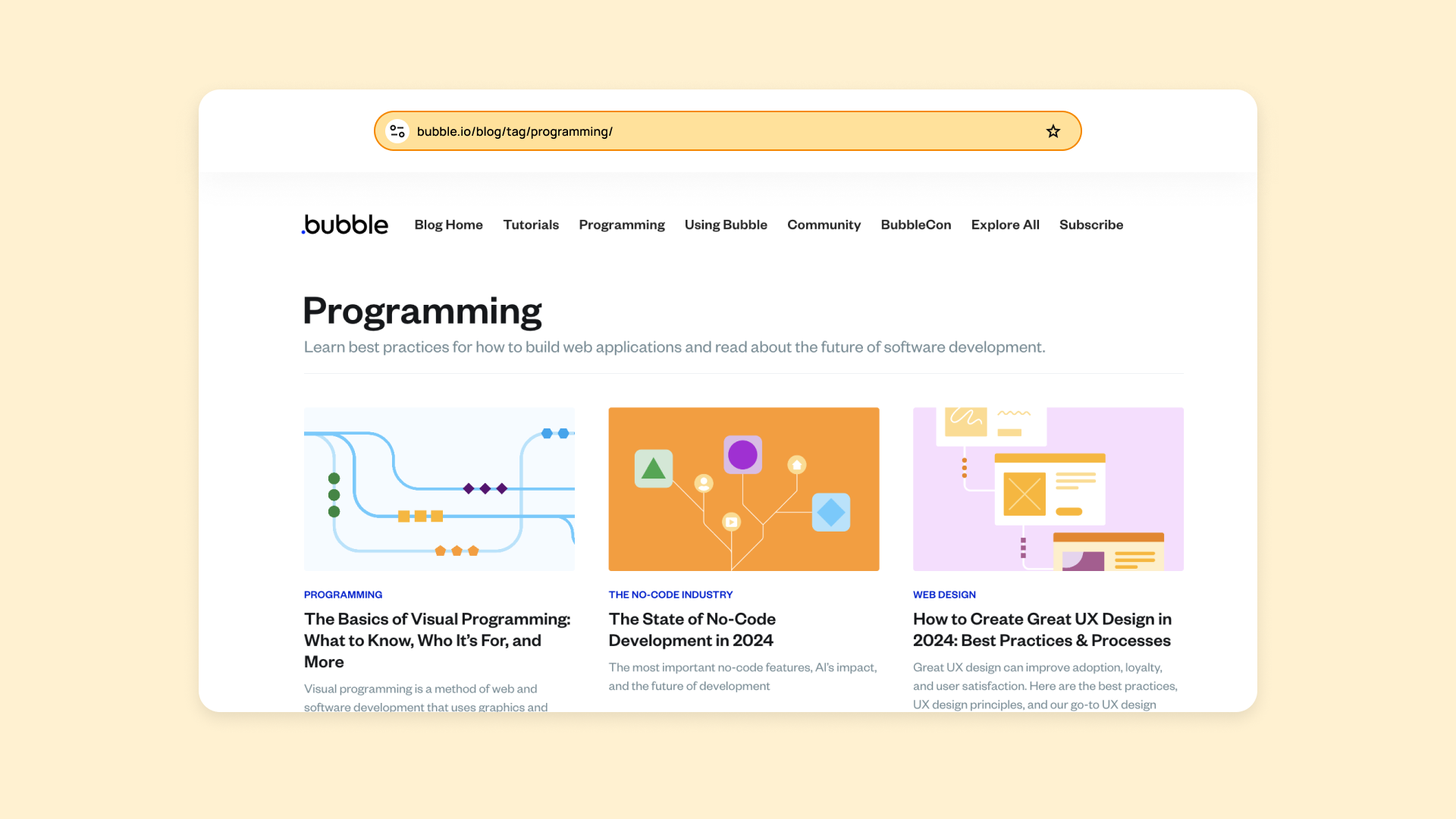
For example, this blog post is under the “/blog” subfolder of the Bubble domain, which also has subfolders for tags and topics like “/tag/programming” or “/tag/using-bubble.”
Website navigation
Website navigation is the way pages are structured visually. Of course, you can find the hierarchy by looking at the URL, but most users aren’t paying that much attention to the URLs.
So how do they find what they need?
Website navigation — via header menus, menu bars, hamburger menus, clickable links, and so on — gives users a visual way to find what they’re looking for.
Back to the grocery store example: Hierarchy would be the way products are organized or numbered via SKUs for the grocery store chain. Navigation would be the signs around the store that orient shoppers to where they can find certain products.
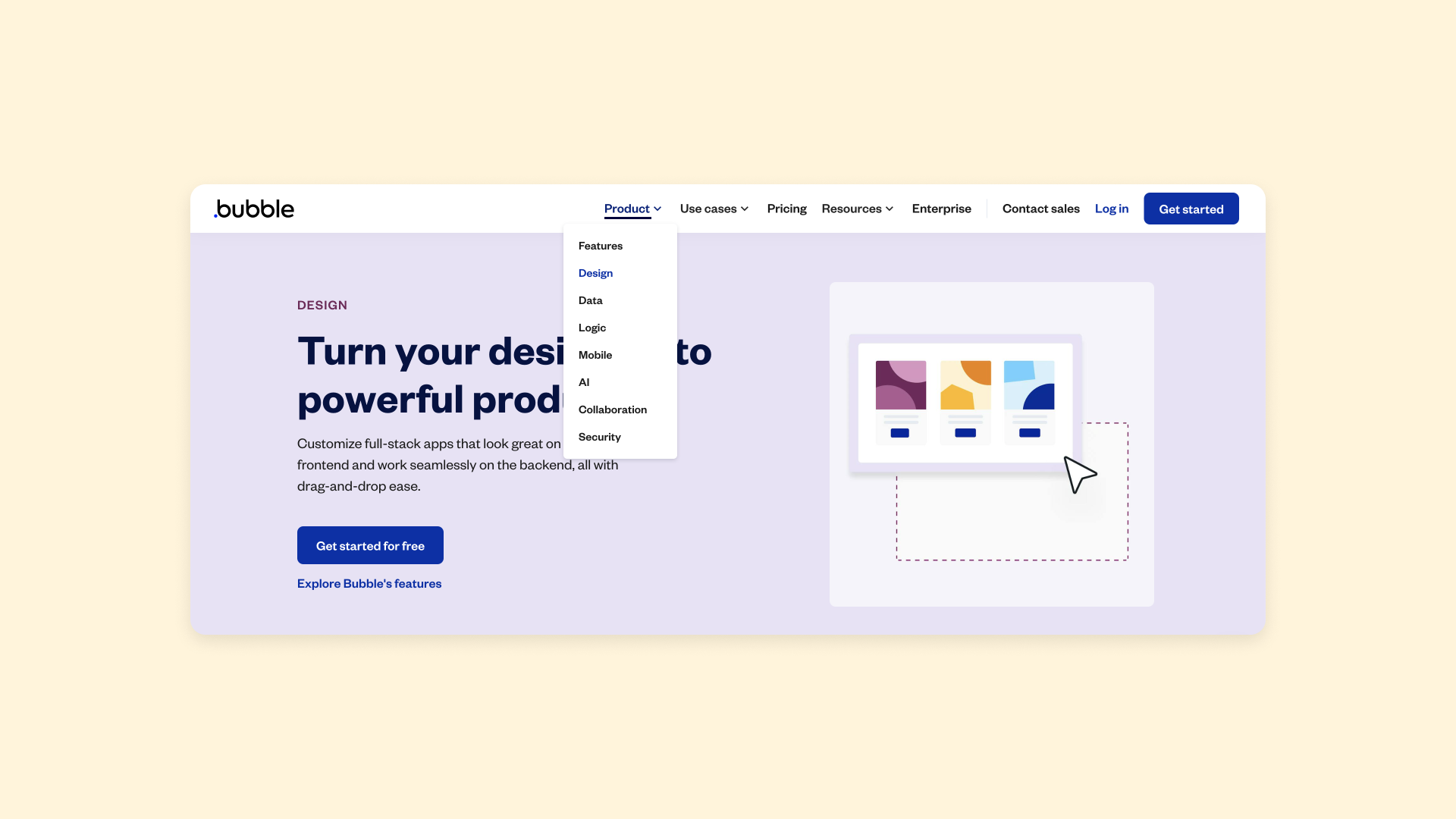
Online, navigational tools can be obvious, like a header nav bar that helps users access the main content of the site. On Bubble, that’s pages about our product, use cases, pricing, resources, and more. Nav bars may also show subfolders or subpages to further aid navigation.
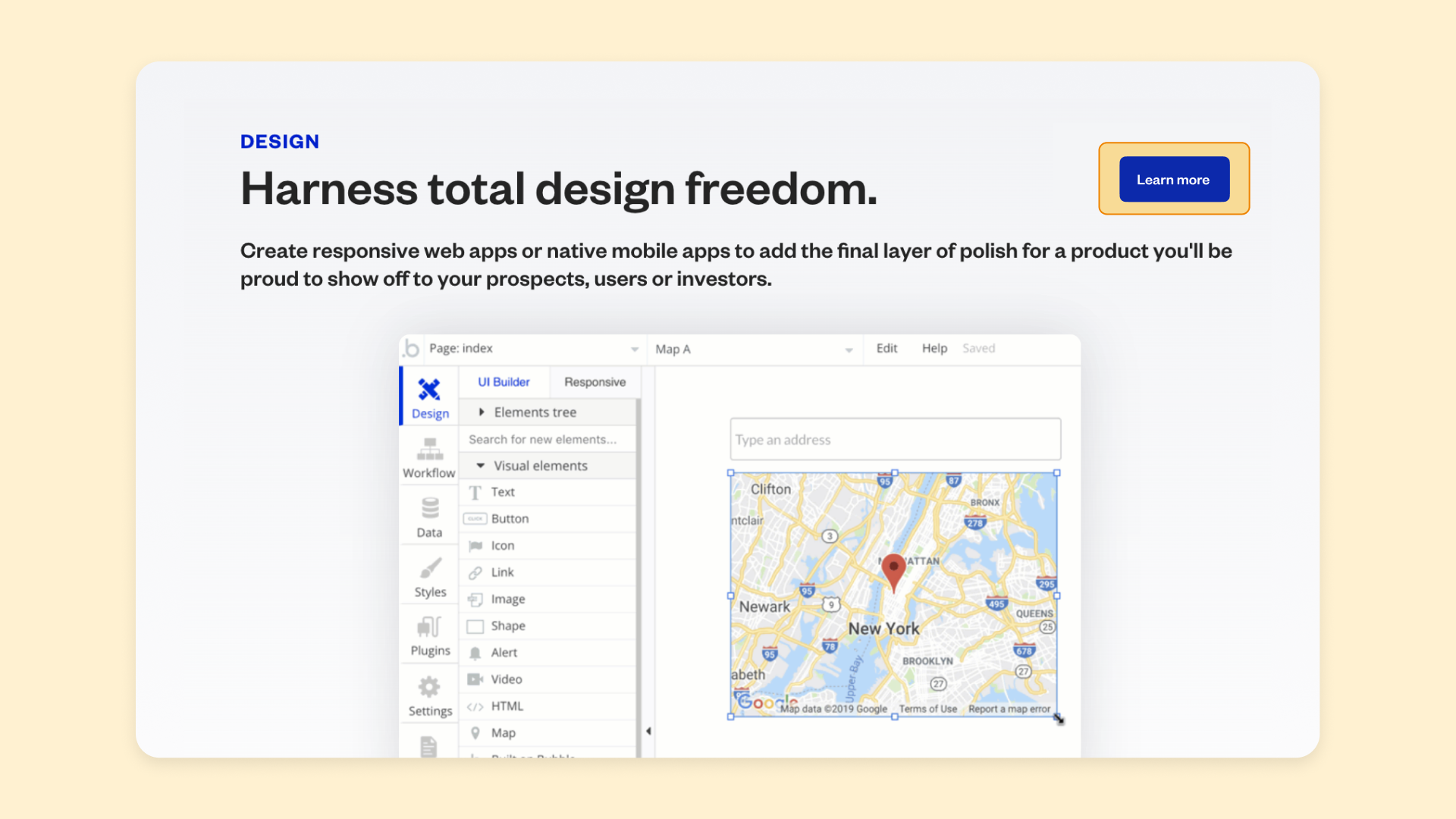
Within those pages, buttons, contextual links, callout boxes, and other visual aids can direct visitors to related content, connecting your entire website in an easy-to-navigate web.
Key elements of website structure
Now that you understand what website structure is, let’s look at the building blocks that make it work. These four elements work together to create a site that’s easy for both humans and search engines to navigate.
Content organization and categorization
Think of this as sorting your books by genre. Your content should be grouped into logical categories for your users.
Key content types to organize:
- Blog content: Articles sorted by topic or category
- Product information: Features, use cases, and specifications
- Resources: Help documents, guides, and tutorials
- Company details: About pages, team info, and contact information
For example, if you’re building a SaaS product site, you might organize content into categories like “Features,” “Use Cases,” “Resources,” and “Company.” Each category becomes a mental bucket that helps visitors orient themselves.
Navigation systems and menus
This is the signage in your bookstore. Your main navigation menu, footer links, and breadcrumbs guide users through your site. A good navigation system exposes the most important categories without overwhelming the user, making the journey from homepage to conversion as short as possible.
The best navigation feels invisible. Users shouldn’t have to think about where to click next. The path should feel obvious.
URL structure and hierarchy
A clean URL is like a clear address. It should reflect the page’s position within your site’s hierarchy (e.g., your-site.com/services/service-a). This helps both users and search engines understand the page’s position and context within your site.
Good URLs are readable, descriptive, and consistent. Avoid long strings of numbers or cryptic parameters. When someone sees your URL, they should have a reasonable idea of what they’ll find on that page.
Internal linking patterns
Internal links are the threads that connect your pages to related information. They help search engines discover your pages and understand their importance. A page with many internal links pointing to it is often seen as more important.
Think of internal links as recommendations: “If you found this useful, you might also want to check out...” They reduce bounce rates by encouraging visitors to explore more pages.
Types of website structure
While there are many ways to organize a site, most structures fall into one of four main types:
| Structure Type | Best For | Key Features |
|---|---|---|
| Hierarchical | Most websites with moderate content | Tree-like organization, clear categories |
| Sequential | Step-by-step processes | Linear path, controlled user journey |
| Matrix | Large content libraries | Multiple navigation paths, tags and filters |
| Database | Dynamic, user-generated content | Flexible, query-based organization |
Choosing the right one depends on your content and what you want users to do.
Hierarchical structure
This is the most common type, resembling a tree with the homepage as the trunk and categories and subcategories as branches. It’s intuitive for users and works well for most websites with a moderate to large amount of content.
Most business websites, blogs, and e-commerce stores use hierarchical structure. It mirrors how people naturally think about organizing information, which makes it easy to learn and navigate.
Sequential structure
A sequential, or linear, structure guides users through a process step-by-step, like a checkout flow or an online course. It’s designed for a specific journey where you control the user’s path from start to finish.
This structure works well when you need users to complete tasks in a specific order. Onboarding flows, multi-step forms, and educational content often benefit from sequential organization.
Matrix structure
This model allows users to create their own path by providing multiple navigation options, like tags, categories, and search. It’s often used for large content libraries or e-commerce sites where users might browse by brand, price, or feature.
Matrix structures give users more control over how they navigate, but they require more sophisticated tools like filters, tags, and search. They work best when your audience has varied needs and might approach your content from different starting points or goals.
Database structure
A database model is a dynamic approach where the structure is created based on user queries and database content. This is the most flexible model, common in complex web applications where content is user-generated or changes frequently.
Social platforms, marketplaces, and apps with user-generated content typically use database structures. The “pages” are generated dynamically based on what’s in the database rather than being created manually.
Why site structure matters
Good site structure — including clear hierarchy and intuitive navigation — is essential for scalability and conversions, user experience, and SEO. Here’s why:
Considering website structure helps you plan and build effectively
When your website has just a few pages, site structure might not feel like a big consideration. But as your business and website grows, finding the right content becomes both harder and more important. Thinking through a clear and logical structure from the beginning helps you:
- Plan for growth: Spot gaps in your website content before they become problems
- Prioritize effectively: Identify and highlight your most important pages
- Scale smoothly: Keep your site organized and easy to use as you add content
- Avoid future headaches: Prevent issues with restructuring and scaling later
So plan the basic structure of your website from the start, thinking not just about what you need now, but what you’re likely to need later as well.
Well-structured sites help visitors find what they’re looking for
A solid site structure doesn’t just help you. More importantly, it creates a great user experience that allows visitors to:
- Find what they need quickly: Easy navigation reduces frustration and saves time
- Discover related content: Well-organized sites surface relevant information users didn’t know to look for
- Complete their goals faster: Clear paths from arrival to conversion
- Build trust in your brand: Professional organization creates confidence in your business
When users have a good experience with your website, it creates trust in your brand, which makes them more likely to return or convert in the future.
Solid website structure helps with SEO
Search engine optimization (SEO) helps search engines crawl your site, understand your content, and rank it in search results.
Good site architecture helps SEO by showing search engines:
- Content location and topic: Where your pages are and what they’re about
- Content relationships: Which pages are related and how they connect
- Page importance: Which content matters most based on internal linking and hierarchy
Internal linking (another part of site structure) is also key for SEO to boost authority and connect important, related topics on your site. This helps new visitors who haven’t heard of your brand discover your site and products.
How to find the best website structure
So, how do you identify site structure issues and create a well-structured site? What’s the best structure to choose, and how do you go about mapping it out?
1. Start by looking at similar sites
We know you don’t want to do exactly what your competitors are doing. Looking at similar sites is less about copying, and more about understanding user expectations. Humans love to categorize and organize things. We all have mental models for how a newspaper website should look, a SaaS website, a personal blog, and so on. Before you build your own site, you need to understand these mental models. Then, you can decide to either match them or subvert them.
As a bonus: You can save yourself a lot of time by figuring out what already works rather than reinventing the wheel.
For example, most SaaS websites will have a “Product” category with subpages containing product details and features.
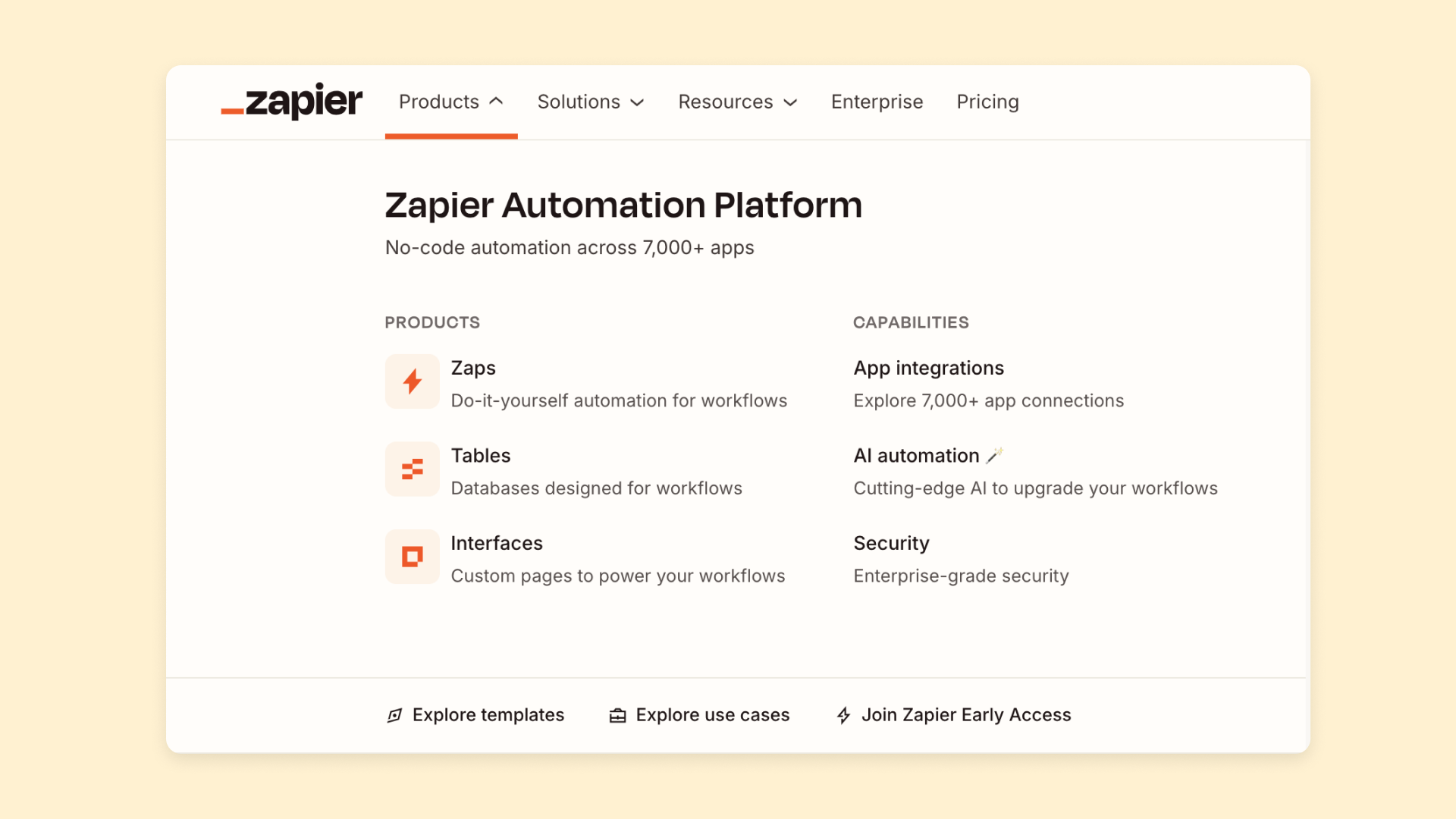
Blogs are often sorted by categories, topically. Business websites almost always have an “About” section with information on how the business got started, hours and location (if applicable), contact info, and so on.
Find the commonalities, and take what makes sense for your own website to make sure you’re not missing any major gaps as you plan.
2. Group pages by purpose
Based on your research and business goals, you’re ready to start organizing the main pages you’ll need into a clear site structure. Start by grouping pages based on purpose. What are the major jobs or goals of that page?
Common purpose-based groups include:
- A /blog subfolder for regular content pieces about different topics
- A /press subfolder for sharing regular press releases or news about a quickly-growing company
- A /store subfolder for product pages on an e-commerce site
- An /about folder for company information
- A /product or /features subfolder for pages with additional details of the product, demos, and so on
3. Group pages by subject matter
For newer sites, the homepage and resulting pages for each subfolder (i.e., “Product,” “About,” “Press,” etc.) may be enough to get started. But as your site grows, you’ll want to think about how to organize the subpages within each of those categories.
One of the simplest ways to do so is to group pages by subject matter.
For example, a SaaS tool might start with a /product subfolder with a basic product page. Over time, though, they might decide to add pages based on features, use cases, type of product, or more. In this case, you might choose to group these under the product subfolder, such as “/product/features” or “/product/use-cases” or “/product/product-A,” “/product/product-B,” and so on.
Adding more subfolders helps keep your site organized. It also helps search engines understand page relationships. Using fewer subfolders can be better for assigning pages higher importance and avoiding “losing” pages within an obscure subfolder.
4. Create intuitive, comprehensive menus
Regardless of your hierarchical website structure, the navigation of your site should organize pages topically in an intuitive way. Website menus can range from a header navigation bar, sidebar and footer menus, and on-page navigation. With Bubble, you can easily create all these navigation types. All of them should make it easy for visitors to find what they need, even if the navigational menus and the site hierarchy aren’t exactly equal.
This is the case even though all of these pages aren’t technically nested under a “/product” subfolder. Organizing them that way in the menu bar makes them easier to find and reduces visual clutter for the visitor.
Good menus and nav bars should be simple and clear. After all, no one wants to see every page on your site listed out in the header bar! Instead, start with general categories or purpose groups (see steps two and three) and let visitors find more specific information from there.
You can increase comprehensiveness by adding submenus (see above), site search, filtering options, contextual links, and less visible menus. Footer menus, for example, can include more detail since they’re out of the way at the bottom of the page.
5. Tie your pages together with internal links
Finally, you’ll want to create a network of internal links that guide each visitor through your site based on their needs and interests.
If your site is well-structured, then you won’t have any “orphaned” pages that are difficult to access from other pages.
Internal links can be simple, such as using in-text hyperlinks to link to a related page (as we’ve done throughout this article!). But there are plenty of other ways to link pages to one another:
- Using clickable tags and categories to jump to other subject-matter groups
- On-page sidebar menus showing other pages from the same category or subfolder
- On-page breadcrumbs that show visitors where they are in the site’s hierarchy
- Showing “related pages” as content blocks at the bottom of the page
- Highlighting “learn more” buttons or buttons to other similar content throughout a page
Whenever you add new pages to your site, create bidirectional links by adding links to relevant existing content and updating important older pages to link to your new content. Bubble makes it easy to create and update these links throughout your app, ensuring your website’s content stays “webbed” and connected while giving your visitors easy access to all of your content.
Best practices for website structure
Once you’ve mapped out your structure, keep these principles in mind to make sure it stays effective as your site evolves.
Keep it simple and logical
A good rule of thumb is the “three-click rule.” Users should be able to find any page on your site within three clicks from the homepage. A shallow, logical structure is easier for both users and search engines to navigate.
When in doubt, err on the side of simplicity. You can always add complexity later, but untangling a convoluted structure is much harder.
Plan for growth and scalability
Your website structure should accommodate future growth. Think about upcoming product lines, services, or content categories and create a framework that can scale with your business. With Bubble’s visual editor, you can always see and adjust your site structure as your needs evolve.
Ask yourself: If we 10x our content, will this structure still make sense? If the answer is no, it’s worth rethinking now rather than later.
Optimize for mobile navigation
Prioritize clear, thumb-friendly navigation that avoids clutter on mobile screens. Use elements like hamburger menus and clear calls-to-action to ensure a smooth experience on smaller devices.
Test your navigation on actual mobile devices, not just browser simulations. The experience of tapping through menus on a phone is different from clicking with a mouse.
Test and iterate based on user behavior
Your website structure isn’t set in stone. Use analytics tools and user feedback to identify friction points and refine your site’s organization over time.
Pay attention to search queries on your site. If users are searching for things that should be easy to find through navigation, that’s a sign your structure needs work.
Frequently asked questions about website structure
What are the four types of website structure?
The four main types are hierarchical (a tree-like structure with the homepage at the top), sequential (a step-by-step path through content), matrix (letting users choose their own path via filters and multiple navigation options), and database (a dynamic structure where pages are generated from database content).
How many levels deep should my website hierarchy go?
It’s best to keep your structure as flat as possible. Aim for most pages to be accessible within three clicks of the homepage. A deep, complex structure can make it hard for users and search engines to find content. If you find yourself going more than three or four levels deep, consider whether you can reorganize to flatten the hierarchy.
What’s the difference between website structure and website architecture?
These terms are often used interchangeably. However, “website architecture” can sometimes refer to the more technical aspects, including server setup and code, while “website structure” typically focuses on the organization of pages and content. For most practical purposes, you can treat them as synonyms.
How do I know if my website structure needs improvement?
Look for signs like high bounce rates on key pages, low time-on-site, or user feedback about difficulty finding information. Website analytics can reveal where users are getting lost or abandoning their journey. If your support team frequently answers questions about where to find things on your site, that’s another red flag.
What are the most important structural elements for SEO?
The most important elements for SEO are a logical hierarchy that search engines can easily crawl, clean and descriptive URLs that reflect your content, a strong internal linking strategy that connects related content, and a mobile-friendly navigation system. Together, these help search engines understand what your site is about and which pages matter most.
Get started with Bubble
Bubble makes it easy to build well-structured websites and apps, whether you want to build a simple business website or a complex SaaS app. Bubble lets you vibe code without the code to generate your app in minutes with Bubble AI and refine any detail with the Bubble AI Agent (beta) or the visual editor. Everything from design to database structure is visual, not code.
You can also use a template to get started or explore our Bubble Academy for step-by-step tutorials. No matter how you use Bubble, you’ll get a complete foundation with pages, database structure, and navigation already connected.
Need more help or feedback? Head over to the Bubble Forum, where you can get feedback and advice on any aspect of your new website.
Build for as long as you want on the Free plan. Only upgrade when you're ready to launch.
Join Bubble


