TL;DR: To make a directory website, choose a narrow niche, plan how it will earn money, and pick a database-driven platform that fits your skills and future plans. Then give every listing the same fields, build filters that match how people search, moderate submissions, structure pages for SEO, and seed complete listings before launch so the directory is useful on day one.
A good directory feels obvious once it exists. Someone looking for a groomer who handles anxious dogs, or a contractor licensed in their county, finds a short list and gets on with their day. Getting there takes more than a list, though. Directories that stall usually launch with vague categories and too few listings to earn a second visit.
Niche directories are a popular first online business because the audience is easy to define, and many listing owners already pay to be found. You don’t need to write code to build one, either. WordPress plugins, dedicated directory builders, and visual app builders all work, with different limits on how far you can customize.
This guide takes the decisions in order. You’ll pick a niche and revenue model, compare platforms, set up listings and custom fields, build search filters and a submission flow, structure pages for SEO, and seed listings before launch.
How do you make a directory website?
To make a directory website, choose a focused niche, pick a platform, build a database of listings with categories and filters, seed quality listings, and add a revenue model and SEO. A directory website is a searchable collection of listings, like businesses, people, tools, or places. Visitors can browse by category, location, or tags to find what they need.
A listing is a single entry with its own details and page. In a local home-services directory, each plumber’s profile (with hours, photos, and a phone number) is one listing.
Common types of directories include:
- Local business directory: Lists businesses in one city or region, like restaurants in Denver.
- Membership directory: Lets members of an association or alumni group find and contact each other.
- Job board: Lists open roles employers post, filtered by location, salary, and job type.
- Resource or tool directory: Collects products in one category, like AI writing tools, so visitors can compare them.
- Professional services directory: Helps people find vetted experts, like accountants or wedding photographers.
Here’s the full process, with each step covered below:
- Choose a niche that a specific group of people searches for.
- Pick a platform based on your skills and the features you’ll need.
- Build your database and page structure so every listing has the same fields.
- Populate initial listings so the directory looks useful on day one.
- Add monetization and SEO so the directory brings in visitors and revenue.
You can create a directory without coding on most modern platforms, and the steps below apply whichever one you choose.
How do you plan a directory website?
Your niche, revenue model, and platform shape everything you build afterward, so settle them before you design a single page.
Which niche should your directory serve?
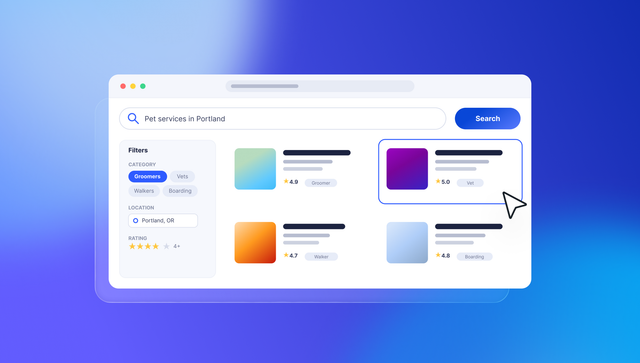
Pick a specific market or location. “Pet services in Portland” gives you a clear audience and a list you can fill. To start a local business directory, begin with one city and expand once it’s full.
To find a gap worth filling:
- Search what already ranks: Search your niche plus “near me” or “directory.” If the top results are outdated or generic, there’s room for a focused alternative.
- Read complaints about existing directories: Reviews and forum threads often mention missing filters or stale listings. Each complaint points to something you can do better.
- Ask listing owners how they find customers: If they already pay for ads or other directories, they may pay for visibility on yours.
- Start with communities you belong to: A hobby group or professional association you’re already part of gives you a head start. You know what members search for, and you may already know your first listing owners.
If your audience is a closed group, like an association or alumni network, you may want to create a membership directory website instead. Members log in to browse each other’s profiles and keep their own details current.
How do directory websites make money?
Plan how to monetize a directory website before you build, because each revenue model needs different data and pages.
| How it works | Who pays | What you need to build | |
|---|---|---|---|
| Featured listings | Listings appear higher in results or with a badge | Listing owners | A “featured” field and a way to take payment |
| Paid submissions | Owners pay a one-time fee to be listed | Listing owners | A payment step in the submission form |
| Membership tiers | Monthly plans add photos, links, or leads | Listing owners or members | User accounts, recurring billing, and tier-based permissions |
| Advertising | Brands buy banner or category sponsor spots | Advertisers | Ad slots on category and listing pages |
| Lead fees | You charge per inquiry or booking you send | Listing owners | Inquiry or booking forms and a way to track leads |
| Affiliate links | You earn a commission when visitors buy | Product companies | Tracked outbound links |
Listing owners are more likely to pay once your directory sends them visitors, so many directories start with free basic listings and add paid upgrades as traffic grows.
Which directory website builder fits your skills?
Whichever path you pick, you need a database-driven website builder: a tool where every page pulls from structured data instead of being written by hand. Add one listing, and it updates its own page, its category page, and search results at once. Here’s how the main options compare, from WordPress plugins to a dedicated no-code directory website builder.
| Best for | Where listing data lives |
Custom logic | Trade-offs | |
|---|---|---|---|---|
| WordPress with a directory plugin |
Content-heavy SEO sites | The WordPress database, through the plugin | Moderate, depending on plugins | Plugins can conflict and need regular updates |
| Webflow and Airtable |
Design-focused sites with simple data | Airtable, synced into the Webflow CMS | Simple database-driven pages; complex logic may need code, APIs, or third-party integrations | You manage a sync between two tools |
| Dedicated no-code directory builder |
A standard directory, quickly | The builder’s built-in database | Limited to the product’s built-in features and extensions | Hard to add features the product doesn’t offer, and often web only |
| Bubble | Directories that need accounts, payments, approvals, or native iOS and Android apps | A built-in database | Design, data, logic, and privacy rules are all visual and editable | Visual logic takes some learning, and apps can’t be exported as source code |
| Custom code | Teams with specialized technical requirements | A database you set up and host | Anything a developer can build | Needs a developer to build and maintain |
If you plan to add accounts, payments, or a mobile app later, Bubble gives you more room to grow.
How do you build a directory’s database and features?
Directories on every platform run on the same building blocks. Set up your data first, then add the features visitors and listing owners use.
Set up listings, categories, and custom fields
Your directory stores listings, categories, locations, users, and optionally reviews in a relational database. Each listing belongs to a category and a city, and the user who submitted it owns it.
Custom fields are the details each listing stores. Common ones include:
- Name and slug: A slug is the readable part of a URL, like /groomers/happy-paws. Clear slugs tell visitors and search engines what a page is about.
- Description and images: These give visitors enough detail to choose, and photos make listings feel trustworthy.
- Contact details and address: These send visitors to the business. That’s what listing owners value most.
- Status fields: Fields like featured, verified, and published control which listings appear and how they rank.
A category is the main grouping, like “groomers.” A tag is a filterable trait, like “pet-friendly.”
Add search and filters
Filters should match how visitors already search. A restaurant directory needs cuisine, price range, and neighborhood, while a B2B directory needs services, industry, and company size.
Common search features include:
- Keyword search: Helps visitors who already know a name or service. Someone typing “Happy Paws” should land on that groomer’s listing in one search.
- Category filters: Narrow a broad list to one type, like groomers instead of pet sitters. They matter most once a category has more listings than fit on one page.
- Location search and maps: Show listings near the visitor or within a neighborhood. Local directories need these from day one, since distance often decides the choice.
- Ratings: Let visitors filter or sort by reviews. They’re most useful once enough listings have reviews to compare.
- Sort options: Let visitors reorder results by distance, rating, or date added. Sorting by newest helps directories where freshness matters, like job boards.
Keep filters few at first. Too many on a small directory return empty results and make the site feel abandoned.
Build submission, claim, and approval flows
A submission form lets owners add listings, and a “claim this listing” flow lets them take over entries you added. An approval workflow is the set of steps a listing goes through before it’s published.
To keep out spam:
- Use a moderation queue: This is a list of pending submissions you review before they go live. It catches duplicates and fake entries.
- Require email verification: Ask submitters to confirm their email before a listing enters the queue. It filters out a lot of automated spam and gives you a way to reach the owner.
- Add verified badges: Mark claimed listings so visitors know the owner keeps them current.
- Hold reviews for approval: Publish reviews only after you check them, at least until a listing is verified. This keeps fake or retaliatory reviews off new listings.
Structure listing and category pages for SEO
Each listing and category page can target a specific search, like “plumbers in Austin.” When those pages are useful and unique, search engines can tell what each one is for. Programmatic SEO means generating many pages from structured data with one template.
Then cover the basics on each one:
- Clean URLs: Use a readable structure like /city/category/listing. Clean URLs show visitors and search engines where a page sits in your directory.
- Unique title tags and meta descriptions: Include the listing or category name and the city, like “Dog groomers in Portland.” Duplicate titles across hundreds of pages make it harder for search engines to tell them apart.
- Internal links: Link category, city, and listing pages to each other. This helps visitors keep browsing and helps search engines find every page.
- Image alt text: Describe each listing photo in a few words, like “groomer trimming a poodle at Happy Paws.” It makes images accessible to screen readers and gives search engines context.
- Fast, mobile-responsive pages: Many local searches happen on phones, so pages should load quickly and adapt to small screens. Compress listing photos before upload, since they’re often the heaviest part of a page.
Schema markup is structured data that helps search engines understand what a page contains. For eligible content, search engines may use it to display rich snippets (search results with extra details like star ratings), depending on their guidelines.
How do you get listings and traffic after launch?
Once the structure is in place, the work shifts to filling the directory and finding out whether people use it.
Seed listings before you launch
Common ways to seed a directory include:
- Add listings by hand: Start with the best-known businesses in your niche, since visitors expect to see them. Entering them yourself also tests your fields and categories before you scale.
- Import from a CSV or Google Sheets: For larger batches, many platforms support importing a CSV (a spreadsheet file) or connecting a Google Sheet. Confirm the import options and required fields for the platform you choose.
- Compile public business information: Business websites and public listings can give you names, addresses, and hours to start from. Check each source’s terms of use, and verify details before you publish.
- Invite listing owners: Email owners personally and ask them to complete or claim their listings. Owners who fill in their own details are more likely to add photos and keep them current.
A smaller set of complete listings with photos builds more trust than a long list of thin entries.
Grow traffic with local SEO and content
Once the directory has enough listings to be useful, these channels bring in visitors:
- Optimize category and city pages for local SEO: Pages like “groomers in Portland” match how people search locally. A short intro and a map make each one more useful than a bare list.
- Publish “best of” guides: Guides built from your own listings give visitors a reason to browse and help category pages rank.
- Encourage owner backlinks: Ask owners who claim profiles to link to their listings from their own sites, which can drive referral traffic.
- Send an email newsletter: Share new listings and guides with visitors who sign up. It brings people back without relying on search.
Owners who claim their profiles tend to share them, and every visitor they send makes your paid upgrades easier to sell.
Measure whether your directory is working
These signals show whether visitors and owners are getting value from your directory:
- Searches and filters per visit: Visitors who run several searches are finding enough to explore. If most leave after one search, check whether your filters return empty results.
- Clicks to owner websites: Each click is a visitor you sent to a listing owner. It’s the number owners care about most when deciding whether to pay.
- Submission and claim rates: Steady submissions and claims show owners see value in your directory. A drop can mean your submission form is too long or your directory isn’t reaching them.
- Indexed pages and impressions: Google Search Console shows how many category and listing pages are indexed and how often they appear in results. Rising impressions on category pages mean your structure is working.
When claims and submissions hold steady, you’re ready to introduce paid tiers.
How do you build a directory website on Bubble?
To build a custom directory app on Bubble, describe your directory to the Bubble AI Agent, review the plan it creates, and generate a first version. Everything it builds stays visual and editable (the pages, the logic, and the data underneath), so you can refine it with the Agent or by hand.
Bubble is the fully visual app builder where anyone can build software, understand every part of it, and control every detail without code. As your directory grows into accounts, payments, approvals, or native mobile apps, you keep building with AI without giving up control of how it works.
Generate a first version with the Agent
Your first version starts the way it would with any AI app generator by describing your directory. From there, the Agent asks clarifying questions and drafts a blueprint of features and user stories for you to review, or you can skip straight to generating. Then it builds the pages, database, logic, and privacy rules, with sample data to test.
For example: “Build a directory of local pet groomers with search by neighborhood, owner-submitted listings, and an admin approval step.” Generating an app doesn’t use AI credits, and neither do changes you make in the editor. Every plan includes a monthly allowance of AI credits for building with the Agent, and the Bubble Manual has tips for generating apps with AI.
Refine the data, logic, and privacy rules
You can add a listing field, change a filter, or read your approval workflow as plain-language steps, then make the change yourself or ask the Agent. Reading visual logic takes some learning, but the Agent walks you through what it built and why.
When the Agent creates a data type, it creates privacy rules for it automatically. They’re visual too, so you decide who sees owner emails and draft listings, down to each field.
If you already build with Claude or Codex, the Bubble MCP (beta) lets you work on your Bubble app from those tools, and the result shows up in the editor like any other Bubble app.
Grow into memberships, payments, and mobile
Membership tiers and paid listings run in the same app you launched, with payments on the web through Stripe. Your directory can also run tasks on a schedule, like expiring featured listings when a paid period ends.
Ask the Agent to connect Stripe or a maps service, and it sets up the API Connector call or installs the plugin for you. You can see what it set up in the editor and adjust it yourself. Paid plans include hosting that scales automatically and a security dashboard that flags vulnerabilities before you deploy, and Bubble is SOC 2 Type II compliant.
With Bubble for native mobile apps, you can build iOS and Android apps in the same project as your web directory, sharing one database and backend. When they’re ready, you publish to the App Store and Google Play Store from the editor.
Native mobile app generation is in beta. Your mobile apps can sell subscriptions through in-app purchases (also beta), but not one-time purchases.
As your directory grows and other people start working on it, anyone you bring on can follow how it works. “Bubble gives us an advantage because anybody can go in and easily understand what’s going on,” says Ezra Gershanok, co-founder of Ohana, a subletting marketplace.
Start building your directory website
Four things decide whether people use your directory: a narrow niche, data that matches how people search, moderated submissions, and quality listings at launch. Get those right, and revenue and SEO have something to build on.
Write down your niche, your categories, and the filters a visitor would use. Then use that list as your first prompt to the Agent, refine the blueprint together, and adjust anything visually until the directory works the way you pictured it. Getting started is free, and generating an app doesn’t use AI credits.
Frequently asked questions about directory websites
How much does it cost to make a directory website?
Costs depend on your platform, hosting, paid plugins, and payment processing fees for paid listings. On Bubble, getting started is free, every plan includes a monthly AI credit allowance, and you’ll need a paid plan to go live.
What is another name for a directory website?
Directory websites are also called web directories, online directories, or listing sites. Niche versions are often called business directories or member directories.
What is the difference between a directory website and a marketplace website?
A directory helps people find and contact listings, while a marketplace app also handles the transaction, like bookings or payments. If you’re learning how to build a marketplace website, a directory is often a good first version.
Can you move a directory website to a new platform without losing SEO rankings?
You can usually protect most rankings by keeping the same URL slugs and setting up permanent redirects for any URLs that change. Export your listings before you migrate, and monitor your top pages afterward.
Build for as long as you want on the Free plan. Only upgrade when you're ready to launch.
Join Bubble