

TL;DR: The best directory website builder depends on your data source, monetization model, and whether you need mobile apps — there’s no single winner for every use case. This guide maps seven tools to specific scenarios so you can match the right builder to your situation.
Not all directory website builders work the same way. Some handle only listing templates while you manage hosting, payments, and mobile separately. Others are all-in-one platforms that do everything but lock you in. The trade-offs matter, and most comparison guides don’t explain them clearly.
A directory website organizes and displays listings of businesses, services, people, or resources in a searchable, filterable format.
This guide covers seven tools evaluated across hosting model, listing management, SEO, payments, and mobile support, with a comparison table and a selection guide that maps your situation to the right builder.
What to look for in a directory website builder
These criteria determine whether a directory builder fits your use case.
- Listing management: Whether the tool supports front-end submissions (users adding their own listings), moderation queues, and listing claims. This matters most for community-driven directories.
- Search and filters: Whether users can filter by category, location, price range, or custom fields. The more specific your niche, the more this matters.
- Monetization: Whether the tool natively supports paid listings, featured placements, membership tiers, or recurring subscriptions, or requires third-party plugins.
- SEO: Whether the platform generates clean, indexable URLs, supports structured data (schema markup), and handles programmatic SEO at scale.
- Data import and ownership: Whether you can bulk-import via CSV and export your data if you switch platforms. This is critical for avoiding lock-in.
- Hosting model: Whether the tool is self-hosted (you manage the server) or hosted (the builder handles infrastructure, updates, and backups).
- Mobile support: Whether the tool produces a mobile-responsive website or a native mobile app with push notifications and app store distribution.
- Security and permissions: Whether the platform handles role-based access, data privacy rules, and compliance requirements.
- Cost over time: What the platform costs across 12–60 months, including hosting, add-ons, and payment processing fees. Hosted SaaS and self-hosted WordPress often have very different total costs at scale.
The 7 best directory website builders
Each tool below uses consistent formatting: description, best for bullets, limitations, pricing, and compare to sections. They’re ordered by fit for the broadest audience first.
1. Bubble: Best for custom directories with web and native mobile apps
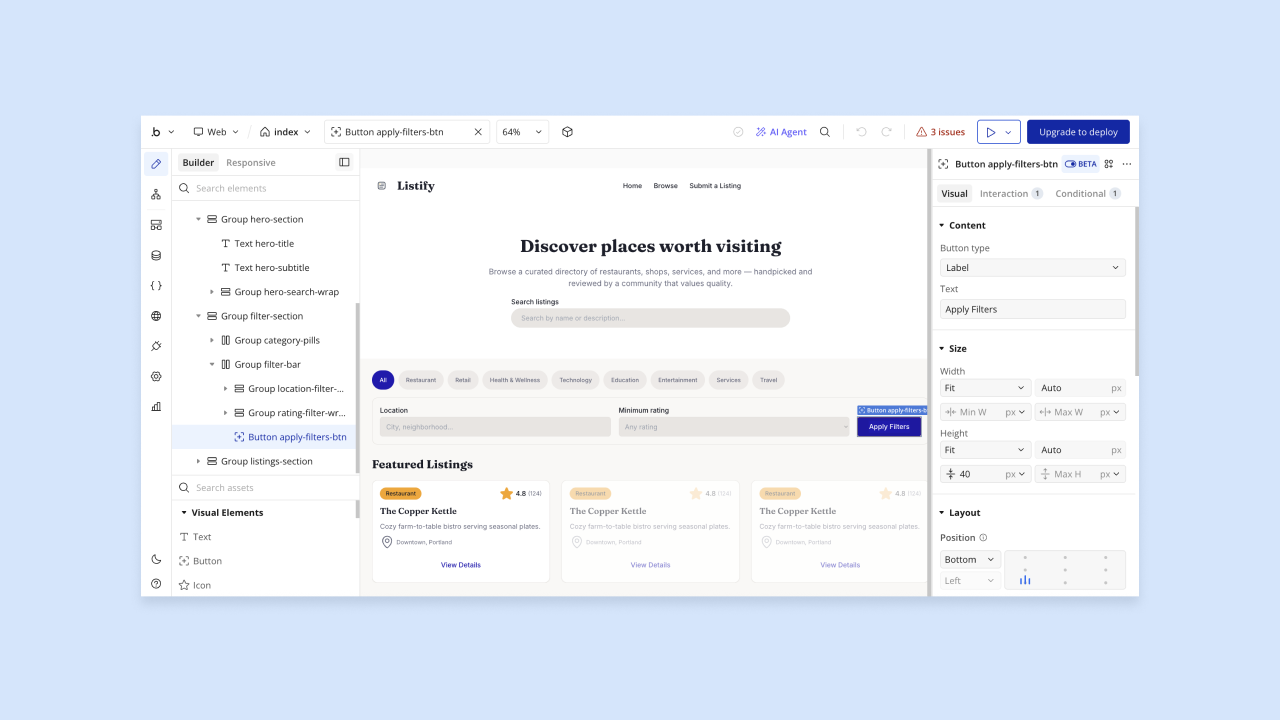
Bubble is a visual AI app builder for web and native mobile apps. Unlike template-first directory tools, Bubble lets you build a fully custom directory by prompting Bubble AI to generate a starting app (database, UI, and workflows), then refining it in the visual editor. The Bubble AI Agent (beta) helps with guidance, troubleshooting, and editing elements; the visual editor gives you precise control when you need it.
It’s the only tool on this list that publishes native iOS and Android apps alongside a web directory from a single project, with a shared database and backend. Push notifications, managed hosting, privacy rules, automatic scaling, and SOC 2 Type II compliance are included. A paid plan is required to publish to a custom domain or the app stores.
The trade-off: Bubble requires more upfront planning than a dedicated directory tool. It’s the right fit when your directory needs custom logic (booking workflows, user-to-user messaging, or mobile app distribution) that off-the-shelf tools can’t handle.
Best for:
- Founders building custom marketplaces or niche directories: When your directory has unique logic (booking workflows, user-to-user messaging, or multi-step listing approval), Bubble lets you build exactly what you need rather than working around a template’s constraints.
- Builders who need web and native mobile from one platform: Bubble is the only tool on this list that handles both from a single editor, which matters when push notifications or app store distribution are part of your product.
- Teams who want full data ownership and no plugin dependencies: Bubble’s built-in database and hosting mean you’re not stitching together a WordPress theme, a payment plugin, and a hosting provider.
Limitations:
Bubble can require more upfront planning than dedicated directory builders because you define your own data model and listing logic rather than starting from a directory-specific template. The Bubble AI Agent is in beta and still improving; for precise control, you can always switch from AI assistance to Bubble’s visual editor and edit workflows directly. Still, this isn’t the right pick if you just need a simple business directory live in a day with minimal configuration.
Pricing:
Free plan available for building and testing. Web-only paid plans start at $29/month when billed annually ($32/month billed monthly). Mobile-only plans start at $42/month billed annually ($49/month billed monthly), and Web and Mobile plans start at $59/month billed annually ($69/month billed monthly). See current pricing at bubble.io/pricing.
Compare to:
Brilliant Directories (hosted, directory-specific, faster initial setup but less custom) and GeoDirectory (self-hosted WordPress, more template-driven).
2. GeoDirectory: Best for large self-hosted WordPress directories
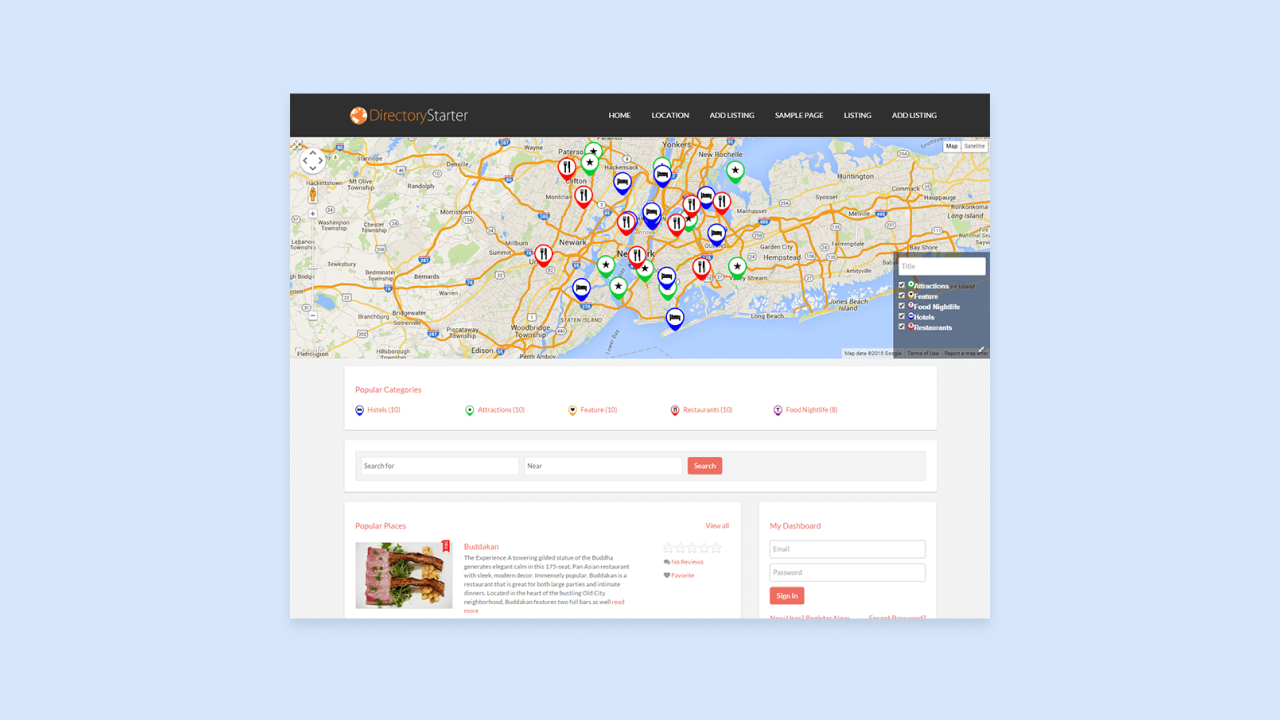
GeoDirectory is a WordPress plugin (a software add-on that extends a WordPress website’s functionality) that you install on a WordPress site running on your own hosting provider. This is what “self-hosted” means in practice: you control the codebase and data, but you’re responsible for updates, backups, and server performance. You’ll need to choose a hosting provider like SiteGround or WP Engine, install WordPress, then add the GeoDirectory plugin.
GeoDirectory’s core strengths are geolocation search (filtering listings by proximity to the user’s location using maps), custom fields, and a large add-on ecosystem for features like events, reviews, and payments. It’s well-suited for city guides, local business directories, and any directory where “near me” search is a primary user behavior, and 46% of Google searches have local intent. For example, a restaurant directory where people search for “pizza near me” needs strong geolocation features. The map integration is purpose-built for these use cases in ways that generic builders handle awkwardly.
The trade-off is managing a WordPress site with multiple plugins. Plugin conflicts, security updates, and performance tuning are your responsibility. According to one analysis, 97% of WordPress vulnerabilities originate in plugins and themes.
Best for:
- Builders who want full ownership of their codebase and data: Self-hosting means your listings, user data, and database live on infrastructure you control. Because GeoDirectory’s core plugin is GPL and self-hosted, your directory keeps running if your subscription expires, though you would lose updates and support and may still need to maintain compatibility with WordPress, add-ons, hosting, and third-party APIs.
- Location-based directories where map search is central: GeoDirectory’s geolocation features are purpose-built for “find businesses near me” use cases that generic builders handle awkwardly. A local services directory where people search by zip code or neighborhood needs these features.
- Developers comfortable managing WordPress: The plugin ecosystem is capable, but getting the most from it requires comfort with WordPress administration and occasional troubleshooting. If you already run WordPress sites, GeoDirectory fits your existing workflow.
Limitations:
GeoDirectory requires a WordPress hosting setup. It’s not a one-click launch for non-technical builders. Add-ons for advanced features (events, claims, payments) are sold separately, so the true cost scales with the features you need. It produces a mobile-responsive website only, with no native mobile app output.
Pricing:
GeoDirectory has a free core plugin. Paid add-ons and bundles start at varying prices. See current pricing at wpgeodirectory.com.
Compare to:
Directorist (another WordPress directory plugin with a similar model) and Bubble (for builders who want to avoid WordPress maintenance entirely).
3. Brilliant Directories: Best for hosted membership and association portals
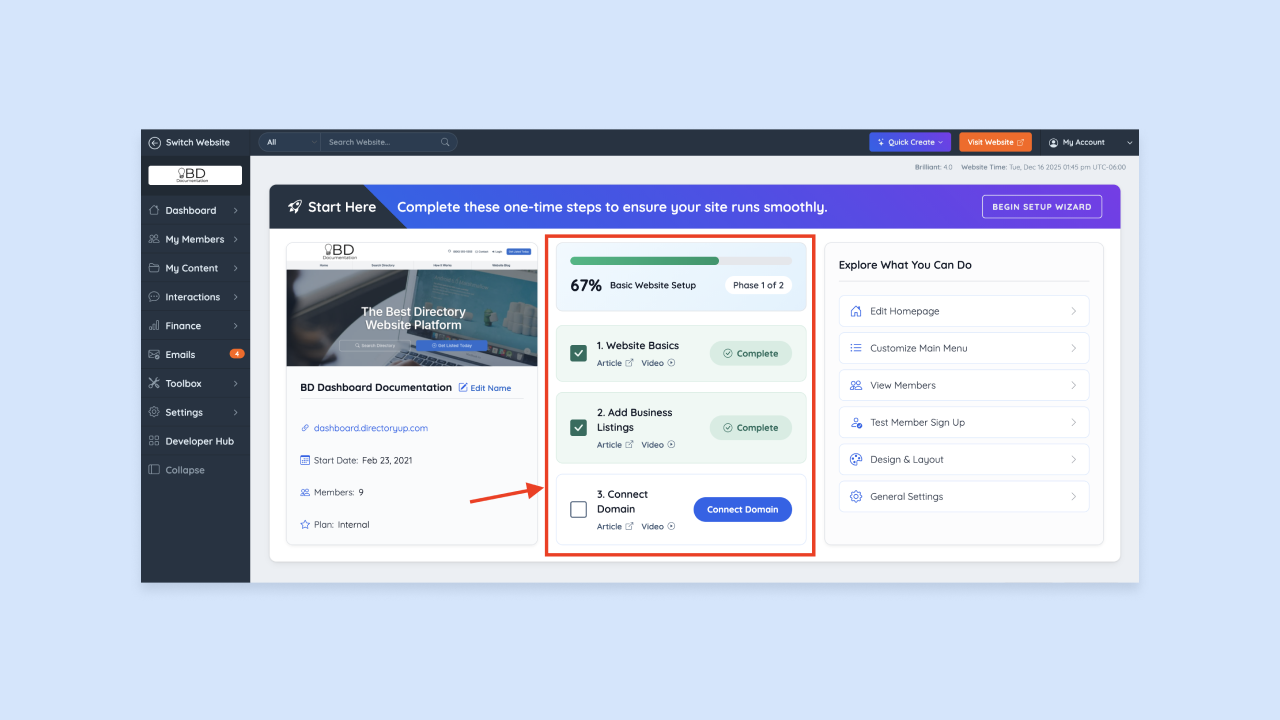
Brilliant Directories is a hosted SaaS platform purpose-built for membership directories: associations, professional networks, and membership organizations where members pay to be listed and the operator manages tiers and renewals.
Built-in monetization includes recurring subscriptions, featured listing upgrades, and coupon tools, with no separate plugins required. The platform also handles backups, security updates, and server maintenance. The trade-off: you’re dependent on their infrastructure, so verify data export options before committing.
Best for:
- Associations and professional networks charging for membership: The platform’s billing and member management tools are built around recurring revenue from listed members, not just one-time listing fees. A chamber of commerce where businesses pay annual membership fees to be listed fits this model perfectly.
- Operators who want a hosted solution with minimal technical setup: Because infrastructure is managed for you, you can focus on populating and marketing the directory rather than managing servers. If you don’t want to deal with hosting, backups, or security updates, hosted platforms remove that burden.
- Directories with tiered membership packages: Built-in support for multiple membership levels (free basic listing vs. premium featured listing) suits organizations with differentiated member benefits. For example, a trade association might offer bronze, silver, and gold membership tiers with different listing features.
Limitations:
Brilliant Directories offers less design flexibility than Bubble or Webflow. You’re working within their templates. Monthly SaaS costs continue indefinitely, so compare long-term cost against self-hosted options if your directory scales significantly. No native mobile app output.
Pricing:
Paid plans start at $145/month. A free trial is available. See current pricing at brilliantdirectories.com.
Compare to:
WildApricot (similar membership-directory focus) and Bubble (for operators who need more custom logic or mobile apps).
4. Webflow and Whalesync: Best for design-led, CMS-driven directories
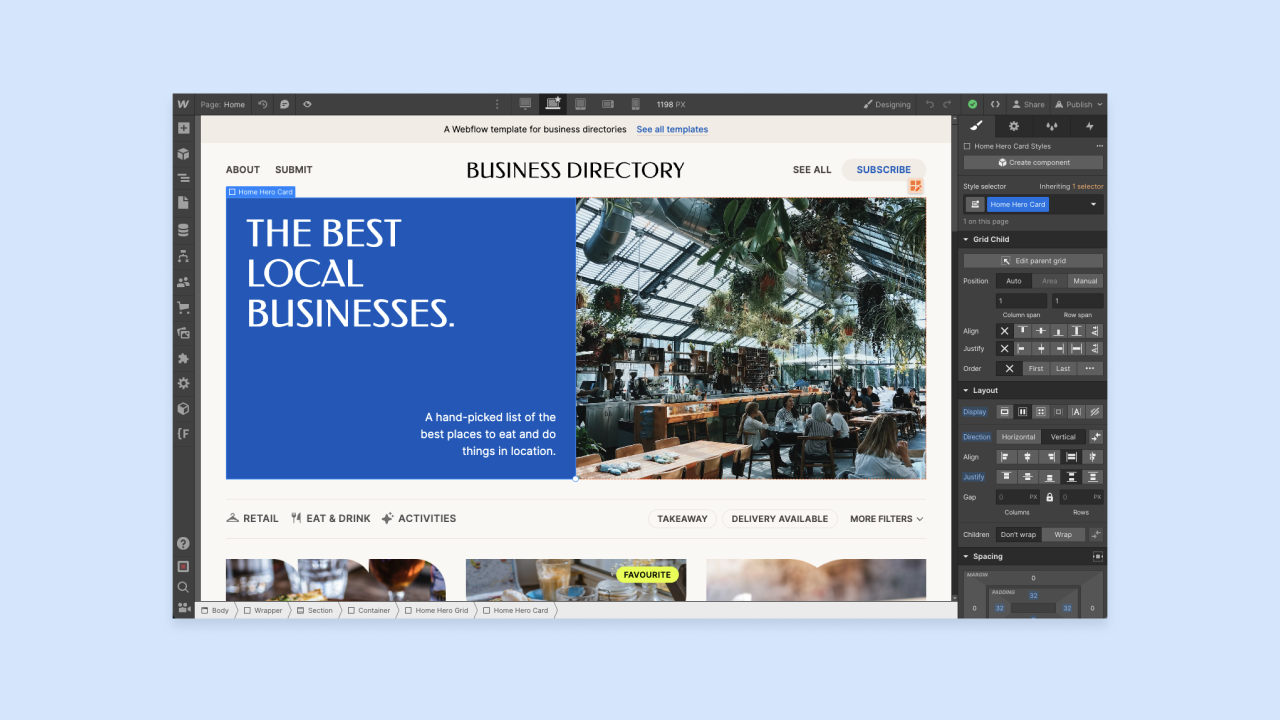
Webflow is a visual website builder with a CMS; Whalesync syncs your Airtable, Notion, or Google Sheets data to it in real time. Add a listing in Airtable and it automatically appears on your site (though changes don’t go live until you publish in Webflow).
The appeal is design control and SEO depth. Webflow gives you pixel-level layout control and strong programmatic SEO capabilities that dedicated directory tools don’t match. The trade-off: two subscriptions, two points of failure, and a sync setup that takes configuration.
Best for:
- Builders whose data already lives in Airtable or Notion: If your listings are already in a spreadsheet, Whalesync syncs that data to your Webflow site automatically, with no need to re-enter content into a separate CMS. A design agency that tracks portfolio projects in Airtable can turn that into a public directory without duplicate data entry.
- Design-forward directories where visual presentation matters: Webflow’s design tools give you control over typography, layout, and branding that most dedicated directory builders don’t offer. If your directory’s visual quality is part of its value proposition, Webflow delivers.
- SEO-focused directories built around programmatic page generation: The Webflow CMS combined with structured Airtable data generates hundreds of optimized listing pages efficiently. A directory targeting long-tail search terms for every city and service combination benefits from this approach.
Limitations:
This two-tool stack means two subscriptions and a more complex setup than single-platform options. Synced changes don’t go live until you manually publish in Webflow. Adding paid listings or memberships requires additional tools such as Memberstack or Stripe integrations. No native mobile app output and no built-in listing submission forms without additional tooling.
Pricing:
Webflow and Whalesync are priced separately. See current pricing at webflow.com and whalesync.com.
Compare to:
Directbase (simpler spreadsheet-to-directory with built-in monetization) and Bubble (for builders who want one platform instead of a stack).
5. Directorist: Best for flexible WordPress directory builds
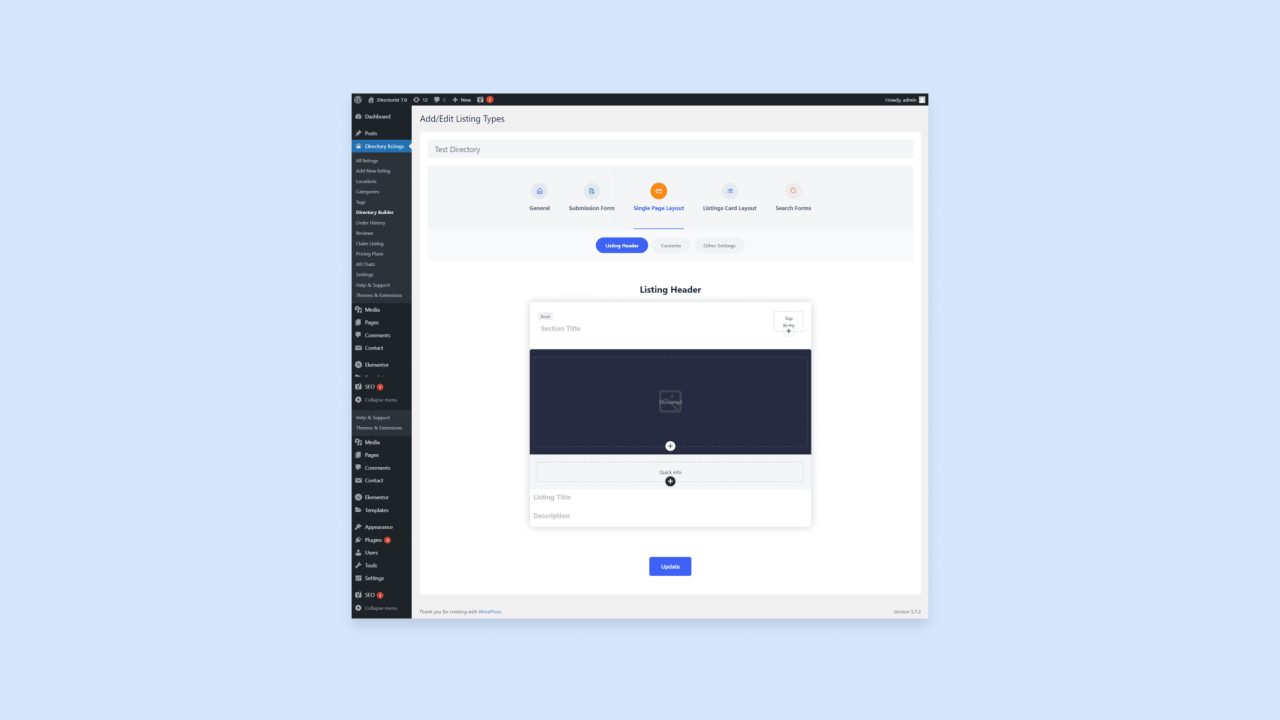
Directorist is a WordPress directory plugin with a drag-and-drop listing builder, flexible layouts, and a lower entry price than GeoDirectory. The free core plugin includes geolocation, radius search, CSV import/export, and multi-directory support. Paid extensions add payments, booking, and 30+ additional features.
The trade-off is the same as GeoDirectory: WordPress hosting and ongoing plugin maintenance are your responsibility.
Best for:
- WordPress builders who want flexible listing layouts without heavy development: The drag-and-drop listing builder lets you customize field order and display without writing code. If you want a business listing to show hours, phone, and website in a specific order, you can arrange that visually.
- Agencies managing multiple directory sites from one WordPress install: Directorist’s built-in multi-directory support lets you create multiple directory types from a single WordPress dashboard, each with its own fields, filters, and layout, which reduces overhead when building for different clients.
- Builders who want monetization options at a lower entry cost than GeoDirectory: Core features are available at a lower price point, with paid extensions added as needed. If budget is tight, Directorist lets you start cheaper and add features later.
Limitations:
Booking and payment processing require paid extensions, so costs add up depending on what you need. Requires WordPress hosting and comfort with plugin management. No native mobile app output.
Pricing:
Free core plugin available. Paid bundles and extensions vary in price. See current pricing at directorist.com.
Compare to:
GeoDirectory (stronger geolocation focus) and Brilliant Directories (hosted alternative for builders who want to avoid WordPress).
6. Directbase: Best for fast monetized directories with CSV import
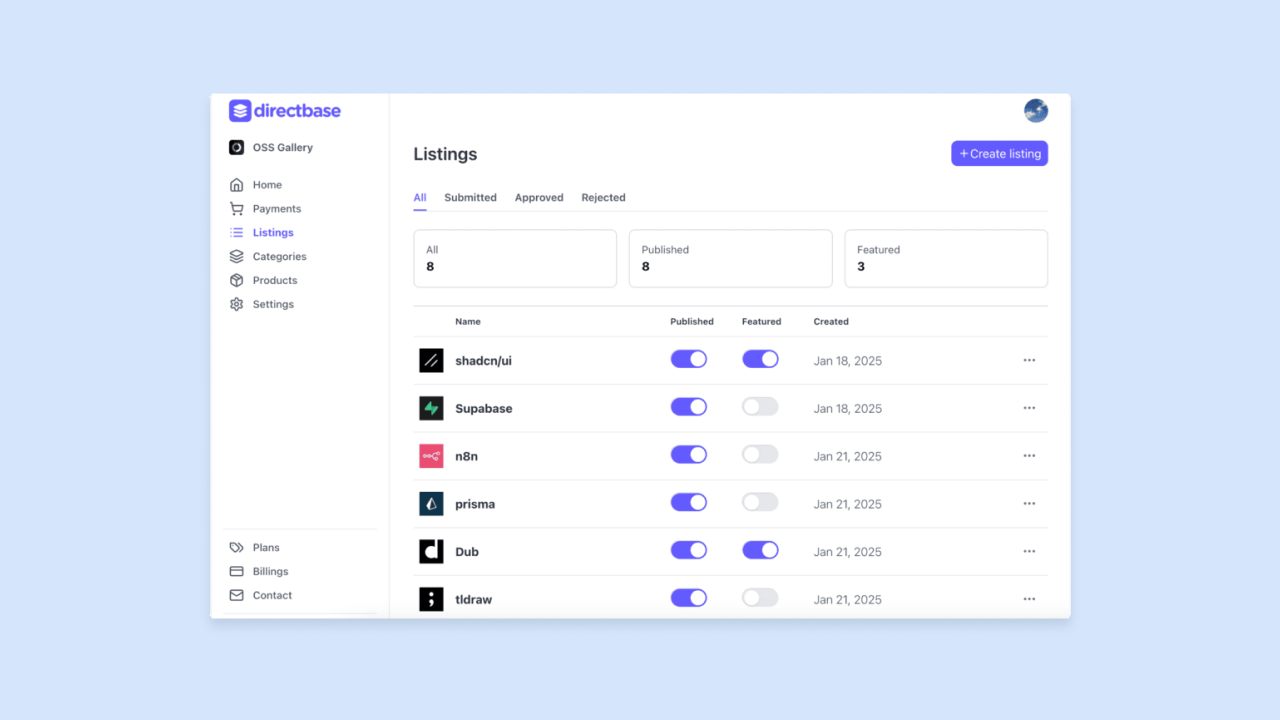
Directbase is a no-code directory builder focused on getting a monetized directory live quickly. Listing management, submission forms, and Stripe-based monetization are ready out of the box. The standout feature is CSV import: Upload a spreadsheet and have a live directory the same day.
The trade-off is limited flexibility. It works well for standard directories but isn’t the right fit if you need custom logic or unusual listing structures.
Best for:
- Builders who want a monetized directory live quickly from existing data: If you have a CSV of listings ready, Directbase can turn it into a live, paying directory faster than any other tool on this list. A consultant with a spreadsheet of vetted vendors can launch a paid directory in hours, not weeks.
- Operators launching affiliate or niche resource directories: Built-in monetization tools make it straightforward to charge for listings or featured placements from day one. A niche software directory can charge for submissions or paid tiers using Directbase’s Stripe and pricing-tier features.
- Non-technical builders who don’t want to manage WordPress: As a hosted no-code platform, it removes the server management and plugin maintenance that WordPress requires. If you’re not technical and don’t want to learn WordPress, Directbase handles infrastructure for you.
Limitations:
Directbase offers less design flexibility and custom logic than Bubble or Webflow. The ecosystem is smaller than WordPress-based tools, with fewer third-party integrations. No native mobile app output.
Pricing:
See current pricing at directbase.app. Includes a free plan.
Compare to:
SpreadSimple (similar spreadsheet-to-directory concept, Google Sheets focused) and Brilliant Directories (more membership-oriented hosted SaaS).
7. SpreadSimple: Best for Google Sheets-managed directories
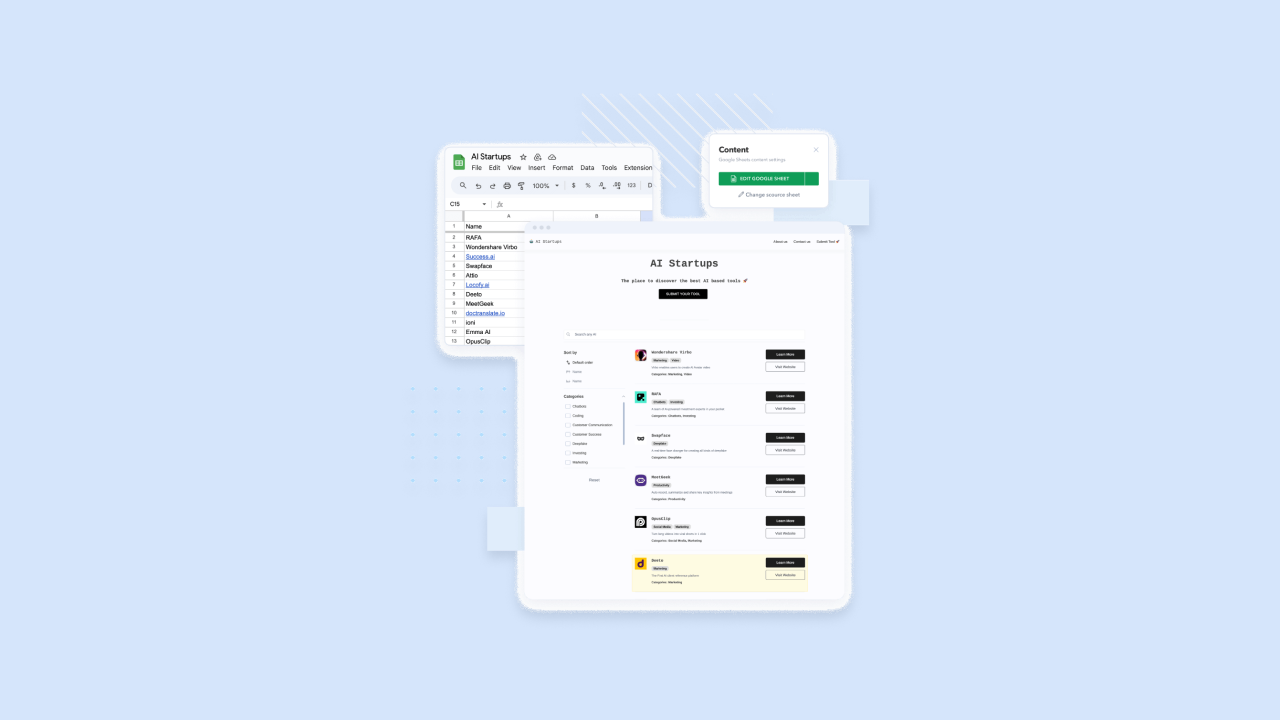
SpreadSimple turns a Google Sheet into a live, filterable directory site. Your sheet is the database; update a row and the site updates automatically, with no separate CMS to manage.
It works best for simple, operator-managed directories. There are no front-end submission forms, so it’s not suited for community-driven listings or large, complex datasets.
Best for:
- Builders whose workflow is entirely in Google Sheets: If your team already manages data in Sheets and you want a public-facing directory without learning a new CMS, SpreadSimple removes that friction entirely. A nonprofit tracking community resources in Sheets can turn that into a public directory without changing their workflow.
- Simple curated directories with a single operator: Works well for resource lists, vendor directories, or tool lists where one person controls what gets added. Not suitable for community-submitted directories. A consultant maintaining a list of recommended tools can publish it as a filterable directory.
- Fast internal or MVP directories where design is secondary: The fastest tool on this list to get a filterable directory live from existing data, with the trade-off that design customization is limited. If you need a directory live today and design doesn’t matter much, SpreadSimple delivers.
Limitations:
There are no front-end listing submissions. All data must be managed in the Google Sheet by the operator. SpreadSimple supports payments through gateways like PayPal, Stripe, Razorpay, and Mollie, plus order forms, promo codes, taxes, external checkout, Google Adsense, and a Memberstack add-on. It is less purpose-built for paid directory memberships and complex listing monetization than Brilliant Directories or Directbase. Design customization is constrained by SpreadSimple’s templates. Not suitable for large directories with complex filtering or high traffic.
Pricing:
See current pricing at spreadsimple.io. Includes a free plan.
Compare to:
Directbase (more monetization options, still no-code) and Webflow with Whalesync (more design control with a similar data-sync concept but more setup).
How do the top directory website builders compare
This table summarizes the key decision factors for each tool. Verify current pricing and features in each platform’s official documentation before purchasing.
| Hosting | Payments | Submissions | Mobile app | |
|---|---|---|---|---|
| Bubble | ✅ Managed |
⚠️ Via Stripe plugin (web); native in-app purchases (mobile) |
✅ Yes |
✅ Native iOS/Android |
| GeoDirectory | ⚠️ Self-hosted |
⚠️ Add-on required |
✅ Yes |
❌ No |
| Brilliant Directories | ✅ Hosted SaaS |
✅ Built-in |
✅ Yes |
❌ No |
| Webflow + Whalesync | ⚠️ Two tools |
⚠️ Extra tooling required |
⚠️ Extra tooling required |
❌ No |
| Directorist | ⚠️ Self-hosted |
⚠️ Extension required |
✅ Yes |
❌ No |
| Directbase | ✅ Hosted |
✅ Stripe built-in |
✅ Yes |
❌ No |
| SpreadSimple | ✅ Hosted |
✅ Multiple gateways |
❌ No |
❌ No |
Which directory website builder is right for you
The best directory website builder depends on use case. Here’s how to match your situation to a tool.
- If you want a fully custom directory with web and native mobile apps: Bubble is the right pick. It’s the only tool on this list that builds native iOS and Android apps alongside your web directory from a single platform, which matters when push notifications or app store distribution are part of your product. A local events directory that sends push notifications for new events needs native mobile capabilities.
- If your directory is location-based and you’re comfortable with WordPress: GeoDirectory is purpose-built for geolocation search and map-based filtering, and its self-hosted model gives you full data ownership. A city restaurant guide where people search “pizza near me” needs strong geolocation features.
- If you’re running a membership association or professional network: Brilliant Directories handles recurring membership billing, tiered member profiles, and member directory features out of the box, and is faster to configure than building those features from scratch. A professional association charging annual dues for member listings fits this model.
- If your data already lives in Airtable and design quality matters: The Webflow and Whalesync combination syncs your existing Airtable or Notion data to a design-forward site in real time, though it requires managing two tools and separate subscriptions. Updates go live only when you publish in Webflow.
- If you want a monetized directory live quickly from a CSV: Directbase is the fastest path from a spreadsheet of listings to a paying directory — Stripe-based paid submissions and pricing tiers with minimal setup. A consultant with a spreadsheet of vetted vendors can launch a paid directory in a day.
- If you manage all your content in Google Sheets and need a simple filterable site: SpreadSimple turns your sheet into a live directory with no separate CMS to learn, though it’s not suited for community-submitted listings or membership-style monetization. A nonprofit tracking community resources in Sheets can publish it as a directory without changing their workflow.
- If you’re a WordPress developer building for clients: Directorist offers flexible listing layouts and multi-directory support at a lower entry cost than GeoDirectory, with paid extensions added as your client’s needs grow. An agency managing client directories can use Directorist’s Agency pricing and extension bundle to deliver projects faster.
Once you’ve matched your use case to a tool, the next step is seeding your first listings and testing your filters before launch.
Start building your directory
The right tool is the one that matches how you manage listings, how you plan to make money, and whether your users need mobile. Before you commit, seed 20 or 30 real listings and run your search and filters. That will tell you more than any comparison table.
If your directory needs custom logic or a native mobile app, Bubble is built for that.
Frequently asked questions
What is the best directory website builder for most people?
Most builders succeed with a tool that matches their monetization model and data source. Brilliant Directories is the strongest fit for membership-based directories, Directbase for quick monetized launches from a spreadsheet, and Bubble for fully custom directories that need unique logic or native mobile apps. If you want AI speed, visual control, and a path to mobile without plugins or lock-in, Bubble is a strong default.
How much should I budget to launch and run a directory?
Expect $0–$200/month for hosted SaaS platforms and $100–$500/year for WordPress plugins plus hosting. Visual platforms like Bubble typically scale with usage and replace multiple tools (hosting, database, security, mobile builds). Factor in payment processing fees and time saved on maintenance when comparing total cost over 12–60 months.
Can I start on one tool and migrate later?
Yes, if you plan for it. Prioritize platforms with CSV export and APIs. Keep a stable schema (IDs, slugs, categories) from the start, and avoid hard-coded templates that don’t export data relationships cleanly. Tools that lock your data in proprietary formats make migration significantly harder.
What features matter most for directory SEO?
Clean, indexable URLs for categories and listing pages, structured data and schema markup, server-fast filters, and the ability to generate pages at scale from your data. Image alt text, internal linking, and fast page load times also matter. Bubble and Webflow give you the most control over these; dedicated directory tools like Brilliant Directories and Directbase handle the basics automatically.
How do I handle paid listings and memberships?
Use a builder with native payment support, role-based permissions, and moderation tools. Brilliant Directories and Directbase handle paid listings natively. In Bubble, you build paid listing workflows using the database and workflows together with a Stripe plugin; mobile subscription access uses Bubble’s native in-app purchase workflows. GeoDirectory and Directorist require paid add-ons to unlock payment processing. For mobile apps, note that iOS and Android require native in-app purchases for digital subscriptions sold through the app stores.
Build for as long as you want on the Free plan. Only upgrade when you're ready to launch.
Join Bubble


