Walk-Through: Create a Masonry Layout Using Repeating Groups

Learn how to use repeating groups to create a masonry layout in this interactive walk-through.

Abhinav Narain
December 18, 2023 • A quick read
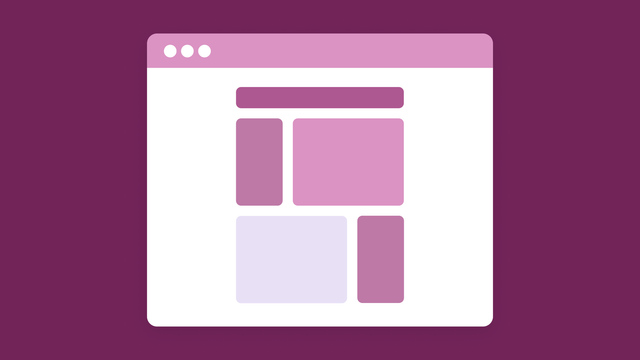
A mockup of a masonry layout in a window on a magenta background.

Did you know there’s a name for the photo layout on Pinterest? A masonry layout is when objects of different sizes are displayed in a grid with varying heights. This is particularly useful when you want to display something like photos without making them all the same size. The result is a display that's laid out like bricks on a path — hence the name! 

Creating a masonry layout on Bubble is an easy way to add visual appeal to your app. Here’s a quick step-by-step guide to using repeating groups to display your app data in a masonry layout: 

💡
For more interactive tutorials, visit the academy.
Start building for free

Build for as long as you want on the Free plan. Only upgrade when you're ready to launch.

Join Bubble

LATEST STORIES

How to Answer a Vendor Security Questionnaire: A 2026 Guide

How to Answer a Vendor Security Questionnaire: A 2026 Guide

Learn what a vendor security questionnaire asks and how to answer it with the evidence reviewers expect, from either side of the review.

Bubble
October 07, 2026 • 12 minute read
How to Make a Directory Website: A Complete 2026 Guide

How to Make a Directory Website: A Complete 2026 Guide

Learn how to make a directory website people use and pay for, from choosing a niche and platform to building listings, search filters, submissions, and revenue.

Bubble
October 07, 2026 • 12 minute read
7 Best No-Code Platforms for Fintech App Development in 2026

7 Best No-Code Platforms for Fintech App Development in 2026

Compare seven no-code platforms for fintech app development by mobile support, data rules, security, and price.

Bubble
October 07, 2026 • 12 minute read
The 8 Best No-Code Integration Platforms in 2026

The 8 Best No-Code Integration Platforms in 2026

Compare the top no-code integration platforms by use case, drag-and-drop capabilities, and third-party connector depth — so you can connect your tools without writing a line of code.

Bubble
October 07, 2026 • 19 minute read

What Can You Build on Bubble? 25 Examples to Inspire You

September 08, 2026 • 13 minute read

The Easiest Way to Build a Custom CRM With AI

September 01, 2026 • 17 minute read

What Is Bubble AI and How Does It Build Apps?

August 19, 2026 • 8 minute read

See How We Redesigned the Property Editor for Better Building

December 11, 2025 • 4 minute read

The Future of Bubble’s Editor: Introducing the New Workflow Tab

October 11, 2024 • 3 minute read

Build the next big thing with Bubble

Start building for free