
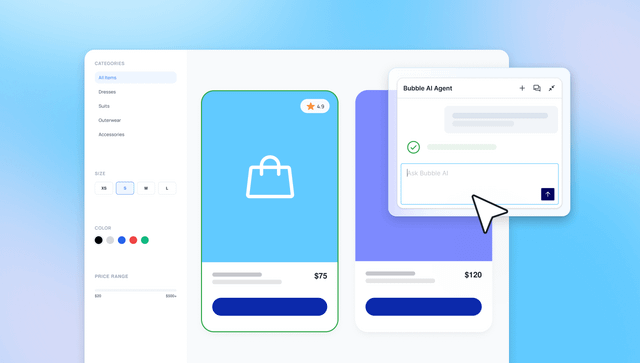
TL;DR: This guide shows you how to build an AI MVP that validates your idea without overbuilding. Start with API-based models (OpenAI, Anthropic, Google) and build one narrow feature that proves your hypothesis. Set confidence thresholds to route uncertain predictions to human review, and track both business metrics and AI quality as you test.
Building an AI MVP tests whether AI solves a real problem before you invest months and budget. But 42% of companies abandon AI initiatives before proving value, and over 80% of AI projects fail to reach production. Why? AI requires careful attention to data quality, model performance, inference costs, and privacy. When teams rely on code-based tools, these challenges become harder to debug and maintain, often derailing projects entirely.
Bubble AI removes these barriers. You can generate working apps in minutes, debug model behavior visually, monitor costs in real-time, and protect privacy automatically. Because Bubble removes code entirely, you can see exactly how your app works and iterate based on user feedback. You launch production-ready AI apps from day one.
This guide shows you how to scope your AI feature, prepare data, select models, build a prototype, and launch to real users while controlling costs and quality.
What is an AI MVP and when should you build one
An AI MVP is a minimum viable product that uses machine learning or AI models to deliver its core value. Instead of hard-coded rules you define manually, your app relies on pattern recognition and predictions.
The key difference from traditional MVPs is how they handle logic. Traditional MVPs use “if X, then Y” rules you define through visual workflows. AI MVPs learn from data and adapt their behavior based on patterns.
Most AI MVPs start with API-based models from providers like OpenAI, Anthropic, and Google. These require only prompt engineering and monitoring; you don't need training data or custom model development. You can validate your concept quickly, then decide whether to invest in custom training later.
Custom-trained models require training data, continuous learning, and ongoing performance monitoring. They make sense once you've proven your concept and have specific needs that pre-trained models can't meet.
An effective AI MVP includes a feedback loop from day one. Track how users interact with your AI, monitor model accuracy, and iterate based on what you learn. This data tells you whether your AI actually solves the problem.
AI MVPs work best when your core problem requires pattern recognition or adaptation that rule-based logic can't handle efficiently. Good use cases include:
- Recommendation engines that learn user preferences and surface relevant content without manually defining every matching rule
- Chatbots and AI assistants that understand natural language variations and respond appropriately regardless of how users phrase questions
- Content classification systems that handle edge cases and new categories without constant rule updates
- Predictive analytics that spot trends in data and forecast outcomes based on historical patterns
Avoid AI when perfect accuracy is legally required, when you lack relevant data, when you need to explain exactly why each decision was made, or when simple automation solves the problem faster. Medical diagnosis tools, financial compliance systems, and safety-critical applications often need rule-based approaches first, with AI layered in later where regulations and data support it.
How to build an AI MVP: Step-by-step guide
Building an AI MVP follows a clear sequence that tests your assumptions before you invest time and money. Each step reduces risk and keeps you focused on what users actually need.
Step 1: Frame the problem and success metrics
Start by defining one specific job your AI will help users complete. Generic goals like “improve customer service” or “personalize the experience” don't give you enough direction to build or measure. Narrow it to something concrete, such as “reduce customer support ticket resolution time by improving initial categorization.”
Set one or two primary KPIs that directly measure whether your AI delivers value. For the ticket routing example, that might be “percentage of tickets correctly categorized on first attempt” and “average time from submission to specialist assignment.” These metrics tell you whether the AI actually solves the problem.
Add guardrail metrics to catch when optimization goes wrong. Examples might include response time under two seconds, inference cost under $0.05 per classification, or confidence score above 80% for automated routing. These types of constraints prevent your AI from technically succeeding at the KPI while failing to deliver usable results. Real users won't wait 10 seconds for a recommendation, even if the result is technically accurate.
Step 2: Define the smallest AI feature
Pick one narrow AI behavior that proves your core hypothesis. It's tempting to pack multiple AI features into v1, but resist that urge. You need to learn whether your approach actually works before you expand scope.
Examples of focused v1 features:
- Content recommendation system: Start with “show three related articles at the end of each post” before building personalized homepages, trending content widgets, and collaborative filtering
- Customer support chatbot: Focus on “answer the five most common billing questions” rather than handling all support topics
- Document classifier: Begin with “categorize incoming emails into three departments” instead of building a full knowledge management system with tagging, search, and auto-routing
Plan fallbacks for edge cases. When the model returns a confidence score below your threshold, route to human review, show a default result, or prompt the user for more context. These fallbacks keep your MVP functional during the learning phase, when model performance is still improving.
Document what you're explicitly not building in v1. This prevents scope creep and helps you evaluate feedback. If users request features you already planned to exclude, that's validation. If they request something you hadn't considered, that's new information worth incorporating.
Step 3: Prepare a small, safe dataset
Start with hundreds of examples, not thousands. A small dataset forces you to focus on data quality, the #1 barrier to AI success according to a global CDO survey. It also reveals whether your problem is actually solvable with the data you can access.
For API-based models using few-shot prompting, you can start with just 3-5 examples and no separate training required. If you're fine-tuning a custom model, you'll typically need hundreds to thousands of labeled examples depending on your task's complexity: simple binary classification might work with 500 examples, while nuanced multi-category systems often need 2,000+.
Focus on representativeness over volume. Your training data should include the edge cases and variations real users will create, not just the easy examples. If your chatbot will encounter typos, abbreviations, and non-standard phrasing in production, include those patterns in your training set from the start.
Remove personally identifiable information before training any model. Scrub names, email addresses, phone numbers, and account IDs.
Label data consistently using clear guidelines. When multiple people label your dataset, they need shared definitions for each category. “Urgent” means different things to different people, so you'd want to document exactly what qualifies as urgent, provide examples, and check in regularly to make sure agreement on the definition stays high.
The Bubble AI Agent (beta) automatically generates these privacy rules when you create data types, giving you protection from day one. Bubble's privacy rules help prevent data exposure even if the model memorizes training examples.
Step 4: Pick the simplest viable model
Start with hosted API services like OpenAI, Anthropic Claude, or Google Gemini for natural language tasks. These services are fast, production-ready, and handle training, hosting, and scaling for you. You pay per token processed instead of managing infrastructure, making costs predictable without requiring machine learning expertise. Bubble's visual API Connector lets you integrate services like OpenAI in minutes, and the AI Agent provides step-by-step guidance for complex integrations.
Consider pre-trained models for common tasks like sentiment analysis, image classification, or named entity recognition. These models let you adapt existing capabilities to your use case with minimal training data, working well when your task is similar to what the model already handles.
Define confidence thresholds to determine when your AI makes autonomous decisions and when it routes to human review. Most AI models return a confidence score with each prediction. You can set a minimum threshold as a quality gate: Predictions above it proceed automatically, while those below route to human verification.
In Bubble, you can use conditional logic in visual workflows to check confidence scores and route low-confidence cases to manual review, then analyze those edge cases to improve your prompts or model selection.
Plan for model switching as you learn what works. Your first choice might handle 80% of cases well but struggle with edge cases that matter to users. Bubble's visual architecture separates your AI model from your app logic, so you can switch from OpenAI to Anthropic (or any other service) by updating your API Connector settings. Your workflows, interface, and database remain unchanged while you experiment with different models.
Step 5: Build thin UX and visible workflows
Build one focused user flow. Focus on a single end-to-end interaction that demonstrates your core value. Skip account settings, notification preferences, analytics dashboards, and other features that don't prove your AI solves the problem. A recommendation engine MVP might literally be just a search bar and three suggested results — no user accounts, no save functionality, no sharing.
Design for AI-specific UX needs. Show progress indicators, error states, and retry options clearly in your interface. AI operations often take longer than traditional database queries, and users need feedback that something is happening. An “analyzing your request” message with a progress indicator prevents abandonment while your model processes input.
Use Bubble AI to build and iterate visually. Bubble AI generates working apps from simple descriptions, creating UI, workflows, and database structure in minutes. Chat with AI when you want speed, and edit directly in the visual editor when you want control.
Step 6: Test, measure, and iterate
Run a closed beta with 20–50 users from your target audience before opening to everyone. This sample size is large enough to reveal usability issues and validate core metrics, but small enough that manually reviewing every session remains practical. Watch how users actually interact with your AI, not just what survey responses claim.
Track both business metrics and AI quality metrics. Data like conversion rate and user engagement show whether your AI delivers value. Things like model accuracy, confidence scores, and response time show whether it works technically. If business metrics improve while AI metrics decline, your model is likely succeeding on easy cases and failing on hard ones.
Plan regular model performance reviews weekly during your MVP phase. Model drift happens when real-world data patterns shift away from your training set. A support ticket classifier trained in January might struggle in March when a new product launches and creates new ticket types. Catching drift early prevents silent failures.
Bubble's visual debugger lets you step through workflows to see exactly what data triggers each action and where things break. When an AI workflow doesn't behave as expected, you can trace the entire sequence, from user input through API call to final output, and identify exactly where to adjust prompts, thresholds, or fallback logic.
Data, models, and costs you can control
Choose your data source based on what's relevant and accessible. User-generated content typically gives you the most relevant training data. Public datasets offer clean starting points, but they might not match your specific use case. Synthetic data helps fill gaps, though it can amplify biases if you're not careful.
Label efficiently by letting your model do the heavy lifting. Have your model suggest labels while humans verify them — this approach beats manual labeling from scratch. Active learning surfaces the examples that matter most, so you can focus your effort where it counts. Bubble's visual workflows make building these interfaces straightforward.
Review data policies for each provider.OpenAI doesn't train on business API data by default, though consumer ChatGPT data may be used unless you opt out. Anthropic doesn't train on Team/Enterprise content by default. Take a few minutes to review the terms and make sure they meet your requirements.
Understand API pricing before you commit. API providers like OpenAI and Anthropic charge per token, not per request. OpenAI's GPT-5.4 runs $2.50 per million input tokens and $15 per million output tokens. Anthropic's Haiku 4.5 costs $1 and $5 respectively. Your actual cost depends on prompt and response length. Bubble's visual API Connector lets you integrate any of these services in minutes without writing code.
| API-Based Models | Custom-Trained Models | |
|---|---|---|
| Cost | Pay per token; predictable and scales with usage. Example: 10K requests at ~$175 total (GPT-5.4) | High upfront training costs, lower per-inference costs at scale. Requires infrastructure investment |
| Time to Deploy | Minutes to hours. Integrate via API, test prompts, and launch | Weeks to months. Requires data collection, labeling, training, and validation |
| Accuracy Potential | High for general tasks; limited customization for niche use cases | Higher for domain-specific tasks with sufficient proprietary training data |
| Maintenance | Minimal. Provider handles updates, scaling, and infrastructure | Ongoing. Requires retraining, monitoring for drift, and infrastructure management |
Budget for these MVP-scale costs:
- Data preparation: Label 200–500 examples per category, either manually or through labeling services
- Model inference: API costs scale with token usage. For example, 10,000 requests averaging 1,000 input tokens and 500 output tokens using OpenAI's GPT-5.4 would cost approximately $175. Costs vary based on model choice, prompt length, and response length.
- Infrastructure: Bubble hosting starts free (50K workload units/month) and scales to paid plans starting at $29/month for Starter (175K WU), $119/month for Growth (250K WU), or $349/month for Team (500K WU), with all paid plan prices shown as annual billing. Additional workload units cost $0.30 per 1,000 WU.
- Iteration cycles: Reserve budget for model improvements based on user feedback
Optimize costs with caching and batch processing. Both OpenAI and Anthropic offer prompt caching, which stores frequently-used prompt segments and charges reduced rates for cached reads (typically 90% less than write costs). Both providers also offer 50% discounts through batch processing APIs for asynchronous workloads.
Build once for web and mobile in Bubble
Bubble lets you build for web and native iOS/Android from a single editor with a shared backend. Your database, workflows, and API integrations work identically across platforms. Fix a prompt engineering issue once, and both web and mobile apps update immediately.
Native mobile apps include push notifications, offline support, device integration (camera, location), and one-click app store publishing from the Bubble editor. To distribute via TestFlight, you'll need an Apple Developer Program membership ($99 USD annually).
Over-the-air updates let you iterate on AI prompts, adjust confidence thresholds, and refine workflows without resubmitting to app stores. Updates deploy silently when users reopen the app, which is critical during the MVP phase when user feedback drives daily improvements.
Launch, monitor, and scale your AI MVP safely
You can deploy web apps with one click from the Bubble editor. For mobile, one-click publishing packages your app, configures settings, and submits to app stores, with no Xcode or Android Studio required.
Once your MVP is live with real users, monitor four essentials in production: uptime, response time, inference cost per session, and user satisfaction. A model can be fast, cheap, and online while delivering useless results, so tracking all four metrics together reveals whether your AI actually solves the problem.
Bubble's infrastructure scales automatically from 10 to 10,000+ users with SOC 2 Type II compliance and 99.9% uptime. Privacy rules apply automatically as your database grows, with no code required for GDPR compliance.
You're ready to move from API to custom models when usage stabilizes and unit economics justify it. Most MVPs stay with APIs through their first year.
For compliance-heavy use cases, enterprise AI plans offer enhanced security. OpenAI Enterprise includes custom data retention and ISO certifications. Anthropic Enterprise offers SCIM, audit logs, and HIPAA-ready options.
Use Bubble's Security Dashboard to catch API key leaks and privacy gaps before launch. The “Fix in the editor” button jumps directly to issues.
Next steps
You've now walked through the full framework: scoping your AI feature, preparing data, selecting models, building thin UX, and setting up monitoring. Now it's time to put these steps into practice.
Once you've decided on the specific user job your AI will complete, draft a one-sentence problem statement. Be concrete. “Help marketing teams draft social media posts” works. “Use AI to improve marketing” doesn't. Your problem statement shapes every subsequent decision about data, models, and features you'll make as you move through the next steps.
Next, set up a free Bubble account and use Bubble AI to generate your first app in minutes, then ask the AI Agent to iterate or edit directly with visual workflows. Connect to AI services like OpenAI, Anthropic, or Google Gemini using the visual API Connector — no coding required.
Document what you learn from your first experiments. Which prompts generated useful results? Which edge cases exposed model limitations? What confidence thresholds kept quality high? These early notes become your iteration roadmap and prevent repeating failed experiments.
Ready to turn your AI idea into reality?Building on Bubble is completely free while you validate your concept. You'll have a working prototype faster than you think, with the flexibility to iterate based on real user feedback. Start building your AI MVP on Bubble today.
Frequently asked questions
How much training data do I need to start building an AI MVP?
For API-based models using few-shot prompting (recommended for MVPs), you can start with just a handful of examples in your prompt. If you're fine-tuning a custom model, the amount of training data needed varies by task complexity and model architecture. Focus on representativeness over volume. Your training data should include the edge cases and variations real users will create.
Can I build an AI MVP if I don't have machine learning experience?
Yes. Bubble AI generates working apps from simple descriptions, and the AI Agent helps you build and troubleshoot without machine learning expertise. The visual editor lets you refine any detail, and you can use human-in-the-loop processes and rule-based fallbacks for accuracy. Bubble's platform handles the technical complexity, so ML specialists are optional even as you scale.
What's the fastest way to add AI capabilities to an existing app?
Use Bubble's visual API Connector to integrate an AI service in minutes without code. Build workflows visually to keep prompts and confidence thresholds easily editable. The AI Agent can help you add logging and fallback paths from day one.
How do I prevent AI inference costs from getting out of control?
Set concurrency limits, cache responses when appropriate, and monitor cost-per-session closely. Optimize prompts to reduce token usage and implement prompt caching for repeated system prompts. Both OpenAI and Anthropic offer batch processing APIs with 50% discounts for asynchronous workloads. Consider moving to fine-tuned models as usage patterns stabilize.
When should I switch from API-based models to custom trained models?
Graduate from API-only when usage is steady, costs are predictable, and you have enough proprietary data to meaningfully improve accuracy or reduce unit costs. Factors to evaluate include total API costs, model performance requirements, and whether you have sufficient proprietary training data to improve accuracy or reduce costs through fine-tuning.
Build for as long as you want on the Free plan. Only upgrade when you're ready to launch.
Join Bubble


