TL;DR: AI workflow automation platforms connect your apps and automate repetitive processes using AI — ranging from simple no-code tools to developer-first open-source engines. The right platform depends on your team’s technical skill, the complexity of logic you need, and how much control you want over data and security.
If your team is spending real time on work that should already be automated, the bottleneck is usually the platform, not the idea. AI workflow automation platforms — tools that embed AI models directly into multi-step automated processes — vary more than most people expect. Some connect popular SaaS apps through simple trigger-and-action flows. Others support complex branching logic or custom code. A few let you build the internal tool and the automation in the same place. Picking the wrong one for your skill level and needs can cost weeks.
What separates these AI workflow tools comes down to a few things: how much technical skill they require, how deep the AI primitives go (classification, summarization, human-in-the-loop decision support), how governance is handled, and whether you’re connecting existing apps or also building the interfaces that run those workflows.
This guide covers seven platforms with honest trade-offs for each. You’ll get a plain-language definition of what these workflow automation tools actually do, a side-by-side comparison table, and a short decision path to help you narrow down your options fast.
What is an AI workflow automation platform?
An AI workflow automation platform is software that connects your existing apps and automates multi-step processes using artificial intelligence. It goes beyond older rule-based automation tools, sometimes called robotic process automation or RPA. RPA bots follow predefined steps and automate desktop actions. Modern AI automation software lets you embed AI models directly into the process, so a workflow can read an inbound email, decide whether it’s a sales lead or a support request, extract the relevant data, and route it to the right team without anyone touching it.
Most platforms fall into one of two categories:
| What it does | Best for | |
|---|---|---|
| Connector-first (iPaaS) | Links apps via triggers and actions; AI is one step among many | Teams automating across SaaS tools |
| Builder-first | Lets you build the internal tool and the automation logic in one place | Teams that need a custom UI alongside the workflow |
A few terms worth knowing before you dig in. iPaaS stands for integration platform as a service, which is a cloud-hosted platform that connects software systems through pre-built integrations. A trigger is the event that starts the workflow, like a new email arriving or a form being submitted. An action is what happens next, like creating a database record or sending a Slack message.
The 7 best AI workflow automation platforms
The platforms below are ordered from most accessible to most technical, starting with the no-code options and moving toward developer-first and enterprise tools.
1. Zapier: Best for fast, no-code app integrations
Zapier connects apps through trigger-and-action workflows it calls Zaps. AI steps like Copilot and AI fields can be added anywhere in the flow without code. For example, a Zap can read incoming support emails, sort them as urgent or routine using AI, and route each one to the right queue automatically.
It connects thousands of SaaS apps and requires no technical setup. A non-technical operations manager can have a working automation running in an afternoon. Teams commonly use it to connect tools like Gmail, Slack, HubSpot, and Notion.
The main constraint is logic complexity. The structure is linear, so teams that need advanced branching, loops, or custom data transformations may hit limits. Pricing is task-based, which scales quickly for high-frequency automations.
Best for:
- Non-technical teams automating across popular SaaS tools like Gmail, Slack, HubSpot, and Notion.
- Teams that need a working automation fast, with minimal setup time.
- SMBs piloting AI automation for the first time without dedicated technical resources.
Limitations: Task-based pricing gets expensive at scale; conditional paths require Professional plans or higher; governance and audit controls are basic on lower tiers.
Pricing: Free plan available; paid plans scale by task volume and feature access.
Compare to: Make for deeper branching logic; n8n for self-hosted control and code steps.
2. Bubble: Best for building internal workflow tools and automations
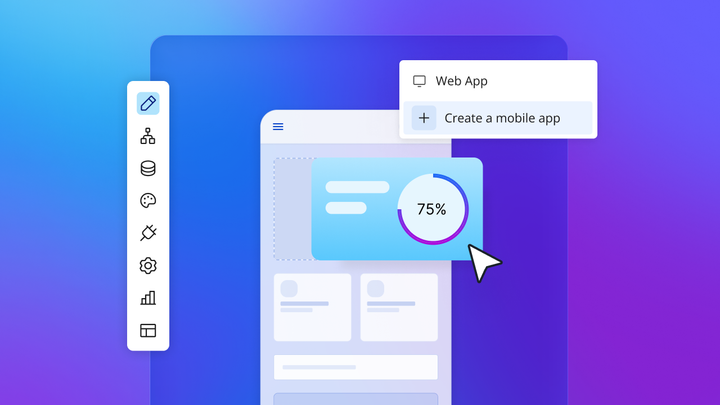
Most AI workflow automation platforms automate processes between your existing apps. Bubble does something different: It lets you build the internal tool and the automation logic in one place. If your team needs a custom employee request portal, a client-facing dashboard, or an internal approval system, you build the UI, the database, and the workflow all in the same visual editor. No code required.
Bubble AI generates your app from a prompt — UI, data types, and workflows — directly into a visual editor you can see and edit immediately. From there, the Bubble AI Agent (beta) acts as a conversational assistant for adding features, making changes, and troubleshooting as you build. When you want direct control, the visual workflow editor shows every step of your automation logic in plain language, not code. Privacy rules are automatically generated when the AI Agent creates data types, and the built-in security dashboard runs automated checks for potential vulnerabilities before you deploy. Which checks are available depends on your plan.
Bubble is not the fastest way to connect two SaaS tools with a simple three-step automation. For that, Zapier or Make will get you there faster. Bubble is the right fit for teams that need a custom-built internal tool with automation built in, or for operations teams that have outgrown off-the-shelf software. There is a learning curve for complex data models, and the AI Agent is in beta with some advanced capabilities still limited, including backend workflows, plugin and payment actions, custom events, compound edits, and some dynamic-expression use cases.
Best for:
- Teams building custom internal tools (approval portals, admin dashboards, client request systems) with automation logic built in.
- Operations teams that need a governed visual workflow builder with built-in database, privacy rules, and security controls.
- Organizations that want to build web apps and native iOS and Android apps alongside their automation workflows from a single platform. (Bubble for native mobile apps is currently in beta.)
- Non-technical builders who want AI generation for speed and visual editing for precision, without getting stuck with code they can’t read.
Limitations: Not the fastest option for simple point-to-point SaaS integrations; the AI Agent is in beta with some advanced capabilities still limited, including backend workflows, plugin and payment actions, custom events, compound edits, and some dynamic-expression use cases; complex data models have a learning curve for first-time builders.
Pricing: Free plan available for building and testing; paid plans scale by app complexity and usage.
Compare to: Zapier or Make for connector-first automation; Retool for code-required internal tools; Workato for enterprise iPaaS with managed governance.
3. Make: Best for visual scenario building and complex data transformations
Make uses a drag-and-drop canvas where you connect modules. Each module is one step in the workflow, and Make calls the full setup a “scenario.” The structure is more flexible than Zapier’s because Make supports routers, iterators, and aggregators. A router sends data down different paths based on conditions. An iterator loops through each item in a list. An aggregator pulls multiple items back together into one. That combination makes Make well-suited for workflows that need multiple conditional paths or complex data transformations.
The visual canvas makes it possible to see how data moves between modules, and execution logs (with full-text search on Pro plans) help trace where a transformation went wrong. Make does support AI and LLM modules; verify current options in Make’s official documentation before building specific summarization, classification, or extraction workflows, since availability changes.
Make has a steeper learning curve than Zapier. Its credit-based pricing can also catch teams off guard once scenarios get complex, since high-volume or multi-step runs consume credits faster. Check Make’s current credit rules before scaling up.
Best for:
- Operations and marketing teams that need branching logic, loops, or multi-path routing.
- Teams doing complex data transformation between apps, including reformatting, filtering, and aggregating records.
- Agencies managing automations for multiple clients from a single account.
Limitations: Credit-based pricing adds up quickly for high-volume or multi-step scenarios; steeper learning curve than Zapier; error handling requires deliberate setup.
Pricing: Free plan available; paid plans are priced by monthly credits, with published 10k-credit tiers for Core, Pro, and Teams and custom Enterprise pricing.
Compare to: Zapier for simpler setup with fewer steps; n8n for self-hosting and custom code steps.
4. n8n: Best for open-source, self-hosted workflow control
Built for developers, n8n is a workflow tool that supports self-hosting. You install and run it on your own server, your company’s cloud environment, or a virtual private cloud (VPC). Workflow data stays on your own infrastructure rather than passing through a vendor’s servers, which is relevant for regulated industries and security-sensitive organizations.
Beyond self-hosting, the platform supports code nodes where developers can write JavaScript or Python directly inside a workflow. It also includes AI-related capabilities, including AI Workflow Builder credits on certain plans. Engineering teams commonly use it for AI-powered pipelines like retrieval-augmented generation (RAG), which is a pattern where AI retrieves relevant documents before generating a response. Verify current AI node, vector database, and RAG support in the official documentation before scoping a specific build.
The platform does require someone on your team to handle installation, updates, and infrastructure. Governance features like admin roles, SSO, SAML, environments, and log streaming are available on higher tiers. Non-technical teams without engineering support will find the setup and ongoing maintenance difficult.
Best for:
- Developers and engineering teams who want code-level flexibility inside a visual workflow tool.
- Security-conscious teams that need data to stay within their own infrastructure for compliance reasons.
- Teams building AI-powered pipelines like RAG, LLM chaining, and agent workflows with full control over each step.
Limitations: Requires technical setup and ongoing infrastructure management; advanced governance features are gated to higher tiers; not a good fit for non-technical teams without engineering support.
Pricing: Hosted Starter and Pro plans are available, along with self-hosted Business and Enterprise options — confirm current Community and self-hosted licensing details on the official pricing pages.
Compare to: Make for teams that don’t need self-hosting; Workato for managed enterprise governance.
5. Microsoft Power Automate: Best for Microsoft-centric organizations
Power Automate is Microsoft’s automation platform, built around the Microsoft 365 and Azure ecosystem. Organizations already running on those tools will find native connectors and familiar admin controls. Paid plans include AI Builder credits for AI-related workflow steps; verify current Copilot flow-builder capabilities in Microsoft’s official documentation before scoping specific builds.
Power Automate supports both cloud flows and desktop flows. Cloud flows connect cloud services through APIs, similar to how Zapier works. Desktop flows automate actions on a Windows desktop, clicking buttons and entering data in legacy software that doesn’t have an API. That combination is sometimes called robotic process automation.
Licensing is worth understanding before you start. Premium and custom connectors are included on paid plans, but trial or free access may be limited to standard connectors. Attended desktop RPA is included with Power Automate Premium, while unattended and hosted RPA require Process or Hosted Process licensing. Teams outside the Microsoft ecosystem will find the platform less intuitive and harder to justify.
Best for:
- Organizations standardized on Microsoft 365 and Azure who need native integrations with those tools.
- Teams that need to automate both cloud-based and desktop (legacy) workflows from a single platform.
- IT and operations teams already familiar with the Power Platform and its administration tools.
Limitations: Complex licensing model; premium connectors and unattended RPA require additional licensing; less intuitive for teams outside the Microsoft ecosystem; governance setup requires Power Platform administration knowledge.
Pricing: Power Automate Premium starts at $15/user/month paid yearly and includes attended desktop RPA; Power Automate Process is $150/bot/month paid yearly and Hosted Process is $215/bot/month paid yearly for unattended RPA; a 30-day free trial is available.
Compare to: Zapier or Make for teams not in the Microsoft ecosystem; UiPath for RPA with document intelligence.
6. Workato: Best for governed enterprise automation
Workato is an enterprise integration and automation platform. It connects enterprise systems through pre-built workflows it calls “recipes,” and it’s designed for IT and operations teams that need to manage automations across departments at scale. Verify specific connectors and recipe availability in Workato’s official documentation.
Workato includes role-based access control (RBAC), activity audit logs, audit log streaming, and environment separation, with a published 99.9% uptime claim. RBAC means different users get different permissions based on their role. Environment separation gives teams distinct development, testing, and production setups. Deloitte’s 2026 AI report found only one in five companies has mature governance for autonomous AI agents, which gives context for why enterprise teams weigh these controls heavily.
Workato’s pricing is enterprise-grade, which puts it out of reach for smaller teams or early-stage pilots. Onboarding takes longer than lightweight tools, and complex integrations often benefit from internal expertise or an implementation partner.
Best for:
- Mid-market and enterprise teams automating across core business systems like ERP, CRM, and HRIS.
- IT and operations leaders who need RBAC, audit logs, and environment management for compliance.
- Organizations with dedicated automation teams or implementation partners who can handle complex integrations.
Limitations: Enterprise pricing puts it out of reach for smaller teams; complex integrations still benefit from skilled developers or partners; onboarding takes longer than lightweight tools.
Pricing: Enterprise pricing is custom. Contact Workato for a quote.
Compare to: Zapier or Make for SMB-scale automation; n8n for self-hosted control; Power Automate for Microsoft-centric enterprises.
7. UiPath: Best for RPA and AI document workflows
UiPath automates tasks in software that doesn’t have a modern API by mimicking human actions on a computer screen — clicking buttons, reading fields, and copying data. This approach, called robotic process automation (RPA), is useful for organizations still running legacy desktop applications that can’t be connected through standard integration platforms.
UiPath has expanded beyond classic RPA to include AI-powered document understanding, agentic automation, and robot orchestration. Document understanding extracts structured data from invoices, contracts, and forms. Agentic automation involves AI agents reasoning through multi-step tasks. Those capabilities are relevant for document-heavy industries like finance, healthcare, insurance, and logistics.
UiPath requires meaningful implementation investment. Licensing, infrastructure planning, and bot development take real time and resources, and teams should expect a longer onboarding timeline. Dedicated technical staff or an implementation partner is typically needed. For teams that only need to connect cloud APIs, it’s more platform than the use case requires.
Best for:
- Enterprises with legacy desktop applications that lack modern APIs and need screen-based automation.
- Organizations processing high volumes of documents like invoices, contracts, and forms that need AI extraction.
- Regulated industries like finance, healthcare, and insurance with strict compliance and audit requirements.
Limitations: Heavy implementation investment; complex licensing; not suitable for teams without dedicated technical resources or implementation partners; overkill for API-based SaaS automation.
Pricing: Automation Cloud Basic starts at $25/month; Standard and Enterprise are quote-based. UiPath offers cloud, regional, dedicated cloud, and self-hosted/on-premises deployment options depending on tier.
Compare to: Power Automate for Microsoft-ecosystem RPA; Workato for iPaaS without RPA; n8n for developer-built automation without the enterprise overhead.
Platform comparison at a glance
| Best for | AI capabilities | Governance depth |
Coding required |
Starting price |
|
|---|---|---|---|---|---|
| Zapier | Non-technical teams, quick SaaS integrations | ⭐⭐ Copilot, AI fields |
⭐ Basic controls |
No | Free tier |
| Bubble | Building internal workflow tools and automations with AI and visual control | ⭐⭐⭐ AI app generation plus Agent-assisted visual editing for UI, data, expressions, and supported frontend workflows — with beta limitations for advanced workflow, plugin, and backend use cases |
⭐⭐⭐ SOC 2 Type II, visual privacy rules, security dashboard |
No | Free tier |
| Make | Visual scenario building, complex data transforms | ⭐⭐ AI and app modules inline |
⭐⭐ Moderate controls |
No | Free tier |
| n8n | Developers, self-hosted control | ⭐⭐⭐ AI Workflow Builder, code steps |
⭐⭐ Configurable (RBAC, audit logs on higher tiers) |
Yes (optional) | Hosted plans available |
| Power Automate | Microsoft-centric orgs, cloud and desktop flows | ⭐⭐ Copilot, AI Builder credits |
⭐⭐⭐ Strong (M365 admin controls) |
No | $15/user/month paid yearly (Premium) |
| Workato | Enterprise iPaaS, governed automation at scale | ⭐⭐ AI steps within recipes |
⭐⭐⭐ Enterprise (RBAC, environments, audit log streaming) |
Moderate | Custom (enterprise) |
| UiPath | RPA, legacy systems, AI document workflows | ⭐⭐⭐ Document understanding, agentic bots |
⭐⭐⭐ Enterprise (audit, compliance) |
Yes | $25/month (Automation Cloud Basic); Standard and Enterprise quote-based |
How to choose the right platform
The right platform depends on your team’s skill level, what you’re building, and how much governance you need.
- If your team is non-technical and needs quick wins across popular SaaS tools: Zapier has a broad app library and a low barrier to entry. Most users can get a working automation running in an afternoon.
- If you need to build a custom internal tool — a dashboard, an approval portal, a request system — alongside your workflow logic: Bubble is the only platform on this list that lets you build the UI, the database, and the workflow automation in one place, without code.
- If you need more complex branching or data transformation than Zapier supports at your plan level: Make’s visual canvas handles multi-path routing and data aggregation.
- If your team is technical and needs full data control or custom code steps inside workflows: n8n requires managing your own infrastructure but gives you the most flexibility.
- If your organization runs on Microsoft 365 and Azure: Power Automate’s native integrations and desktop automation make it a logical choice for teams already on the Power Platform.
- If you need enterprise-grade governance — RBAC, audit logs, environment management — across core business systems: Workato is designed for that use case. Pricing and implementation timelines reflect that positioning.
- If you’re automating legacy desktop applications or processing large volumes of structured documents: UiPath is designed for those scenarios. Most other platforms on this list don’t include desktop automation.
Start automating
The best AI workflow automation platform is the one your team can actually use and maintain. Start with the option that fits where you are today.
Frequently asked questions
Do I need RPA or an AI workflow platform for my use case?
If your automation targets software with a modern API (Gmail, Slack, Salesforce), an AI workflow platform like Zapier, Make, or n8n is worth looking at. RPA is designed for legacy desktop applications that predate modern APIs. It mimics mouse clicks and keyboard input to interact with software interfaces directly. If your workflow involves both API-connected apps and legacy desktop software, a platform like Power Automate or UiPath that supports both cloud and desktop automation is worth evaluating.
Can non-technical teams build production automations safely?
Yes, on the right platforms. Zapier, Make, and Bubble require no coding, so non-technical builders can create and deploy automations through visual interfaces. Bubble adds built-in governance for teams building internal tools: Privacy rules are automatically generated when the AI Agent creates data types, and the security dashboard flags potential vulnerabilities before deployment. For enterprise environments, Workato adds RBAC and environment separation so non-technical builders can’t accidentally push changes to production systems.
How do task, operation, and execution pricing models compare at scale?
Zapier charges per task — each action a Zap performs counts as one task. Make charges per operation, meaning each module execution in a scenario. n8n charges per execution, which is a full workflow run. At low volume, the differences are minor. At scale, the math changes depending on how many steps your workflows have. A five-step Zapier workflow costs five tasks per run, while n8n charges one execution for the same run. Model your expected monthly volume against each platform’s current pricing tiers before committing.
What is the difference between an AI workflow and an AI agent?
An automated workflow follows a defined, predictable path: trigger, steps, action. An AI agent pursues a goal with more autonomy, reasoning through steps, using memory, and adapting based on what it finds. Many platforms now blend both approaches: workflows handle the predictable steps, and agents handle the steps that require judgment. MarketsandMarkets projects the enterprise agentic AI market will reach $46.04 billion by 2030, driven in part by this convergence. Builders looking to add AI capabilities to their own apps can integrate AI into apps through LLM connections and API services.
Do these platforms support VPC or on-premises deployment and granular governance?
It depends on the platform. n8n is the most flexible for data residency — self-hosting puts everything on your own infrastructure. Workato and UiPath offer enterprise deployment options including private cloud and on-premises, with granular governance controls like RBAC, audit logs, and environment separation. Bubble is SOC 2 Type II compliant with visual privacy rules and a built-in security dashboard; verify current dedicated hosting and deployment options on Bubble’s site. Zapier and Make are cloud-only platforms with limited data residency controls. For any regulated industry evaluation, verify that the platform meets your organization’s specific compliance requirements before committing.
Build for as long as you want on the Free plan. Only upgrade when you're ready to launch.
Join Bubble