TL;DR: The best app for contractors depends on your team size and job type. This guide shows “best for” picks across residential and commercial needs, compares pricing and QuickBooks integrations, and explains when to build your own contractor app instead of buying off the shelf.
Running a contracting business means managing schedules, invoices, job site photos, and crew coordination across multiple jobs at once. When those pieces live in different places, things slip: Payments get delayed, data gets entered twice, and clients call for updates that nobody has time to give. The right app stack pulls it together.
This guide narrows the noise. You’ll find the top contractor apps by use case (daily reports, punch lists, scheduling, invoicing, photos), along with pricing, field adoption notes, and a quick chooser to match your business model. We’ll also cover when building a custom contractor app makes sense.
We evaluated each app for mobile usability, offline behavior, feature breadth, QuickBooks and payment integrations, field adoption, and pricing.
What to look for in a contractor app
The best contractor apps share core capabilities that address the daily friction of running a contracting business. Understanding these features helps you evaluate which tools fit your specific workflows.
- Mobile-first design your crews will use: An app that’s hard to navigate on a small screen won’t get used in the field. Look for large tap targets (the buttons you press) and simple navigation.
- Offline capture with reliable sync: Job sites often have poor cell service. The app should capture daily reports, photos, and time entries without a live connection and sync everything when signal returns, so you don’t lose data in a basement or rural area.
- Estimates, invoicing, and payments that speed cash flow: The faster you invoice, the faster you get paid.
- Plan markup, RFIs, punch lists, and daily reports (as needed): Organized before-and-after photos, annotated plans, and signed contracts protect you in disputes and keep clients informed throughout the project.
- GPS time tracking and crew scheduling: A shared job calendar with GPS time tracking prevents double-bookings, keeps field supervisors and crews aligned, and gives you accurate records for payroll without back-and-forth phone calls.
- QuickBooks and photo integrations: Most contractors already use QuickBooks for accounting. An app that syncs invoices and payments saves hours of manual data entry each week. You enter information once instead of twice.
- Transparent pricing that scales with your team: Some apps charge per user, which gets expensive fast as you add crew members. Others charge a flat monthly rate. Know which model fits your team size before committing.
The 9 best apps for contractors in 2026
These nine apps cover the most common contractor needs, from all-in-one business management to specialized tools for specific tasks. Each entry covers what the app does best, who it’s for, its limitations, and current pricing.
1. Jobber: Best for client jobs and invoicing
Jobber is designed for home service contractors who need to manage the full client relationship in one place. It covers scheduling, on-site quoting, invoicing, and payment collection, along with a CRM (a system for tracking client contacts and job history) so you’re not hunting through texts and emails to find a client’s details. Homeowners can approve quotes and pay invoices through a client portal without needing to call.
Jobber offers QuickBooks Online integration on eligible plans (including Connect and above), so invoices and payments can sync to your accounting system. The app also handles crew scheduling, time tracking, and basic inventory management for parts and materials. It offers a 14-day trial with full access to Grow plan features.
Best for:
- Solo contractors and small crews (2–10 people) in home services who need a complete business management system in one app.
- Trades like HVAC, plumbing, electrical, landscaping, and cleaning where you’re scheduling appointments and invoicing individual homeowners.
- Contractors moving off paper invoices who want to test client management, scheduling, and invoicing before committing to a paid plan.
Limitations: It lacks plan markup tools (the ability to draw on blueprints), RFI tracking (request for information: a formal written request used when a contractor needs clarification on project documents), and subcontractor management features that larger projects require. Teams managing multiple trades across a multi-month build will likely need something more robust.
Pricing: Jobber offers tiered monthly plans.
2. Buildertrend: Best for residential project management
Buildertrend is built for residential general contractors managing multi-phase projects. Where a tool like Jobber handles the client relationship, Buildertrend handles the project itself: scheduling across trades, tracking budget against actuals, managing change orders, and coordinating subcontractors. The scheduling tool uses Gantt charts and critical path method scheduling, with offline mobile access so the schedule stays usable on site.
The client portal gives homeowners visibility into their project. They can view the schedule, track budget updates, approve material selections, and communicate with your team without calling for status updates. Buildertrend integrates with QuickBooks for accounting and includes tools for purchase orders, change orders, and warranty tracking.
Best for:
- Residential general contractors and custom home builders managing projects that span multiple months with many moving parts.
- Remodelers managing multi-phase projects with subcontractors where coordination between trades is ongoing.
- Teams that need a client-facing portal for selections and progress updates to reduce status update calls.
Limitations: Buildertrend’s depth means a steeper learning curve than lighter tools. Teams of two or three people running simple service jobs often find the feature set more than they need. For one-day HVAC repairs or similar work, Jobber is a better fit.
Pricing: Buildertrend uses custom pricing that includes unlimited users and unlimited projects.
3. Procore: Best for complex commercial projects
Procore covers the commercial construction lifecycle with tools designed for organizations that need formal documentation and audit trails at scale. The platform handles project management, financials, field operations, quality control, and safety compliance through a single system. Every submittal (when a contractor submits product data sheets or samples for approval), RFI, change order, and approval is logged in Procore with a timestamp showing who touched it when.
RFI tracking matters on commercial projects where architects, engineers, and multiple trades need to clarify details across hundreds of plan sheets. Procore’s RFI module tracks which questions are outstanding, routes them to the right people, and closes the loop when responses come back.
Best for:
- Large general contractors on commercial projects where formal documentation and audit trails are required.
- Teams managing subcontractors, compliance, and formal documentation at scale across multiple simultaneous projects.
- Organizations that need audit trails, submittals, and bid package management to satisfy owner and regulatory requirements.
Limitations: Procore’s pricing and implementation complexity make it a poor fit for small residential contractors or solo operators. Setup requires dedicating someone to learn and configure the system. For residential or home service work, tools like Buildertrend or Jobber are typically a better match in terms of scope and cost.
Pricing: Procore uses custom pricing based on Annual Construction Volume (the aggregate dollar value of construction work across projects), with unlimited users included.
4. Fieldwire: Best for plan markup and punch lists
Fieldwire is a plan-based field tool. Crews access construction drawings on their phone or tablet, mark up issues directly on the relevant sheet, and pin tasks and punch list items (corrections that need to be completed before project closeout) to specific locations on the plan. Foremen can assign those items to the responsible trade, set due dates, and track completion without going back to the office.
Fieldwire supports offline use on job sites with unreliable cell service. Crews can view plans, log progress, and capture photos without an internet connection, and everything syncs when they’re back in range. Fieldwire also handles daily reports, timesheets, and form submissions for inspections. RFIs, submittals, change orders, and budget tools are available on the Business Plus tier.
Best for:
- Foremen and field teams who work directly from blueprints and need to mark up plans on-site.
- Subcontractors managing punch lists on commercial sites, and teams that need RFIs and submittals for plan-based coordination.
- Teams on job sites with unreliable cell service who need offline access to plans and the ability to log work without internet.
Limitations: Fieldwire focuses on what happens on the job site. It doesn’t cover invoicing, CRM, or accounting, so most teams use it alongside a separate business management tool.
Pricing: Fieldwire has a free Basic plan limited to 5 users, 3 projects, and 100 sheets. Paid annual-billing tiers are Pro at $39/user/month, Business at $64/user/month, and Business Plus at $89/user/month, with unlimited projects and sheets on paid plans.
5. Raken: Best for daily reports and time tracking
Raken is built around the daily report, the end-of-day summary that field supervisors submit showing what happened on site. Foremen can capture work logs, notes, photos, videos, attachments, time, safety information, cost codes, materials, equipment tracking, and weather-related data from mobile devices. Voice-to-text lets crews capture notes hands-free on site, which helps when wearing gloves or working with both hands full.
Raken integrates with payroll and accounting systems including QuickBooks Desktop and Online, Sage 100 Contractor, Sage 300 CRE, Sage Intacct, Foundation, Deltek ComputerEase, Viewpoint Vista, Viewpoint Spectrum, Paychex, Points North, and CMiC. It also integrates with Procore and other project management tools, so daily reports feed into the broader project record.
Best for:
- Field supervisors and foremen who need a structured daily reporting process that can be completed quickly from a mobile device.
- General contractors managing multiple crews across job sites who need consistent daily documentation from all teams.
- Teams that need time cards to sync with payroll and accounting to cut manual timesheet entry.
Limitations: Raken is focused on field reporting and time tracking. It doesn’t cover estimating, invoicing, or client management, so it works best as part of a larger tool stack rather than a standalone solution.
Pricing: Raken does not publish public pricing on its site. Contact them directly for a quote.
6. Connecteam: Best for crew scheduling and communication
Connecteam is built for managing field crews: scheduling shifts, tracking time with GPS, running checklists, and keeping crew communication in one place. The scheduling tool lets you drag and drop shifts, assign jobs to specific employees, and send automatic notifications when the schedule changes. GPS time tracking shows you when and where employees clock in, which reduces timesheet disputes and keeps payroll accurate.
Connecteam also includes digital checklists and forms for safety briefings, equipment inspections, and daily task sign-offs. Team chat keeps communication organized by job or department rather than scattered across personal text threads. It’s aimed at contractors whose primary challenge is coordinating field crews across multiple job sites.
Best for:
- Contractors managing crews across multiple job sites who need GPS time tracking and shift scheduling in one app.
- Home service and specialty trades (cleaning, landscaping, maintenance) where crew coordination and time accuracy are daily priorities.
- Teams that need digital checklists, safety forms, and internal communication tools alongside scheduling.
Limitations: Connecteam is a workforce management tool. It doesn’t cover client-facing features like estimates, invoicing, or client portals, so most contractors pair it with a tool like Jobber or QuickBooks for the billing side of the business.
Pricing: Connecteam offers a free plan for small teams and paid tiers that scale with team size.
7. CompanyCam: Best for photo documentation
CompanyCam time-stamps photos and saves them by location, so every shot is organized into a project history the moment you take it. Field crews can add annotations (arrows, text, measurements) directly on photos, draw circles around problem areas, and attach images to specific tasks or punch list items.
The timeline view shows progress across a project chronologically, creating a before-and-after record organized by date. CompanyCam integrates with Jobber, Procore, and QuickBooks Online, plus Zapier for connecting to other apps. Jobs created in Jobber automatically create a CompanyCam project, and photos are backed up to the cloud.
Best for:
- Any contractor who needs organized before-and-after photo records for client updates or dispute protection.
- Home improvement contractors who document the condition of a job site on arrival.
- Teams using Jobber or Procore who want deeper photo management than those platforms provide natively.
Limitations: CompanyCam is a single-purpose documentation tool for photos and videos. It works best as a complement to a project management or invoicing app, not a replacement for one.
Pricing: CompanyCam offers tiered plans.
8. QuickBooks: Best for accounting and payments
QuickBooks is where most contractors manage their financials: tracking income and expenses, sending invoices, managing bills, running reports, and (on Plus and above) tracking project profitability. The project profitability feature shows costs against revenue for each project, which can inform pricing decisions on future jobs.
QuickBooks integrates with Jobber, Buildertrend, Procore, and most other contractor apps on this list. When those integrations are set up, invoices you create in your field management app sync to QuickBooks. QuickBooks also offers a separate Payroll add-on for handling employee pay, tax filings, and contractor payments. Verify current Payroll features and pricing at quickbooks.intuit.com.
Best for:
- Any contractor who needs to track profitability by job and understand which types of work actually make money.
- Teams running payroll and managing subcontractor payments with proper tax documentation.
- Contractors who want their field management app to sync with their books to cut double data entry.
Limitations: QuickBooks is an accounting tool. You’ll need to pair it with one of the other tools on this list to cover the full contractor workflow from quote to payment. The learning curve can be steep if you’re not familiar with accounting concepts like accounts receivable and job costing.
Pricing: QuickBooks Online has tiered U.S. plans including Simple Start, Essentials, Plus, and Advanced.
9. Bubble: Best app builder for home and specialty contractors
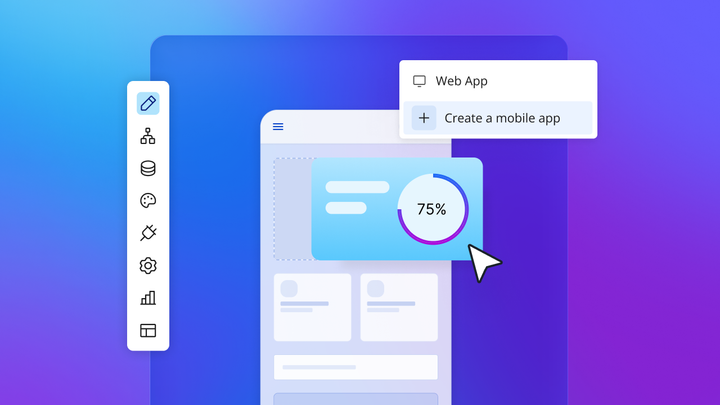
Bubble is an app builder — a platform that lets you design and launch your own web or mobile app without writing code. It’s the option for home contractors and specialty trades whose workflows don’t fit what the other tools on this list offer. A roofing contractor might want a branded client portal where homeowners can schedule inspections. An HVAC company might need a dispatch tool built around their specific territory routing. Or a specialty trade might have processes that no off-the-shelf app was designed to handle.
You describe what you need and Bubble AI generates a working starting point, with pages, database, and logic included. From there, the Bubble AI Agent (beta) helps you add features and make changes through conversation, and the visual editor lets you adjust anything directly. The idea is that you chat with AI when you want speed, and edit directly when you want precision. Everything is visual, so you can see exactly how the app works and make changes yourself without reading code or hiring a developer every time something needs to change. Bubble supports web and native iOS and Android apps from a single platform, with native mobile AI generation currently in beta.
Building a custom app takes more upfront decisions than downloading Jobber or Buildertrend. In exchange, you get software built around your exact workflow. Bubble also handles hosting, security, database management, and infrastructure scaling. It’s the right choice when your workflows genuinely don’t fit off-the-shelf tools.
Best for:
- Home contractors and specialty trades who need a branded client portal or custom job management workflow that off-the-shelf apps don’t support.
- Contractors who have outgrown off-the-shelf apps and need something built around their specific process.
- Opportunity-driven SMEs in construction or home improvement who spotted a workflow gap and want to launch a real web or native mobile app without traditional development.
- Agencies and freelancers building custom contractor apps for clients who need web and native mobile solutions with AI-assisted development and visual control.
Limitations: Bubble requires more setup time than downloading a pre-built app. If Jobber, Buildertrend, or one of the other tools on this list already covers your workflow, start there and see how far it gets you. Bubble makes sense when you’ve consistently run into limits that prevent you from running your business the way you need to.
Pricing: Bubble has a free plan for building and testing apps, but going live requires a paid plan. Current Web and Mobile pricing starts at Starter ($59/month billed annually), Growth ($209/month billed annually), and Team ($549/month billed annually), with usage governed by Workload Units.
Compare contractor apps by use case
This table helps you identify which tool fits your situation based on what matters most for your business.
| Best for | Offline support | QuickBooks integration | Starting price | |
|---|---|---|---|---|
| Jobber | Home service contractors | Limited | Yes, on eligible plans (Connect and above) | Paid |
| Buildertrend | Residential GCs and remodelers | Available in Schedule and Time Clock | Yes | Custom |
| Procore | Large commercial contractors | Full offline | Yes | Custom pricing |
| Fieldwire | Plan markup and punch lists | Full offline | Not verified | Free Basic plan; Pro from $39/user/month annual |
| Raken | Daily reports and time tracking | Full offline | Yes (QuickBooks Desktop and Online) | Custom |
| Connecteam | Crew scheduling and communication | Full offline | Yes | Free plan available |
| CompanyCam | Job site photo documentation | Full offline | Yes (QuickBooks Online) | Paid |
| QuickBooks | Contractor accounting | No | Native | Paid |
| Bubble | Custom contractor app builder | Native mobile read-only offline; web requires custom setup | Via API Connector | Free plan; Starter $59/month annual |
Many contractors use two or three of these tools together — for example, Jobber for client management, CompanyCam for photos, and QuickBooks for accounting. Each tool handles what it does best, and integrations keep data synced between them.
Which contractor app is right for you
The right app depends on three things: your trade, your team size, and whether you need a pre-built solution or a custom one.
- If you run a home service business (HVAC, plumbing, electrical, landscaping, cleaning) with a small crew, Jobber covers CRM, scheduling, invoicing, and payments in one app without a long setup.
- If you’re a residential general contractor or remodeler managing multi-phase builds with subcontractors, Buildertrend covers scheduling, client communication, budget tracking, and subcontractor coordination in one platform.
- If you work on large commercial projects with formal documentation requirements, Procore handles RFIs, submittals, compliance, and bid packages with the audit trail and scale those projects require.
- If your crews work from blueprints in the field, Fieldwire supports plan markup, punch list tracking, and offline access to plans on the job site.
- If daily reporting and time tracking are your main pain points, Raken is built around field reporting and time card capture, with voice-to-text for quick note entry on site.
- If crew scheduling and GPS time tracking are your biggest challenge, Connecteam covers shift management, location-verified clock-ins, digital checklists, and team communication in one app.
- If you need organized before-and-after photo records, CompanyCam organizes photos by project, supports annotations, and integrates with most other tools on this list.
- If your workflows don’t fit any of the above, or you want a branded client-facing app built around your specific process, Bubble lets you build a custom contractor app without code. It’s the right choice when off-the-shelf tools consistently fall short of what your business needs.
The bottom line
Most contractors will find what they need in Jobber, Buildertrend, Procore, or one of the specialized tools on this list depending on their trade and project size. The best way to evaluate any app is to run one real job through it during a free trial before committing to a paid plan. You’ll find out quickly whether it fits your workflows or adds friction.
If your business has grown past what pre-built tools can handle, or you’re a home contractor with specialty workflows that standard apps don’t support, building a custom app with Bubble is a practical next step. You can start for free, build at your own pace, and only pay when you’re ready to go live.
Frequently asked questions
What is the best all-in-one app for independent contractors?
Jobber and Connecteam cover different parts of the contractor workflow. Jobber handles client management, quoting, invoicing, and scheduling for home service contractors. Connecteam handles crew scheduling, GPS time tracking, checklists, and communication for contractors whose main challenge is managing field crews. Many contractors use both: Jobber for the client-facing side and Connecteam for crew operations.
Which contractor app works best with QuickBooks?
Jobber (on Connect and above) and Buildertrend both offer QuickBooks Online integration that syncs invoices and payments without manual entry. Raken integrates with QuickBooks Desktop and Online for time data and cost codes. CompanyCam offers a two-way QuickBooks Online integration for projects and payments. If you’re building a custom contractor app on Bubble, you can connect to QuickBooks Online through the API Connector.
What is the best free or low-cost contractor app?
Fieldwire offers a free Basic plan for teams with up to 5 users, 3 projects, and 100 sheets, covering plan markup and punch lists at no cost. Connecteam also has a free plan for small teams. Bubble has a free plan for building and testing a custom app, though going live with a custom domain requires a paid plan. For invoicing and client management, most dedicated tools like Jobber require a paid plan. Verify current free tiers directly with each provider before committing.
Which contractor apps work offline on job sites?
Procore, Fieldwire, Raken, Connecteam, and CompanyCam all support full offline use — crews can log data, view plans, and capture photos without a cell connection, and everything syncs when they’re back in range. Buildertrend has offline access in its Schedule and Time Clock features. Jobber has limited offline support. QuickBooks requires an internet connection. For custom apps built on Bubble, native mobile apps support read-only offline access; full offline data capture requires additional custom setup.
What is the best app for organizing before-and-after job site photos?
CompanyCam is frequently cited for organized job site photo documentation. It time-stamps photos and saves them by location, supports annotations and markup tools, and creates a timeline view of before-and-after progress that’s useful for client updates and dispute protection.
What is the best app builder for home contractors who need custom workflows?
Bubble is the best app builder for home contractors who need custom workflows, a branded client portal, or specialty trade tools that off-the-shelf apps don’t cover. Bubble AI generates a working web app foundation from a plain-language description. Native mobile AI generation is in beta with more limited current scope. The AI Agent and visual editor let you update and maintain the app yourself over time, with no coding required.
When does Procore make sense instead of lighter tools like Buildertrend or Jobber?
Procore makes sense for large commercial general contractors that need formal document control at scale: RFIs, submittals, bid packages, compliance tracking, and detailed audit trails. For residential or home service work, that level of documentation overhead isn’t typically necessary, and tools like Buildertrend or Jobber are more suited to that scope.
Build for as long as you want on the Free plan. Only upgrade when you're ready to launch.
Join Bubble