Having robust analytics on your customers is now simpler and more affordable with the official Microsoft Clarity plugin for Bubble’s no-code web app builder. Users who build and launch web apps with Bubble’s drag-and-drop builder and cloud-hosted platform can now integrate Microsoft Clarity, with unlimited free heatmaps, users, and 100,000 daily session recordings to grow your business. At Bubble, we’re excited to be deepening our relationships with Microsoft’s suite of tools for entrepreneurs and enterprises alike, from Clarity to Microsoft for Startups.
What is Microsoft Clarity?
Microsoft Clarity is a free software that allows you to optimize your website and web apps with easy-to-use behavioral analytics. Clarity gives you access to advanced heatmaps, screen recordings, and a dashboard with all your insights in one place.
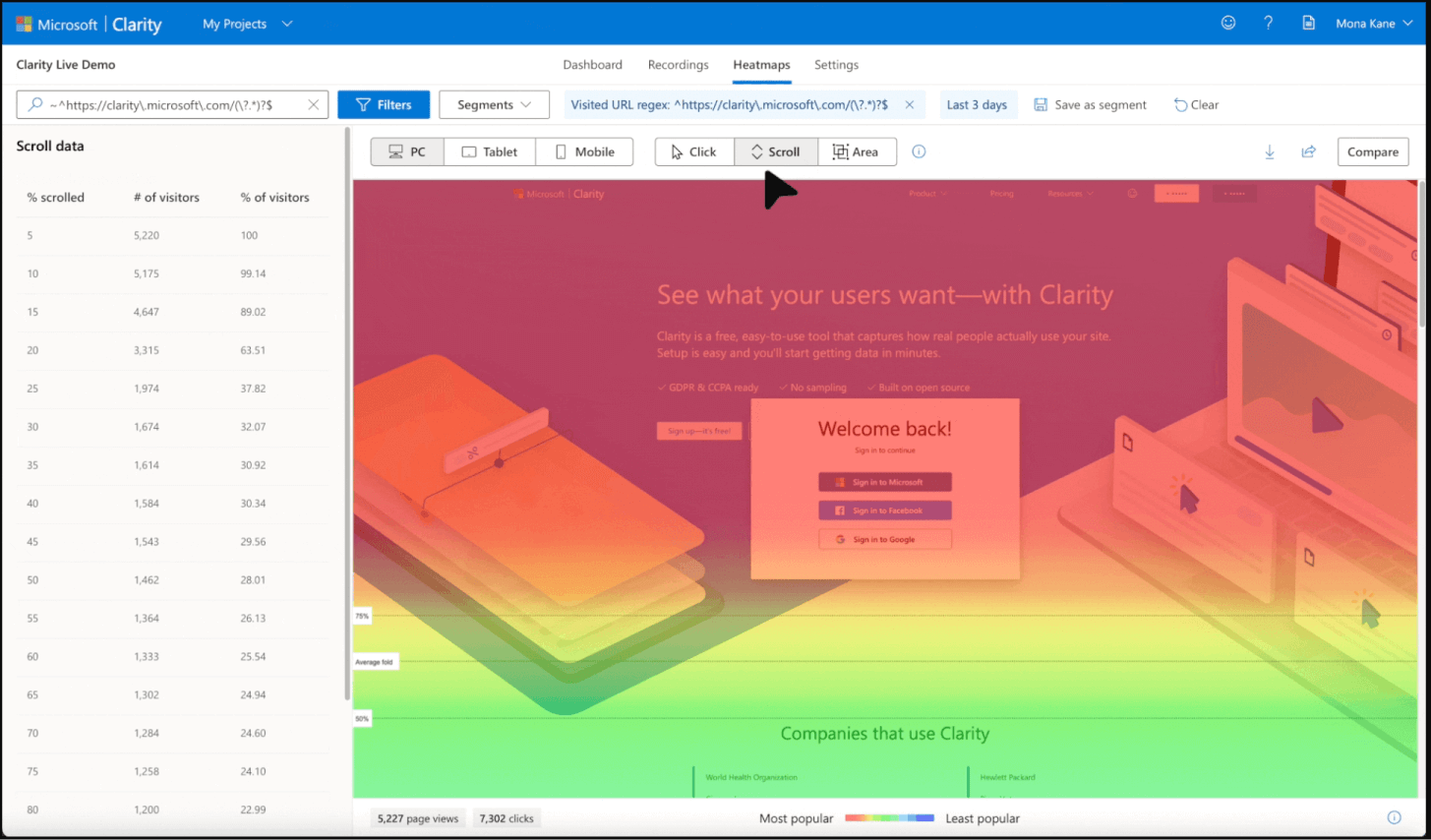
With Clarity, you can easily start seeing behavioral analytics that can help optimize your website's conversion rates through webpage layouts and tactical call-to-actions. This is perfect for any company that is interested in seeing how their customers are reacting to the current content, and see what changes could improve their metrics.
What kind of behavioral analytics do I get with the Bubble Clarity plugin?
You can use the plugin to link your Bubble-built app to Clarity, where you can access different levels of information and insights that will help you grow and scale your business. Clarity's features include:
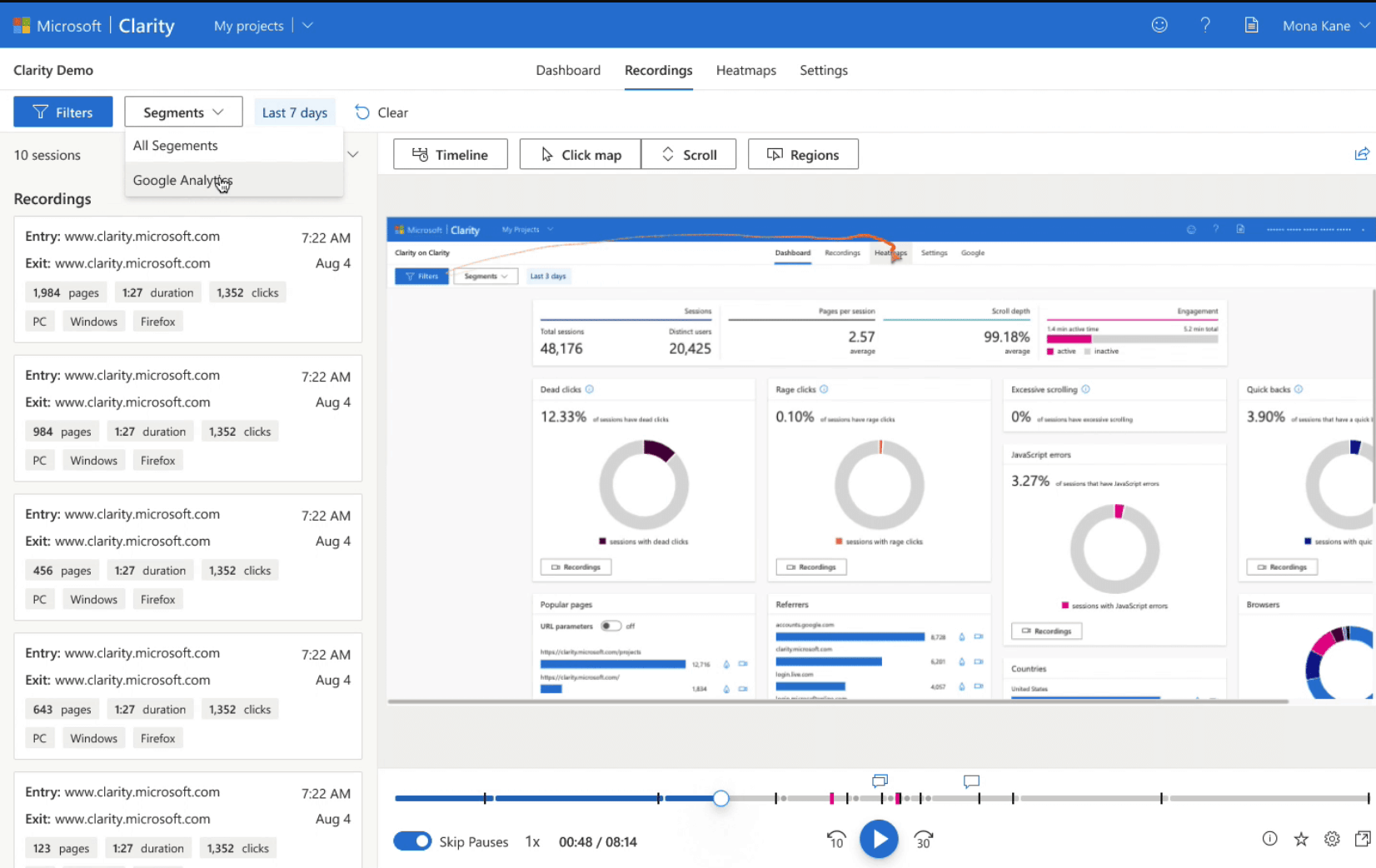
- Session recordings allow you to examine user behavior as it happened. You’ll see where things are working smoothly and where your users drop off.
- Heatmaps show you where your users clicked and scrolled, and how they moved around your site. You’ll discover which parts of the page drive the most engagement and which parts get less traffic.
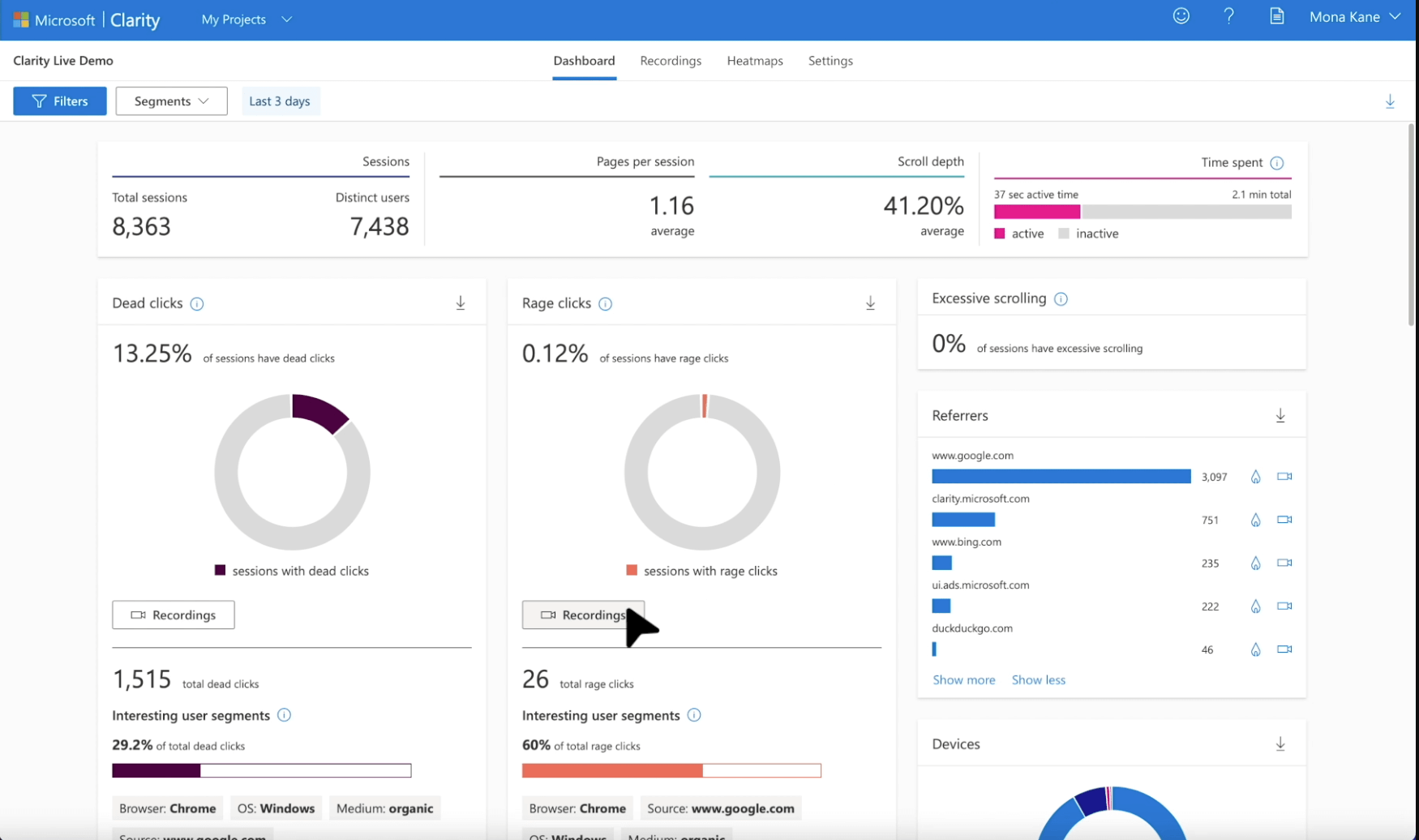
- Insights help you make data-driven decisions to streamline your design. Zero in on relevant user sessions and root out problems like clicks that go nowhere, rage clicks, and excessive scrolling.
- The metrics dashboard offers a visual overview of your site’s performance, popular pages, and insights about your users, such as where they’re from and which devices and browsers they use.
- A Google Analytics integration lets you view Google analytics data right inside of your Clarity Dashboard. Streamline your workflow with this helpful integration that cuts out flipping from one site to another.
All this is available to you right now in the Bubble plugin marketplace. Learn how to install Microsoft Clarity on Bubble and get started with building more optimized web apps today!
Build your app on Bubble's Free plan. No need to upgrade until you're ready to launch your app.
Join building