TL;DR: AI-assisted app development uses AI to generate interfaces, databases, and logic from natural language prompts, so you can build functional apps without writing traditional code. The most effective approach pairs AI generation for speed with visual editing for precision, keeping you in control from first prompt to production.
Somewhere right now, someone with a great idea and zero coding experience is building a real app, and doing it in an afternoon instead of months. Not a slide deck. Not a mockup. An app with a database, working logic, and a login screen that actually works.
That person isn’t an outlier. TechCrunch reported that 25% of YC’s W25 batch now have codebases that are 95% AI-generated. This is what people mean by AI-assisted app development, and it’s moving faster than most people’s understanding of it. Most people know AI can produce something that works. Far fewer understand exactly what it built, or where its limits are.
Here’s what you’ll get out of this guide: what AI-assisted app development actually means, how the three main approaches stack up, how the process unfolds, and how to pick the right one based on your technical background and what you’re building.
What is AI-assisted app development?
AI-assisted app development uses AI to generate an app’s user interface, database, and logic from plain-English descriptions. You can build functional apps without writing code by hand.
Think of it like collaborating with an AI builder that creates a working foundation in front of you while giving you visual tools to inspect, understand, and refine every layer. You stay involved the whole time. The AI does the heavy lifting on generation, but you guide it, test what it builds, and control the final result.
This is different from “AI-generated,” which implies a hands-off, one-shot output. AI-assisted keeps a human in the loop: The AI does the heavy lifting on generation, and you refine, test, and control what comes out.
When you describe an app to an AI system, it generates three components. The user interface (UI) is what people see and interact with, like buttons, forms, text, images, and navigation. The database is where your app stores information: user profiles, messages, transactions, or any data your app needs to remember. The logic determines what happens when users take actions. When someone clicks a button or submits a form, the logic defines your app’s response.
AI generation gives you a strong starting point. Security rules, testing, deployment configuration, and customization still require human input before an app is ready for real users.
Why does AI-assisted app development matter?
Traditional app development typically requires writing code in programming languages like JavaScript, Python, or Swift, skills that can take significant time and practice to develop. A programming language is a formal system of instructions computers understand. It’s precise and unforgiving, and it takes constant learning to keep up as technology changes.
AI-assisted development removes that barrier. Founders can now validate ideas with something real, not just a mockup, without hiring developers or spending months learning to code.
To see examples of what AI can build, take a look at Bubble’s showcase: My AskAI, an AI customer support agent platform serving over 40,000 businesses; Formula Bot, an AI-powered data analysis tool; and Odyseek, which focuses on resumes and AI interview preparation. They’re live apps serving real users in production, not just prototypes.
The other big shift is speed. Traditional development often takes weeks to reach a first working version, since teams have to write code, debug it, set up infrastructure, and wire all the pieces together. On platforms like Bubble, you can get a working draft in minutes instead. That’s time you get back for the stuff that actually matters: solving your users’ problem, testing with real people, and learning what works.
What are the three main approaches to AI-assisted app development?
Not every “AI-assisted” tool works the same way. Three approaches dominate right now, and each one hands you a different kind of output, with different skills needed to keep it running. Picking the right one comes down to your technical comfort and what you’re building long-term.
Code generators
Code generators produce a traditional codebase from your prompt. A codebase is the collection of code files that make up an app: typically dozens or hundreds of files containing programming code that defines how everything works.
AI coding tools like Lovable, Bolt, Replit, Cursor, and similar products typically generate or edit traditional code through chat or agent-style workflows. When you describe an app, they write code for you in languages like JavaScript or Python; supported languages, output structure, and deployment models vary by tool. You then deploy the result to make it live.
You customize by editing the code directly or prompting the AI again. If you can read code, this gives you complete flexibility. If you can’t, changes get harder as your app grows more complex.
The trade-off: When something breaks or AI hits its limit, you’re left with code you may not understand. For non-technical builders, this creates a maintenance problem. You can keep prompting AI to fix issues, but without understanding the code, you’re hoping each new prompt doesn’t introduce more problems.
Visual AI app builders
Visual platforms generate apps as visual components you can see and interact with, not as raw code. Everything appears in a visual editor, a drag-and-drop interface where you see and edit every part of your app without touching code.
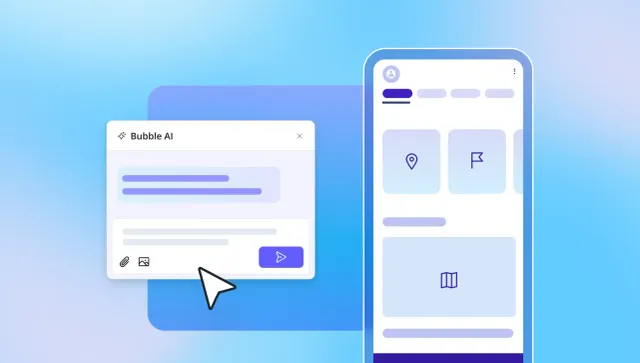
Bubble works this way: Describe an app, and it generates the UI, workflows, database, and logic as editable visual pieces instead of code, for both web and native mobile apps. The Bubble AI Agent (beta) sticks around after that first generation, ready to add features or troubleshoot through conversation.
You can edit any element directly in the visual editor, or keep prompting the Agent, and switch between the two anytime. Because everything is visual, you don’t need to read code to see how your app works.
The trade-off: Visual builders can have a learning curve for complex logic, and some builders with deep coding experience may prefer the raw flexibility of a codebase.
AI copilots for traditional coding
AI copilots help professional developers write code faster. They autocomplete lines, suggest fixes, and explain code in context. Tools like GitHub Copilot or Cursor suggest code as developers type, identify bugs, and refactor sections to improve performance.
These tools assume you already write code and want AI to speed that up. The AI doesn’t generate a full app from a prompt. It assists a developer who’s actively writing and owning the code.
This is the most flexible approach for experienced engineers. The developer maintains full code-level control at every step. Nothing happens without review and approval. AI acts as a capable assistant to the developer, who remains the primary builder.
The trade-off: This requires existing coding knowledge. If you can’t read and write code, copilots won’t help you build an app. They’re tools for accelerating a workflow you already have.
| What AI generates |
How you customize |
When AI gets stuck |
Best for | |
|---|---|---|---|---|
| Code generators | ⭐⭐⭐ Traditional codebase (JavaScript, Python, etc.) |
⭐⭐ Edit code directly or prompt AI again |
❌ You're stuck with code you may not understand |
Developers who want AI to speed up code writing |
| Visual AI builders | ⭐⭐⭐ Visual workflows, database, and UI |
⭐⭐⭐ Edit visually or prompt AI, switch anytime |
✅ Edit directly yourself in the visual editor |
Non-technical builders who want to understand their apps |
| AI copilots | ⭐⭐ Code suggestions and completions |
⭐⭐⭐ Full code-level control by developer |
⭐⭐ Developer debugs and fixes manually |
Professional engineers accelerating existing workflow |
How does AI-assisted app development work end to end?
Building an app with AI follows a rhythm once you get the hang of it. Each step sets up the next one, and skipping ahead is usually what forces a rebuild later.
- Define the problem and scope. Write out the specific problem your app solves and who will use it before writing your first prompt. Vague prompts produce vague apps. “A social media app” gives AI almost nothing. “A tool for freelance designers to send project proposals and collect client approvals” gives clear scope. Spend ten minutes documenting your core user action, the data you need to store, and the most important outcome. This clarity directly improves your AI-generated result.
- Write a specific prompt. Describe your app in plain English, including the core user action, data structure, and key screens. Example: “Build a recipe app where users save recipes with ingredients and instructions, search by ingredient, and create weekly meal plans.” AI uses this to generate a first version. The more specific you are about user roles, data relationships, and workflows, the closer the output matches what you need.
- Review the generated app. Check that the UI matches your intended user flow, and confirm users can actually complete the core task. Verify that the database structure captures the right information with appropriate relationships. Test the logic to confirm that actions produce expected results. This is your first test of whether your prompt was specific enough.
- Refine visually or with follow-up prompts. Once you have a first version, you refine it by prompting the AI again or, on platforms that support it, editing directly. Direct edits are usually faster for small layout, color, or UI changes. Some tools also let you edit workflows and logic directly instead of re-prompting. On Bubble, the visual workflow editor shows exactly what happens when users interact with your app, and you can edit it directly there.
- Set up privacy rules and security. Define who can see and edit which data before you launch. Privacy rules determine which users have access to which database records. Users should only see their own profile data, not everyone’s. This step gets skipped by first-time builders and is one of the most common causes of data exposure. Bubble states that privacy rules can be generated when the AI Agent creates data types, but you should still review and adjust them before going live.
- Test on real devices. Run through your app’s core user flow on actual phones and computers, not just browser previews. Testing on real devices reveals issues that emulators and previews miss, especially for mobile apps. Check that buttons are easy to tap, forms work correctly, and navigation makes sense when holding a device one-handed.
- Deploy. Publish your app to a live URL or app store. Some platforms handle hosting and scaling for you; others require you to set up external infrastructure yourself. On Bubble, deploying a web app is a single click, since hosting, security, and scaling are already built in. Native mobile still goes through Apple and Google’s app-store review, though Bubble automates most of the build and submission work.
How do you choose the right approach for your project?
Your choice depends on your technical background, your app’s complexity, and what happens when something breaks. Three questions narrow your options.
Do you need to read and own the code? If you’re a developer building for a client who wants to own and extend the codebase, a code generator or AI copilot gives you that. If you’re a founder or non-technical builder who wants to understand and maintain your app without learning to code, a visual AI builder fits better. Code ownership matters when you plan to hand off the project to an engineering team later. Visual ownership matters when you plan to iterate and maintain the app yourself.
How complex is your app’s logic? Simple CRUD apps, meaning apps that mainly create, read, update, and delete records like a contact manager or inventory tracker, work with any approach. If your app has complex conditional logic, multi-step workflows, or integrations with external services, a visual AI builder that shows you the logic explicitly gives more control than navigating dozens of code files trying to trace execution paths.
What happens when something breaks? With code generators, a bug means debugging code yourself or hoping more AI prompting fixes the issue. With visual builders, you see exactly where the logic lives and edit it directly because workflows appear as visual flowcharts. For non-technical builders, this is often the deciding factor. When AI can’t fix an issue through prompting, you need to be able to step in and fix it yourself.
What does production-ready actually mean?
Many first-time builders don’t realize there’s a gap between “the AI built something that works on my screen” and “an app ready for paying users.” Understanding this gap prevents expensive surprises when you try to launch.
Production-ready means an app is secure, stable, and functional for users who didn’t build it. A generated app foundation still needs production review: Confirm privacy rules, error handling, performance, and user flows. Bubble helps bridge that gap with built-in hosting, security tooling, privacy rules, deployment, and automatic scaling.
Security and privacy rules define who can see and edit which data. Without them, any user could theoretically access any other user’s data simply because no rules exist to prevent it. Apps can expose data if privacy rules are missing or misconfigured. Builders should review privacy settings before launch to catch these gaps. Bubble’s security dashboard scans for common vulnerabilities like exposed API keys before you deploy, and privacy rules can be generated when the AI Agent creates data types.
Scalability means your app keeps working whether it has 1 user or 1,000. Some platforms scale automatically; others require you to manage hosting and infrastructure yourself. Bubble’s infrastructure scales automatically from 10 users to 10,000 and beyond, with no rearchitecting required.
Maintenance and iteration determine whether you can update your app when something breaks or a user requests a change. If your app is generated as code you can’t read, edit, or maintain, every fix can turn into more prompting or a developer handoff. Bubble avoids that by keeping design, data, privacy rules, and workflows visual and editable.
How does AI-assisted app development work for mobile apps?
Mobile apps introduce specific requirements that web apps don’t face, like accessing device hardware such as cameras and GPS, or navigating app store approval processes. AI app development for mobile has progressed rapidly, but your approach determines what you can build and how you publish it.
A native mobile app runs directly on a device’s operating system and can access features like the camera, push notifications, biometric authentication, and offline storage. A web app opened in a mobile browser has more limited access to these capabilities.
Cross-platform development means building once and deploying to multiple platforms: web, iOS, and Android. On Bubble, web and native mobile apps share the same database and backend logic, so most of your app only needs to be built once.
Native mobile design follows patterns users already expect: bottom navigation tabs, stack navigation between screens, and touch gestures like swipe and pull-to-refresh. Bubble’s native mobile editor supports these patterns, and AI-generated mobile apps can use them too, though builders should review the output. Bubble AI for native mobile is in beta, currently covering UI and dynamic expressions, with workflows and data generation coming soon.
Publishing to app stores means going through Apple’s App Store or Google’s Play Store review process. Bubble automates most of this, generating the build, configuring store settings, and submitting it for you, though publishing still requires developer accounts, store metadata, and app-store review. Other approaches require exporting code and using tools like Xcode or Android Studio to prepare and submit your app manually.
Over-the-air (OTA) updates let you push bug fixes and UI tweaks to a live mobile app without resubmitting to the app store. Bubble supports unlimited OTA updates, delivered silently when users reopen your app, letting you iterate without waiting days for app-store approval.
Start building with AI-assisted development
Every approach here can turn a startup idea, an internal tool, or your first mobile app into something real. What changes is how much you can see and touch along the way, and how stuck you feel once AI reaches its limits.
Bubble is the only fully visual AI app builder built for people who want both speed and control: Chat with AI to move fast, then edit directly when you need precision, without ever touching code. Start building for free →
Frequently asked questions
Is using AI to build commercial apps legal?
Yes. Using AI to generate app code or visual workflows is legal, and you generally own the output under your platform’s terms of service. Review your platform’s terms to confirm ownership rights, especially if you plan to export code or sell the app.
Do AI-assisted app builders support native iOS and Android development?
Some do and some don’t. Tools like Bubble let you build web and native iOS/Android apps in one visual editor with shared backend infrastructure, while native mobile uses its own views and build process. Other tools generate web-only apps or require separate mobile development. Check whether your chosen platform supports native mobile before you commit.
Can ChatGPT or Claude build a complete, production-ready app?
General-purpose AI assistants like ChatGPT and Claude can help generate code snippets and prototype logic, but production apps typically still need a platform or stack for hosting, database, deployment, and security infrastructure. For a complete app, you need a platform that handles the full stack, not just code generation.
How much does AI-assisted app development cost?
Most AI-assisted app builders offer a free tier for building and testing, with paid plans that scale based on app complexity, traffic, and features. Platforms that bundle hosting, database, and deployment tend to have more predictable costs than those that require you to connect external services.
What types of apps can you build with AI-assisted development?
Platforms like Bubble are well-suited for apps involving user accounts, databases, workflows, and business logic, including many marketplaces, SaaS tools, internal business tools, social apps, and mobile apps. Very specialized apps requiring custom hardware integration or highly niche technical infrastructure may need traditional development.
Build for as long as you want on the Free plan. Only upgrade when you're ready to launch.
Join Bubble