

TL;DR: Most AI internal tool builders fall into two camps: platforms that generate code you’ll need a developer to maintain, and platforms that generate visual workflows you can edit yourself. Bubble and Softr lean fully visual. Retool leans toward code. Before you choose, weigh your team’s technical skills and where your data already lives against your governance needs — things like who can access what, single sign-on, and audit logs.
Your operations team has cobbled together five different spreadsheets, three Slack channels, and a manual approval process that requires tagging the same person four times before anything moves forward. You’ve looked at enterprise software that costs six figures annually and requires a six-month implementation. You’ve heard that AI can generate custom business software in minutes, but you’re not sure where to start or which platform won’t trap you with code you can’t maintain.
With AI, you can turn a prompt into a working internal tool in minutes, without hiring a developer or waiting months for engineering to get to your request. The challenge is choosing the right platform: Some generate code you can’t read or maintain, while others generate visual workflows you can edit yourself. If you’re weighing vibe coding alternatives that won’t leave you stuck with code you can’t read, this is where to start.
This guide compares seven platforms, from fully visual builders to low-code tools to developer-friendly options built for technical teams. For each one, you’ll see what it’s best for, where it falls short, and how it handles AI generation, visual editing, permissions, SSO, and pricing.
What to look for in an AI internal tool builder
Choosing the right internal tool development platform depends on your team’s technical level, existing data sources, and how much governance your organization requires. These platforms combine AI-assisted visual development with different levels of governance and control, and the details differ a lot from tool to tool. A data source is where your app’s data lives — some platforms have a built-in database, while others connect to Google Sheets, Airtable, or SQL databases. Your choice depends on where your data already is and whether your team can maintain what the AI generates.
Platforms that expose or rely on code-like logic, such as SQL, JavaScript, or formula languages, work differently than platforms that generate visual workflows.
Here’s what matters when you’re evaluating platforms:
- AI generation vs. visual editing: Some platforms expose code-like logic such as SQL, JavaScript, or formulas that may require developer skills to maintain. Others generate visual workflows you can see and edit yourself. AI is fastest for getting started; visual editing is what keeps you in control. When you need precision, a platform like Bubble lets you inspect and edit the app directly instead of staying trapped in prompt loops or unreadable code.
- What happens when AI gets it wrong: Every AI tool makes mistakes. The question is whether you can fix the issue yourself in a visual editor, or whether you’re stuck re-prompting or debugging code you can’t read.
- Built-in database vs. external data sources: Some platforms include a database where your app’s data lives. Others connect to external sources like Google Sheets, Airtable, or SQL databases. If your data already lives somewhere, connecting to it can be faster than migrating everything to a new platform.
- Role-based access control and privacy rules: RBAC (role-based access control) controls who on your team can see or edit which data. This matters for internal tools specifically: An HR portal shouldn’t show salary data to everyone. Privacy rules define these permissions at the database level.
- SSO and audit logs: SSO lets employees log in with their company credentials instead of creating separate accounts. Audit logs record who did what and when. IT or security teams typically require both before approving a new internal tool.
- Pricing model: Some platforms charge per user, others per app or usage. This matters when deploying to a large internal audience, since per-user pricing can get expensive fast.
- Mobile and deployment: Some platforms are web-only while others support native iOS and Android apps. This matters if your team works in the field or on mobile devices.
The 7 platforms to build internal tools with AI
Each tool entry follows the same structure and depth. The list is ordered by fit for non-technical ops or product people who need AI speed plus visual control without code.
1. Bubble: Best for AI speed with visual control
When you describe an internal tool to Bubble AI, it generates a working foundation for it: UI, database structure, and workflows. Everything appears as drag-and-drop elements and flowcharts, not lines of code. Privacy rules are configurable in the Data tab, and Bubble AI can include them by default for sensitive data types.
The Bubble AI Agent (beta) lets you keep building through conversation. Ask it to add a field, create a workflow, or troubleshoot a broken button. It works right in the editor, so you can see exactly what changed. If it gets something wrong, you can fix it yourself instead of re-prompting or hiring someone to debug code.
Bubble is the only platform on this list that combines AI generation with a fully visual editor across the whole stack, including design, data, privacy rules, and workflows, with web and native mobile apps sharing the same backend. If the AI generates the wrong approval workflow for an onboarding portal, you can edit it step by step without touching code. Bubble is SOC 2 Type II compliant and includes a built-in security dashboard that scans for vulnerabilities, like exposed credentials or missing privacy rules, before you deploy.
Bubble also supports building native iOS and Android apps from the same editor and shared backend, which matters if field teams or managers need to access an internal tool from a phone. Note that native mobile capabilities are still evolving in beta. One-click deployment and auto-scaling infrastructure mean the tool keeps working as more employees start using it, without needing dedicated DevOps support.
Best for:
- Non-technical ops, RevOps, or product teams who need full control without a developer
- Organizations that need governance features like privacy rules, SSO, and SOC 2 Type II compliance built in
- Teams building internal tools today that may need to scale into customer-facing apps later
- Builders who want to understand exactly how their app works, not just trust that AI got it right
Limitations: The Bubble AI Agent is in beta. It can generate and modify common UI, data, expressions, and frontend workflows, but advanced work (like backend workflows, plugin and payment actions, or very complex workflows) may still need direct visual editing. There’s a learning curve for complex logic, though the Agent helps explain what it built.
Pricing: Bubble offers a Free plan, Starter plan ($59/month billed annually), Growth plan ($209/month billed annually), Team plan ($549/month billed annually), and a custom Enterprise plan. Plans include monthly workload units (50K on Free, scaling up through Team), with overage pricing on paid tiers at $0.30 per 1K workload units. SOC 2 Type II compliance and a GDPR DPA apply across all plans; SSO is included on the Enterprise plan.
Compare to: Retool for developer-led teams who want code access. Softr for lighter portal use cases without complex backend logic.
🧭 Not sure if you need code? If your team can’t read or debug code, a platform like Bubble that generates visual workflows means you’re never stuck waiting for a developer when something breaks or needs changing.
2. Retool: Best for teams with developers
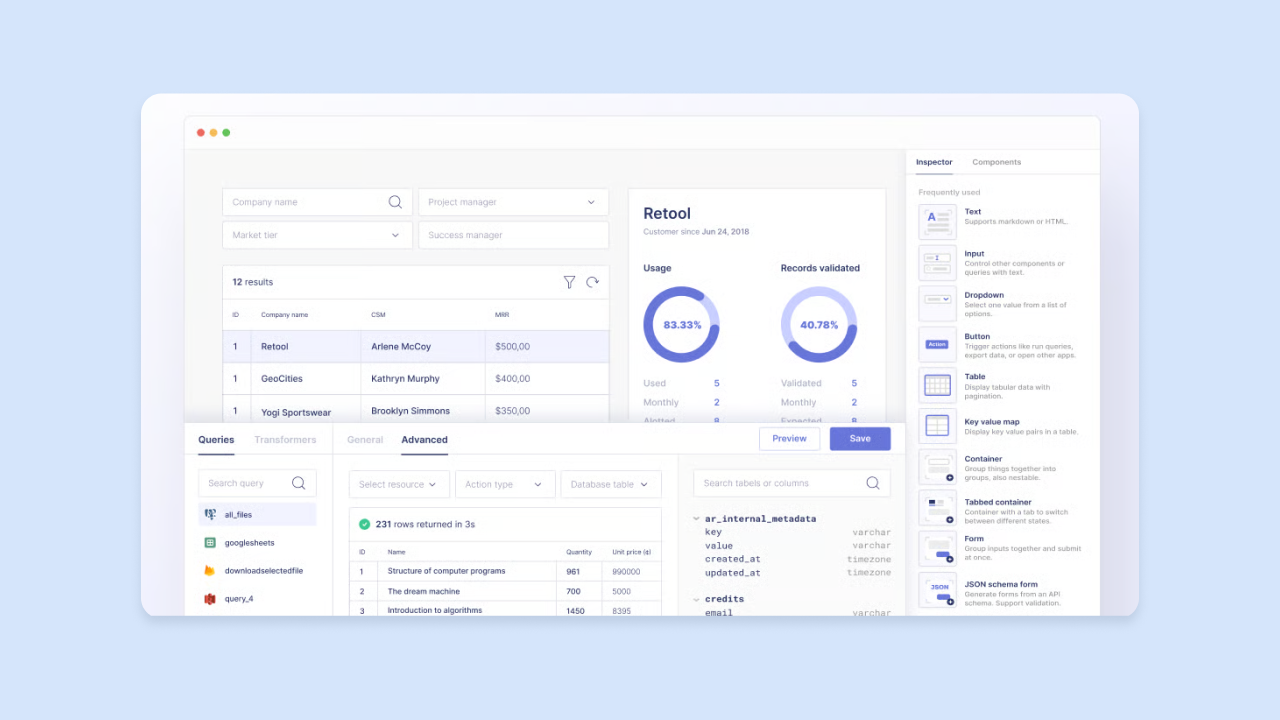
Retool connects UI components, like tables, forms, and buttons, to your data through SQL queries or API calls. It’s code-first: You write SQL or JavaScript to build most of the logic yourself. AI features can generate queries, logic, and UI from a prompt, but you’ll still rely on coding knowledge for anything beyond the basics.
Engineering teams typically use Retool to build admin panels over production databases. You can connect to PostgreSQL, MySQL, MongoDB, or any REST API, or use the built-in Retool Database. From there, you build interfaces that let non-technical teammates work with that data safely. Retool also supports self-hosting, so you can run it on your own servers, which matters for organizations with strict data residency or compliance requirements.
Retool includes audit logs and role-based access control, features enterprise engineering teams often need. You can set permissions for who can view, edit, or delete specific data, and track every action a user takes. On Enterprise, source control lets you roll back changes if something breaks.
Best for:
- Engineering-led teams building admin panels, dashboards, or data management tools
- Organizations that need self-hosting or on-premise deployment for compliance reasons
- Teams comfortable with SQL and JavaScript who want a faster UI-building layer
Limitations: Per-seat pricing for builders and internal users grows quickly as internal user counts increase. Non-developers will struggle without a developer to write and maintain queries. AI features help but don’t eliminate the value of coding knowledge.
Pricing: Retool’s Free plan covers up to 5 users with 500 workflow runs/month and 5GB of database capacity. Team is $10/builder/month plus $5/internal user/month. Business is $50/builder/month plus $15/internal user/month and adds audit logging, detailed permission controls, and external user pricing. Enterprise is custom and adds SAML/OIDC SSO, source control, and dedicated support.
Compare to: ToolJet for an open-source alternative. Bubble for teams who want visual control without writing code.
3. Microsoft Power Apps: Best for Microsoft 365 organizations
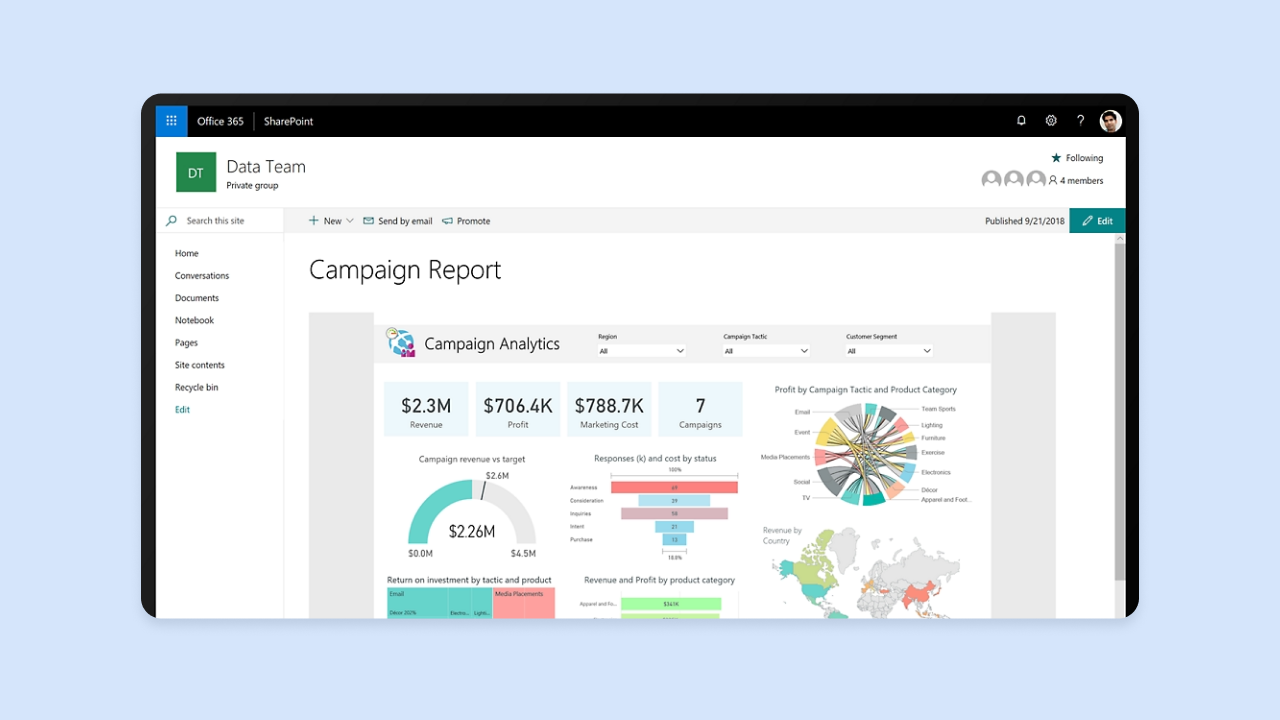
Power Apps connects natively to Microsoft’s data layer, including Dataverse, and integrates with the broader Microsoft 365 ecosystem so internal tools can live where employees already work. Microsoft Copilot can generate app screens and suggest formulas from a text description, which lowers the barrier for non-developers starting from scratch. The platform works best for organizations already standardized on Microsoft 365.
Power Apps has two modes. Canvas apps give you pixel-level layout control but require more manual work. Model-driven apps are faster to scaffold but less customizable, since they generate automatically from your data schema. Advanced logic in either mode uses Microsoft’s Power Fx formula language, which has its own syntax to learn but is easier to pick up than JavaScript.
Power Apps ties into your existing Microsoft identity setup, so it uses the same accounts and permissions your organization already has in Azure AD. If your organization runs on Microsoft, this cuts down on the setup work needed to roll out a new internal app.
Best for:
- Enterprises standardized on Microsoft 365 with existing data in Dataverse or other Microsoft sources
- IT teams that need to build enterprise apps without code inside the Microsoft ecosystem
- Organizations that want Copilot-assisted development within the Microsoft ecosystem
Limitations: Licensing is complex and can be expensive at scale. Advanced customization requires Power Fx knowledge. Apps built outside the Microsoft ecosystem can be harder to integrate: If your data lives in non-Microsoft systems, you’ll need connectors that may have limitations.
Pricing: A free Developer Plan covers build-and-test scenarios with three developer environments and a 2GB Dataverse database. Power Apps Premium is $20.00/user/month paid yearly, with a $12.00/user/month paid-yearly option that requires a 2,000-seat minimum. Pay-as-you-go licensing and a Dataverse Database Capacity add-on at $40.00/GB/month paid yearly are also available.
Compare to: Bubble for cross-platform apps with more visual workflow control. Retool for developer-led teams on non-Microsoft stacks.
4. Softr: Best for portals and dashboards without developers
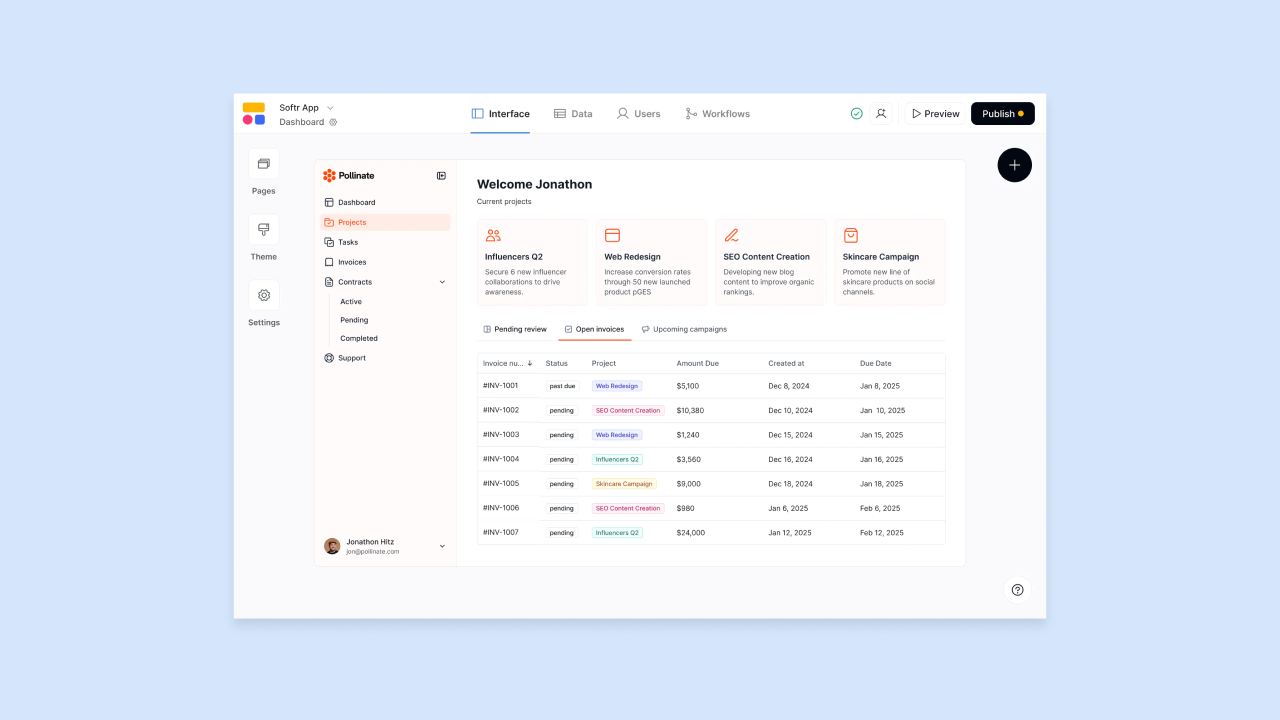
Softr takes a block-based approach. You build pages by stacking pre-built sections, such as tables, forms, charts, and filtered lists, and connecting them to your data source. Softr’s no-code AI app generator can create app UI, database structure, and business logic for user actions, permissions, and workflows from a text prompt, for standard use cases such as employee directories, project trackers, or vendor approval portals. It’s designed for non-developers who want to build a working portal without engineering help.
Softr includes permissions and user management features. You can control which users see which records based on their role or data, which is important for internal tools handling sensitive information. For example, you can show managers only their team’s data, or show vendors only their own orders. Softr supports its own Softr Database and also integrates natively with Airtable, Google Sheets, SQL, and REST APIs, so teams already using those tools can build an app interface without migrating data.
The block-based approach means you’re working with pre-built components rather than building from scratch. This speeds up development but limits customization compared to platforms like Bubble or Retool. You can adjust colors, fonts, and layout, but custom components or highly intricate conditional logic may push beyond the block model.
Best for:
- Non-technical teams who need an internal portal or dashboard without custom design work
- Teams whose data already lives in Airtable or Google Sheets and don’t want to migrate
- SMBs or departments that need role-based portals without a developer
Limitations: Softr supports workflows and generated business logic, but its block-based model may be less flexible for highly custom application logic than platforms designed for deeper visual programming or code-first customization. Softr works best for read-and-write interfaces over existing data, not apps with intricate custom logic.
Pricing: Free plan available. Basic is $49/month, Professional is $139/month, and Business is $269/month, with rising limits on app users, database records, and workflow actions. The Enterprise plan adds SSO (SAML, OpenID, and others), audit logging, SOC 2 reporting, advanced security, and custom agreements/SLAs.
Compare to: AppSheet and Glide for spreadsheet-first teams. Bubble for teams that need more complex logic or want to scale beyond portals.
5. Google AppSheet: Best for Google Workspace teams
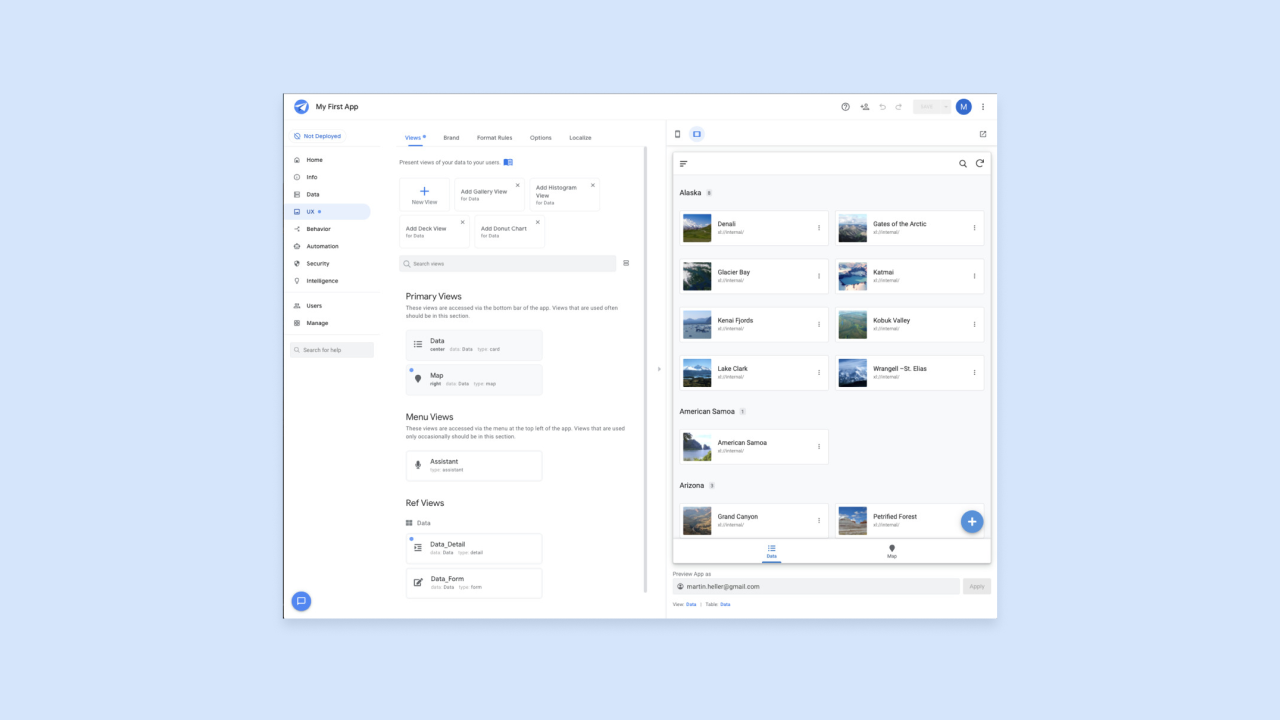
AppSheet connects directly to Google Sheets and other Google Workspace tools such as Gmail, Apps Script, and Chat, as well as third-party and enterprise data sources like Office 365, Dropbox, Salesforce, BigQuery, SQL databases, Apigee, and REST APIs. The AI assistant can suggest app structure and automate common setup steps. Apps are mobile-responsive by default, which can help field teams or anyone who primarily works on a phone.
The platform reads your spreadsheet columns and automatically creates form fields, list views, and detail pages. If you have a column called Status, AppSheet creates a dropdown with the values it finds. If you have a column called Photo, it creates a camera input. This automatic generation handles straightforward use cases, but anything complex may need manual adjustment.
AppSheet includes basic automation, such as sending notifications, updating records, and running scheduled actions, without code. Advanced conditional logic or multi-system integrations typically require AppSheet’s expression language, which has a learning curve similar to advanced spreadsheet formulas. You’re essentially writing expressions that reference your data columns and app state.
Best for:
- Teams already using Google Workspace who want to turn a spreadsheet into an app
- Field teams or operations staff who need mobile-first internal tools
- Non-developers who want a guided, data-driven app builder without migrating off Google
Limitations: Logic and governance capabilities are more limited than Bubble or Retool at scale. Apps are tightly coupled to Google’s ecosystem, which can be a constraint for teams using non-Google data sources. The expression language can get complex for advanced use cases.
Pricing: You can test apps with up to 10 users at no cost. Starter is $5/user/month, Core is $10/user/month (and is included in most paid Google Workspace plans), and Enterprise Plus is $20/user/month. Publisher Pro covers publicly accessible apps at $50/month/app without user sign-in or security filters.
Compare to: Glide for a more design-forward mobile experience. Softr for portal-style layouts. Bubble for teams that need more complex backend logic.
6. ToolJet: Best for teams that need open-source or self-hosted deployment
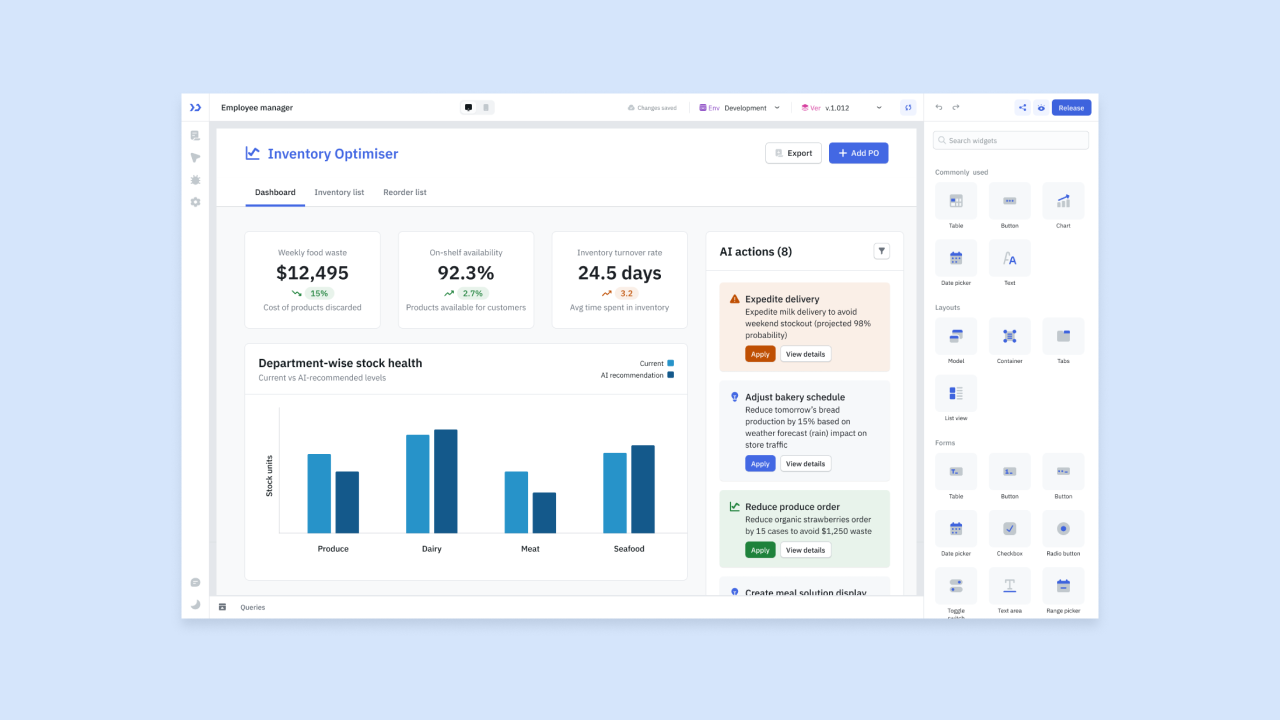
ToolJet is an open-source internal tool builder. Its code is publicly available, and you can run it on your own servers instead of relying only on the vendor’s hosted infrastructure. It has a visual drag-and-drop UI builder, a built-in PostgreSQL-backed ToolJet Database, and connectors for external databases like PostgreSQL and MySQL, REST APIs, and cloud services. ToolJet also offers AI capabilities through plan-based AI credits.
Because it’s open source, you can inspect and modify the code yourself before deploying it. You can run ToolJet self-hosted, in the cloud, or fully air-gapped, meaning it runs with no internet connection at all. That’s often a requirement in regulated industries like defense, healthcare, and finance, where data has to stay inside a controlled environment.
ToolJet’s visual builder is similar to Retool’s: You drag components onto a canvas and connect them to data via queries. The difference is that ToolJet is open source, with cloud pricing varying by edition: Pro and Team are priced per builder, while Enterprise includes unlimited end users with no per-user fees. SSO and audit logs are available on the Team plan and above, which helps meet enterprise security requirements.
Best for:
- Organizations that require on-premise or air-gapped deployment for compliance reasons
- Developer-led teams that want open-source transparency and the ability to extend the platform
- Teams on tight budgets who want a capable internal tool builder without per-seat commercial pricing for end users
Limitations: AI generation maturity varies; check current capabilities against your needs. Non-developers will need a developer to set up and maintain a self-hosted instance. Advanced UI customization may require technical configuration depending on the component and data source.
Pricing: Free open-source tier with 2 builders, up to 50 end users, and up to 2 apps. Pro is $79 per builder/month with 5 apps. Team is $199 per builder/month annually (or $249 monthly) and adds SSO, white labeling, custom domain, app themes, modules, audit logs, and Git sync. Enterprise starts at $3,000/month and adds unlimited end users, SCIM provisioning, custom AI model options, premium SLAs, and a dedicated support manager.
Compare to: Retool for a commercially supported alternative. Budibase for another open-source option.
7. Glide: Best for lightweight mobile-friendly apps from spreadsheets
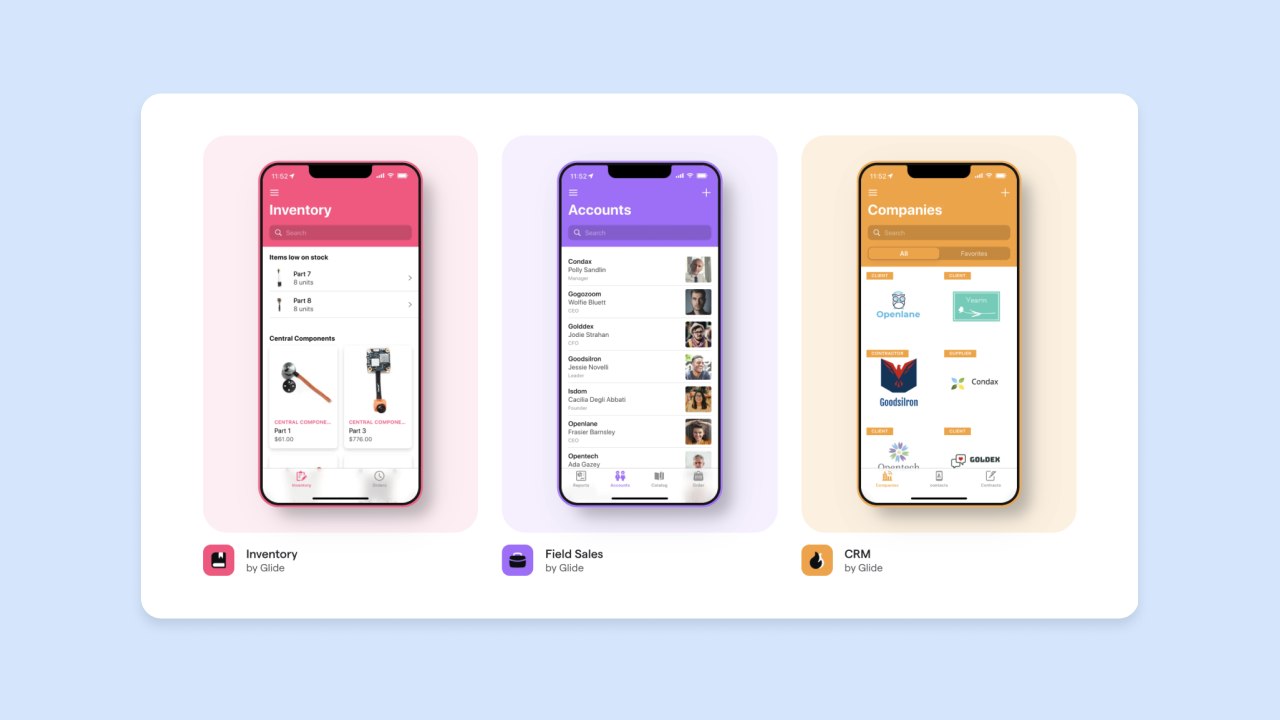
Glide can build apps from Glide data sources and external sources such as Google Sheets, Excel, Airtable, SQL databases, and BigQuery. You pick a layout, connect your data columns to UI elements, and publish. The interface is one of the simpler options on this list for beginners. Glide’s AI features can suggest layouts and generate computed columns, though they’re more assistive than fully generative: They help you set up the app but don’t build complex logic.
The platform is designed for simplicity. You’re not writing queries or building workflows. You’re mapping spreadsheet columns to app components. If you have a column called Name, you drag it to a text field. If you have a column called Image URL, you drag it to an image component. Glide apps are designed for mobile and are commonly used for internal cases like employee directories, event check-in tools, or simple field data collection forms.
Glide is built for simpler app experiences, but higher-tier and Enterprise setups support Workflows, the Glide API, and large datasets through SQL, BigQuery, and Big Tables, with up to 10 million rows per project on Enterprise. Customization is still more limited than other tools on this list when it comes to bespoke UI components.
Best for:
- Non-technical teams who need a simple internal app without a lengthy build process
- Use cases with straightforward data like directories, checklists, status trackers, and simple forms
- Teams whose data lives in Google Sheets and who don’t need deep custom logic
Limitations: Best suited for apps with simpler logic and standard layouts. Customization is more limited compared to platforms like Bubble or Retool. Enterprise governance features such as SSO, advanced permissions and roles, SOC 2 Type 2, data backups, and enterprise integrations are gated to the Enterprise plan.
Pricing: Free tier for personal use. Business starts at $199/month billed yearly, including unlimited apps, 30 users included ($5 per additional user), 5,000 updates, up to 100K rows, Workflows, Call API, and the Glide API. Enterprise is custom and adds SSO, data backups, enterprise integrations, an account manager, and priority support.
Compare to: AppSheet for deeper Google Workspace integration. Softr for more portal-style layouts and permissions.
Side-by-side comparison
Here’s how the seven platforms compare on AI generation and visual editing, data and privacy, governance and deployment, and pricing.
| AI generation & visual editing |
Data & privacy | Governance & deployment |
Pricing model | |
|---|---|---|---|---|
| Bubble | ✅ Generates a full app from a prompt; full visual control across the stack |
Built-in database with automatic and visual privacy rules for sensitive data | SSO on Enterprise; cloud only; iOS and Android (beta) | Usage-based |
| Retool | ⚠️ Generates queries, logic, and UIs, but is code-first; UI is visual, logic relies on SQL/JavaScript |
Retool Database available, mostly connects to external sources; advanced RBAC | SSO on Enterprise (SAML/OIDC); self-hosting available; Retool Mobile (native iOS/Android) | Per builder and per internal user |
| Power Apps | ⚠️ Copilot-assisted; needs Power Fx for advanced logic |
Dataverse (paid add-on); access via Microsoft identity | Native Microsoft SSO; cloud only; mobile via Power Apps mobile app | Per user |
| Softr | ✅ App, data, and logic generation; block-based, fully visual |
Softr Database plus external sources (Airtable, Sheets, SQL, REST API); record-level permissions | SSO on Enterprise; cloud only; web only | Per app |
| AppSheet | ⚠️ Generates from spreadsheet structure; guided, but needs expressions for logic |
AppSheet databases plus Google Sheets and external sources; basic access rules | SSO provider auth, advanced auth on Enterprise Plus; cloud only; mobile-responsive by default | Per user |
| ToolJet | ⚠️ AI credits, plan-dependent; visual UI, queries built via editors |
ToolJet Database plus external sources; RBAC available | SSO on Team and Enterprise; self-hosted available; web only | Free OSS or per builder; Enterprise unlimited end users |
| Glide | ⚠️ Layout suggestions and computed columns; fully visual |
Glide Tables, Sheets, SQL, BigQuery; basic permissions, advanced roles on Enterprise | SSO on Enterprise add-on; cloud only; mobile-first | Per app |
Which platform fits your team
For non-developers, one variable decides everything: whether you can see and edit what the platform builds, or you’re left with code only a developer can maintain. Here’s how that plays out for each situation:
- You’re non-technical and need full control over logic and data: Bubble lets you chat with AI when you want speed and edit directly when you want control, with visual workflows and explanations that help you understand what was built. When something breaks, you can fix it yourself instead of waiting for a developer.
- You have a developer on the team and need admin panels over production data: Retool’s combination of visual UI components and SQL/JavaScript access is built for this. The developer writes queries, and the rest of the team uses the interface safely.
- Your organization runs on Microsoft 365: Power Apps connects natively to Dataverse and the Microsoft ecosystem, and Copilot can generate screens from a prompt without leaving Microsoft tools. If your data lives in Microsoft systems, this avoids additional integration work.
- You need a portal or dashboard and your data is in Airtable or Google Sheets: Softr builds permissioned portals on top of those data sources without requiring backend work, which can reduce build time compared to a custom backend.
- Your team lives in Google Workspace and needs mobile-first tools: AppSheet generates apps directly from your Sheets data and is mobile-responsive by default. Field teams can use it on their phones without additional setup.
- You need open-source or self-hosted deployment: ToolJet is an open-source option on this list and supports on-premise and air-gapped environments for regulated industries. You own the code and control where it runs.
- You need something simple and fast, and your use case is lightweight: Glide offers a simple path from a spreadsheet to a working mobile app for straightforward use cases that don’t need deep custom logic, such as an employee directory or event check-in tool.
Start building your first internal tool
According to Gartner’s 2026 CIO Survey, only 48% of digital initiatives meet their business targets. If you can’t read or debug code, look for a platform with visual workflows instead. You’ll be able to see and edit every part of your internal tool, which gives you more control than a code-generating tool can.
Start by shortlisting two platforms based on your team’s technical skills and where your data already lives, using the comparison table and decision guide above. The real test is whether your team can still make changes to the tool six months from now, after the person who built it has moved on to something else.
For teams that need to go from prototype to production without switching platforms, Bubble lets you move fast with AI and step in yourself when the AI gets something wrong. Describe your internal tool, and Bubble AI builds a working version to start from. Need to change something? Open the visual editor and do it yourself, no developer required. Try Bubble for free.
Frequently asked questions
Can non-developers build production-ready internal tools with AI platforms?
Yes. Platforms like Bubble, Softr, and AppSheet offer AI-assisted app generation from prompts, while Glide provides AI-assisted building features for spreadsheet-style apps. The key is choosing a platform that generates visual workflows you can edit yourself, rather than code you’d need a developer to maintain. Advanced custom logic or integrations may still require more technical setup depending on the platform.
What is the difference between a no-code internal tool builder and a low-code one?
No-code internal tools like Softr or Glide emphasize building entirely through visual interfaces and AI prompts, though advanced custom logic or integrations may still require more technical setup depending on the platform. Bubble takes this further as a visual AI app builder, combining AI generation with full visual control over design, data, and logic. Low-code platforms like Retool or Power Apps provide visual tools that speed up development but still benefit from coding knowledge, typically SQL, JavaScript, or a formula language, for more complex logic.
How do AI internal tool builders handle data security and permissions?
Most platforms on this list support role-based access control, which lets you define who can see or edit which data. Bubble is SOC 2 Type II compliant and supports Enterprise SSO along with visual privacy rules for data, fields, and file exposure. Retool supports RBAC, audit logging on Business, detailed permission controls, data-level permissions, and SAML/OIDC SSO on Enterprise. These features are typically required by IT or security teams before approving a new internal tool.
What happens when the AI generates something incorrect in an internal tool builder?
On code-first or code-generating tools, mistakes may require re-prompting, code review, or developer debugging. On Bubble, you can use AI for speed, then step into the visual editor for control — editing workflows, data fields, UI, and privacy rules directly without coding. This is the most important practical difference between platforms for non-technical teams.
Do AI internal tool builders support mobile apps for field teams?
Some do and some don’t. Bubble supports building native iOS and Android apps from the same editor and shared backend as your web app, currently with native mobile capabilities in beta. AppSheet and Glide generate mobile-friendly apps by default. Retool also supports mobile apps in addition to web, while Softr is primarily web and portal oriented.
Build for as long as you want on the Free plan. Only upgrade when you're ready to launch.
Join Bubble


