
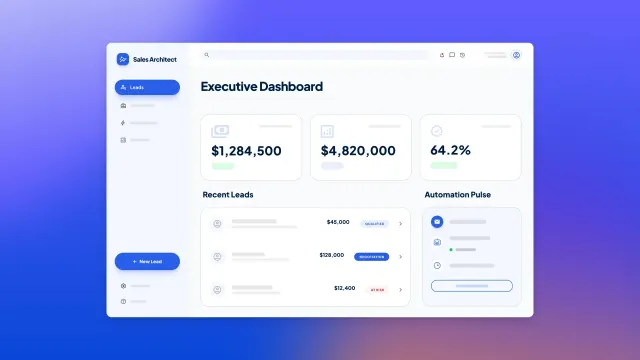
TL;DR: Build operations automations without code using Bubble’s AI Agent to generate workflows quickly, then refine them visually for precise control. Follow a three-step process of mapping high-impact workflows, designing secure data governance, and deploying automations that work across web and mobile. Focus on cross-functional processes with multiple handoffs, score workflows by volume and compliance risk, and establish privacy rules and audit trails before automating to avoid security gaps.
You’ve spent another morning manually routing support tickets between teams. Your finance team is still copying invoice data between three different systems. HR sends the same onboarding checklist to every new hire, even though half of it doesn’t apply to remote workers. Operational drag slows your entire business. Research shows that 60% of employees could save 30% of their time by automating.
Operations automation promises a way out. But most teams hit the same wall: AI tools generate quick prototypes you can’t maintain, and traditional development takes months. You need workflows you can actually understand and control, not AI-generated code you can’t read, and not months of traditional development. Bubble lets you build automations visually, without code, so you can see exactly how they work, connect your tools, and deploy across web and mobile.
This guide walks through a three-step approach. You’ll learn to identify high-impact workflows, design secure governance, and build automations you can see and understand in visual workflows. The result is a repeatable process for managing operational workflows more effectively.
What is operations automation today?
Operations automation is software that manages cross-functional business processes end-to-end without manual intervention. For example, when a deal closes in your CRM, the data automatically transfers to your billing system without someone copying and pasting. When a support ticket arrives, automation can route it based on priority, product, and team capacity without a manager assigning it manually.
This differs from basic task automation, which handles single actions like sending an email or updating a spreadsheet. It also differs from robotic process automation (RPA), which mimics screen clicks to interact with legacy systems. Operations automation orchestrates entire workflows, connecting data, triggering actions, and managing handoffs across multiple tools and departments.
Modern operations automation is a market valued at nearly $30 billion in 2026. It combines three elements. First, data integration across systems so information flows automatically between your CRM, HRIS, support desk, and other tools. Second, workflow logic that makes decisions based on conditions. For example, if the purchase amount exceeds $5,000, route to the CFO for approval. Third, governance that ensures security and compliance through privacy rules and audit trails.
Systems that support both web and mobile deployment let you build workflows once and use them everywhere. Using Bubble, you can generate automations with the Bubble AI Agent (in beta) or build them visually, then deploy across both web and native mobile apps from a shared backend. That means approval workflows, data updates, and notifications work consistently, whether someone’s at their desk or on their phone.
Step 1: Map and score high-impact workflows
The biggest mistake in operations automation is automating everything. Instead, start by building a backlog of workflows you can deliver quickly with measurable results. This step focuses on identifying repeatable patterns that currently cause the most pain.
Spot repeatable cross-functional workflows
High-impact workflows typically span departments and involve multiple handoffs. Look for processes where work moves between sales and finance, HR and IT, or support and product. These handoffs create delays, errors, and unclear ownership that automation can fix.
Start by flagging duplicate data entry across multiple tools. If your team copies information from forms into CRMs, spreadsheets, and project management tools, that’s a workflow worth automating. Manual entry produces 1–4% error rates per 10,000 entries. Next, identify approval chains with unclear ownership, such as purchase requests that sit in someone’s inbox for days, or onboarding tasks that no one claims responsibility for completing.
Common patterns to look for:
- Intake processes that start with form submissions, inbound emails, or webhook triggers
- Status updates that require notifying multiple stakeholders across different tools
- Approval workflows where requests bounce between departments
- Data synchronization between systems that should stay in sync automatically
Score by volume, risk and ROI
Not all workflows deserve automation right away. Use a simple scoring model to prioritize: Multiply volume by error impact, hand-off count, time cost, and compliance risk. A monthly workflow that takes five minutes probably isn’t worth automating. A daily workflow with compliance requirements that currently involves six people and three systems probably is.
Prioritize workflows you can deliver within weeks with measurable outcomes. Quick wins build momentum and prove value. Look for intake-to-action patterns like:
- Lead routing: Capture, qualify, assign to the right sales rep
- Ticket routing: Submit, categorize, escalate based on priority
- Employee provisioning: Hire, create accounts, assign permissions
These follow predictable steps that automation handles well. Once you’ve scored your workflows, pick the top three to start with. You’ll build confidence and learn what works before tackling more complex automations.
Step 2: Design data and governance
Before automating anything, establish your data structure, privacy rules, and approval workflows. Without this foundation, you risk security gaps, duplicate records, and automations that break when data changes. On Bubble, the AI Agent can help generate data types and privacy rules from your feature descriptions, which speeds up this foundational work.
Structure your data and privacy rules
Define your core entities and relationships first. What objects does your workflow create, update, or reference? For employee onboarding, you might have Employee, Department, Equipment Request, and Training Module entities. For lead management, you might have Lead, Account, Territory, and Sales Rep entities.
Set privacy rules at both row and field levels with clear ownership. Who can view, edit, or delete each type of record? A sales rep might view all leads in their territory but only edit leads they own. A finance approver might view purchase requests but only approve those within their budget authority. On Bubble, privacy rules are automatically generated when the AI Agent creates data types, and you can refine them in the visual database designer. They enforce automatically across web and mobile.
Document how you handle personally identifiable information (PII) and data retention requirements. Compliance is foundational to trustworthy automation. Know which fields contain sensitive data, who can access them, and how long you keep records.
Set roles, approvals and audit
Define key roles in your workflows: requesters who submit forms, approvers who make decisions, executors who complete actions, and auditors who review outcomes. Each role needs appropriate permissions and clear responsibilities.
Design approval workflows with timeouts and fallback procedures. What happens if an approver doesn’t respond within 48 hours? Does the request escalate to their manager? Does it auto-approve for amounts under a threshold? Build these rules into your workflows from the start.
Establish audit trail requirements for compliance. Most regulated industries require you to prove who did what when. Automated workflows should log every action, decision, and data change with timestamps and user IDs. On Bubble, you can ask the AI Agent to add audit logging to your workflows, or configure them yourself in the visual editor to automatically create audit records whenever sensitive actions occur.
On the topic of security: Bubble maintains SOC 2 Type II compliance and offers GDPR-compliant DPAs across all plan tiers. Enterprise security features like SSO, static IP addresses, choice of hosting region, and dedicated instances require Enterprise plan. Review bubble.io/security for detailed security capabilities and compliance documentation.
Step 3: Build and launch
Now you can move from planning to production. With Bubble, you generate working automations quickly using AI, then customize them visually to maintain full control.
Generate UI, data, and workflows with AI
Use Bubble AI to generate working pages, data types, and workflows from natural language prompts. Start by describing your workflow in plain language. For example, you could say "build an expense approval form that routes to budget owners based on department and amount." Behind the scenes, Bubble AI responds by first creating the necessary data types (Expense, Department, Budget Owner) with appropriate fields and relationships. Next, it builds the UI elements: the form inputs, submission button, and approval interface. Finally, it constructs the workflow logic that triggers on form submission, evaluates the department and amount conditions, and routes the request to the correct approver.
Unlike AI tools that generate code you can’t read, everything on Bubble is visual. You’ll see it add data fields, place UI elements on the page, and configure workflow actions in sequence. After the AI completes its work, you can review each component it created, refine specific parts with additional prompts to the Bubble AI Agent like "add a field for receipt attachments" or "send a Slack notification when approved," or switch to direct editing when you want precise control over conditions, styling, or privacy rules.
Connect systems with the API Connector
Most operations workflows need to connect existing tools, like your CRM, HRIS, support desk, or payment processor. Use Bubble’s API Connector to integrate these systems via secure connections without writing code. The AI Agent can give you step-by-step guidance for connecting to services like ChatGPT, Stripe, or any other API.
Normalize API responses and map fields for reuse across workflows. When you pull customer data from Salesforce, map it to your internal data types consistently. This makes it easier to swap integrations later or add new systems to existing workflows.
Add error handling with retries, timeouts, and notifications. External APIs fail sometimes. Networks drop, services go down, rate limits hit. Your workflows should handle these gracefully:
- Automatic retries: Try again after temporary failures
- Timeout limits: Don’t wait forever for responses
- Clear notifications: Alert the right people when manual intervention is needed
Test, iterate and keep workflows explainable
Start with a small pilot group and test edge cases before going live. What happens if someone submits a request at midnight? What if two approvers click "approve" at the same time? What if your API times out? Test these scenarios now while fixes are quick and easy.
Use Bubble’s visual debugger to trace exactly what’s happening in your workflows. Step through each action, see the data at every point, and pinpoint where things break. It’s a lifesaver when troubleshooting live issues.
Set up version control (Starter plan and above) so you can test changes safely and roll back instantly if you need to. Higher-tier plans (Growth, Team, Enterprise) add premium version control with custom branches for complex workflows. Deploy with confidence knowing you can undo anything that breaks.
Department playbooks and examples
These proven automation patterns adapt quickly across different business functions. Each example follows the same structure: trigger, routing logic, actions, and notifications. You can describe these patterns to the AI Agent to have it build them for you, or use them as starting templates to build visually.
IT operations automation
Incident management is a textbook IT process automation. Intake happens via form or monitoring alert. The system auto-prioritizes based on severity and affected systems. It assigns to the on-call engineer, sends notifications with context, updates the status dashboard, and triggers a postmortem workflow when resolved.
Employee provisioning starts with an HRIS webhook when someone’s hired. The automation creates accounts in all required systems, assigns to security groups based on role, provisions hardware, generates an onboarding checklist, and notifies the manager and IT when complete.
Observability workflows monitor system metrics and logs continuously. When they detect threshold violations, they auto-triage using historical patterns, escalate to the appropriate team, trigger remediation scripts for known issues, and log all actions for compliance.
RevOps and sales ops
Lead management captures leads from web forms, events, or ad platforms. It enriches them with company data, routes to sales reps by territory, industry, or deal size, tracks SLA compliance for contact timing, notifies reps with relevant context, and syncs back to the CRM.
Pipeline hygiene detects stale deals with no activity. It reminds owners to update, escalates to managers after a threshold, auto-closes or flags for review, maintains forecast accuracy, and updates dashboard metrics.
Marketing operations
Lead processing collects from multiple channels, deduplicates against existing contacts, verifies consent and preferences, logs in the compliance system, adds to appropriate nurture tracks, and syncs to the CRM with source attribution.
Campaign tracking captures response data from emails, ads, and events. It attributes to the correct campaign, updates performance dashboards, triggers follow-up workflows based on engagement, and calculates ROI and pipeline contribution.
HR operations
Employee lifecycle starts when you convert a candidate to employee in the ATS. It generates offer letters and contracts, collects new hire paperwork, schedules orientation, provisions accounts and equipment, assigns training modules, tracks completion, and notifies stakeholders.
Policy management publishes updated policies, notifies all employees, tracks acknowledgment, sends reminders to non-responders, escalates to managers, logs compliance, and exports audit reports for legal.
Finance operations
Purchase workflows start with a request via form. They validate budget availability, route to the budget owner for approval, escalate to finance if over threshold, generate purchase orders, notify requesters and procurement, track fulfillment, and update spend dashboards.
Accounts payable receives invoices via email or upload. It extracts key data, matches to purchase orders and receipts, flags exceptions for review, routes approved invoices to the payment system, notifies vendors, and reconciles in the accounting system.
Customer support operations
Ticket management captures tickets from email, chat, or web form. It categorizes by product and issue type, auto-replies with expected response time, routes to the appropriate team based on skills and workload, escalates high-priority issues, and tracks resolution time.
Escalation handling detects VIP customers or high-severity issues. It immediately routes to senior support, notifies the account manager, provides agents with full customer context, tracks resolution, and follows up to ensure satisfaction.
Build operations automation that scales
Operations automation succeeds when you’re strategic about what to automate and deliberate about how you build. The workflows that deliver the most value reduce errors, improve compliance, or eliminate frustrating handoffs between teams.
Start with the three-step approach. First, identify and score high-impact workflows. Next, design secure data and governance foundations. Then, generate automations with AI while maintaining full visual control to refine them precisely. This progression makes sure you move quickly without creating technical debt or security gaps you’ll regret later.
The key advantage of building operations automation on Bubble is understanding. You’re not stuck prompting AI and hoping it works. You’re not wrestling with generated code you can’t read. You build workflows you can see, debug, and modify yourself, and they work consistently across web and mobile from a shared backend.
Here’s how to start:
- Shortlist your top three workflows using the scoring model from Step 1
- Map your core data entities and privacy rules before building anything
- Generate your first automation with the AI Agent, then refine it visually if needed
- Pilot with a small group to validate the workflow and gather feedback
- Measure results in reduced time, fewer errors, or improved compliance
- Expand department by department as you prove value and build confidence
Start with Bubble’s Free plan to explore the platform, but note that the operations automation capabilities described in this guide (version control, native mobile apps, team collaboration, extended audit logs) require paid plans starting at $59/month (Starter) for basic features or $209-549/month (Growth/Team) for full automation capabilities.
Frequently asked questions
How does operations automation differ from task automation and RPA?
Operations automation orchestrates multi-step workflows across tools and departments, while task automation handles single actions like sending an email. RPA emulates user interface clicks to interact with legacy systems, whereas operations automation connects systems directly via APIs for more reliable integration.
How do I measure operations automation ROI beyond time saved?
Track error reduction in manual processes, SLA compliance improvements, cycle time from request to completion, approval speed metrics, rework elimination, and forecast accuracy gains. Connect these operational metrics to business outcomes like faster revenue collection, reduced compliance violations, or improved customer satisfaction scores.
How do I prevent shadow IT when automations spread across departments?
Implement standardized roles with clear ownership, approval processes for new automations, and audit trails for all automated actions. Use platforms with centralized secrets management, role-based access control, and security dashboards that give you visibility into all automations across the organization.
Can operations automation work across web and native mobile apps?
Yes, on paid plans. Build shared data structures and workflows once with the AI Agent or visual editor, then expose tasks, approvals, and self-service features across web dashboards and native mobile apps. On Bubble, changes to workflows and data automatically apply to both web and mobile interfaces without rebuilding each platform separately. Note: Mobile app builds are limited by plan tier (Starter: 5 builds/month with 3 concurrent live versions; Growth: 10/5; Team: 20/8; Free plan does not support native mobile apps).
When should I use AI generation versus visual editing for workflows?
Chat with the AI Agent when you want speed. It can generate workflows, explain them, and troubleshoot issues. Switch seamlessly to visual editing when you want precise control over conditions, privacy rules, and system integrations. You can move between AI and visual editing at any time based on what the moment requires.
Build for as long as you want on the Free plan. Only upgrade when you're ready to launch.
Join Bubble


